TOOLNAVIA / BUYING GUIDE
UniConverter Watch Folder: Is Batch Automation Worth Paying For?
The short answer
At a glance
- Best for
- Windows users with repeatable folders and stable presets.
- Price model
- Checkout controls version, total, tax and renewal.
- Check first
- Not for one-off conversion or assumed enterprise retries.
Verdict
UniConverter 18's Watch Folder is worth testing if the same kind of media arrives every week and someone currently repeats the same import, preset and destination steps. It is not a reason to buy by itself when you only convert occasional files. The official V18 page says the folder can monitor new files, apply saved settings and let you adjust CPU use, but it does not document every unattended-failure safeguard.
Affiliate disclosure: Toolnavia may earn a commission if you buy through the approved direct link. That does not change the price you see. Version, plan, tax, renewal and eligibility are controlled by the final checkout.
What Watch Folder changes
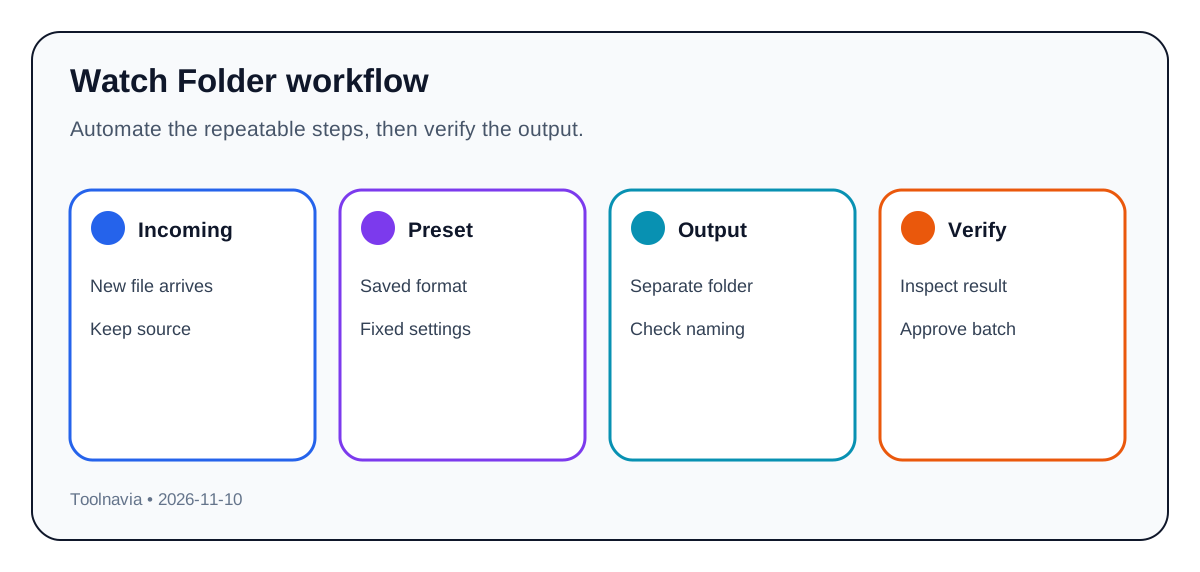
A manual batch still begins with a person choosing files. A watch-folder workflow begins when a file reaches a monitored folder. That difference matters for recurring camera drops, review proxies, standardized delivery copies or a small team that always exports the same format.
The useful promise is not “90% faster.” Wondershare limits that headline to supported 4K/8K HDR or NVIDIA workflows. The practical value is fewer repeated setup steps. UniConverter can watch an incoming folder, apply a preset and send the result to a chosen destination while CPU allocation leaves room for foreground work.
That convenience also creates risk. A half-copied file, corrupt source, duplicate name or wrong preset can be processed without someone noticing. Adobe exposes controls for decode errors, missing items, output naming and idle auto-start. FFmate documents file-growth checks and lock files. Wondershare's public Watch Folder pages do not clearly promise equivalent controls, so buyers should test instead of assuming enterprise-grade resilience.
Run a five-file trial
Create a temporary input folder and a separate output folder. Do not begin with irreplaceable media.
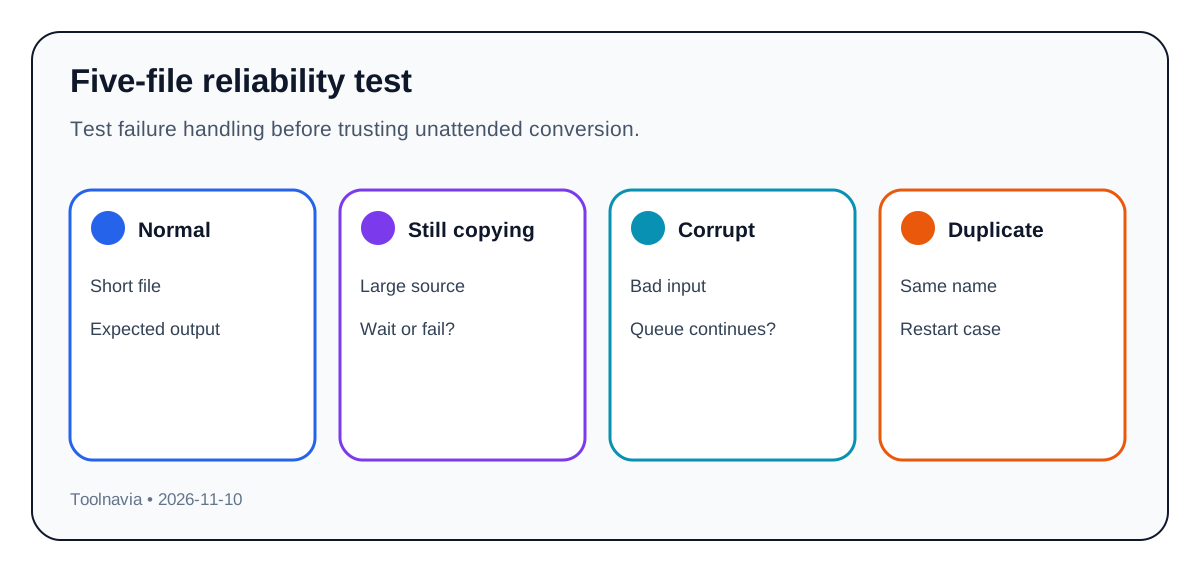
1. Add one short, normal file and verify format, resolution, audio and destination. 2. Copy a large file slowly into the folder. Confirm whether processing waits until copying finishes. 3. Add an unsupported or deliberately damaged file. Check whether the error is visible and whether later jobs continue. 4. Add two files with the same base name. Confirm that no completed output is silently overwritten. 5. Restart UniConverter during or after a queued job. Check whether the queue resumes, duplicates or loses the task.
For each result, check subtitles, multiple audio tracks, metadata and chapter markers when they matter. The official V18 material mentions compatible audio passthrough and track retention, not a guarantee for every input/output pair.
Set a CPU budget before a speed test
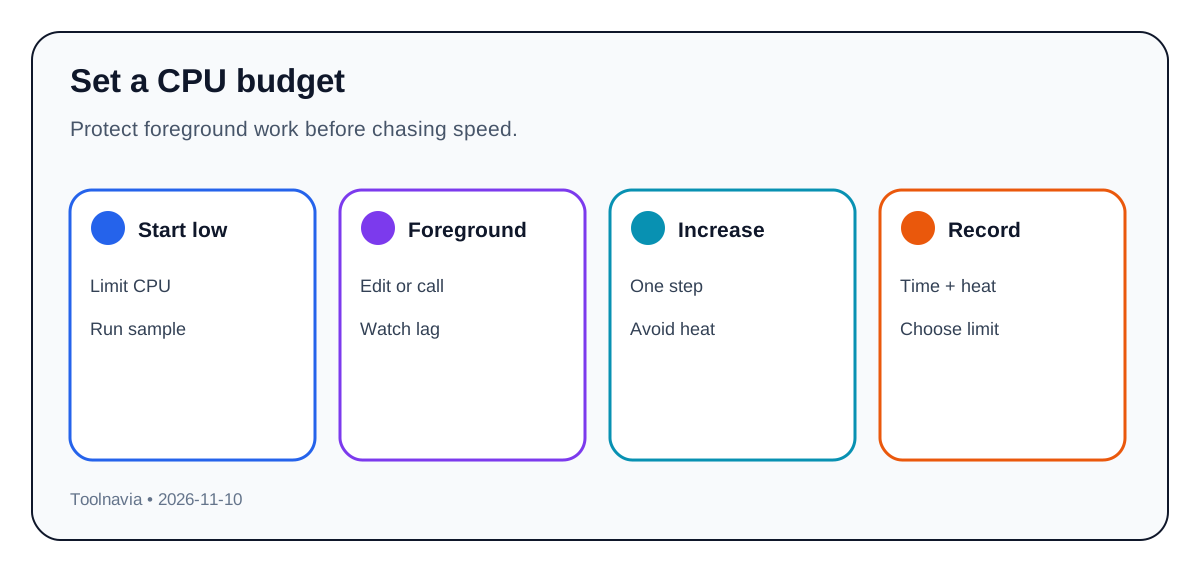
CPU control is valuable only if it protects the work happening beside the conversion. Start below the maximum, play a timeline or join a video call, and then increase the allocation. Record export time, foreground responsiveness and any thermal throttling.
Do not convert Wondershare's “up to 90% faster” language into a promise for your machine. Codec, GPU, driver, source resolution and output settings all matter. A ten-minute representative file is a better buying test than a synthetic headline.
Compare the alternatives
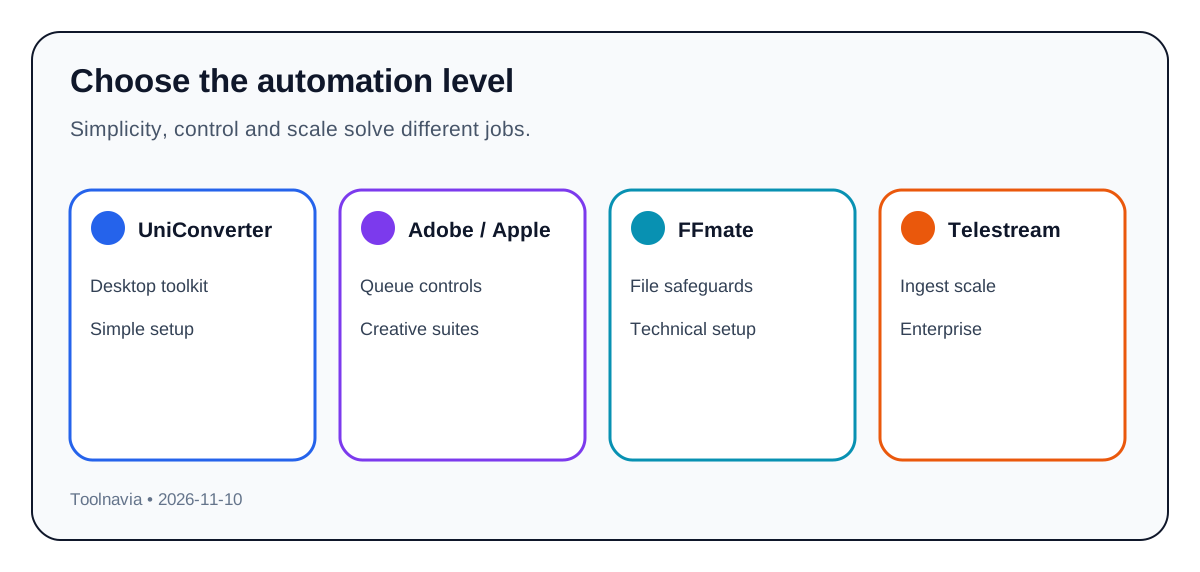
Adobe Media Encoder is a stronger fit when you already use Creative Cloud and need multiple outputs, detailed queue behavior or explicit error controls. Apple Compressor is the Mac-focused option for Final Cut workflows and background watch folders. FFmate offers more technical safeguards and automation detail for users comfortable with self-hosted tooling. Telestream targets professional ingest and delivery systems that are far beyond a simple desktop purchase.
UniConverter's advantage is a broader consumer-friendly toolkit in one application. Its weakness is that the public Watch Folder documentation is less specific about partial files, duplicate names, retries and failure alerts.
Calculate the break-even point
Minutes saved per month = recurring batches × manual setup minutes avoided.
If four weekly batches each save five minutes, that is roughly eighty minutes per month. Compare the value of that time with the current checkout total. Do not use an old V17 price as a V18 promise; the approved link routes to the current product page and checkout controls the actual version and renewal.
Who should pay—and who should not
Watch Folder fits a creator, small team or media operator with stable presets, predictable incoming folders and a tested error-check routine. It does not fit a one-off converter, a workflow with constantly changing settings, or anyone who needs documented enterprise retry, audit and alert controls.
The safest purchase rule is simple: use the trial to process the five-file test, keep the source files, measure CPU impact, and buy only if the outputs are correct and the saved setup time is repeatable.
**Evidence behind the decision**
The Watch Folder auto-ingest benefit and saved-preset workflow come from the current V18 and official guide pages, while the CPU-allocation benefit is limited to the options actually visible in the buyer's installed build. The integrated media-toolkit benefit is supported by the current product overview and support boundary, but the online converter is a different workflow with different limits. The approved direct-offer benefit is only a purchase route; the current store still controls version, plan, total, tax and renewal.
Adobe documents multiple Watch Folder outputs plus error, naming and auto-start controls. Apple documents background watch folders for Compressor. FFmate explicitly documents file-growth checks and lock files. Telestream shows professional desktop/enterprise and cloud automation at a different scale. These sources support the comparison, not a claim that UniConverter copies every control.