TOOLNAVIA / BUYING GUIDE
PDFelement PDF Passwords: Will Recipients Still Print, Copy or Edit?
The short answer
Quick answer: PDFelement 13 can create both a document-open password and a permissions password, but the two controls solve different problems. An open password blocks viewing until a recipient supplies a credential. A permissions password asks compatible readers to limit actions such as printing, copying or editing. Those permission flags are useful workflow controls, not an absolute DRM wall. Buy only after a representative protected file behaves correctly in every reader, browser and mobile app your recipients actually use.
The purchase case is strongest for a Windows user who repeatedly prepares controlled distribution copies and wants editing, organizing and protection in one desktop tool. It is weak if the requirement is permanent redaction, proof of authorship, tamper detection, per-user revocation, expiry or auditable access. Those jobs need different controls.
At a glance
- Best for
- Repeated local Windows PDF editing and controlled-distribution workflows that can maintain a recovery original, credential custody and a tested recipient matrix.
- Price model
- Yearly and perpetual V13 choices shown; verify exact live checkout
- Check first
- Permission flags depend on cooperating readers and passwords do not replace redaction, signatures, revocation or managed rights.
Open password and permission password solve different problems
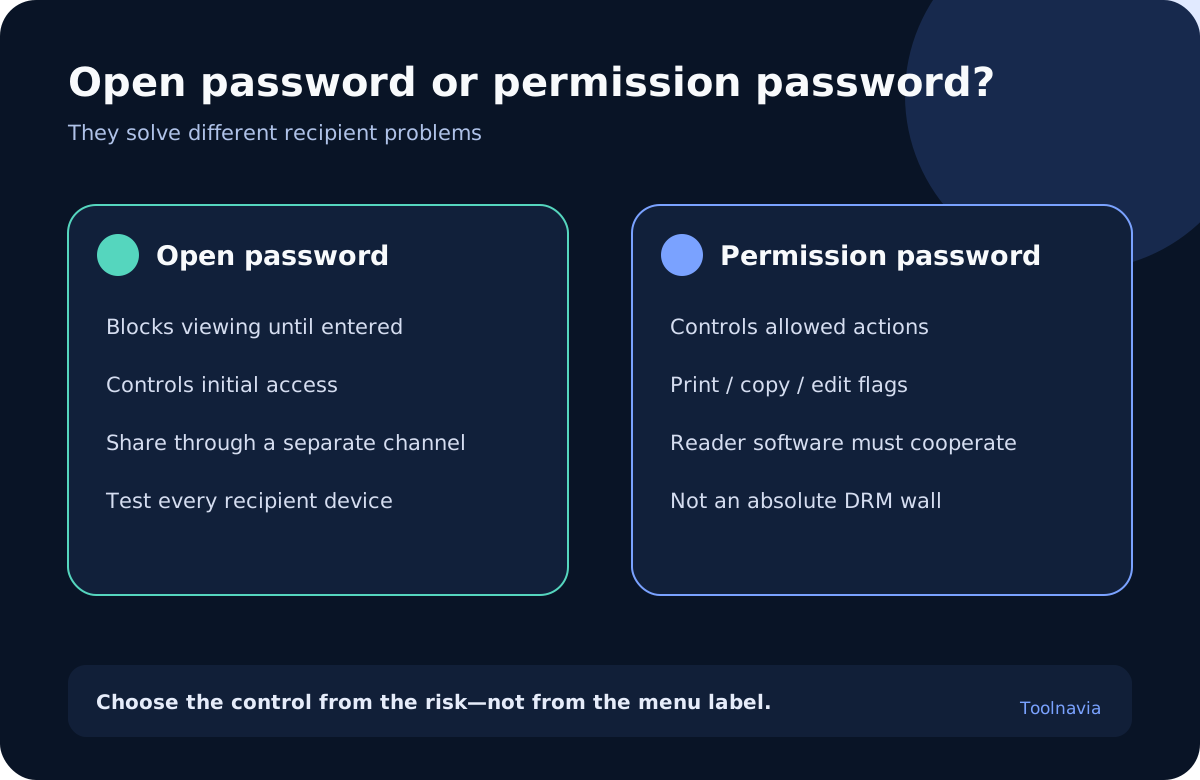
Start with the risk. If an unintended recipient must not view the file at all, use a document-open password. PDFelement, Adobe, Foxit and Nitro all document this same model: the reader prompts for a password before showing the PDF.
A permissions password is different. It protects the security settings and describes which actions a cooperating reader should allow. Typical choices cover high- or low-resolution printing, page changes, form filling, extracting pages, copying text or images, and accessibility access. The exact menu varies by application and compatibility level.
One detail deserves a pre-purchase test. Wondershare and Foxit both say that when a file has both password types, either password can open it, while only the permissions password can change the restrictions. That makes the permissions password a master credential. Do not send it to ordinary recipients merely because it also opens the file. Give recipients the open password and keep the permissions password with the document owner.
Before protecting anything, write one sentence for each credential: “The open password is for these recipients through this channel,” and “The permissions password is held by this role for these recovery or policy changes.” If those sentences are unclear, the workflow is not ready.
Permission flags depend on the recipient’s reader
The largest buying mistake is treating “disable printing” or “disable copying” as a cryptographic guarantee. PDF readers are expected to respect permission flags, but enforcement happens in software. qpdf explains that an application able to decrypt the file can choose to disregard the restrictions. LibreOffice warns that only compliant readers observe the settings and that some readers may ignore print-resolution limits. pikepdf likewise describes permissions as advisory flags honored by cooperating viewers.
That does not make the feature useless. It can prevent accidental edits, guide normal staff behavior and reduce obvious copying in a managed workflow. It is simply the wrong control against a determined recipient who already has access to the file.
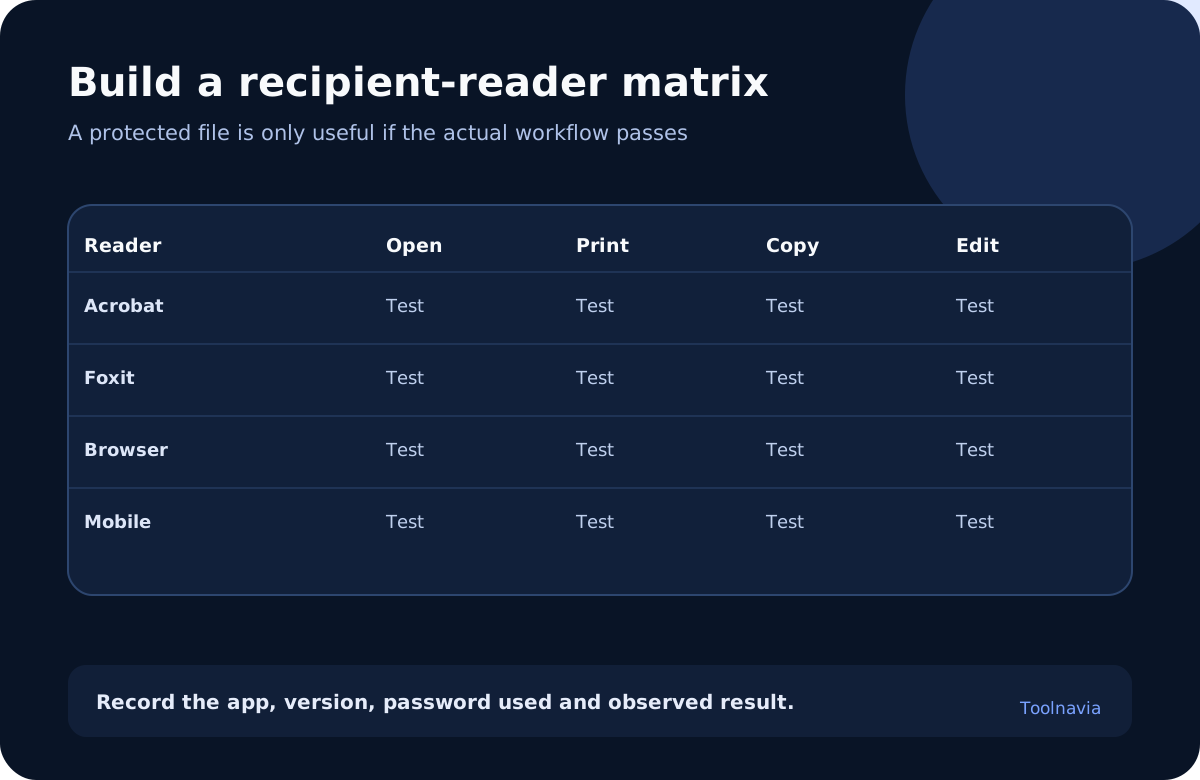
Build a recipient matrix before checkout. Test the same protected sample in the current versions of Acrobat Reader, Foxit Reader, the browser PDF viewer, the default mobile viewer and any document-management preview your organization uses. For each, record whether the open password is requested and whether printing, copying, editing, form filling and accessibility behave as intended. Include at least one recipient outside the author’s machine.
If any critical reader ignores a required restriction, do not hide the result. Either change the distribution method, use a managed rights service or secure portal, or narrow the promise to what the tested readers actually enforce.
Choose encryption deliberately
PDFelement advertises RC4, AES-128 and AES-256 options. Nitro lists the same broad family and recommends AES-256. qpdf explains why legacy 40-bit and RC4-based formats should not be treated as modern protection.
The practical rule is to select the strongest option that the actual recipient fleet can open, then test the exported file rather than relying on the menu label. Do not downgrade to an old format simply because one unmanaged reader is outdated without documenting the risk.
Password composition also affects interoperability. pikepdf notes historical ambiguity around non-ASCII password encoding. A long unique passphrase with characters accepted consistently by the tested readers is safer operationally than an elaborate string that fails on one device. Send the password through a separate channel from the PDF. Do not place it in the same email, filename or message.
Encryption controls access to content; it does not automatically prove who created the PDF or whether an authorized holder later changed it. Newer integrity mechanisms and digital signatures are separate technologies.
Keep a recovery original and a custody record
Wondershare, Foxit and Nitro warn that a forgotten password cannot simply be recovered. Treat that warning as a document-retention requirement, not a footnote.
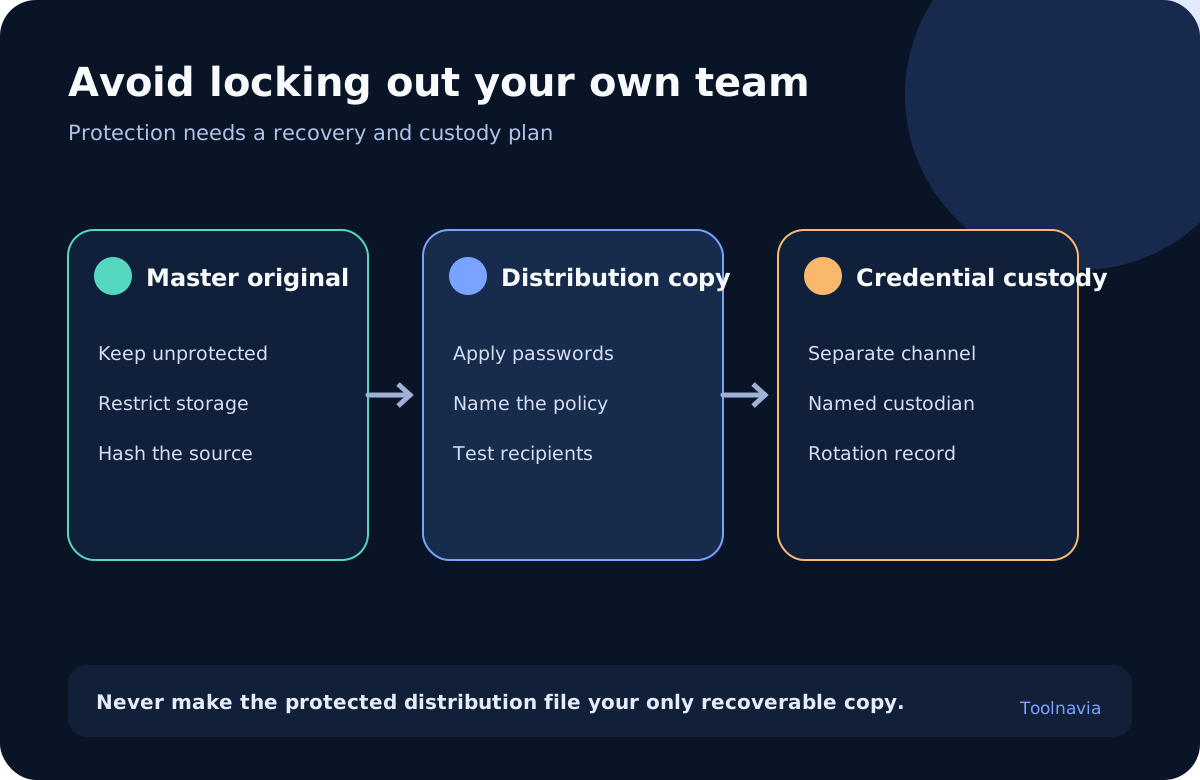
Keep an unprotected master original in access-controlled storage. Calculate its hash if the workflow needs audit evidence. Create a separate protected distribution copy, and record its filename, creation date, PDFelement build, selected encryption, allowed actions and source hash.
Assign a password custodian and a backup custodian. Record where the credential is stored, who may retrieve it and when it should be rotated. Do not embed the credential in the document metadata. When staff leave or a policy changes, issue a new distribution copy instead of assuming an old password can be revoked from files already shared.
Test recovery before production: use the permissions password to change or remove restrictions on a disposable copy, verify that the master original remains intact, and confirm that the distribution copy can be recreated. Never make the protected file the only surviving copy.
Passwords are not redaction, signatures or DRM
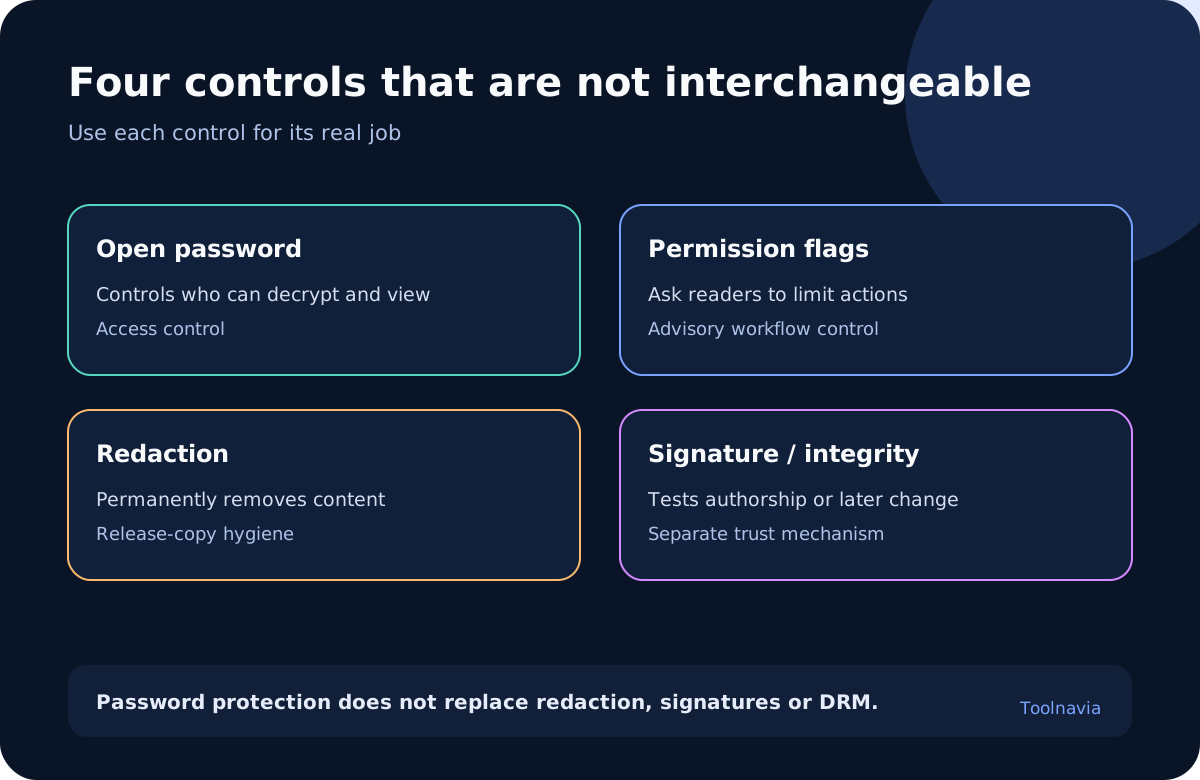
A permission that disables copying does not remove sensitive text. Black rectangles, hidden layers, comments, attachments and metadata can still leak information unless the release copy is properly redacted and inspected. Use the dedicated redaction workflow for permanent removal.
A password also does not prove authorship, approval or non-repudiation. If recipients must validate who signed the file and whether the signed revision changed, use a digital certificate and test the recipient’s trust chain. The existing Toolnavia digital-signature guide covers that separate purchase decision.
If the requirement is per-user access, remote revocation, expiry, view tracking or policy enforcement after distribution, ordinary PDF passwords are not enough. Consider a secure portal, certificate-based encryption or a managed rights platform. PDFelement’s password feature can still prepare a controlled file, but it is not the policy server.
Use the trial to test the workflow, not the final deliverable
The current Windows Individual store says Protect PDF is available in both the unregistered and registered trial, but saved trial files carry a watermark. That is enough to build sample files and test recipient behavior, not to create a clean production deliverable.
Run the trial against five samples: a text PDF, a scanned PDF, a form, a file with comments or attachments, and one document containing multilingual text. Apply the intended open password, permission settings and encryption. Open each sample through the full recipient matrix and record the result.
The store also separates yearly and perpetual choices. A perpetual license covers the current PDFelement 13 desktop version and minor updates; future major versions may require another purchase. A yearly plan renews until cancelled, and the renewal rate may change with notice. Individual licensing is single-user. Live campaign, region, tax and checkout selection control the actual price, so verify the chosen SKU rather than relying on an old review price.
PDFelement is worth considering when the same staff member repeatedly edits and protects PDFs, the recipient matrix passes, and the broader desktop editing tools replace separate steps. It is harder to justify for one occasional password job, for teams needing shared policy administration, or when a free existing tool already produces files that pass the same acceptance test.
A five-file acceptance record
For every sample, record: source filename and hash; PDFelement version and operating system; open-password policy; permissions-password custodian; encryption selection; printing, copying, editing and accessibility settings; reader and version; observed result; watermark status during trial; and final disposition.
Separate three states: “protected,” “recipient test passed,” and “approved for distribution.” Creating the encrypted file proves only that the software completed the operation. The recipient test proves behavior in named readers. Distribution approval belongs to the organization’s policy owner.
Verdict: buy PDFelement for this use only when its protected output passes the real recipient matrix and the team can maintain a recovery original plus credential custody. Choose an open password for access, permissions for cooperative workflow limits, and separate controls for redaction, signatures, integrity or managed rights.
Toolnavia may earn a commission if you buy through the approved PDFelement link, at no extra cost to you. That relationship does not change the recommendation: test the watermarked trial, inspect the live checkout and keep the security claims inside the evidence boundary.