TOOLNAVIA / BUYING GUIDE
Intego ONE 3-Mac License Transfer: Replace a Mac Without Buying a Fourth Seat
The short answer
If all three Intego ONE Essential Mac seats are used, replacing one Mac does not automatically require buying a fourth license. Remove or deauthorize the retired Mac in the Intego Account, then activate the existing serial on the replacement.
At a glance
- Best for
- A three-Mac household replacing one device without increasing simultaneous protected Macs.
- Price model
- Verify current local three-Mac checkout,term and renewal;no numeric quote asserted.
- Check first
- Device removal frees authorization;it does not wipe data or migrate local settings. Exact current price is not asserted.
Start with the Devices list, not another checkout
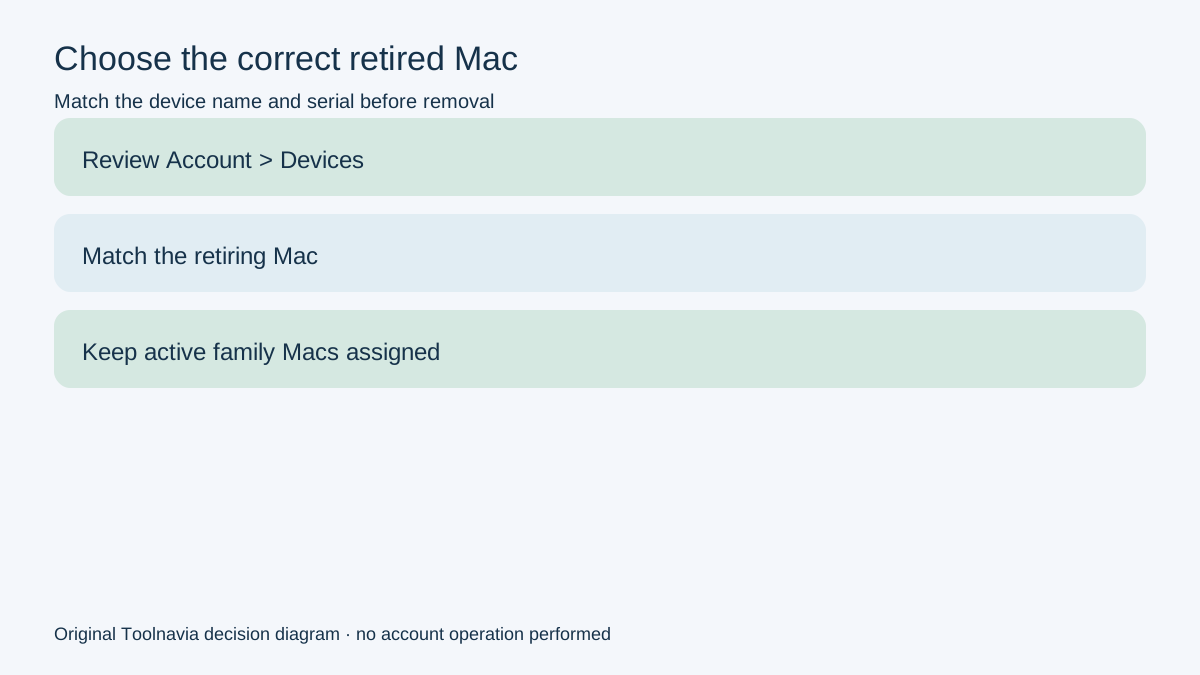
Open the account's Devices view before changing anything. It shows subscriptions, attached devices, serial numbers and seat information. Match the device name and serial to the Mac that is actually being retired. Removing the wrong entry can interrupt protection on a family member's active Mac.
A three-Mac entitlement is capacity for three authorized Macs at the same time; it is not three permanent hardware identities. When one Mac is sold, replaced or no longer accessible, the documented transfer path is to free its authorization and reuse the serial. A valid three-seat subscription that still reports too many computers is a support case, not proof that another purchase is required.

Deauthorize, uninstall and erase are three different actions
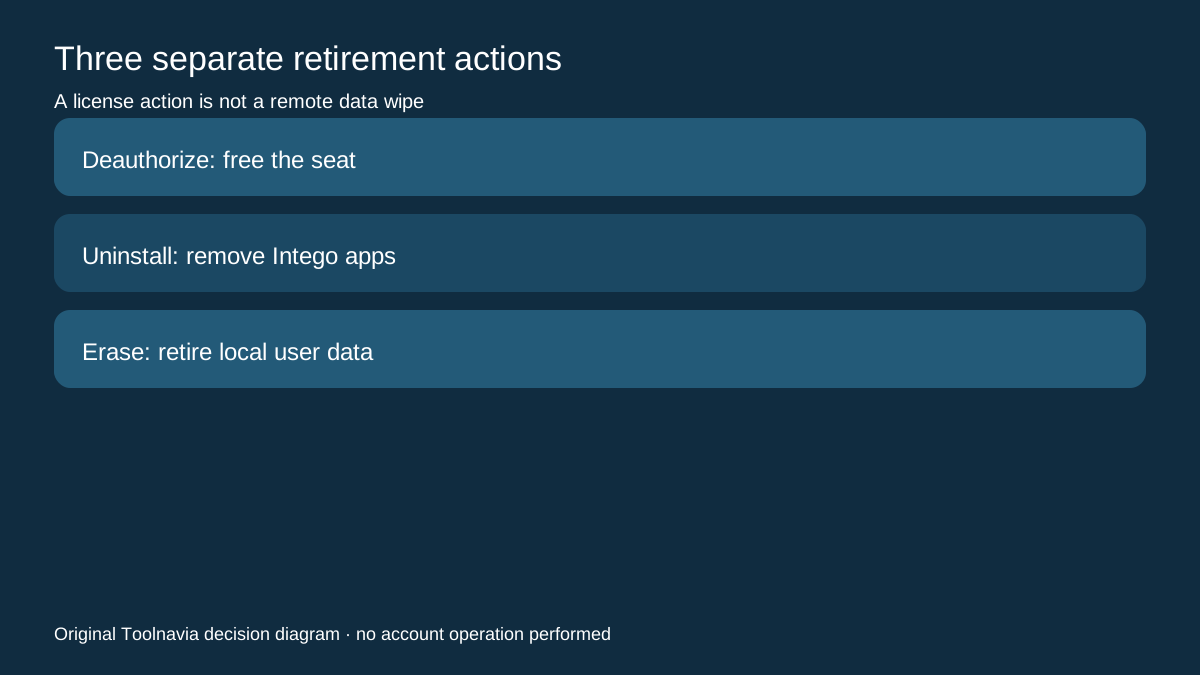
Deauthorization changes license assignment. It frees a seat so the serial can be activated elsewhere. Uninstallation removes Intego applications from a Mac. Intego directs owners to use its installer/uninstaller and warns that manually deleting files can leave a partial installation.
Neither action proves that personal files, browser data or other local information was securely erased. If the old Mac will be sold or given away, perform the normal macOS retirement and data-erasure process separately. This article does not claim that removing a device from the Intego portal remotely wipes the machine.
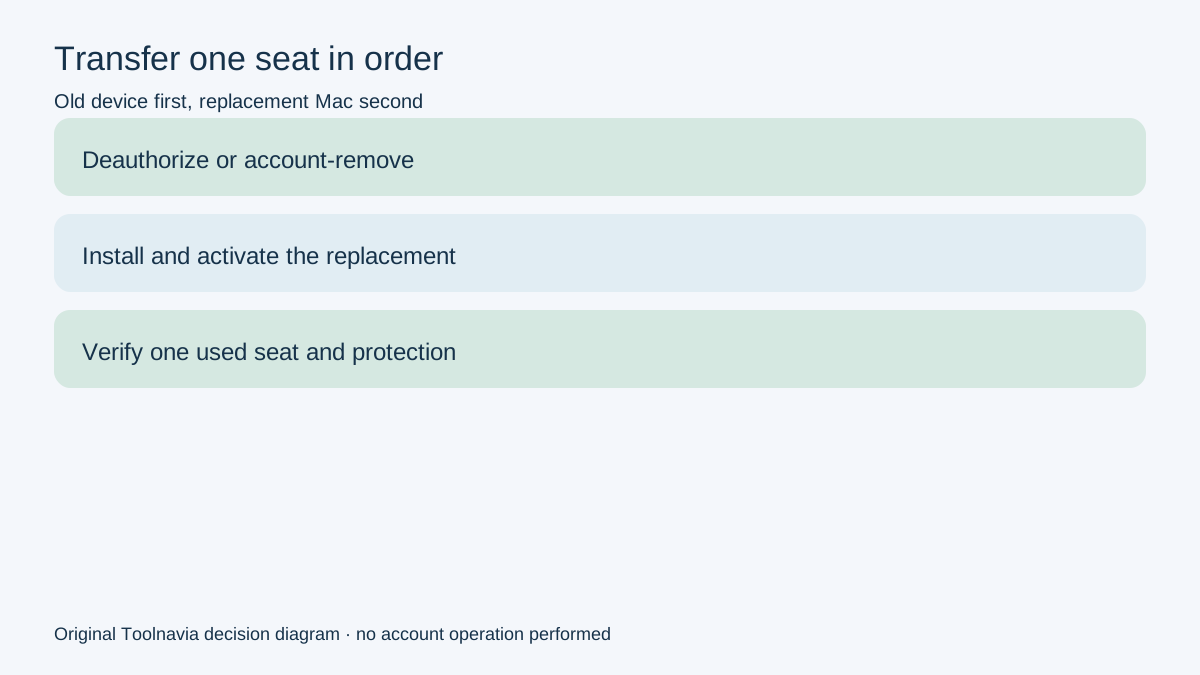
If the old Mac still works, deauthorize in the Intego software before uninstalling. If it is broken or unavailable, Intego says the Account portal can remove the device. In both cases, record which device was removed before activating the replacement.

Transfer the seat in a controlled order
Use this sequence for a household already at three of three seats:
1. Confirm that the subscription is active and that the account shows the expected three devices. 2. Identify the old Mac by device name and serial; do not rely on a similar nickname alone. 3. If accessible, deauthorize the old Mac in Intego, then uninstall with the official uninstaller. 4. If inaccessible, remove it from Account > Devices. 5. Install Intego on the replacement Mac and activate the same valid serial. 6. Return to Devices and verify that the old entry is gone and the new Mac occupies one seat. 7. Confirm protection and required macOS permissions on the new Mac before treating the move as complete.
The transfer documentation establishes license reuse, not migration of settings, scan history, quarantine, exclusions or local logs. Recreate and verify any required configuration on the new Mac. Do not promise that account-side removal moves those items automatically.

Diagnose a full-seat error before paying again
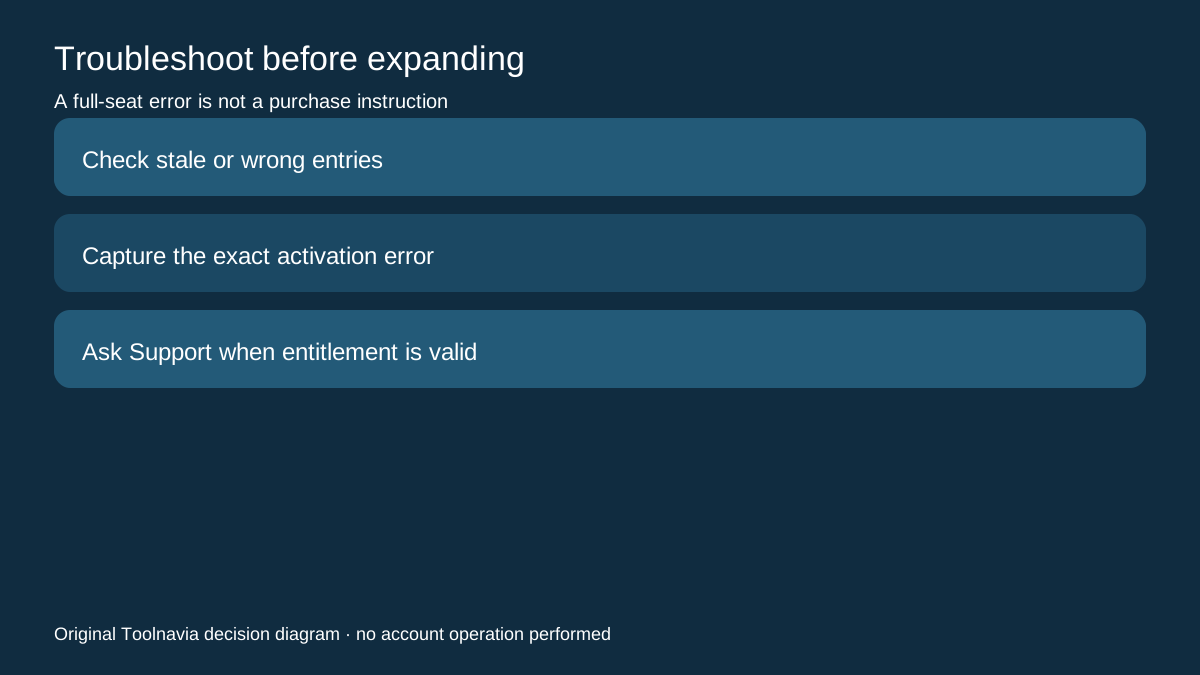
A stale, renamed or duplicate record can make device inventory confusing. Norton's current same-intent guidance explicitly warns that reinstalls, resets and renamed devices can create unexpected entries; that is not proof Intego behaves identically, but it is a useful reason to inspect the exact Intego Devices list rather than assume all displayed names are current.
If the serial is valid for the number of Macs in use and activation still fails, Intego directs the buyer to Support. Save the subscription details, the relevant device names and the exact activation error. Do not repeatedly remove active household devices or buy another subscription before the entitlement is checked.
Malwarebytes and ESET document the same broad sequence—deactivate or remove the old device, then install and activate on the new one. Their portals and license terms are not Intego instructions, but they confirm that seat transfer and application removal are separate lifecycle decisions across this product category.

When a new purchase is actually the right decision
Buy more capacity only when the household will keep more than three Macs protected at the same time, not merely because one Mac is being replaced. Intego's support material identifies one, three and five-Mac packages; needs above five are directed to the business team.
The current public selector does not expose a dependable exact three-Mac amount in the fetched text, so this guide does not quote or calculate a price. Verify the current local checkout, term, renewal and refund conditions directly before paying. The approved link is a general Intego referral; it does not prove that the three-Mac option is preselected.
Choose the existing three-seat transfer when one old Mac is leaving service. Consider a five-seat or business route only when the simultaneous protected-device count truly grows. This review did not access an account, remove a device, install software, erase a Mac or test activation.