TOOLNAVIA / BUYING GUIDE
Intego ONE for Families: Buy 3 or 5 Mac Seats Without Sharing a Password
The short answer
A three- or five-Mac Intego ONE plan is most useful when several people genuinely need the same security tools. Its practical advantage is not just a larger device number: the documented shared-seat invitation lets a family member activate their Mac without receiving the subscription owner's password. Count real, supported Macs before buying spare capacity.
Affiliate disclosure: Toolnavia may earn a commission from eligible purchases through the Intego buttons. The referral opens the merchant homepage; it does not select a household bundle, quote your local price or send any invitations.
At a glance
- Best for
- Mac households sharing entry coverage without owner passwords.
- Price model
- Use the current local three-Mac checkout and renewal quote
- Check first
- Mac seats are not universal licenses; check local quote and permissions.
Count installations, not people or Apple devices
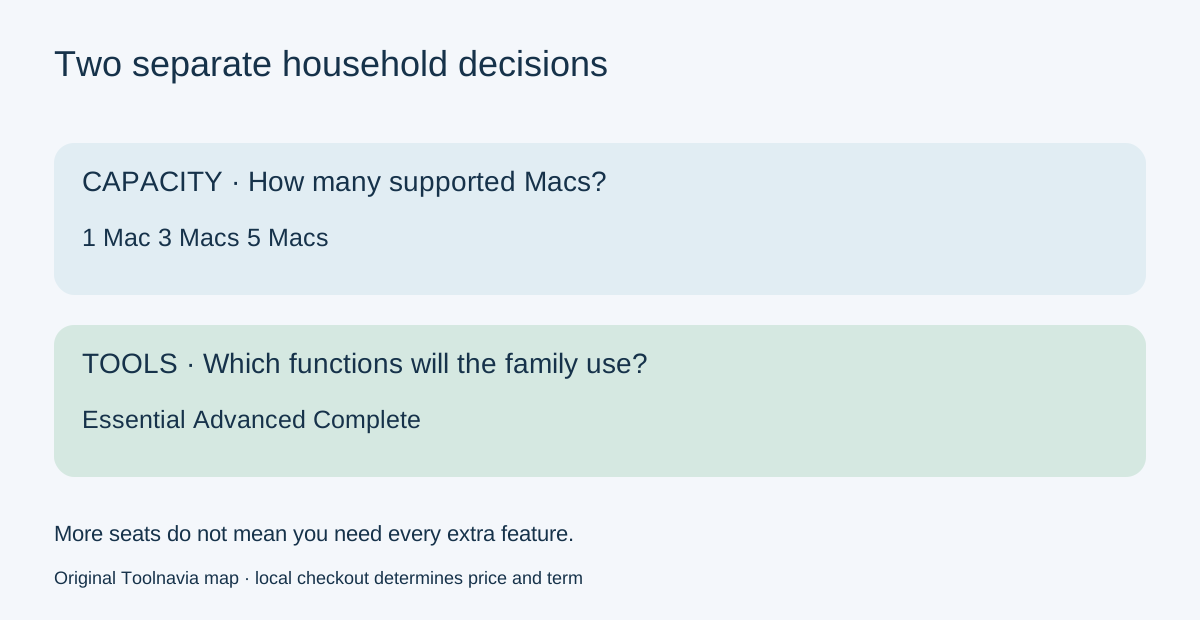
Intego's current purchase page offers one, three and five Mac options. Complete also shows paired iPhone coverage, while Essential's Mac seats should not be treated as general licenses for every device in a home.
Make a simple inventory before checkout: device, operating-system version, person using it, current security subscription and who will handle alerts. One person with two regularly used Macs may need two installations. A phone or an iPad is not automatically another eligible Mac installation.
An old laptop that cannot run the supported software is not useful spare-seat capacity. The current shared-Mac guide requires macOS12.4 or later and at least8GB memory. Check every machine, not just the newest one. This can change the correct bundle before price enters the discussion.
More seats and more features solve different problems
Essential provides the entry antivirus/firewall scope. Advanced adds SmartClean and Complete adds VPN and its documented phone tools. Moving from three to five Macs expands the number of installations; moving from Essential to Advanced changes the tools. Those are separate decisions.
For a household that only needs the entry Mac tools, more Essential seats may be the relevant comparison. If one person needs a VPN but everyone else does not, compare the whole household cost rather than assuming the highest tier is automatically best for all users. The [Mac/iPhone bundle guide](/en/software/intego-complete-mac-iphone) explains the platform distinction, and the [SmartClean guide](/en/software/intego-smartclean-value) examines the cleanup upgrade.
Compare the entire quote, including unused seats
The live selector exposes device and term choices, but our text view does not provide a dependable current three-Mac transaction amount. Therefore this guide does not invent a price or multiply a one-Mac introductory discount into a family quote. Record the actual first charge and renewal for three and five Macs in the same currency and billing period.
A useful calculation is total annual cost divided by the number of Macs you will actually protect—not the maximum advertised capacity. If you need three Macs and buy five seats, two are spare capacity. They may be worthwhile for a confirmed upcoming purchase, but an unspecified possibility is not the same as present value.
Existing customers should compare their account's actual upgrade offer rather than a new-customer advertisement. Intego's account guide provides a Devices & Users view, unused-device removal and a route to increase covered devices. Check the device identity before removing anything: reclaiming a retired Mac is different from interrupting protection on an active family member's computer.
Share an invitation, not the owner's account
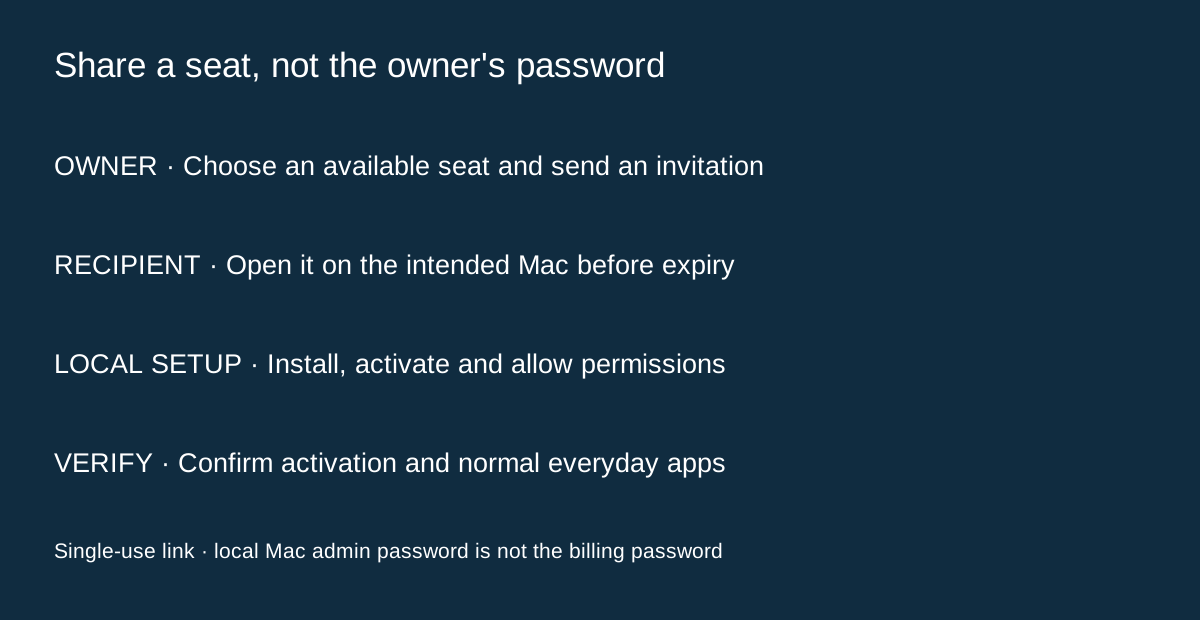
For a shared Mac seat, the recipient opens the invitation on the intended Mac. The activation link is single-use and has the deadline shown in the email. Installation may require that Mac's administrator password and permission for Full Disk Access and Network Protection; this is not a request for the subscription owner's password.
Keep the invitation private. Do not forward one activation link around a group and expect several Macs to receive separate seats. When a link expires or was already used, the official guide says to ask the owner for a new invitation.
Complete's shared iPhone route has its own invitation and activation steps. A Mac invitation is not a substitute for the phone invitation. Where the app is already installed, follow the activation step rather than assuming that opening the app proves the shared license was applied.
Compare mixed-device alternatives without mixing features
A household with Windows, Android and Macs should also compare a multiplatform route. Bitdefender Antivirus Plus lists one- and three-device options across its supported platforms. Norton360 Deluxe lists five devices, and AVG publishes a separate multi-device Internet Security path.
Device counts alone do not rank protection or establish identical features on each platform. Compare the actual operating systems, family activation process and renewal total. Do not import a Windows-only feature into a Mac comparison just because it appears elsewhere in the bundle's marketing.
Buy the capacity you can actually use
Choose three seats for a confirmed need within that capacity and five when the extra installations are real. Complete one recipient's setup and verify activation, required permissions and ordinary daily apps before treating the household rollout as finished. This is a proposed acceptance checklist, not a claim that Toolnavia installed or tested the family's devices.