TOOLNAVIA / BUYING GUIDE
Is Intego SmartClean Worth Paying For? A Mac Cleanup Buying Test
The short answer
SmartClean is worth considering when Mac maintenance is repeated work, especially if you already intend to buy Intego security. It is a weaker purchase for a single full Downloads folder. Judge the upgrade by time saved on a repeatable routine, not by an untested promise that your Mac will become faster.
Affiliate disclosure: Toolnavia may earn a commission from eligible purchases through the Intego buttons. They open Intego's homepage; choose the plan, currency and device count yourself. No exclusive discount or preselected license is promised.
At a glance
- Best for
- Repeated Mac maintenance alongside an intended Intego security purchase.
- Price model
- Advanced USD reference $48.99 initially; $69.99 annual renewal
- Check first
- No guaranteed speed or space gains; avoid duplicate cleaners and unreviewed deletion.
Establish a free baseline first
Apple's storage tools already show categories and let you review removable content. On recent macOS versions, start with System Settings, General, Storage. Apple also describes moving files to external storage and removing items you no longer need. That is a useful baseline, not an inferior option merely because it costs no additional subscription.
Pick one real annoyance: finding obsolete installers, removing an unused app, or preparing enough space for the next project. If you can complete that task comfortably with the existing tools and it rarely returns, stop there. Paying every year for a problem solved once is difficult to justify.
Four conveniences to evaluate, not assume
SmartClean documents a cleanup scan, an app uninstaller, CPU/RAM and disk monitoring, and a history of previous cleanups. Their value depends on your work.
For someone regularly testing apps, the uninstaller is the capability to examine: can the proposed removal be understood before approval? For a project-heavy Mac, storage visibility matters more than a dramatic scan total. For recurring maintenance, history can help distinguish yesterday's cleanup from a problem that keeps returning. Resource monitors provide context; a changing memory number alone is not proof that a paid optimization improved your work.
A practical buying rule is to pay for a clearer, shorter routine that you can maintain. Do not pay simply to make every indicator look empty or green.
Run a controlled cleanup exercise
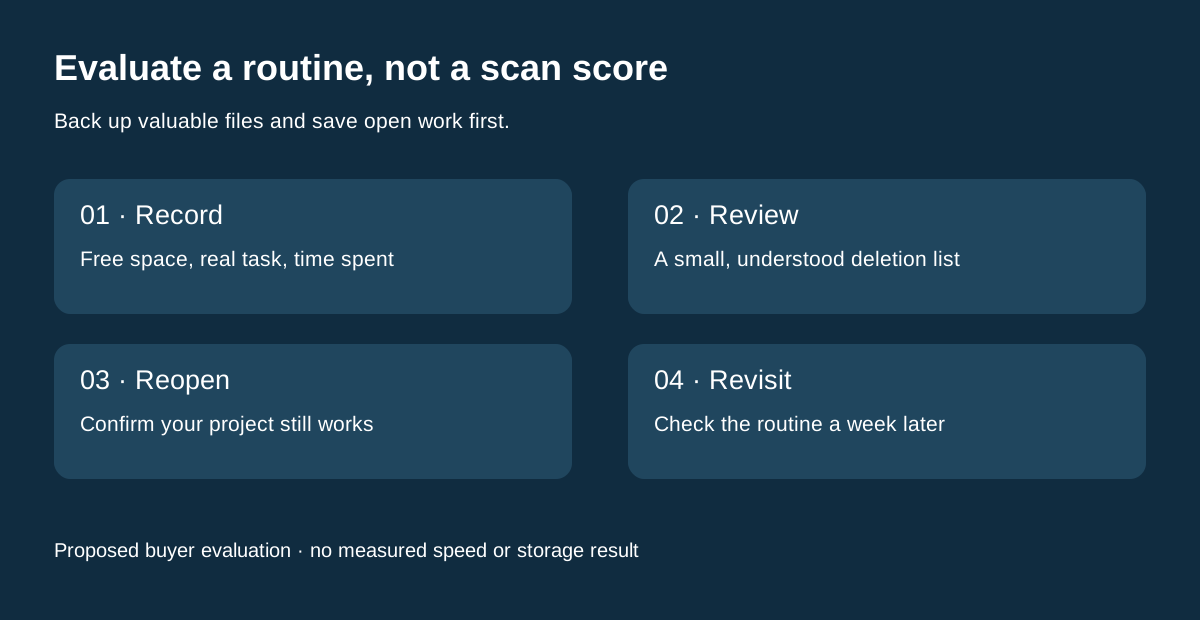
The following is a proposed buyer evaluation, not a Toolnavia test result. Back up valuable files first. Record available storage in one consistent view, note the current project, and save open work. Then review the proposed cleanup list and choose a small, understood category, such as installers you no longer need.
Do not approve unfamiliar system files, photo libraries, project dependencies or backups just because they are large. When an application is removed, check that no document or plug-in you still use depends on it. After cleanup, reopen your normal project and perform one representative task, such as exporting a short document or opening an edited image.
Record the remaining free space and the time spent reviewing the result. Repeat the observation a week later. The useful question is whether the process stayed simpler without losing needed files—not whether the first scan displayed the largest possible number.
Calculate the premium you are actually paying
The published one-Mac USD checkout for Advanced shows $48.99 initially and $69.99 at annual renewal. Essential's USD reference is $29.99 initially and $39.99 at renewal; Advanced adds SmartClean to the entry security scope. That makes the displayed incremental cost $19 in year one and $30 at renewal. Local currency, tax, promotions and future renewals can differ.
Here is an illustrative budget, not measured time saved: valuing your time at $20 an hour, a $30 annual premium requires 90 minutes of useful savings per year, or 7.5 minutes a month. Use your own value and your observed routine. If you were not going to buy Intego security at all, compare the full Advanced bill, not just the $30 difference.
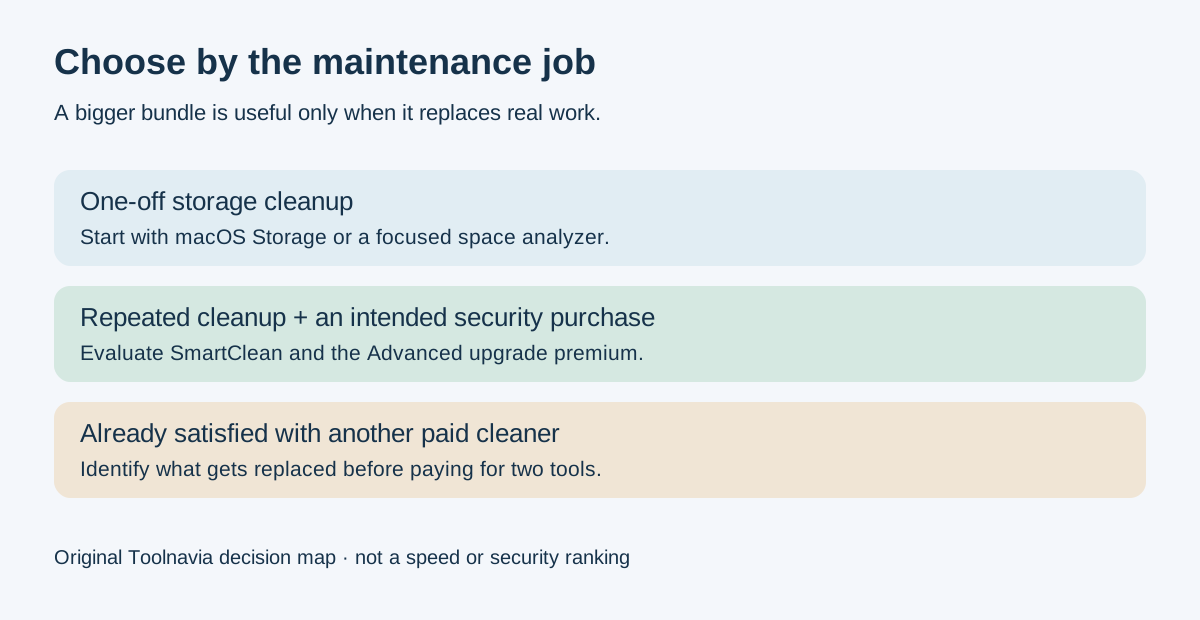
Likewise, keeping a second paid cleaner changes the calculation. Two subscriptions are not automatically twice as useful. Identify which existing tool the upgrade would replace before treating the extra price as a bargain.
Compare narrower alternatives fairly
DaisyDisk's published personal license is $9.99 once, with minor updates and use on up to five personal Macs. It is a different purchase: a focused disk-space tool, not the same antivirus, firewall and maintenance bundle. CleanMyMac offers a broader maintenance route and a trial, so buyers wanting cleanup rather than Intego security can evaluate that alternative too.
Our [Intego Essential guide](/en/software/intego-one-essential) explains the entry security plan; the [CleanMyMac guide](/en/software/cleanmymac) covers its separate license decision. Compare the job each would replace, not just the number of features.
The purchase decision
Choose Advanced when you need its security scope and the cleanup exercise demonstrates recurring convenience. Keep a free or narrower tool for occasional space management. Before payment, confirm that the chosen plan includes SmartClean, record the next renewal amount, and keep only the maintenance subscriptions that genuinely remove work.