TOOLNAVIA / BUYING GUIDE
ClickUp Business Annual vs Monthly: $12/$19 or $17/$25?
The short answer
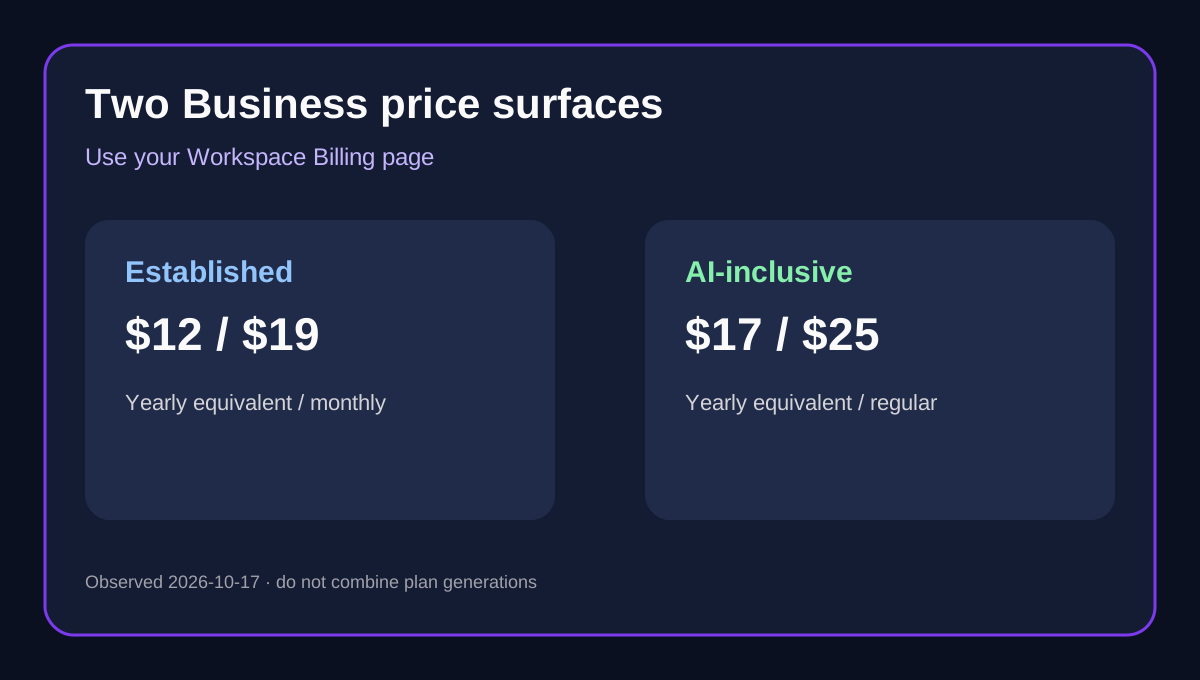
ClickUp Business does not currently have one universal public price. The same official pricing page exposes an established Business surface at **US$12 per user/month billed yearly** or **US$19 billed monthly**, while a newer AI-inclusive Business surface appears at **US$17 billed yearly** with a struck-through **US$25 regular price**. Before calculating anything, identify which plan set your Workspace and checkout actually show.
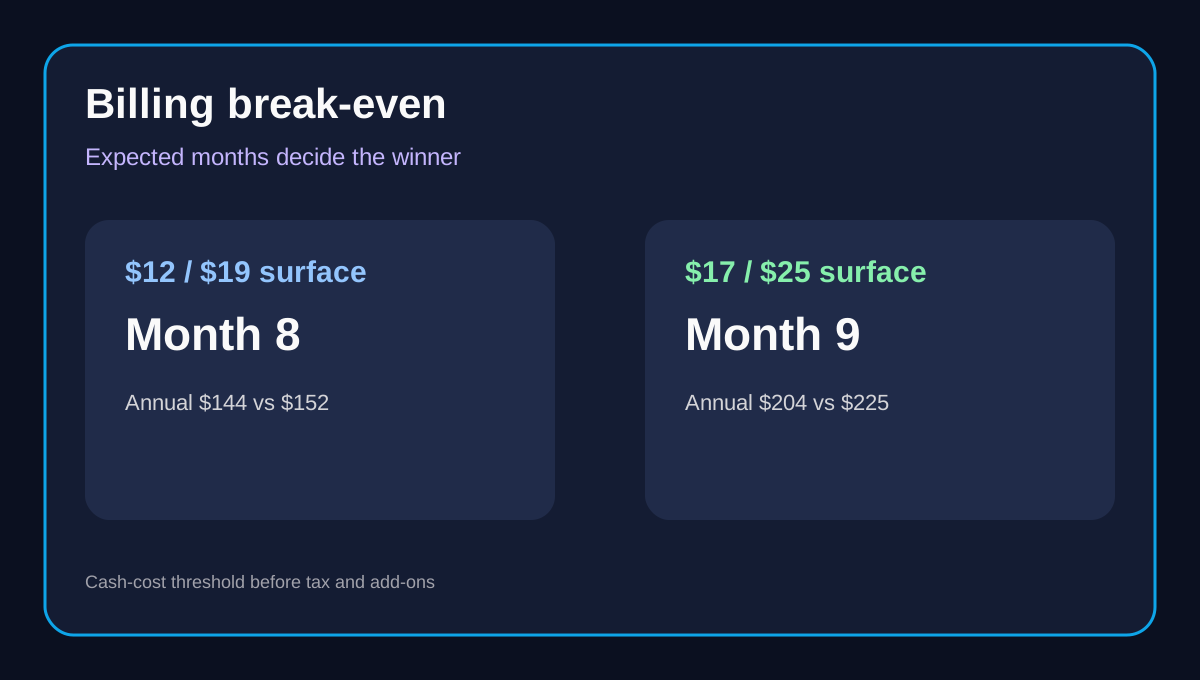
On the established US$12/US$19 surface, one annual seat costs **US$144 upfront** and twelve monthly payments cost **US$228**, a difference of **US$84 per seat per year**. Monthly remains cheaper through seven paid months; the annual commitment becomes cheaper at month eight. On the newer US$17/US$25 surface, the comparable totals are **US$204 versus US$300**, so annual billing wins at month nine and saves **US$96 per seat** over a full year. These two models must not be blended because their features and AI allowances differ.
At a glance
- Best for
- ClickUp Business teams choosing between monthly flexibility and annual seat savings.
- Price model
- Observed: US$12/$19 established or US$17/$25 AI-inclusive surface
- Check first
- Two Business plan surfaces coexist; verify Workspace Billing, paid seats, tax, add-ons, refund eligibility and annual cancellation notice.
Two Business price surfaces are live
The established Business table lists US$12 yearly-equivalent and US$19 monthly, plus 5,000 monthly automations, advanced dashboards, Google SSO and workload management. Several current independent pricing pages corroborate those numbers.
Lower on the same official page, ClickUp presents a newer plan family—Free, Core, Business and Enterprise—with Business at US$17 per user/month billed yearly against a US$25 regular price. That version includes ClickUp Brain, premium models, pooled AI credits and 10,000 monthly automations. ClickUp's own help center says some Workspaces see new AI-inclusive plans while an existing Workspace's current plan and features do not automatically change.
The buying rule is simple: use the price and feature table inside **your Workspace Billing page**, not a search snippet or another customer's screenshot. If your account shows US$12/US$19, use the legacy calculation below. If it shows US$17/US$25, use the new-plan calculation.
Established Business math: annual wins at month eight
At US$19 monthly, seven months cost US$133 and eight months cost US$152. The annual charge implied by US$12 × 12 is US$144. Therefore:
| Expected use | Monthly total | Annual total | Lower cash cost | |---|---:|---:|---| | 1–7 months | US$19–US$133 | US$144 | Monthly | | 8 months | US$152 | US$144 | Annual by US$8 | | 12 months | US$228 | US$144 | Annual by US$84 |
This is a cash-cost comparison, not a claim that the annual plan is always better. A team still validating ClickUp may rationally pay US$19 for one or two months rather than commit US$144 per seat. True Cost of SaaS, Polaris and ToolGPA independently confirm the established US$12/US$19 rates.
New AI-inclusive Business math: annual wins at month nine
If your Billing page shows US$17 yearly and US$25 regular monthly pricing, the annual commitment is US$204 per seat. Eight monthly payments cost US$200, still US$4 less; nine cost US$225, so the annual cycle becomes cheaper in month nine.
| Expected use | Monthly total | Annual total | Lower cash cost | |---|---:|---:|---| | 1–8 months | US$25–US$200 | US$204 | Monthly | | 9 months | US$225 | US$204 | Annual by US$21 | | 12 months | US$300 | US$204 | Annual by US$96 |
Do not treat the US$17 version as merely a price increase. Its included AI and automation allowances differ from the established Business table. A valid comparison first matches the plan set, then compares billing cycles.
Workspace seats can outweigh the discount
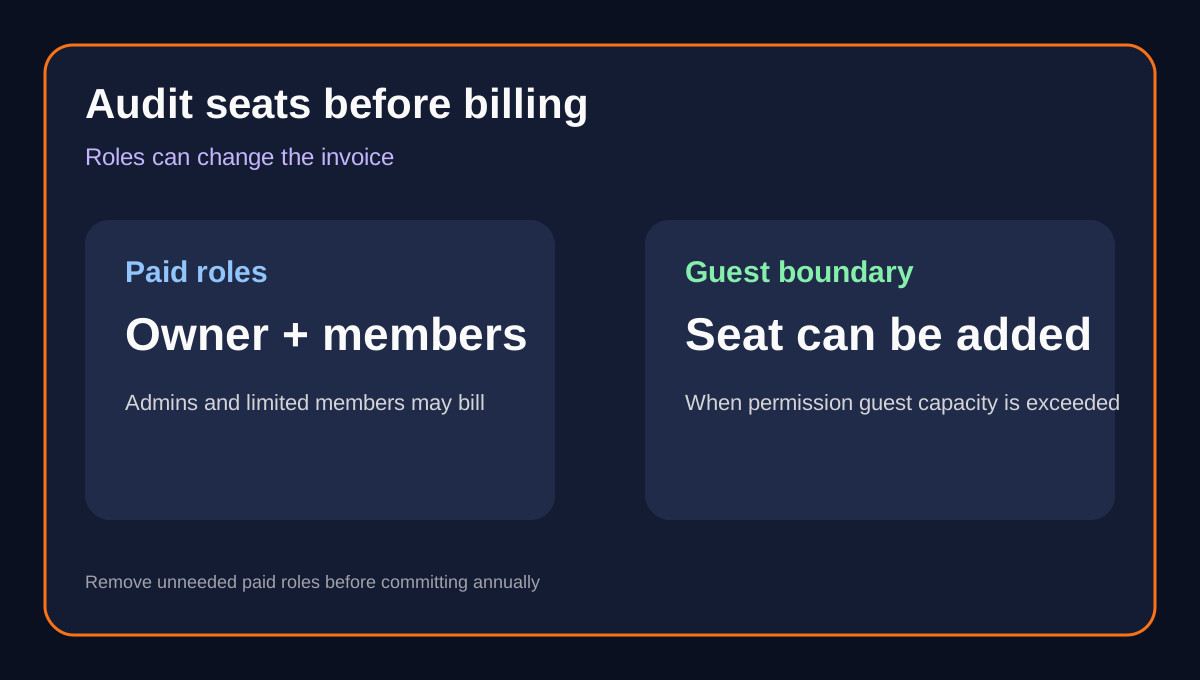
ClickUp upgrades the **entire Workspace**, and paid users can include owners, admins, members, limited members and some permission-controlled guests. You cannot mix yearly and monthly licenses inside one Workspace. That turns a small per-seat decision into a large commitment:
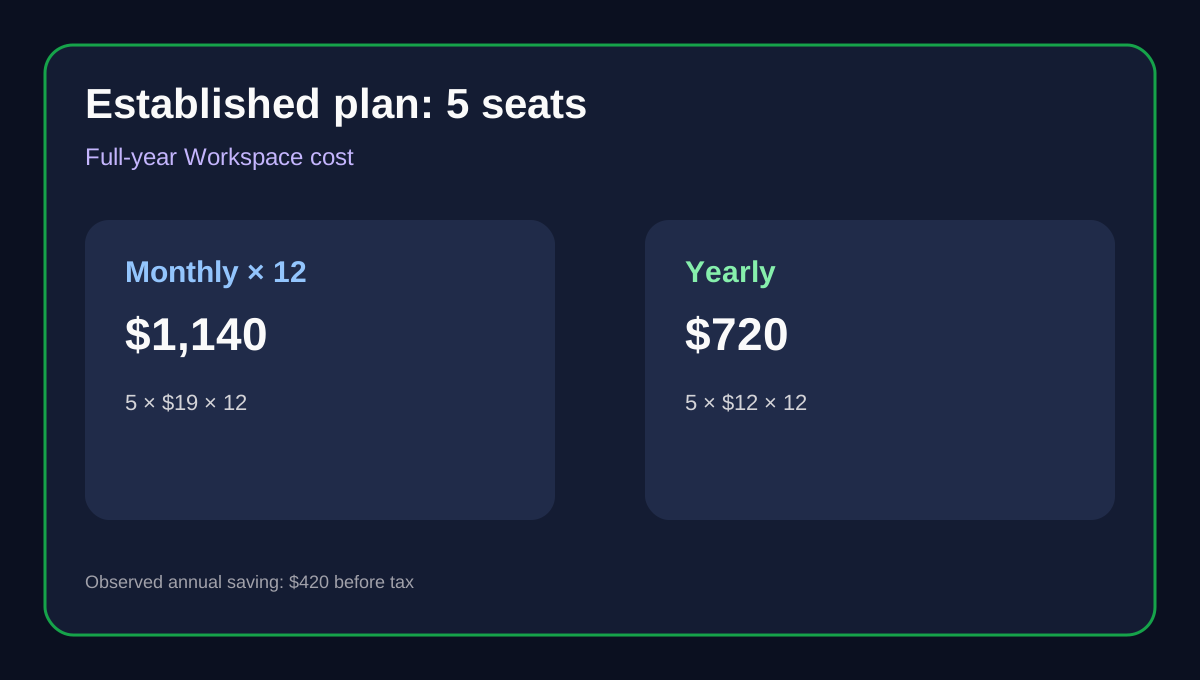
| Paid seats | Established annual | Established monthly ×12 | Annual saving | |---:|---:|---:|---:| | 1 | US$144 | US$228 | US$84 | | 5 | US$720 | US$1,140 | US$420 | | 10 | US$1,440 | US$2,280 | US$840 | | 25 | US$3,600 | US$5,700 | US$2,100 |
Added paid users are billed on a prorated basis for the time remaining in the cycle. If permission-controlled guest capacity is exhausted, inviting another qualifying guest can add a paid member seat. SaaS Faceoff's team-cost framing reaches the same practical conclusion: seat classification can matter more than the headline percentage.
Before choosing annual, audit owner, admin, member, limited-member and guest roles. Removing an unnecessary paid seat can save more than changing the billing cycle.
Refund and cancellation rules are not symmetrical
ClickUp advertises a 30-day satisfaction guarantee, but the detailed rule is narrower than a universal refund promise. The help center describes it for new customers purchasing their first paid subscription. The terms exclude renewals, expansions, some sales-assisted purchases and cases following a completed pilot or trial; they also reserve the right to reject abusive requests.
Cancellation also requires planning. The public pricing FAQ says a cancelled plan normally lasts until the end of its billing cycle. The terms say annual-plan downgrades, seat reductions, add-on removals and cancellations require notice at least **30 days before renewal**, or the service may renew for another twelve months. Switching from monthly to yearly can be requested at any time, but ClickUp says the next 12-month charge occurs when the current plan renews.
Monthly therefore buys more than a smaller invoice: it reduces commitment while adoption and seat count are uncertain. Annual earns its discount only after the Workspace, roles and plan surface are stable.
Which billing cycle should you choose?
Choose **monthly** when the Workspace is still in a pilot, the paid-seat count may change, the AI-inclusive plan decision is unresolved, or expected use falls before the relevant break-even month. On the established surface that means one to seven months; on the newer surface, one to eight months.
Choose **annual** when your Billing page confirms the exact Business version, adoption is proven, the paid-seat roster is clean, cash is available for the full commitment and expected use extends beyond the threshold. The full-year saving is substantial—US$84 per seat on the established surface or US$96 on the newer observed surface—but only if the team actually stays.
Checkout checklist
1. Open Workspace Settings → Billing and record the exact Business plan name and included AI features. 2. Toggle or request both monthly and yearly totals for the same Workspace and seat count. 3. Confirm whether your surface is US$12/US$19 or US$17/US$25; do not combine them. 4. Audit owners, admins, members, limited members and permission-controlled guests. 5. Multiply the annual equivalent by 12 and compare it with monthly price × expected months. 6. Check sales tax, credits, add-ons and prorated seats in the itemized total. 7. Read the refund exclusions and place a reminder more than 30 days before annual renewal.
**Buying rule:** use monthly while adoption, seats or plan generation are uncertain. Use annual only after the Workspace Billing page confirms the exact price surface and expected use passes month eight on the established plan or month nine on the newer AI-inclusive plan.