TOOLNAVIA / BUYING GUIDE
ClickUp Business vs Unlimited: Is $5 More Per User Worth It?
The short answer
ClickUp Business costs $12 per user/month billed yearly, versus $7 for Unlimited. That extra $5 per user/month is $60 per user/year before tax and add-ons. The upgrade becomes rational when a team actually needs Business-only automation integrations, 5,000 monthly Automation Actions, advanced Dashboard cards and export controls—not simply because the team is growing.
This is a documentation-based buying analysis, not a Toolnavia productivity benchmark.
At a glance
- Best for
- Teams repeatedly limited by Unlimited automation, reporting/export or external-guest capacity.
- Price model
- Business $12/user/month annually or $19 monthly; Unlimited comparison $7 annual / $10 monthly
- Check first
- Business still has a5K monthly Automation Action ceiling; AI add-ons cost extra and Enterprise governance is separate.
Business changes the automation ceiling, not just the plan name
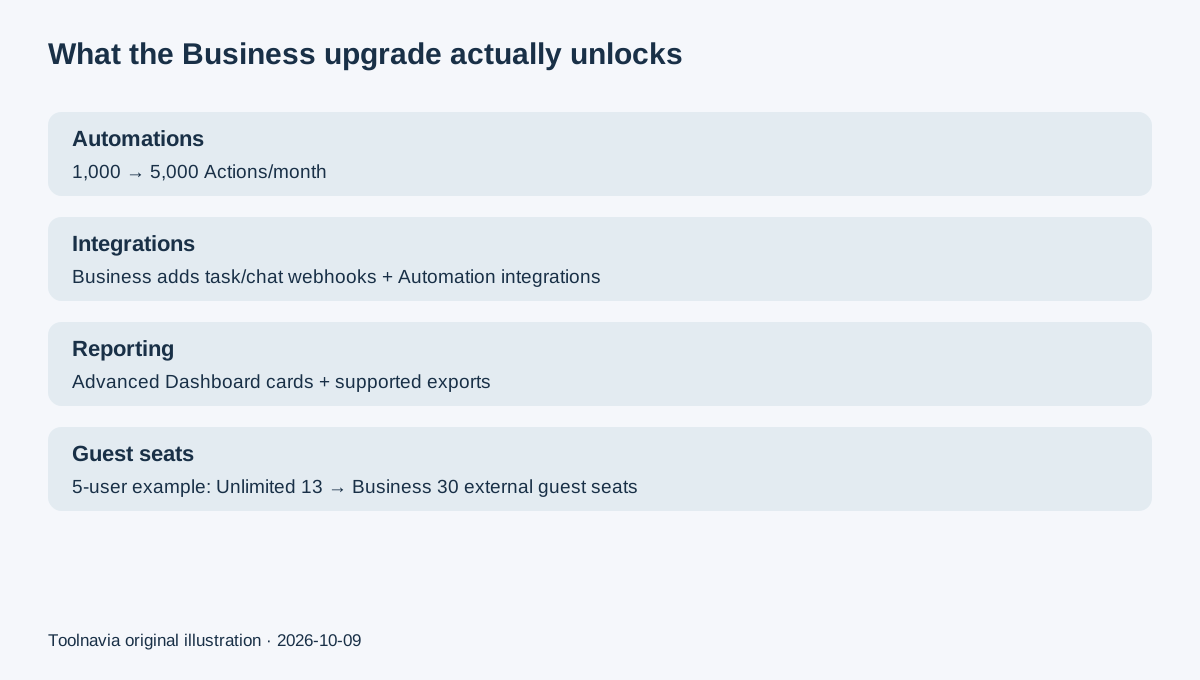
Unlimited currently allows 500 active Automations and 1,000 Automation Actions per month. Business raises this to unlimited active Automations and 5,000 Actions per month, while also enabling task webhooks, Automation integrations and Chat webhooks. Business also allows Conditions inside Automations.
That is the clearest upgrade trigger for teams connecting ClickUp to external workflows. When the monthly Action limit is exceeded, Automations pause for the rest of that monthly period. If the Workspace rarely reaches 1,000 Actions and does not need webhook/integration automation, paying for 5,000 Actions creates unused capacity rather than savings.
Four Business benefits that can justify the $5 annual-billing gap
**Advanced Dashboards and exports.** Unlimited includes standard Dashboard cards, while Business unlocks advanced cards such as charts, billable reports and time-based reporting. ClickUp also limits supported Dashboard-card and List/Table exports to Business and above. This matters when reporting must leave ClickUp for client, finance or management workflows.
**More permission-controlled external guest seats.** The current pricing page says a one-paid-user Unlimited Workspace starts with five guest seats and receives two more per additional paid user. Business starts with ten and adds five per additional paid user. At five paid users, that works out to 13 Unlimited guest seats versus 30 on Business. People inside your organization can still be treated as paid users, so do not budget every collaborator as a free guest.
**Private views and richer team reporting.** Business adds capabilities such as private/protected views, Sprint Points & Reporting, Portfolio Workload Management, unlimited proofing and more advanced reporting surfaces. These are useful only if the team has a defined reporting or access-control workflow; they are not automatically valuable because the team has more members.
**A broader mid-sized-team control set.** Business includes Google SSO, SMS two-factor authentication, private Whiteboards and additional collaboration/reporting controls. Enterprise remains the tier for SAML SSO, SCIM, audit logs and enterprise governance. Business should not be purchased expecting Enterprise controls.
The real cost: $84 vs $144 per user each year
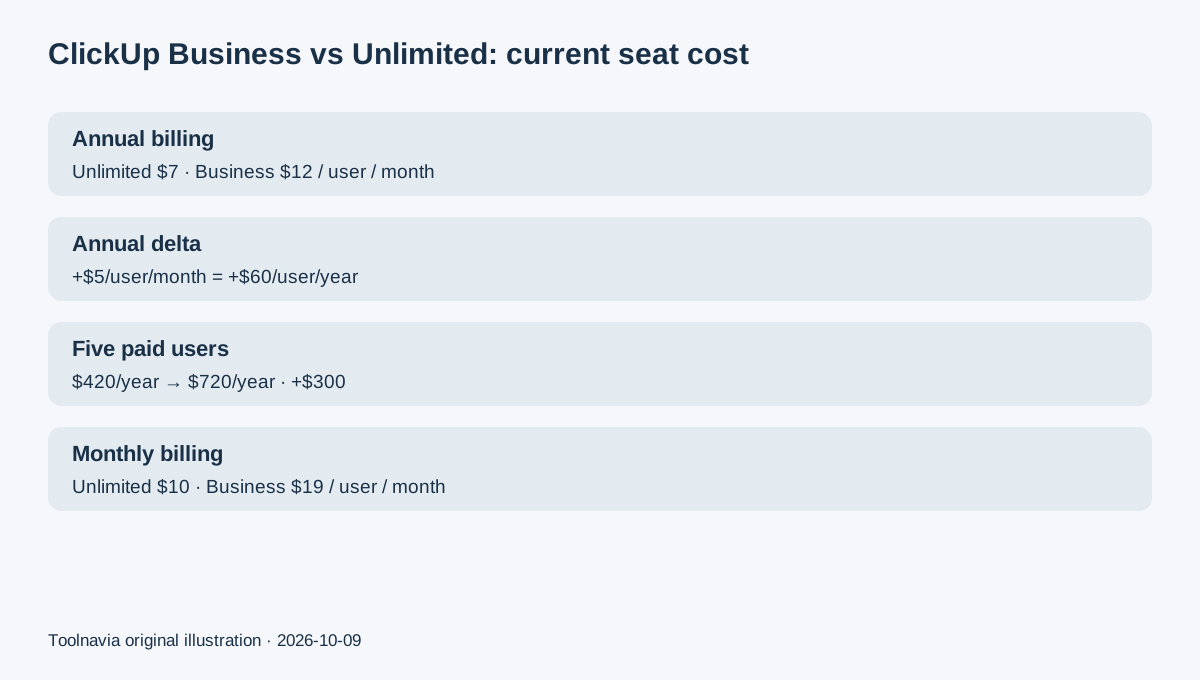
At current annual billing, Unlimited is $7 per user/month, or $84 per paid user/year. Business is $12, or $144 per user/year. A five-paid-user team therefore moves from $420 to $720 per year: a $300 annual increase before tax and add-ons.
Monthly billing changes the gap. Unlimited is $10 per user/month and Business is $19. Twelve months at those rates would be $120 versus $228 per user, so Business costs $108 more per user/year on monthly billing. For five users, that is a $540 difference. These are simple current-rate comparisons, not a guarantee that future pricing will remain unchanged.
ClickUp Brain AI and other AI products are separate pricing layers. The current pricing page lists Brain AI at $9/user/month and other AI/add-on products separately. Do not treat the Business seat price as an all-in AI budget.
Refund, renewal and downgrade checks before upgrading
ClickUp says paid subscriptions auto-renew. Its 30-day satisfaction guarantee is for new customers purchasing their first paid-plan subscription. An existing Unlimited customer moving to Business should not assume that an upgrade creates a fresh 30-day refund window.
Owners or admins can schedule a downgrade during the billing cycle. The Workspace changes to the lower plan at the end of the current billing cycle, and ClickUp says the Workspace data remains available if the team upgrades again later.
Some Workspaces see newer plan naming where Core is equivalent to Unlimited. Check the Workspace Billing page before comparing your existing tier with Business.
How Business compares with other team-work plans
Asana Starter is currently $10.99 per user/month billed annually and includes reporting dashboards and unlimited automations; Asana Advanced is $24.99 and adds portfolios, goals, workload and proofing. Wrike Business is $25 per user/month billed annually for 5–200 users. Smartsheet Pro is $9 per member/month billed yearly with 250 automations per month, while Smartsheet Business is $19 with a three-member minimum and unlimited automations. These are plan-scope and price references, not productivity rankings.
Buy Business only for a measurable Business-only bottleneck
Stay on Unlimited when 1,000 monthly Automation Actions, standard Dashboard cards and its guest allocation are enough. Upgrade to Business when the team repeatedly needs webhook/integration automation, 5,000 Actions, advanced/exportable reporting, or the larger external-guest allowance. For a five-user team, require those benefits to justify roughly $300 more per year on annual billing.
ClickUp's affiliate program is currently open and advertises up to $25 for a qualified new Free Workspace referral with a 30-day cookie. That is a referral reward, not proof of a commission on this Business purchase. Toolnavia approval is unverified and tracking remains disabled.