TOOLNAVIA / BUYING GUIDE
WP Mail SMTP Pro vs Free: Is Logging & Backup Worth $99 Renewal?
The short answer
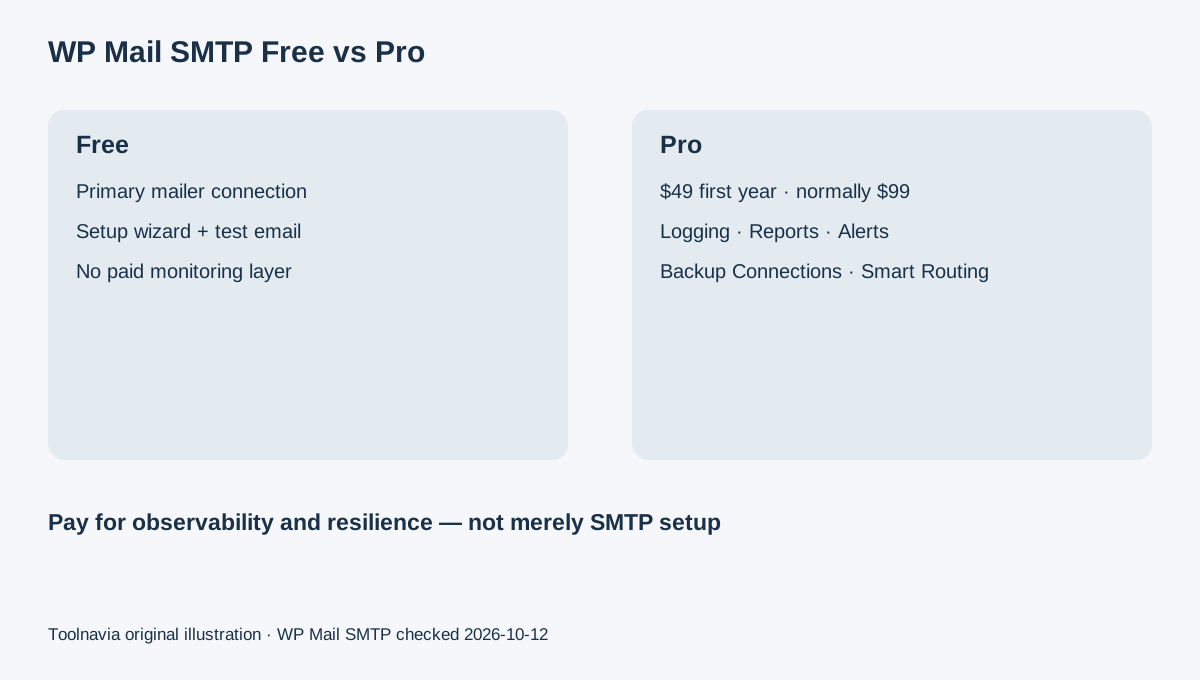
WP Mail SMTP Pro is currently $49 for the first year and shows a regular renewal price of $99 per year for one site. The free plugin can already connect a WordPress site to a mailer and provide setup/test tooling, so the paid decision is not “can WordPress send through SMTP?” Pro is mainly about observability and resilience: email logging, reports and tracking, backup connections, smart routing and failure alerts. If site email is business-critical, those controls can be easier to justify than the headline first-year discount. A simple personal site may be fine on the free connection layer.
At a glance
- Best for
- Business-critical WordPress sites needing email logs, alerts, backup mailers or conditional routing.
- Price model
- $49 first year · normally $99/year · 1 site
- Check first
- No plugin can guarantee inbox placement; external mailer, DNS/authentication and sender reputation still determine delivery outcomes.
Budget for the $99 renewal, not only the $49 first year
The live pricing page shows Pro at $49 for the first year with a “normally $99” price and states that introductory pricing renews at full price. That makes a two-year planning total about $148 before tax, assuming the current regular price remains unchanged. Elite is a separate $99 first-year / $149 regular option whose main extra value is White Glove Setup and priority support. A buyer who can configure a mailer without hands-on setup service should evaluate Pro on its monitoring and failover features rather than comparing it with Elite.
Email logging changes troubleshooting from guessing to evidence
WP Mail SMTP's current setup checklist says Pro users can enable Email Logging to keep a record of messages sent by the site. The current dashboard documentation also says Pro can show recent email logs, failed/confirmed/opened status views and plugin email sources when logging is enabled. That can matter for WooCommerce order emails, form notifications, password resets or membership messages where “the user says they never got it” is otherwise difficult to investigate.
Backup connections reduce single-mailer risk
WP Mail SMTP's current documentation allows additional mailer connections and explains that Pro's Backup Connection can take over when the Primary Connection fails. Smart Routing can send different WordPress emails through different connections based on configured rules. This does not guarantee inbox placement—sender authentication, reputation and the selected provider still matter—but it gives the WordPress site a second sending path when one provider or configuration fails.
Failure alerts and reports are operational tools, not deliverability magic
Pro includes Email Failure Alerts, Reports and Tracking on the current pricing page. The September 2026 setup checklist specifically prompts Pro users to configure failure alerts and backup mailers. These features can shorten the time between an email problem occurring and the site owner noticing it. They do not override Gmail, Outlook or another recipient's filtering decisions, so this article does not treat Pro as a guarantee that every message lands in the inbox.
The affiliate program is open and pays 20%
WP Mail SMTP's official affiliate page advertises a 20% commission on every qualifying referred sale and has a live affiliate signup route. It publishes commission examples based on the current introductory license prices, while actual approval and validation follow the program terms. Toolnavia has not applied or been approved, so affiliate tracking remains disabled.
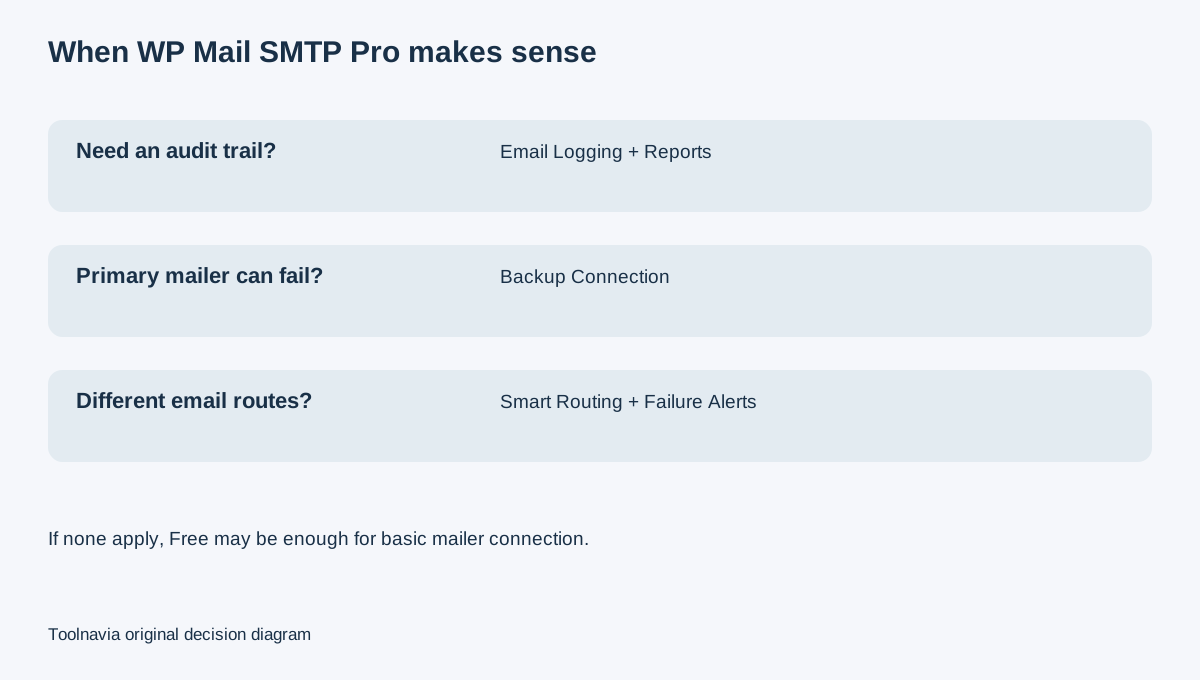
The practical rule is: stay on Free if your only need is connecting one WordPress site to a mailer and sending test messages. Buy Pro when you need an audit trail, failure visibility, multiple connections or conditional routing because missed transactional email has a real business cost. When comparing value, use the $99 regular annual renewal—not just the $49 first-year promotion.