TOOLNAVIA / BUYING GUIDE
WashAndGo Current Version vs Saver Subscription: Which Should You Choose?
The short answer
# WashAndGo Current Version vs Saver Subscription: Which Should You Choose?
WashAndGo’s public product page currently shows €29.95, a 30-day test version, version 25, automatic cleaning in the full version and at least six months of updates. The page does not, however, visibly attach that €29.95 figure to a named license type. Abelssoft’s terms define three different rights: Current Version, Saver Subscription and Lifetime Updates. That distinction matters more than the headline price because it decides whether the program keeps running after payments stop and how long new versions remain included.
The short answer is simple. Choose Current Version when you want to keep using the version you bought even if you stop paying for future upgrades. Consider Saver Subscription only when continuous access to updates and later versions is worth a recurring commitment. Treat Lifetime Updates as a separate checkout option, not a synonym for Current Version. Before paying, verify the exact license name, term, renewal setting, device count and next charge on the live checkout.
At a glance
- Best for
- Buyers who can verify the exact checkout license and value the right to keep using a stable version after payments stop.
- Price model
- Official page displayed €29.95 on 2026-11-06; verify named license, tax and renewal at checkout.
- Check first
- Buyers seeking a guaranteed license-specific €29.95 price, permanent future compatibility, transferable lifetime rights or a cleaner before proving Windows' free baseline.
The short verdict
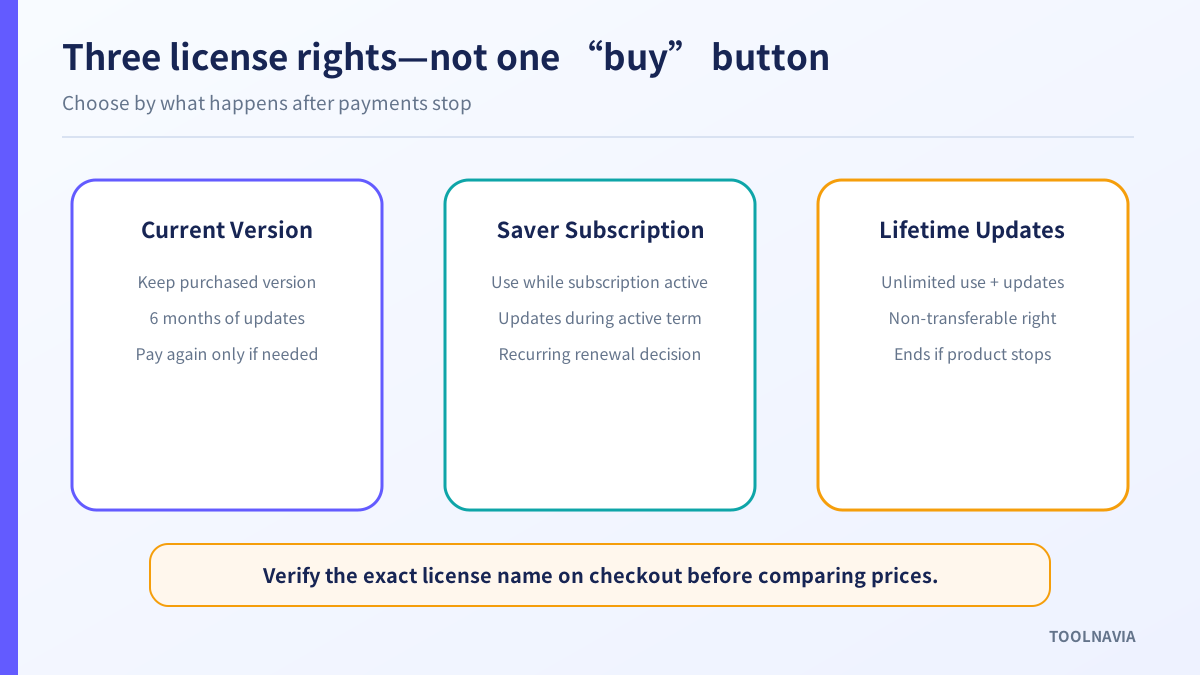
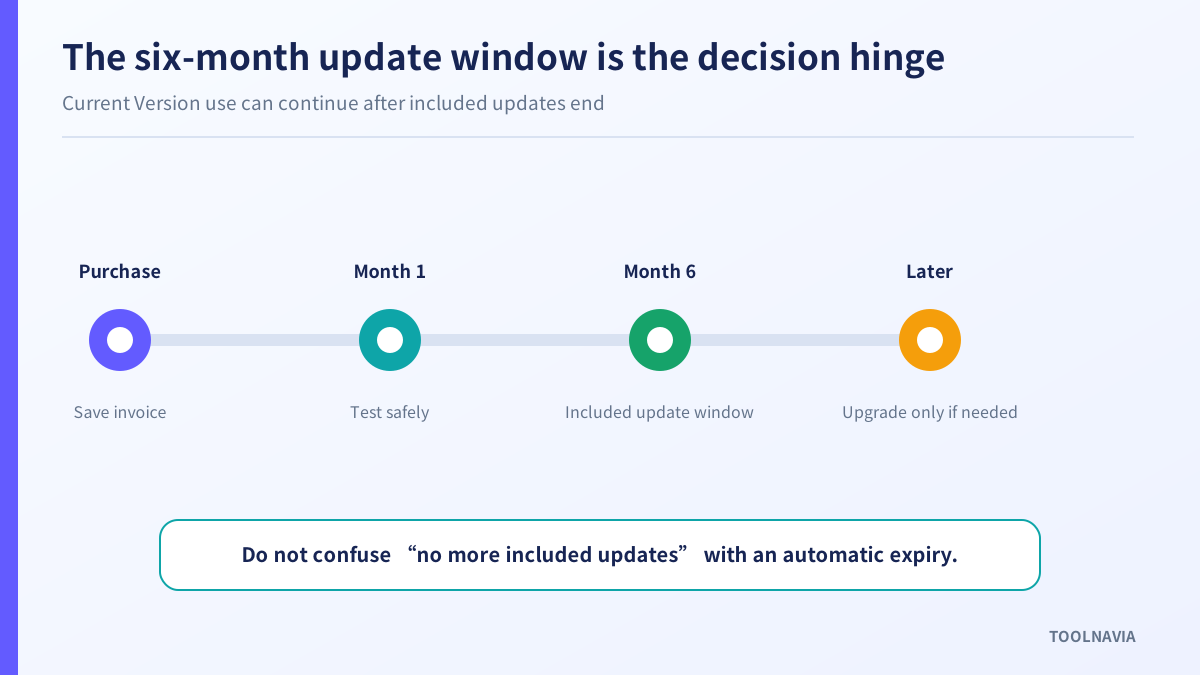
Current Version is the lower-commitment choice for a stable Windows PC when the existing WashAndGo release already solves a real cleanup problem. Abelssoft’s terms say its use is allowed for an unlimited time and that updates and subsequent versions are included for six months. After that update window, the purchased version may remain usable, but the terms do not promise that every future Windows change or later WashAndGo release will be included.
Saver Subscription is the continuity choice. The same terms say use is valid for the duration of an active subscription and that updates and subsequent versions are included while it remains active. In other words, stopping the subscription may end the right to use the software, not merely the right to future upgrades. Confirm the exact end-of-term behavior in the checkout and account page before relying on it.
Lifetime Updates is a third concept. Abelssoft says it permits unlimited use and lifetime updates, but the right is non-transferable and ends if the product is discontinued. Do not assume that a page saying “buy” or “full version” automatically includes Lifetime Updates.

What the official pages establish—and what they do not
The current WashAndGo page lists €29.95, version 25 (v25.29.04), a 30-day test version and support for Windows 11, 10, 8.1, 8 and 7. It presents automation, safety backups, three cleaning intensities, free support and at least six months of updates as full-version benefits. The trial limitation says automatic cleaning is unavailable.
Those facts establish a starting price and the current product scope. They do not establish which named license the displayed price buys, whether renewal is enabled by default, whether tax is included, how many devices are licensed or whether a different regional checkout will show another amount. The approved affiliate link in this article leads to the official product route, but it does not guarantee a specific checkout term.
Abelssoft’s terms are clearer about rights:
| License type | Right to use | Included updates | Main buying risk | |---|---|---|---| | Current Version | Unlimited use of the purchased version | Six months of updates and subsequent versions | Later compatibility or feature updates may require another purchase | | Saver Subscription | Only while the subscription is active | Updates and subsequent versions throughout the active term | Access may end when the subscription ends | | Lifetime Updates | Unlimited use | Updates and new versions for the product’s life | Non-transferable; ends if the product is discontinued |
This table summarizes the legal definitions, not the options or prices available in every checkout. Save a screenshot or invoice showing the exact license actually offered to you.

Do not calculate break-even from the €29.95 headline alone
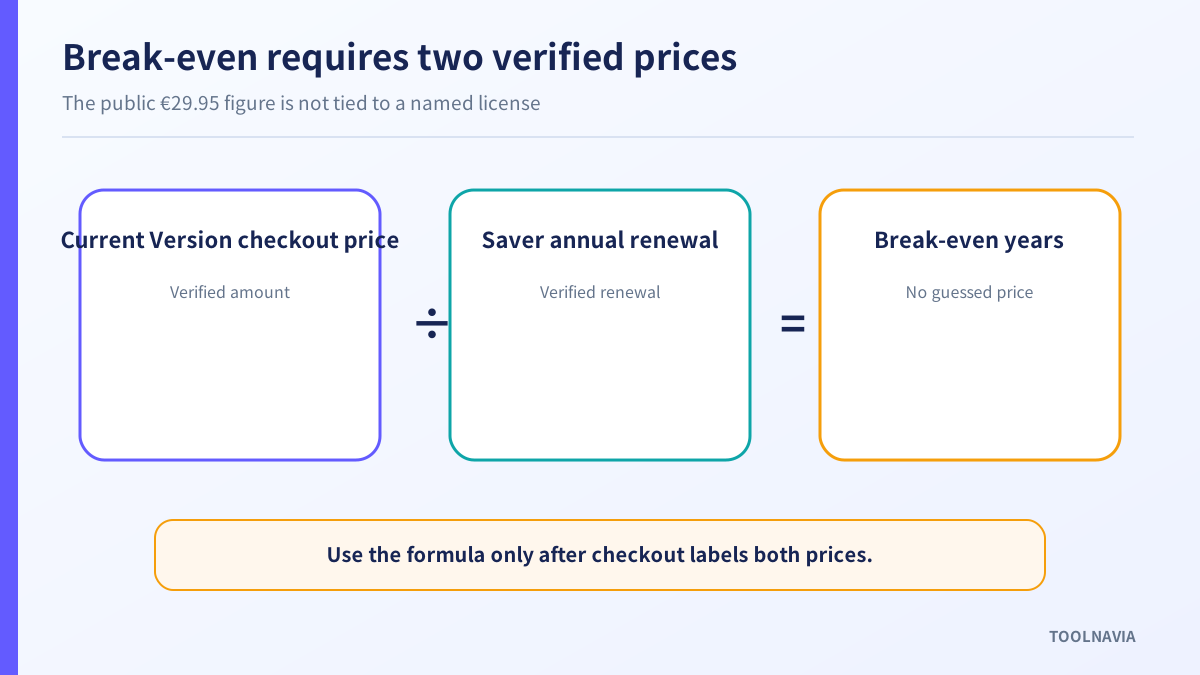
A useful break-even comparison requires two verified numbers: the one-time price for Current Version and the recurring Saver Subscription charge. The public product page currently provides only a visible €29.95 figure without binding it to either label. A precise claim such as “Current Version pays back in 18 months” would therefore be invented.
Use this formula after the live checkout identifies both options:
**Break-even years = Current Version checkout price ÷ annual Saver Subscription renewal price**
Then add likely upgrade cost. If you expect to buy a new Current Version every time a major Windows release or a required compatibility change arrives, a low one-time price can become a repeating expense. If the current release works for several years and you do not need new features, Current Version can be cheaper even when another paid upgrade eventually appears.
Competitors show why labels alone are unreliable. Wise Care 365 offers one-year and lifetime validity for one or three computers. Kingshiper lists monthly, annual and lifetime plans, and says subscriptions receive updates while a perpetual license is limited to its version. CCleaner emphasizes first-year subscription pricing against a higher renewal price. PC HelpSoft describes “lifetime” as a paid certificate added to a base license. These are not WashAndGo terms; they demonstrate that “annual,” “perpetual” and “lifetime” can carry very different rights.

Decide how much the update window is worth
The six-month update window is the center of the Current Version decision. It is long enough to receive near-term fixes and subsequent releases covered by the terms, but it is not a promise of permanent compatibility.
Ask four questions:
1. Is this PC likely to stay on its current Windows version for the next two or three years? 2. Does WashAndGo perform an essential automated task, or is it an occasional convenience? 3. Would you pay again if a later Windows update breaks compatibility? 4. Do you need new cleaning definitions and later product versions immediately?
A home PC that changes slowly may favor Current Version. A managed machine that must stay on supported releases may favor a subscription, provided the account proves that updates continue and renewal can be controlled. The product page’s broad Windows support is encouraging, but it does not guarantee future compatibility with an unreleased operating-system update.
Also separate feature value from license value. Automation is unavailable in the trial according to the product page, so the trial cannot fully prove the scheduler. It can still show whether scans are understandable, whether exclusions are controllable and whether the backup mechanism gives you confidence. Do not buy a recurring license merely because automation exists; buy it only if automatic cleaning saves enough time and the selected license gives the update horizon you need.
Test the product before choosing the license
Run the 30-day test on a non-critical Windows PC. The goal is not to maximize the number of “problems” reported. The goal is to establish whether WashAndGo finds removable data that Windows’ own controls do not handle conveniently, while leaving sign-ins, working files and application settings intact.
Use this acceptance test:
- Record free disk space before the scan. - Start with the least aggressive cleaning intensity. - Review every category and exclusion instead of accepting a one-click total. - Create the available safety backup before cleaning. - Reopen browsers, office software and frequently used applications afterward. - Confirm that saved sessions, recent-file lists and custom settings behave as expected. - Restart Windows and verify the claimed space remains free. - Repeat only if the result is predictable.
The full version advertises automatic maintenance and safety backup, but the best license cannot rescue an unsuitable cleaning scope. Prove the workflow first, then decide whether updates are worth recurring payment.
Check renewal and cancellation before paying
Saver Subscription is a service relationship, not just a cheaper entry price. Abelssoft’s terms say subscription prices can be adjusted, with notice at least four weeks in advance. They also say an objection can preserve the previous conditions, while Abelssoft may then terminate the relationship at the end of the term.
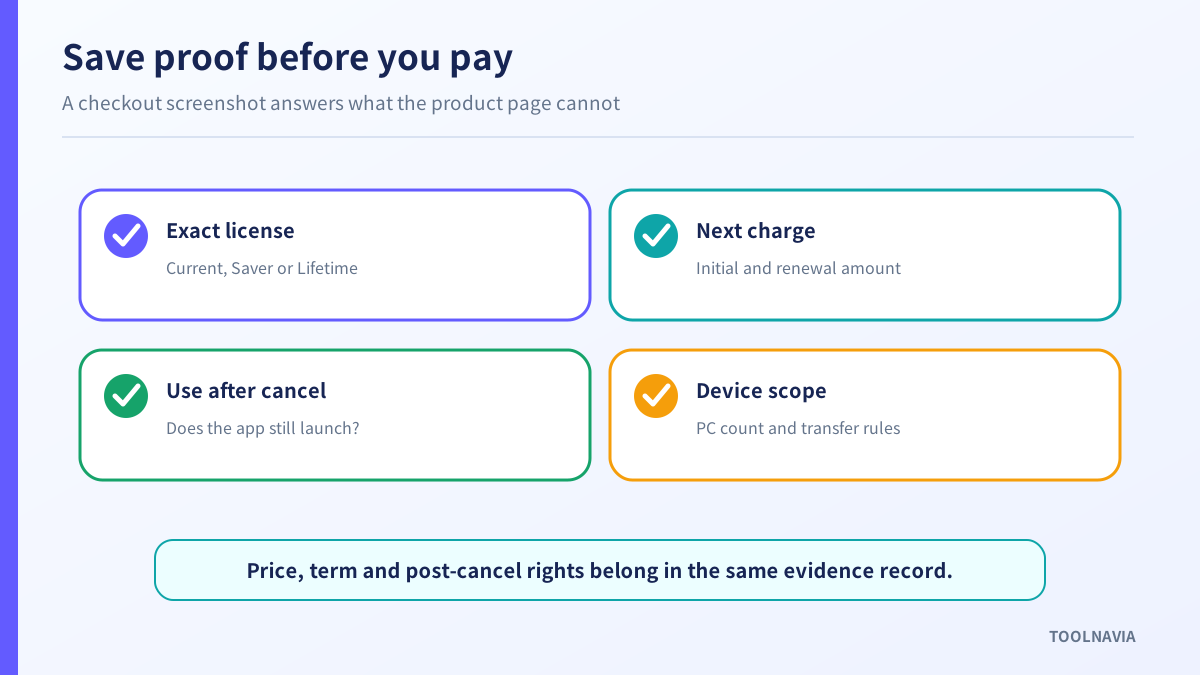
Before purchase, capture:
- the exact plan name; - initial charge and renewal charge; - billing interval and next billing date; - whether renewal is on by default; - cancellation method and effective date; - post-cancellation use rights; - device count and transfer rules; - tax and currency; - refund terms shown at checkout.
Do not infer these fields from a competitor or from the €29.95 product-page figure. IObit, Wise, Kingshiper and CCleaner illustrate different device counts, terms and renewal structures, but none of them establishes WashAndGo’s checkout behavior.
If Saver Subscription access ends with the active term, plan the exit before cancelling. Turn off scheduled cleaning, export or record exclusions if the application supports it, keep the invoice and license information, and confirm that you can use Windows’ built-in cleanup controls afterward.
Who should choose Current Version?
Current Version is the better fit when:
- you want the purchased version to remain usable without an active subscription; - the current release passes your trial and post-cleanup checks; - the PC changes infrequently; - six months of included updates is enough to stabilize the purchase; - you are willing to skip later features or buy a future version only when needed.
Its hidden cost is upgrade uncertainty. The terms promise six months of updates, not a fixed price for later upgrades. Budget a contingency rather than assuming permanent free compatibility.
Who should choose Saver Subscription?
Saver Subscription is the better fit when:
- you need later versions and updates throughout active use; - automatic maintenance is part of a recurring workflow; - you prefer a predictable billing cycle over occasional upgrade decisions; - the account clearly shows cancellation and renewal controls; - the recurring cost is lower than the value of continuous compatibility for you.
Its hidden cost is dependency. Because usage is tied to an active subscription under the terms, cancelling may remove the right to keep using the software. Verify this in the actual order confirmation and account portal.
When does Lifetime Updates deserve attention?
Consider Lifetime Updates only if it appears as a separately named checkout option with a clear price. It can make sense when you expect to use WashAndGo for several years and want both indefinite use and later versions. But Abelssoft’s terms say the right is non-transferable and ends if the product is discontinued. “Lifetime” is therefore the product’s supported lifetime under those terms, not a guarantee that the software or company will exist forever.
Compare Lifetime Updates against both Current Version and Saver Subscription using verified checkout prices. Do not compare it with the €29.95 product-page number unless the checkout explicitly identifies that number as the Current Version or Saver price.

Final buying checklist
Do not choose by the smallest number on the page. Choose by the right you need after payments stop.
Before buying, confirm:
1. The checkout says Current Version, Saver Subscription or Lifetime Updates. 2. The price is tied to that exact label. 3. The number of licensed PCs matches your use. 4. Renewal status and the next charge are visible. 5. Current Version remains usable after its update window. 6. Saver Subscription’s post-cancellation behavior is explicit. 7. The trial has proven safe categories, exclusions and recovery. 8. You have compared the result with Windows’ free cleanup controls. 9. You have saved the order page and terms as dated evidence.
For a stable personal PC, Current Version is usually the more cautious starting point because indefinite use is stated in the terms. For a machine that must stay current, Saver Subscription can be reasonable if the checkout makes renewal and cancellation transparent. In either case, the visible €29.95 figure is a starting point—not enough evidence for a license-specific price claim.
The link in this article is an approved affiliate link for WashAndGo. Toolnavia may earn a commission if you buy through it. That does not increase or guarantee the displayed price, and it does not change the need to verify the live checkout, license type, renewal terms and tax.
**Evidence map:** S1 is the current WashAndGo product page; S2 is Abelssoft’s license and subscription terms. S3–S7 are official competitor stores or support pages used only to show how license labels vary. Competitor prices and rights are not transferred to WashAndGo.