TOOLNAVIA / BUYING GUIDE
FileFusion vs WashAndGo: Which €29.95 Cleanup Tool Fits Your Drive?
The short answer
FileFusion preserves paths while deduplicating identical files; WashAndGo targets recurring junk and scheduled cleanup. Measure the storage category first, because the products solve different problems.
At a glance
- Best for
- Buyers who have measured whether recoverable space comes from identical files or recurring disposable categories.
- Price model
- Both English product pages displayed EUR29.95 on 2026-10-26; confirm live tax, market and selected license.
- Check first
- Users whose storage is mainly unique personal data, who lack independent backups, or whose needs are already met by Windows cleanup.
The short answer
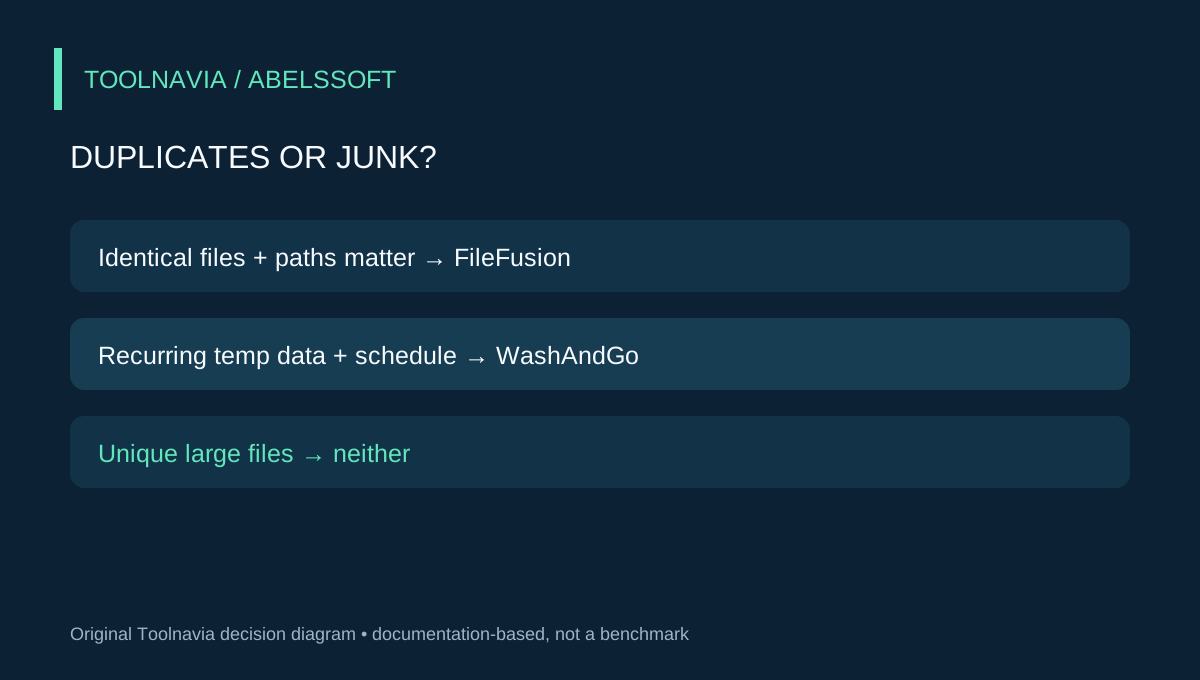
Choose FileFusion when verified, byte-identical files occupy meaningful space and you must keep the same file visible at several paths. Choose WashAndGo when recurring temporary data and application leftovers are the main problem and you value scheduled cleanup. Buy neither until Windows' built-in Storage Sense and Cleanup recommendations establish a free baseline.
This is not a speed benchmark. Toolnavia did not run either product on a production computer, and vendor claims such as “up to 71%” or “8x more junk” are not forecasts for your machine. The decision below is based on current documentation, license terms and a reversible evaluation workflow.
First identify the kind of waste
Open Settings > System > Storage and inspect the categories consuming space. Microsoft says Storage Sense targets unnecessary temporary files and Recycle Bin content; Downloads and cloud files are not managed unless you configure them, and automatic Storage Sense normally works on the system drive. That makes it a useful no-cost test for routine clutter.
If the space returns soon after this baseline, note which category grows. Temporary files and browser or application remnants point toward a recurring-cleanup problem. Repeated project exports, copied photo libraries and mirrored folders point toward a duplicate-file problem. A generic “drive is full” symptom is not enough to justify either purchase.
Independent guides make the same distinction: Windows cleanup tools can reclaim disposable categories but do not perform a documented content-based duplicate scan. A duplicate finder is relevant only after you have evidence that multiple paths contain identical data.
What FileFusion changes
FileFusion creates a fingerprint for each file, identifies identical content even when names differ, and replaces redundant physical copies with hard links. The paths remain, while one physical file supplies the data. The current official page says it supports NTFS-based drives and Windows 7 through Windows 11. It also lets you inspect detected duplicates instead of accepting every result automatically.
This approach is valuable when applications or project structures expect the same reference asset in several folders. A normal delete-and-move cleanup could break those paths. Hard-link deduplication can preserve the paths while reducing physical storage, but the linked names are not independent backup copies.
The boundary matters. The existing FileFusion guide already explains that hard links live on one volume and that editing behavior should be tested with disposable data. This comparison does not repeat that tutorial; it asks whether deduplication or general cleanup is the purchase you need. FileFusion's 1GB trial limit is enough to verify path, edit, delete and restore behavior on a representative folder, but not necessarily enough to estimate whole-drive savings.
What WashAndGo changes
WashAndGo scans for junk data, offers three cleaning intensities, can create a safety backup before cleaning, and can schedule automatic cleanup at startup or daily, weekly or monthly. Its official page also mentions browser traces, program leftovers and duplicate files, but it does not document FileFusion's fingerprint-and-hard-link model for the duplicate portion. Treat the products as overlapping at the edges, not interchangeable.
The 30-day trial disables automatic cleaning, so you can inspect manual scans but cannot fully experience the paid scheduler before purchase. That is an important limitation because recurring automation is the main reason to pay after Windows' free baseline. Record the categories and space recovered in two normal-use cycles; one unusually large first cleanup is not enough to estimate ongoing value.
WashAndGo is a better fit when the same disposable categories rebuild every week and the scheduler saves real maintenance time. It is a poor fit when your largest category is unique videos, games or archives that no cleaner should delete.
Price and license economics
On October 26, 2026, both English product pages displayed €29.95. FileFusion listed version 2026 (v2026.8); WashAndGo listed version 25 (v25.29.04). Live checkout can change by market, tax or promotion, so confirm the final order rather than treating these page prices as universal quotes.
Abelssoft's terms distinguish a Current Version license from a Saver Subscription. A Current Version can be used indefinitely and includes updates and subsequent versions for six months. A Saver Subscription remains usable only while the subscription is active and includes updates during that period. The same terms say the software may be used on one computer, except for a separately named product that is not either of these tools.
Therefore, do not infer a renewal from the €29.95 headline. Inspect which license type the live cart selects. Compare the total with the storage problem: paying €29.95 to reclaim 30GB of verified duplicate project assets can be rational when preserving paths matters; paying it to remove 600MB of temporary files that Storage Sense already handles is difficult to justify.
A simple break-even worksheet is:
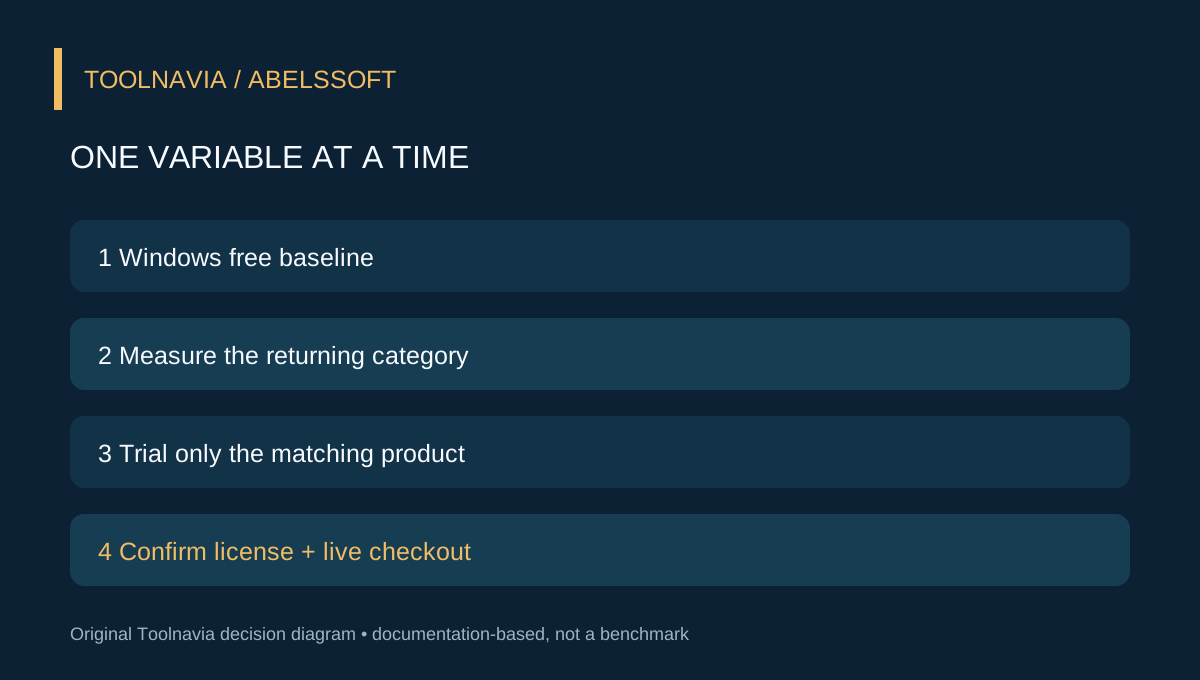
1. Measure eligible space after the free baseline. 2. Estimate how often the problem returns. 3. Price the time required for safe review and recovery checks. 4. Confirm the selected license, tax and update window at checkout. 5. Buy only when the avoided manual work or deferred storage upgrade exceeds that combined cost.
A safe two-pass trial
For FileFusion, copy a small representative folder to disposable storage, keep an independent backup, and include identical files under different names plus a deliberately modified version. Scan only that folder. Verify every path, edit one file with your usual application, test deletion and restore, and confirm the modified version is not grouped as identical.
For WashAndGo, create a restore point or independent backup appropriate to your system, inspect every proposed category, and run the least aggressive manual pass first. Use the computer normally, measure which categories return, then repeat. Do not enable automatic deletion of Downloads or other personal folders without understanding the rule.
Do not run both trials on the same baseline. Their effects would be mixed and you could not attribute reclaimed space or side effects. Start with Windows tools, then test the product matched to the measured problem.
Which should you buy?
Buy FileFusion if your evidence is “many identical files, one NTFS volume, paths must remain,” and its small trial proves your actual applications behave predictably. Buy WashAndGo if your evidence is “recurring disposable clutter, categories are understood, scheduled cleanup saves time,” and two manual cycles show a repeatable need.
Skip both if Windows' free tools solve the problem, if the missing space is mostly unique data, or if you cannot maintain an independent backup. The links in this article open the approved official FileFusion and WashAndGo destinations. Toolnavia may receive a commission from qualifying purchases; that does not change the prices, the test boundaries or the recommendation.