TOOLNAVIA / BUYING GUIDE
WashAndGo: Is Scheduled PC Cleaning Worth an Annual Subscription?
The short answer
WashAndGo makes most sense when unwanted files keep accumulating and you want a repeatable cleanup routine. Its paid scheduling can be useful, but Windows already handles basic temporary-file cleanup. Start with the 30-day trial and judge the files it finds, the controls it provides and the ongoing cost—not an advertised speed multiplier.
At a glance
- Best for
- Users who have reviewed safe cleanup categories and repeatedly need more than basic Windows cleanup.
- Price model
- Observed EUR/Germany cart:29.95/year, or34.90/year with optional Premium Support; automatic renewal, local checkout governs.
- Check first
- One-off cleaners, users expecting hardware repairs, or anyone who cannot review removal categories.
Try the Windows baseline first
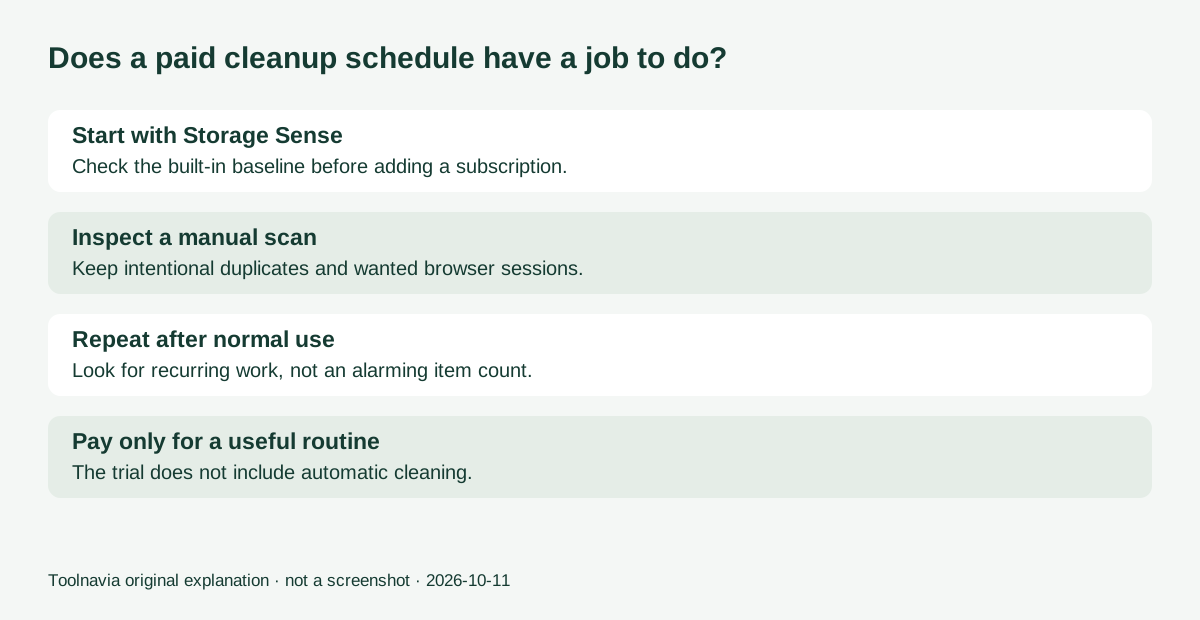
Microsoft's Storage Sense can clear temporary files and manage the Recycle Bin automatically. Its default scope is conservative: Downloads and cloud content need explicit settings, and it operates on the system drive. Review these settings before deciding you need another cleaner.
Imagine a laptop that runs short of storage every fortnight. If Storage Sense and uninstalling unused applications solve the problem, the paid tool has little work left to earn its fee. If browser leftovers and repeated cleanup decisions still consume your time, use the trial to investigate that specific gap. Do not compare two tools by the number of alarming entries they display.
Four reasons to consider WashAndGo
Several cleanup intensities. The product offers three cleaning levels. This lets you begin conservatively and inspect what a stronger pass proposes. The English and German wording differs slightly about scanning versus cleaning; treat these as cleanup choices, not evidence of three independent scan engines.
A repeatable schedule. Automatic maintenance supports a recurring routine instead of relying on memory. That matters on a computer you maintain regularly, but only after you have settled on appropriate exclusions. The trial expressly excludes automatic cleaning, so do not assume you have tested the paid scheduler simply because a manual scan succeeded.
A pre-cleaning backup option. The vendor offers a backup before cleanup. Use it as another recovery layer, and keep separate copies of important files. A cleaner's own rescue feature should not become your only plan for recovering a document.
Cleanup across several categories. The product targets browser traces, program remnants and duplicate files in addition to common junk. That breadth may reduce switching between utilities. A duplicate is not automatically unwanted: a second project copy can be intentional, and browser cleanup can remove a session you wanted to keep.
The annual cost matters more than the headline amount
The product page displayed €29.95 on October 11. In the EUR cart with Germany selected, the actual purchase flow opened a Yearly Subscription at €29.95, with €4.95 Premium Support added: €34.90 per year, automatically renewed. Removing that optional extra reduced the displayed total and renewal to €29.95. That is an ongoing purchase, not evidence of a €29.95 lifetime license. General terms describing a Current Version license do not override the specific cart you select.
Before payment, inspect currency, country, the recurring total and optional extras. Remove optional support if you do not want it, then reread the total. Standard email support is already listed on the product page; premium support describes priority handling. The added service should earn its own place in your budget.
For a simple decision worksheet, multiply the confirmed annual total by the number of years you expect to use it, allowing for future price changes. Add the time spent reviewing cleanup rules. If your real need is one occasional cleanup, an annual commitment may cost more than the convenience is worth.
A trial exercise that produces a useful answer
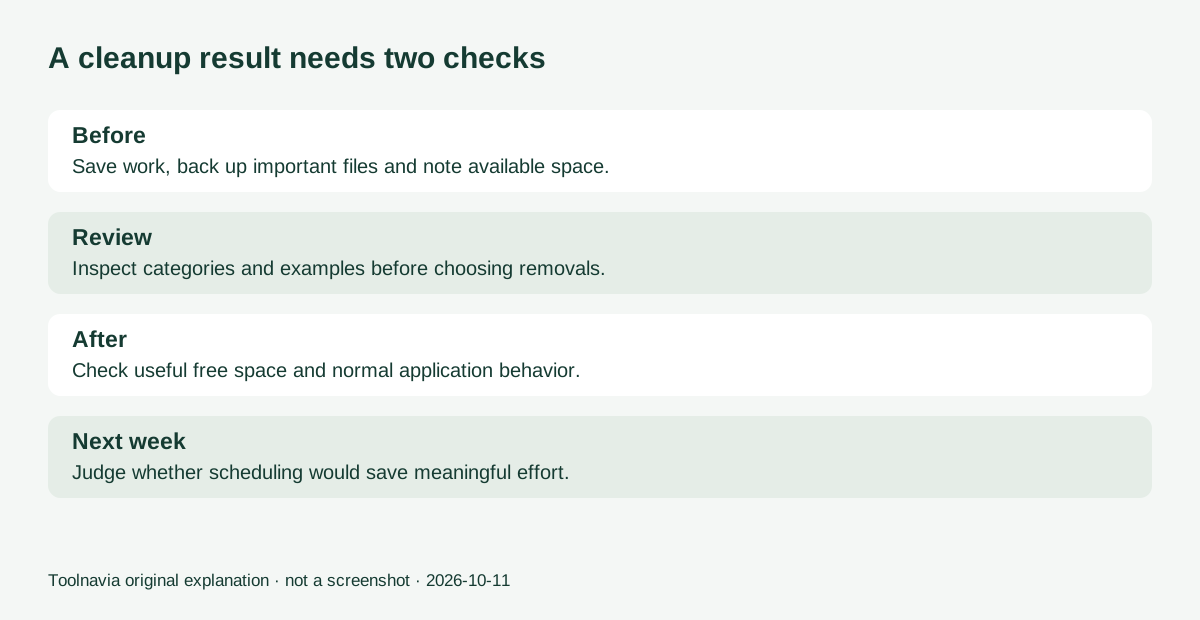
First, save important work and make an independent backup. Note available disk space and one concrete problem, such as a crowded system drive. Run a manual scan, review categories and inspect examples before selecting removals. Start with content you recognize as disposable.
Next, open your normal browser and work applications. Check that wanted sessions, saved files and ordinary tasks still behave as expected. Record useful space reclaimed rather than counting every detected item. Repeat after a normal working week: the second pass tells you whether there is a recurring maintenance job.
Finally, decide whether a paid schedule would save meaningful effort. This is a suggested buyer exercise, not a benchmark performed by Toolnavia. The 30-day trial shows purchase prompts and cannot demonstrate automatic cleaning. Ask the vendor about scheduler controls if those are the main reason you would pay.
Who should buy—and who should keep the free tools
Consider WashAndGo if you can identify recurring cleanup work beyond your Windows baseline and value managing it in one interface. Skip it if the problem is slow hardware, an application fault or something basic cleanup already resolves. Free space and faster work are different outcomes.
Use the linked official product page to try the software and inspect the current subscription. Toolnavia may earn a commission from qualifying purchases. We have not independently verified the vendor's performance multipliers, and this recommendation does not depend on them.