TOOLNAVIA / BUYING GUIDE
EverDoc: Is a Searchable Document Archive Worth Paying For?
The short answer
EverDoc is most interesting when you can remember what a document says but cannot remember where you saved it. Its value is a searchable Windows archive that brings several document types into one retrieval workflow. Before paying, use the 30-day trial to find real sample documents and check how you would recover or leave the archive.
At a glance
- Best for
- Users whose representative sample proves easier retrieval across mixed document formats.
- Price model
- Observed EUR/Germany cart:EverDoc29.95/year;optional4.95support,confirm complete recurring total.
- Check first
- Occasional scan-to-PDF users or organizations requiring unverified governance and compliance features.
Start with retrieval, not the number of files
Consider a household folder full of photographed receipts, downloaded invoices and scanned letters. Naming every file perfectly takes effort; keeping every file without a retrieval method creates another problem. The useful question is whether you can reliably find the right document when you remember only a name, date or phrase.
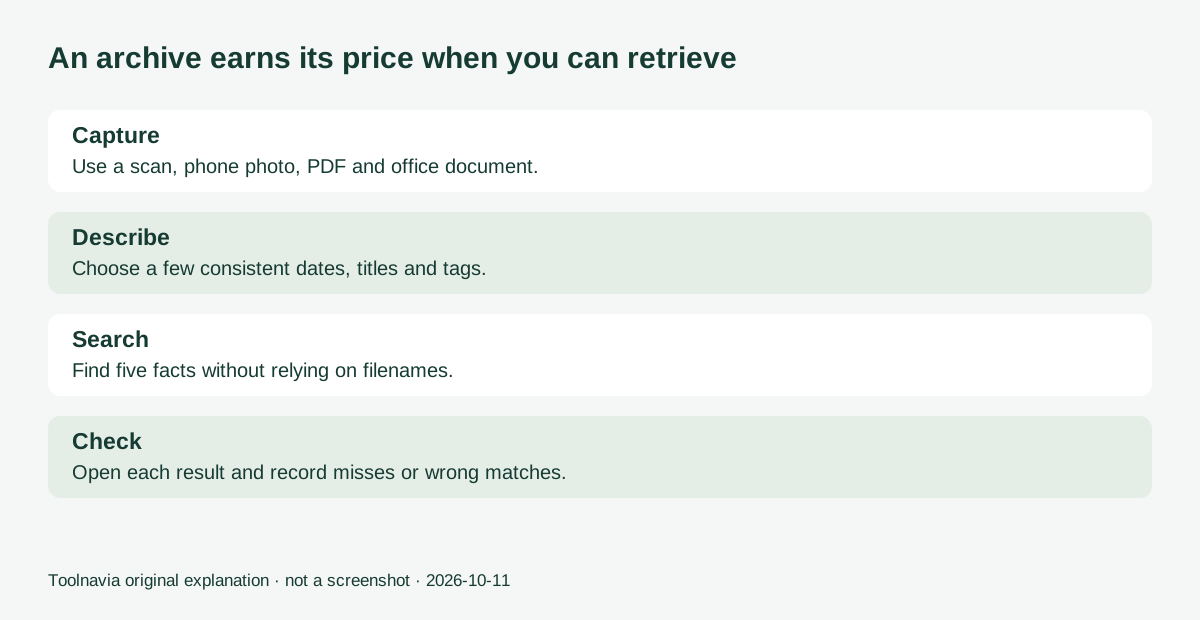
Choose a small, non-sensitive sample that reflects your actual collection. Include a clear scan, a phone photograph, a normal PDF and an office document. Write down the facts you will try to find before importing them. Otherwise, a successful demonstration can be misleading because you already know every filename.
Four capabilities that can earn a place in your routine
OCR for image text. EverDoc recognizes text in image formats such as JPG, GIF and BMP so it can be searched. This is useful for photographed paperwork, but a feature list does not establish recognition accuracy for your handwriting, language or camera conditions. Try representative pages.
More than one way to search. Date, title, keywords and full-text search provide different routes back to a document. A remembered supplier or phrase can become a starting point. Use a few consistent tags rather than inventing a new label for every file.
Scanner-to-archive capture. The vendor describes adding documents after scanning through WIA 2.0. For someone who regularly processes a small paper pile, that can make capture part of a repeatable routine. Confirm your scanner and driver work with the trial; compatibility with a file type is not the same as compatibility with a device.
Phone and optional cloud connections. The companion app is intended to transfer photographed documents to the home PC, and the software supports optional cloud-service connections. That can bring scattered capture sources together. Test the current app on your phone and decide which folders you actually want connected; cloud integration is not a promise of any particular privacy or retention arrangement.
When a free scanner is enough
If the whole job is scanning a few pages into searchable PDFs, NAPS2 is a credible free baseline. Its official site describes free, open-source scanning, page arrangement and OCR. You still need an organization method for the resulting files.
The distinction is the work you want to stop repeating. Buying EverDoc solely because it mentions OCR may be unnecessary. Buying an archive that helps you repeatedly retrieve different document types is a more specific proposition. Compare the time required to find a sample using your existing folders with the time and effort inside the trial. Treat your results as personal evidence, not a universal speed claim.
A practical trial before migrating your documents
Import the small sample, then search for five facts chosen in advance: a supplier, a date, an invoice identifier, a phrase and a tag. Inspect the actual document behind each match. Record misses and mistaken matches rather than counting only successes.
Repeat after adding a few more files and deliberately forgetting their filenames. If poor image quality causes misses, improve the capture and test again. Important amounts and identifiers should be checked against the original; finding text does not validate the document's content.
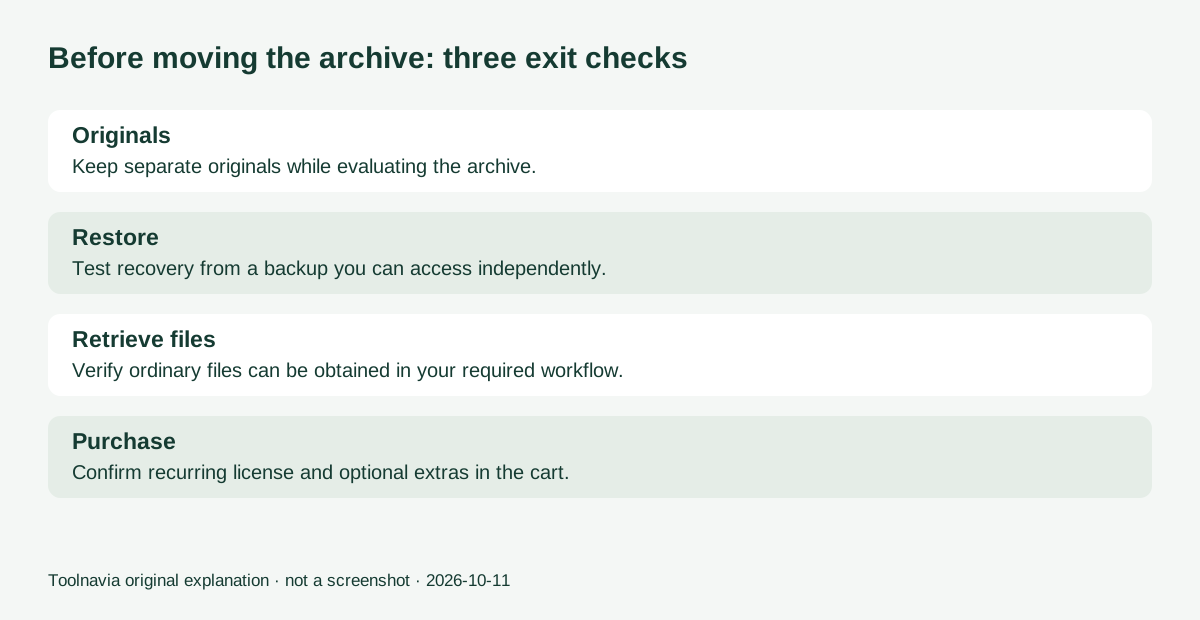
Before migrating a large collection, test an independent copy, backup restoration and getting ordinary files back out. The product advertises backup functionality, but this guide has not verified a complete restoration or bulk-export workflow. Keep originals separately until your acceptance exercise demonstrates what you need. Do not infer regulated-record compliance or multi-user governance from a personal archive description.
The checkout decides the license you are buying
The product page displayed €29.95 on October 11 and describes unlimited usage. However, its purchase button opened a €29.95/year Yearly Subscription in the EUR cart with Germany selected. Premium Support appeared as an optional €4.95 cart item. Do not read the product-page wording as a promise that this selected subscription works indefinitely after payments stop.
Abelssoft's general terms distinguish Current Version, subscription and lifetime-update options. Confirm the actual license, recurring total, currency and update rights; budget for backup storage and any cloud service you choose separately. The trial lasts 30 days and shows a purchase prompt on closing.
Consider EverDoc when your sample proves a useful retrieval advantage and you understand the exit and recovery process. Keep your existing folders or a free scanner if they already solve the job. Toolnavia's official product link includes affiliate tracking, and qualifying purchases may earn a commission. No hands-on OCR benchmark is claimed here.