TOOLNAVIA / BUYING GUIDE
SSD Fresh License: One PC—What Happens When You Replace It?
The short answer
Buying SSD Fresh for one Windows PC is straightforward. The harder decision comes when you own a desktop and a laptop, rebuild Windows, or expect to replace the computer during the useful life of the license. Abelssoft’s current English terms say the software may be used on “any single computer.” That is a device limit, not a promise that one key can be shared across two machines or moved whenever hardware changes.
This guide focuses on that narrow buying question. It does not assume that “lifetime,” “perpetual,” “Current Version,” and “Lifetime Updates” mean the same thing. It also does not promise a replacement-PC transfer process that Abelssoft has not publicly documented.
**The short answer**
Plan on one paid license for one active computer. If you need SSD Fresh on a second PC at the same time, budget for a second entitlement unless the live checkout explicitly says otherwise.
For a replacement computer, the public terms do not show a clear self-service deactivate-and-transfer workflow. They prohibit transferring rights to the software and separately say the Lifetime Updates right is not transferable. Those clauses clearly rule out giving or reselling the entitlement to another person. They do not clearly explain whether the same buyer may deactivate an old installation and activate a replacement PC.
The safe purchase decision is therefore conditional: buy only after Abelssoft confirms your exact replacement-device scenario in writing, or accept the risk that another license may be required.
At a glance
- Best for
- One stable Windows PC where Plus features justify the cart total.
- Price model
- Official page: SSD Fresh 2027 v2027.16.02 at EUR29.95; confirm final JavaScript checkout, tax, SKU and renewal.
- Check first
- Two simultaneous PCs or buyers needing a guaranteed replacement transfer.
What the official page sells today
On November 5, 2026, the English product page displayed SSD Fresh 2027, version 2027.16.02, at €29.95. It listed Windows 7 through Windows 11 and said the Plus version includes at least six months of free updates and new versions, free email support, and no advertising. The trial has donation screens and no background guard.
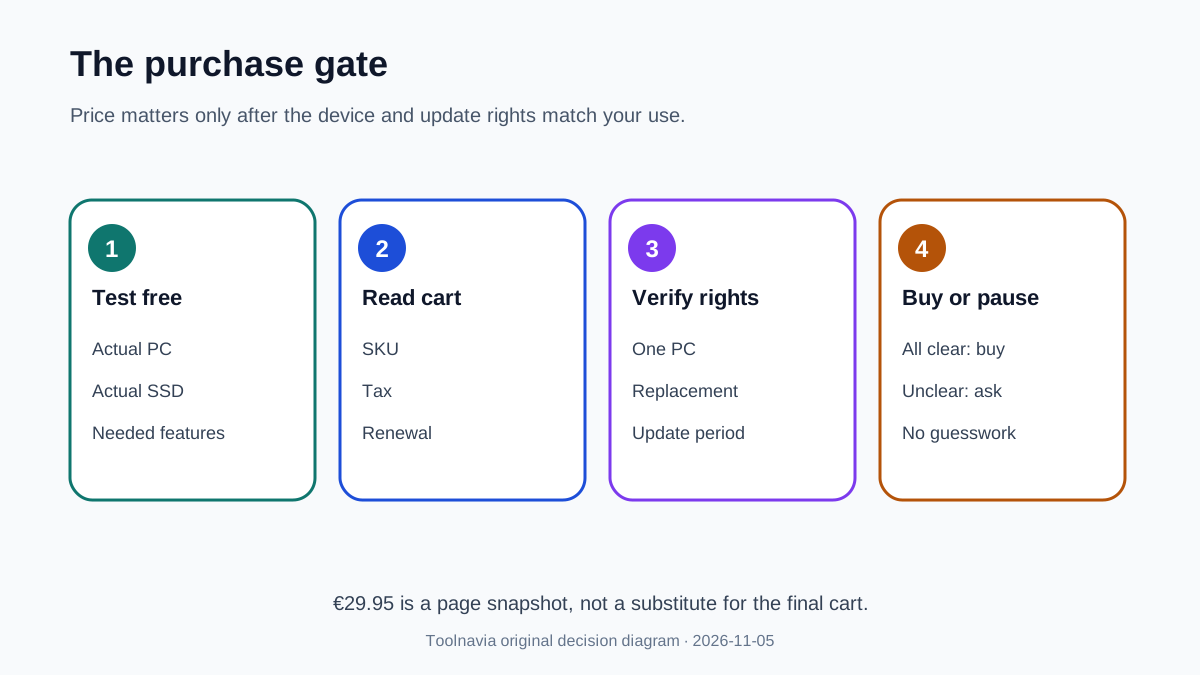
That product page is useful for features and the headline price, but it does not state a multi-PC allowance or a replacement-PC transfer policy. The Buy button leads to a JavaScript checkout. A non-browser read could confirm the route but not the final selected SKU, tax, renewal presentation, or any device-transfer wording inside the cart.
Treat €29.95 as a page snapshot, not a guaranteed final total. Confirm the cart before paying.
One computer is the controlling limit
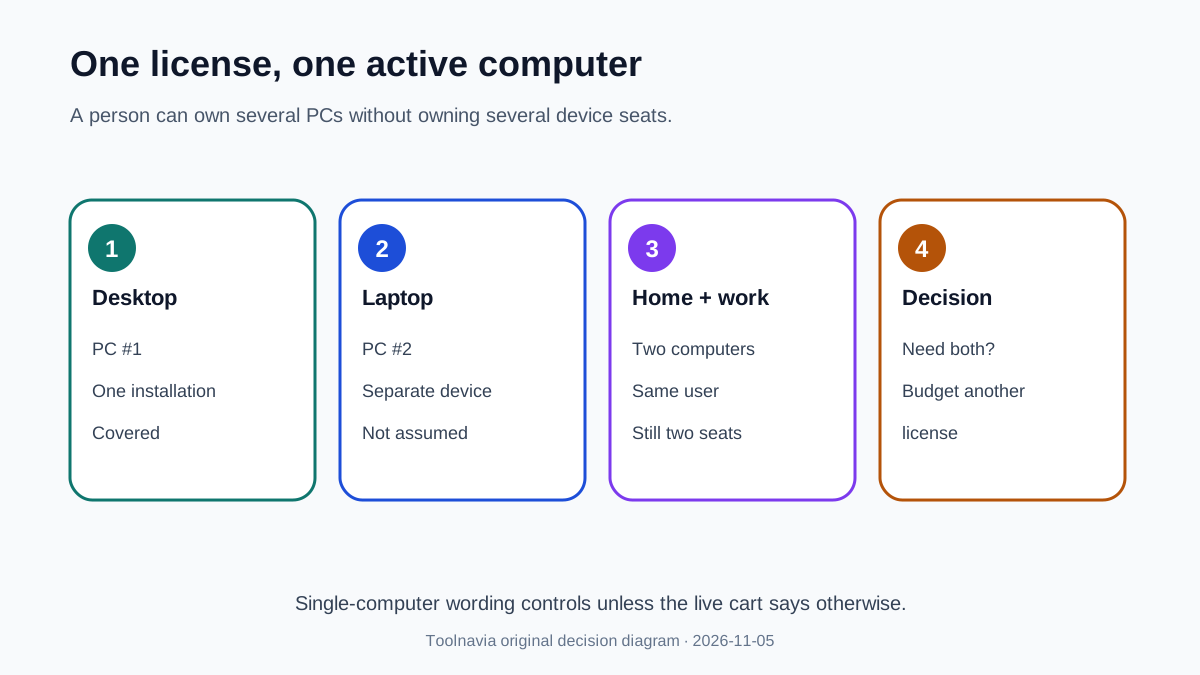
Abelssoft’s general license grant allows use on any single computer, with a specific five-device exception only for SendMe. SSD Fresh is not named as an exception. That makes “one computer” the conservative rule for SSD Fresh.
A desktop plus a laptop are two computers even if you are the only person using both. A work PC and a home PC are also two computers. Installing on both and promising to open only one copy at a time is not the same as having permission for two installations.
This distinction matters because some software licenses are user-based or concurrent-use licenses. The public Abelssoft language is written as a computer-based license.
Replacement PC: what is known and what is not
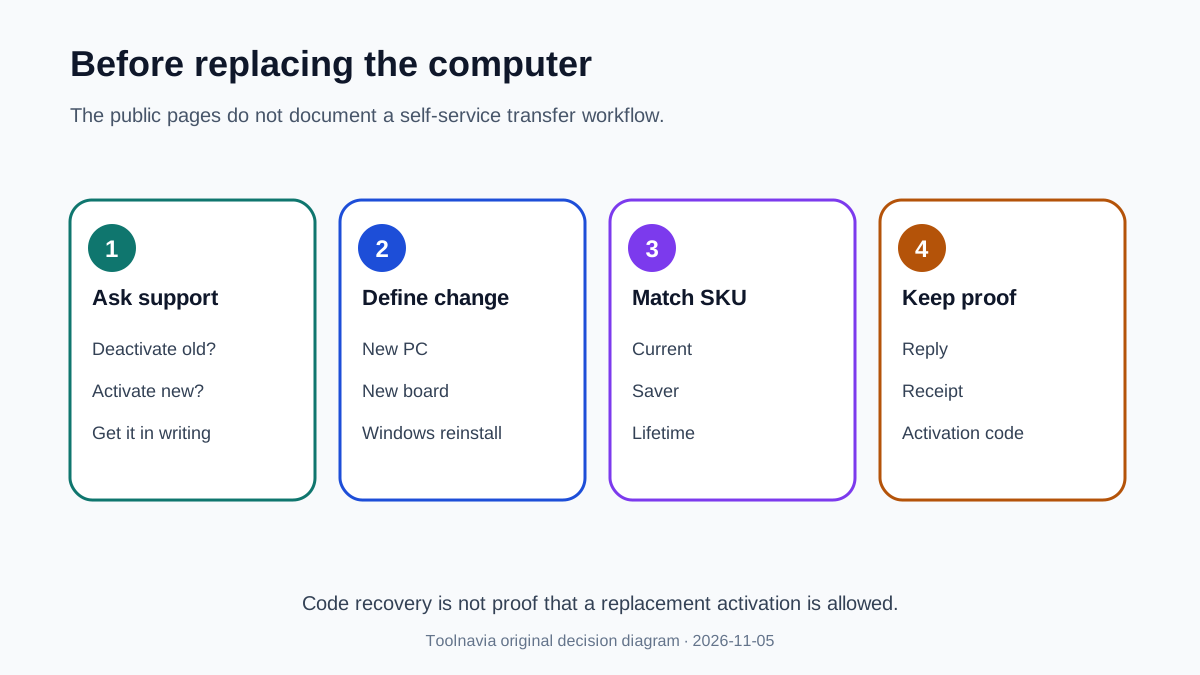
The official contact page offers routes for a missing program or activation code, plus a general topic form. It does not publish a step-by-step SSD Fresh deactivation procedure. Searches for an official SSD Fresh replacement-computer or license-transfer guide did not surface one.
Do not infer transfer rights from the ability to reinstall an installer or recover an activation code. Recovering a code proves that you can retrieve purchase information; it does not establish that the activation server will release the old device or permit a new one.
Before buying for a PC you may replace soon, ask support three concrete questions:
1. Can the same customer deactivate SSD Fresh on the old computer and activate it on a replacement? 2. Does replacing the motherboard or reinstalling Windows count as a new computer? 3. Is the answer different for Current Version, Saver Subscription, or Lifetime Updates?
Keep the reply with the receipt. If support cannot confirm, price the purchase as one-machine-only with no guaranteed move.
Do not confuse use rights with update rights
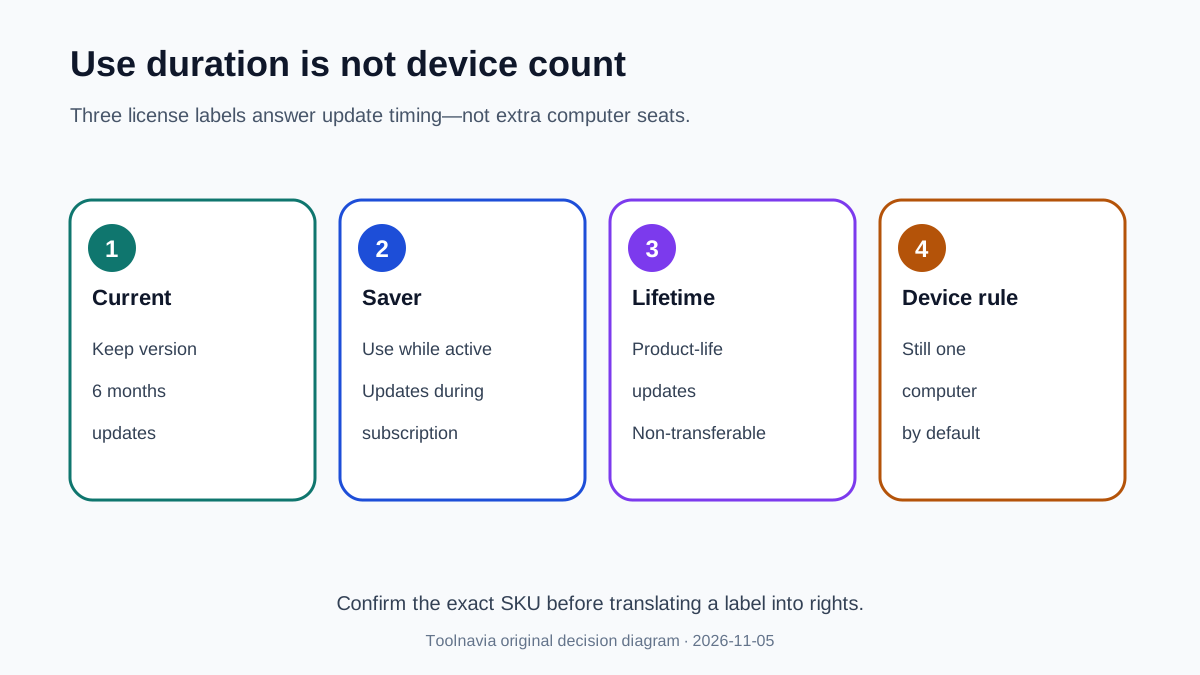
The terms define three license types. Current Version permits unlimited use of the purchased version and includes updates and subsequent versions for six months. Saver Subscription works while the subscription is active and includes updates during that active period. Lifetime Updates allows unlimited use plus updates and new versions for the life of the product, but that update right is expressly non-transferable.
“Unlimited use” answers how long a purchased version may run. It does not answer how many computers may run it. “Lifetime Updates” answers how long updates may be supplied. It does not automatically add device seats or a documented replacement workflow.
Reseller pages may label an SSD Fresh package “lifetime license” or “1 PC.” Those listings can describe a different seller SKU. Use them as corroboration, not as a substitute for the approved Abelssoft checkout.
When the paid license makes sense
SSD Fresh Plus is easiest to justify when one Windows PC is the clear long-term target and you value the background guard, ad-free use, email support, and a guided view of S.M.A.R.T. data, temperature, and write activity.
The purchase is less attractive when you need coverage for several PCs, replace hardware frequently, or mainly want Windows to run routine SSD maintenance. Microsoft documents that Windows 10 and 11 automatically optimize drives and use TRIM for SSDs, normally on a weekly schedule. SSD Fresh may add monitoring convenience, but it is not required simply to make Windows perform its documented SSD optimization.
Also remember that drive-health monitoring is not a backup. Neither S.M.A.R.T. data nor a “healthy” dashboard guarantees that a sudden failure will not occur. Keep recoverable copies of important files elsewhere.
A practical checkout test
Use this checklist before following the paid link:
- The cart names SSD Fresh and the correct license type. - The final currency, tax, renewal status, and update period match your expectation. - You need it on only one computer, or the cart explicitly adds more seats. - Abelssoft has answered your replacement-PC question if that matters. - You have tested the free version on the actual Windows PC and SSD. - You understand that Windows already provides scheduled SSD optimization. - You have a separate backup plan.
If any of those points remains unclear, pause at checkout. A €29.95 utility can still be poor value if a hardware replacement immediately creates another license decision.
Verdict
Buy SSD Fresh for one stable Windows PC when its monitoring convenience and Plus features are worth the current checkout total. Do not buy one copy expecting to cover a desktop and laptop, and do not assume a key can move to a replacement PC without confirmation.
The official terms support a one-computer reading. The replacement workflow remains undocumented in the public sources reviewed on November 5, 2026. That uncertainty is not a reason to invent a rule; it is a reason to ask support before paying.
Disclosure: Toolnavia may earn a commission if you purchase through the approved SSD Fresh link, at no extra cost to you. This does not change the one-computer warning or the recommendation to confirm replacement rights first.
[Check SSD Fresh on the official Abelssoft page](https://www.dpbolvw.net/click-101895278-15402688?url=https%3A%2F%2Fwww.abelssoft.de%2Fen%2Fwindows%2Fsystem-utilities%2Fssd-fresh)
Evidence map: the current product, trial and Plus features are from; the single-computer rule and three license/update categories are from; the support and activation-code contact routes are from; the JavaScript-only final cart limitation is from; Windows automatic optimization and TRIM are from. The Ashampoo seller SKU, Sekin review, and Markt+Technik one-PC listing are comparison evidence only and do not replace the approved Abelssoft checkout.