TOOLNAVIA / BUYING GUIDE
RoboForm Premium Password Manager: $29.88 Renewal and Free Limits
The short answer
RoboForm Premium is worth considering when one person needs the same password vault across a phone and computer, controlled sharing, or planned emergency access. Keep Free when one device is enough. The official page lists a $29.88 annual renewal; its first-year discount is not readable, so this guide does not promise a promotional price.
This is an official-document analysis, not a Toolnavia security or application test.
At a glance
- Best for
- One person needing tested phone/computer access, maintained sharing or deliberately configured emergency access.
- Price model
- Published renewal: US$29.88/year; first-year checkout unverified
- Check first
- Single-device users already served by Free, shared company accounts, or buyers expecting a verified first-year discount.
Free already covers everyday storage and forms
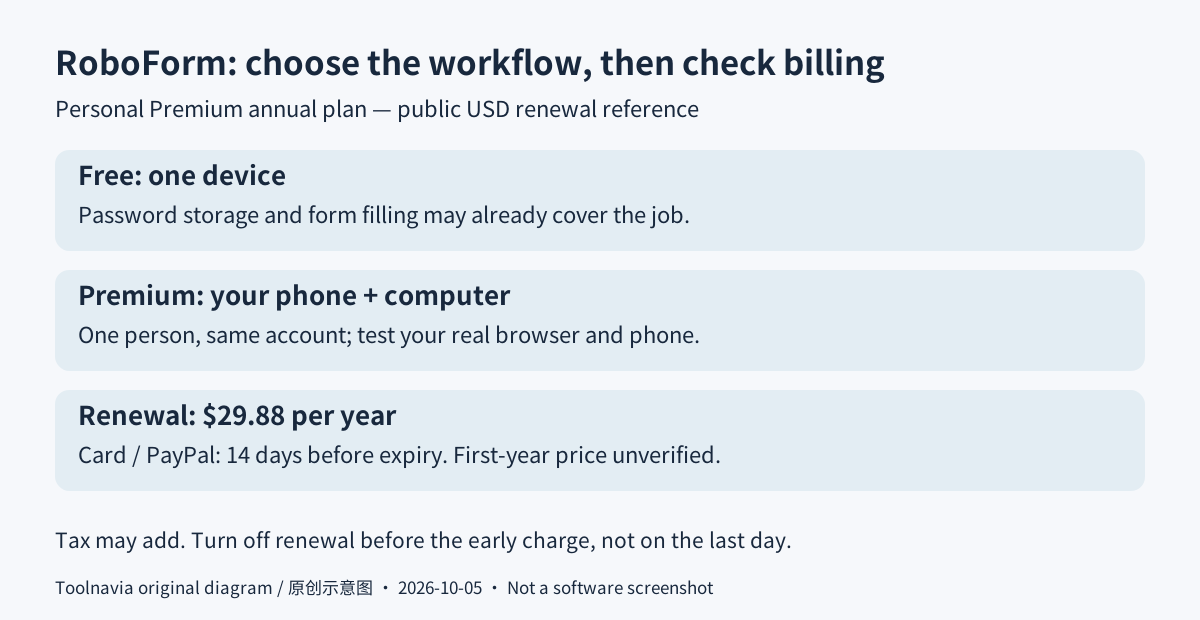
Free includes unlimited passwords on one device, form filling, password generation and import/export. Premium adds the cross-device access this buying decision is about. The product page loosely groups device access under every plan, while the pricing page explicitly limits Free to one device. Use the narrower Free boundary and verify your account's entitlement rather than assuming the broader wording applies.
Four useful workflows, with different limits
**Move between your own phone and computer.** Premium gives the same account access across supported devices, reducing the need to maintain separate password copies. Its personal license is for one person, not a shared business login. Test the browsers and phone you actually use; device coverage does not guarantee that every unusual login form behaves identically.
**Reuse an Identity for long forms.** An Identity stores structured information such as a name and address for filling related fields together. This can help with repeated registrations, but form filling itself is not Premium-exclusive. Review the selected identity, country and every populated field before submitting; multipage forms need attention on each page. Custom fields require the desktop editor.
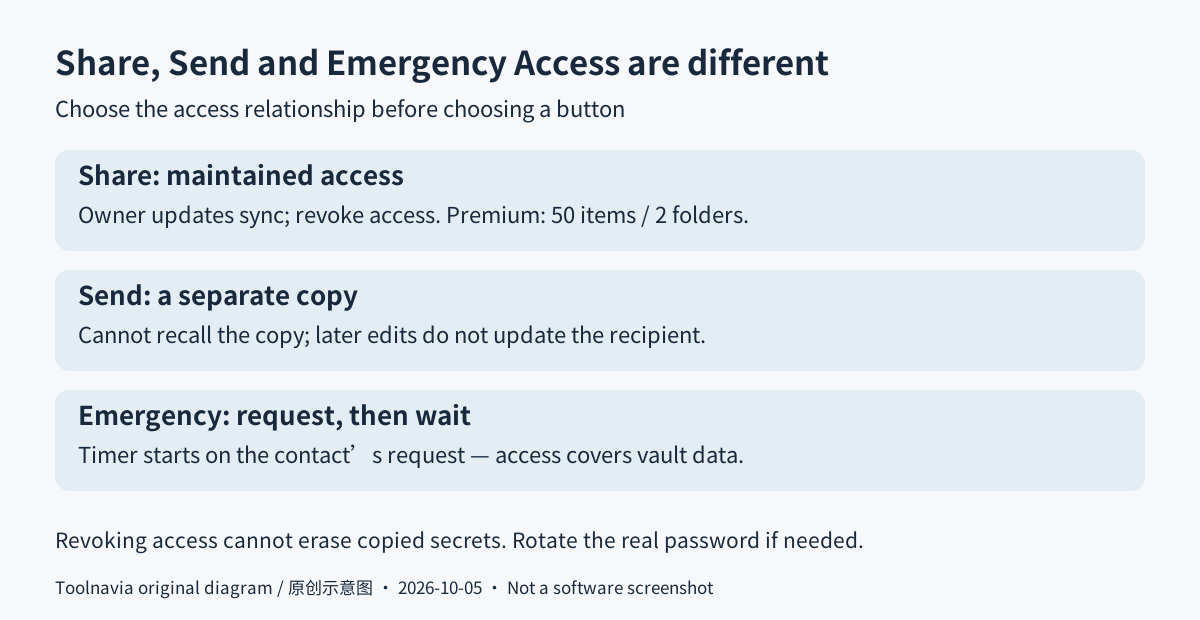
**Share a changing login instead of sending a permanent copy.** Sharing synchronizes the owner's updates and permits revoking access. Send instead gives the recipient a separate copy that cannot be recalled and does not receive later changes. Premium permits up to 50 individually shared items and two shared folders; items within a shared folder are not numerically limited. Revocation cannot erase a password someone already copied, so rotate the actual credential when necessary.
**Prepare access for a trusted contact.** Emergency Access uses a prearranged recipient and waiting period. The timer begins when that contact requests access, not simply when you stop logging in. You can refuse the request before the timer expires. The resulting access covers the vault's data, not only a selected emergency note, so choose the person and delay deliberately.
Annual billing can arrive before the expiry date
The public USD reference is $2.49 per month billed annually, with renewal explicitly shown as $29.88 per year. That is not a monthly payment option. Two annual payments at that unchanged rate would total $59.76, but this is a budgeting scenario, not a verified first-year invoice. Confirm the actual introductory charge and next renewal in your cart; applicable sales tax or VAT can add to the bill.
The license states that card and PayPal renewals happen 14 days before expiration; Apple and Google store renewals occur on the expiry date. A reminder on the last day may therefore be too late. Direct users can open Start Page settings, choose License & Billing and switch Auto Renewal off; store purchases are managed through the corresponding store account.
The refund window is 30 days with proof of purchase, with exclusions including negotiated-discount orders. Cancellation is not itself a refund request. Before leaving, export and verify what you need: the terms reserve a right to delete server data after more than 30 days unpaid, not a guaranteed deletion appointment or permanent free archive.
Suggested rehearsal: one dummy Identity on two devices
Start with invented, non-sensitive details and a harmless test form, not a bank account or live purchase. In the browser extension, open the Start Page, choose Identities, add a named identity, select its country and save the sample fields. Fill the test form and inspect the result without submitting it.
With Premium access enabled, repeat on your intended second device. Check that the same identity appears, edited fields synchronize, and the form selects the correct address rather than another profile. These are proposed acceptance checks, not results Toolnavia has measured. Keep existing working credentials until migration is verified, and protect any exported password file rather than leaving it in an ordinary shared folder.
Buy for the missing workflow, not a discount banner
Choose Free for a single-device routine. Choose Premium for a tested cross-device workflow or carefully scoped sharing and emergency needs; use a separate family or business plan when several people need their own accounts.
RoboForm currently accepts cash-paying affiliates, but Toolnavia approval is unverified, so tracking stays disabled. The program prohibits coupon traffic; this is a product guide, not a coupon offer. Next, test one representative workflow and record both the renewal amount and the earlier billing date before paying.