TOOLNAVIA / BUYING GUIDE
monday work management Standard: When Free and Basic Limits Justify Paying
The short answer
monday work management Standard fits teams that need planning views, external guests, or a few recurring automations that Free or Basic does not provide. The current US price is $12 per seat/month billed annually or $14 monthly. Paid plans start at three seats and use seat buckets, so the real bill depends on team size.
At a glance
- Best for
- Teams needing planning views, controlled guests, or occasional automations beyond Free or Basic.
- Price model
- Free · Standard $12 yearly / $14 monthly per seat
- Check first
- Paid plans start at three seats and use seat buckets; Standard automation limits and AI-credit checkout still need budgeting.
Four reasons Standard can be the first meaningful paid upgrade
Add Timeline, Gantt and Calendar views
Standard adds Timeline, Gantt and Calendar views. For teams coordinating deadlines across several projects, those views can replace a separate schedule and make timing easier to review. If boards and ordinary due dates already provide enough visibility, extra views alone are not a strong reason to upgrade.
Automate simple repetitive work
Standard includes 250 automation actions and 250 integration actions each month. That can cover small workflows such as assigning an owner after a status change or syncing an occasional update. The limit matters: monday.com says 250 actions can disappear quickly when recipes notify several people, map multiple columns, or perform multiple actions. Heavy daily automation is a reason to compare Pro.
Give outside collaborators controlled access
Guest access starts on Standard. Guests work only on Shareable boards they are invited to, which suits clients, vendors, freelancers, or consultants who should not see the whole account. Standard guest billing follows a 4:1 rule: up to three guests are free, then each group of four consumes one billed seat. A growing guest list can therefore push the account into a higher seat bucket.
Combine several boards in one dashboard
Standard dashboards can combine data from up to five boards and the plan includes 20 GB storage. This helps a manager review several team boards from one operating view. The five-board limit is still a boundary; broader portfolio reporting may justify a higher tier instead.
What Standard really costs
The current US pricing page lists Standard at $12 per seat/month billed annually; an official monday.com task-management page lists $14 per seat/month for monthly billing. Paid plans begin at three seats and use bucket pricing: after 3 seats, checkout moves through 5, 10, 15, 20 and larger groups. A four-person team therefore buys five seats.
At the annual rate, three Standard seats equal $36 per month equivalent, or $432 per year before tax. A four-person team in the five-seat bucket equals $60 per month equivalent, or $720 per year.
Newer monday AI work platform accounts also need to check AI-credit cost. For customers joining on or after May 6, 2026 under the new model, AI credits are purchased alongside seats; Standard starts at 2,000 credits per month. The live pricing page currently shows a special discount offsetting the displayed 2,000-credit amount for the sampled configuration, but that should not be treated as permanent free AI. Confirm the actual checkout total.
When Free or Basic is still enough
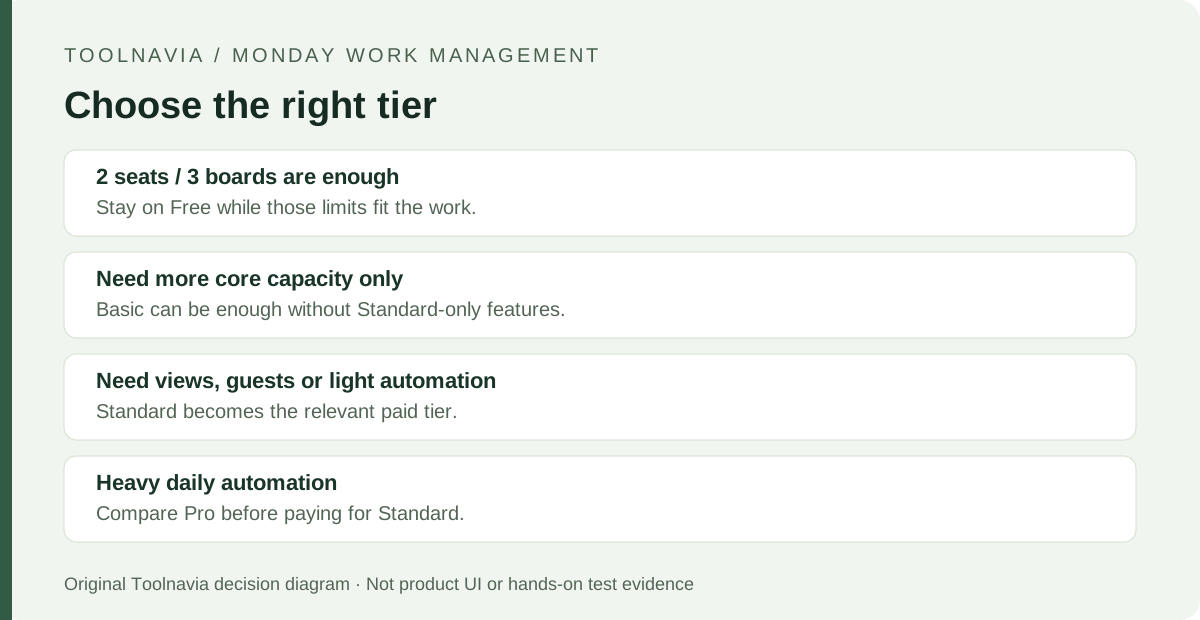
Free remains useful for up to two seats, three boards and 200 total items. If a one- or two-person setup is still validating its workflow and does not need guests, advanced views, automations, or integrations, staying free is reasonable.
Basic fits teams that mainly need unlimited items and free viewers but still do not need Timeline/Gantt/Calendar, guest access, automations, or integrations. Standard becomes easier to justify only when one of those gates is blocking real work. If automation usage will approach 250 actions each month, compare Pro before paying.
A suggested upgrade check before paying
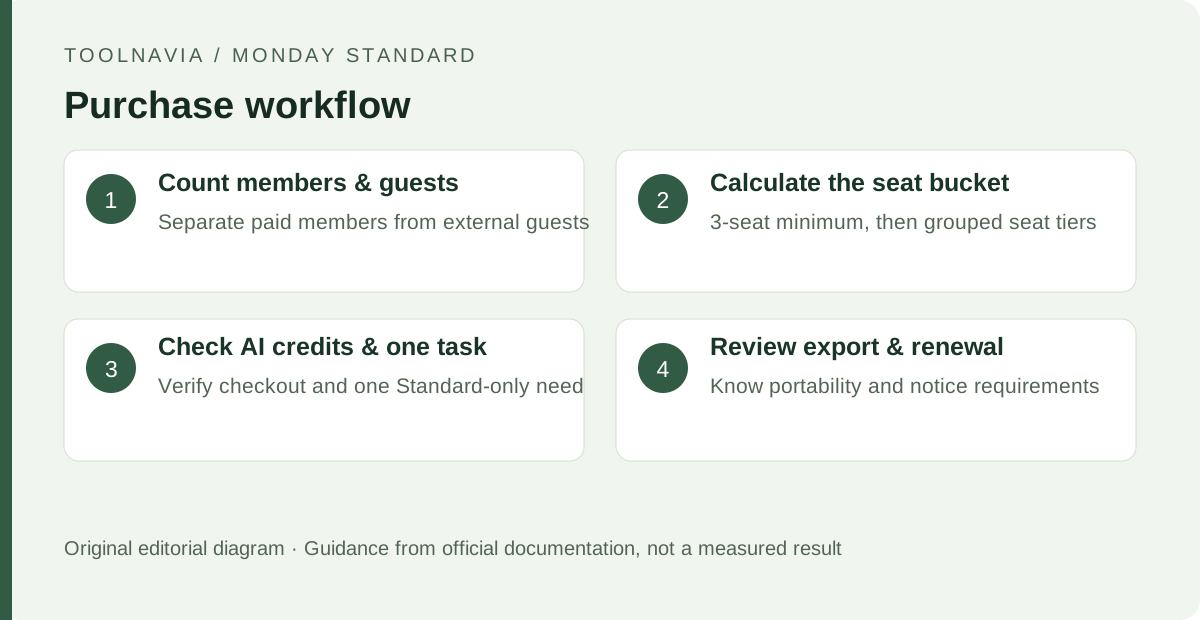
Count real members and guests first. Apply the seat-bucket rules and Standard’s guest 4:1 billing rule instead of multiplying the headline price by employee count alone. Then identify one Standard-only capability that would change weekly work and compare it with the documented limit.
Check exit and renewal conditions before moving more work. Account admins can request a full-account export, but it may take up to 24 hours, can be requested only once every 24 hours, and does not include dashboards; archived boards and workdocs also have export limitations. Existing customers should note the current 30-day cancellation-notice requirement before the subscription end date to avoid renewal.
What to do next
Stay on Free while its limits are sufficient. Choose Basic when the main need is more core workspace capacity without Standard-only collaboration or planning tools. Choose Standard when Timeline/Gantt/Calendar, guest access, or occasional automation/integration removes recurring work and the full seat bucket plus current AI-credit checkout fits the budget. Heavy daily automation is a reason to compare Pro first.