TOOLNAVIA / BUYING GUIDE
1Password Individual: when a paid password manager is worth it
The short answer
1Password Individual is most useful when you manage logins across several browsers or devices, want Watchtower to surface password problems, or occasionally need controlled item sharing. It has no permanent free tier: the official US offer is a 14-day trial followed by paid service, so the subscription should solve a recurring problem before you keep it.
At a glance
- Best for
- Individuals managing many logins across multiple supported browsers or devices.
- Price model
- 14-day trial · paid subscription
- Check first
- No permanent free Individual tier. Check current billing, recovery and plaintext export limits before moving important credentials.
Four reasons the Individual plan can earn its fee
Keep one vault across your devices
Individual includes autosave, autofill and use across supported devices. That can replace separate credential lists when the same accounts are used on a phone and computers. Update the vault once instead of maintaining several copies. Confirm your operating systems, browsers and sign-in method before moving important accounts.
Turn password problems into a repair list
Watchtower identifies weak or reused passwords and can flag other issues, including unsecured websites and logins where two-factor authentication is available. Use the findings as a queue: fix important accounts first and verify each changed login. Watchtower is an alerting aid, not proof that every account is safe.
Share one item without a shared household vault
1Password can create a link to a copy of an item for someone without a 1Password account, with an expiration choice and optional email restriction. That suits a temporary Wi-Fi password or one credential for a trusted recipient. The shared object is a copy; later edits to the original do not update it, so ongoing household sharing is a different need.
Keep an exit path
After a subscription managed on 1Password.com is canceled, it stays active through the current billing period and then the account is frozen; 1Password says frozen accounts can still view and export data. Export still needs care: desktop 1PUX and CSV exports are unencrypted plaintext, and desktop export does not currently export passkeys. Treat exported files as sensitive and delete them after migration.
Price, trial and renewal
The official US page checked September 29, 2026 shows Individual at a promotional US$2.99 per month, paid annually, for eligible new customers buying directly from 1Password.com for the first year; the displayed regular annual-billing rate is US$3.99 per month. Those figures imply US$35.88 for the promotional first year and US$47.88 at the displayed regular annual equivalent, before tax. They are annual-billing equivalents, not month-to-month prices.
1Password says subscriptions can use monthly or annual billing, renew automatically, and include a 14-day trial. A converting trial receives its first invoice within 48 hours after the trial ends.
This guide does not quote a current month-to-month amount because the verified public pricing view exposes the annual-billing offer; confirm the monthly option at checkout. Apple or Google subscriptions are managed in those stores, and direct-site promotions may not apply. Cancel during the trial to avoid a charge; after a paid charge, the published policy says unused time is not refunded.
Who should pay—or choose something else
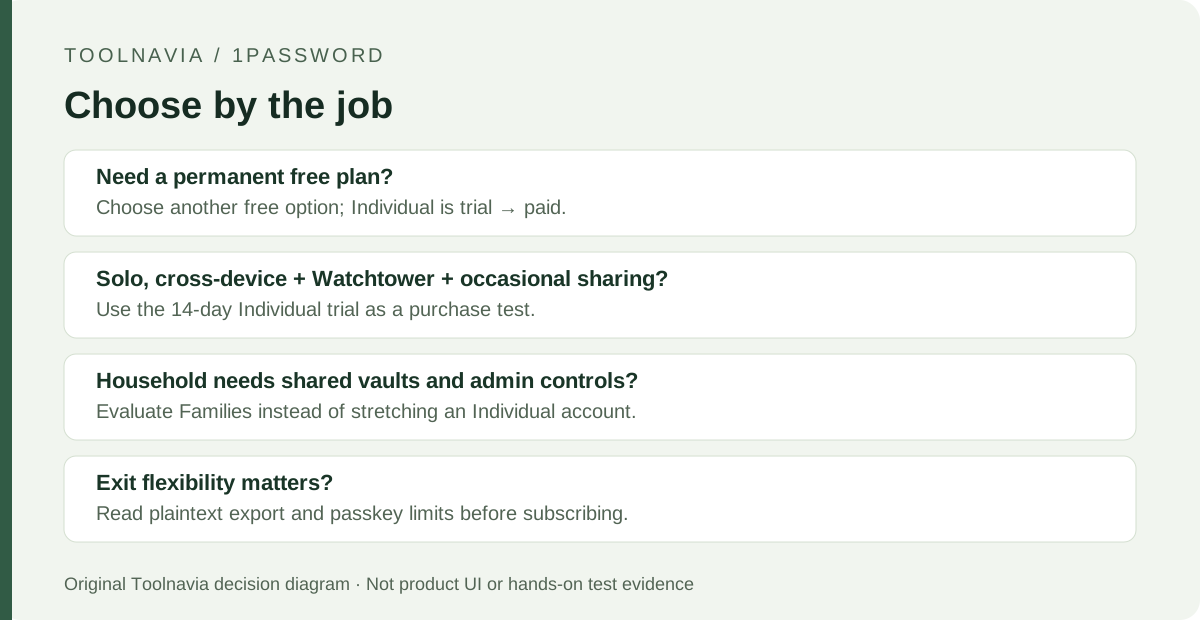
Individual fits people who will repeatedly use cross-device vault access, Watchtower and controlled item sharing. If your current browser or device password manager already covers your devices, recovery and sharing needs, another subscription may add little. A permanent zero-cost requirement is also a reason to choose another password manager because 1Password offers a trial rather than an ongoing free Individual tier.
For a household that needs shared vaults and administration, evaluate Families instead: the current page adds up to five family members, unlimited shared vaults and admin controls. Also plan recovery before moving important accounts. A Secret Key is used with your account password on a new device and is stored on signed-in devices and in the Emergency Kit.
A suggested 14-day trial workflow
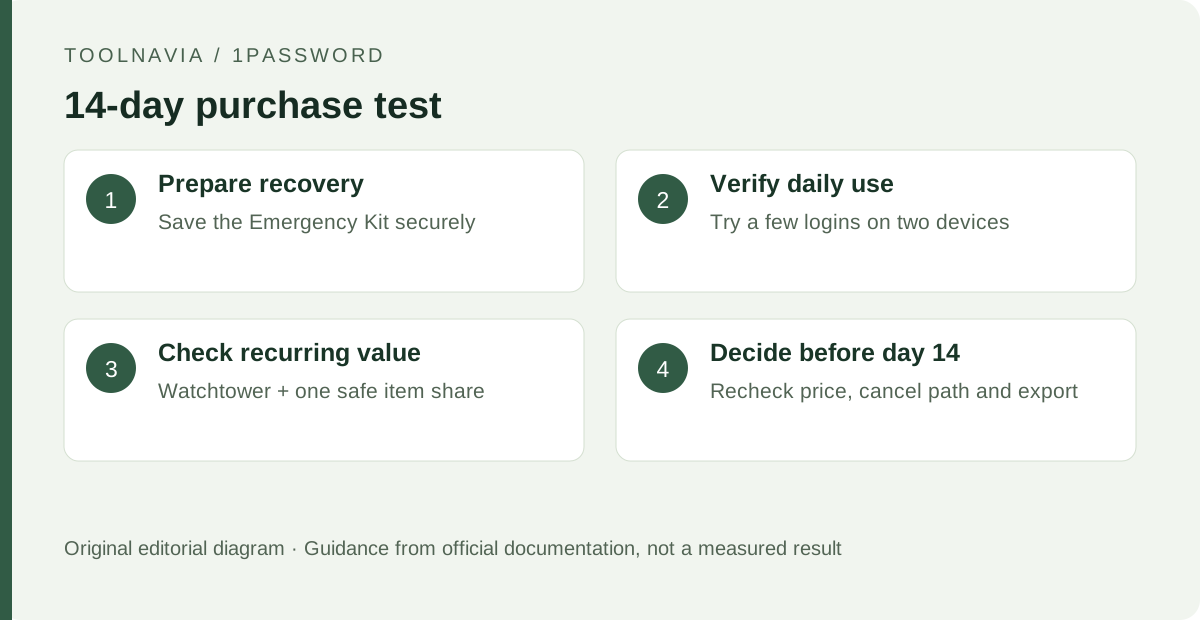
Before importing a large vault, define what would justify paying: successful autofill on your two main devices, useful Watchtower findings and one sharing task are concrete examples. Save your Emergency Kit in an appropriate secure location and understand how a new device is authorized.
Add a few non-critical logins, use them from a second supported device, then review Watchtower. Share a non-sensitive sample item with a trusted recipient and verify its expiration and audience settings. If portability matters, read the export procedure before the trial ends; do not create a plaintext export of real credentials merely to test a feature. Decide before the deadline whether the recurring benefits justify the recurring charge.
What to do next
Use the trial as a purchase test, not a migration deadline. If cross-device use, Watchtower and controlled sharing solve problems you already have, Individual has a concrete job. If your main requirement is free password storage, keep or choose a free alternative. Before paying, recheck the current price, renewal date, cancellation path and the recovery material needed on a new device.