TOOLNAVIA / BUYING GUIDE
Revo Uninstaller Pro: Updates Expire, Your Licensed Version Does Not
The short answer
Revo Uninstaller Pro is worth considering for troublesome removals or installation tracing, not merely because a program needs uninstalling. Its update subscription can expire without disabling previously licensed versions. Decide whether its extra controls solve a recurring problem before choosing how long to buy updates.
This is an official-document analysis, not a Toolnavia uninstall, recovery or speed test.
At a glance
- Best for
- Repeated difficult removals or traced-install workflows that have a named unmet need.
- Price model
- Base display $24.95/1-year updates or $39.95/2-year updates; cart unverified
- Check first
- Routine uninstall already handled by free tools, universal undo guarantees or claimed automatic speed gains.
Free tools already remove programs and leftovers
For an ordinary application, try Windows Settings or Control Panel first; a malfunctioning program may need repair rather than removal. Windows updates should be handled through Windows, not treated as ordinary uninstall targets.
Revo Free already runs a program's original uninstaller and scans for remaining files and Registry entries. Geek Uninstaller also advertises leftover scanning and forced removal, while the free, open-source Bulk Crap Uninstaller offers batch removal. Pro is therefore a workflow choice, not the only way to obtain those general capabilities.
Four controls to evaluate before paying
**Locate remnants when the normal entry is missing.** Forced Uninstall can search using an application's exact name or installation path. That helps with a partial or earlier removal, but a broad publisher name can match unrelated software. Point to the intended program, inspect the proposed entries and leave uncertain items alone.
**Record a new installation.** Real-time monitoring creates a trace log for later removal. Isolate one installation and avoid unrelated activity; the log is evidence of observed changes, not a guarantee that every recorded change belongs to the application. It also does not retrospectively record an installation you never monitored.
**Use a prepared log when you lack your own.** The developer's Logs Database supplies traces for supported programs. Check the program, version and Windows context before choosing one: a nearby version is not automatically an exact match. This is a maintained convenience, not universal coverage of everything installed on your PC.
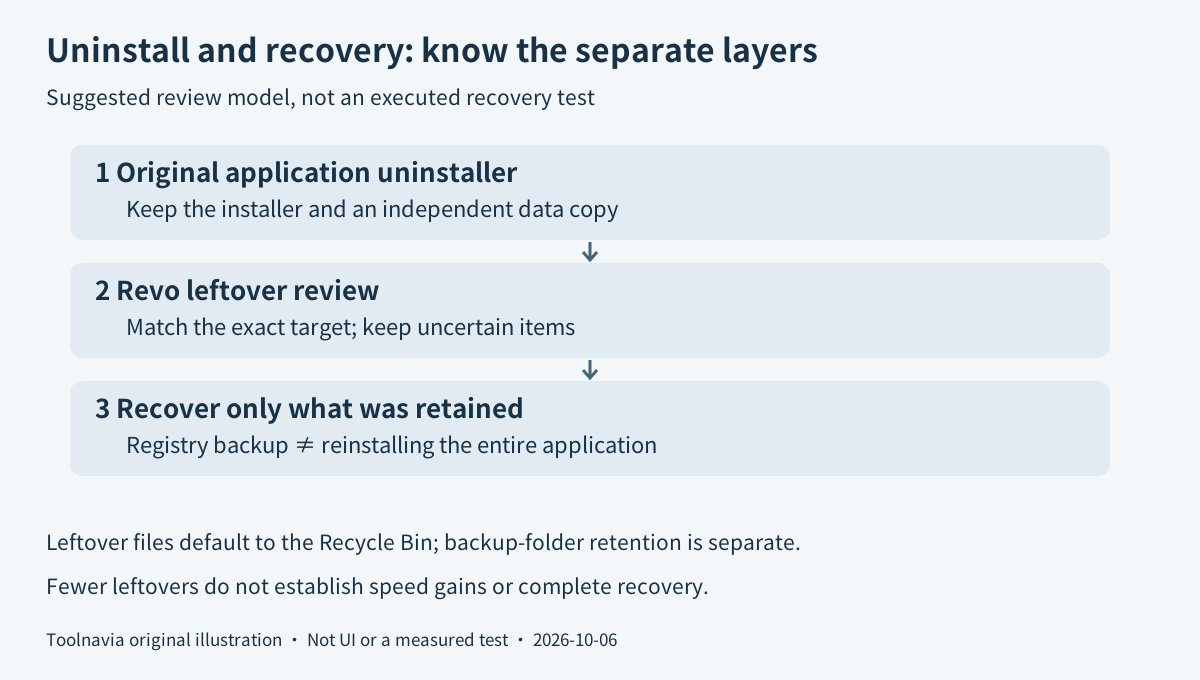
**Recover selected leftover changes.** Backup Manager records deleted Registry items. Files and folders require the separate backup-folder setting; by default, deleted leftover files instead go to the Recycle Bin. Restoring selected leftovers is not the same as reinstalling everything the original uninstaller removed. Keep the installer, license information and an independent copy of important application data.
Buy update coverage, not permission to keep an old version
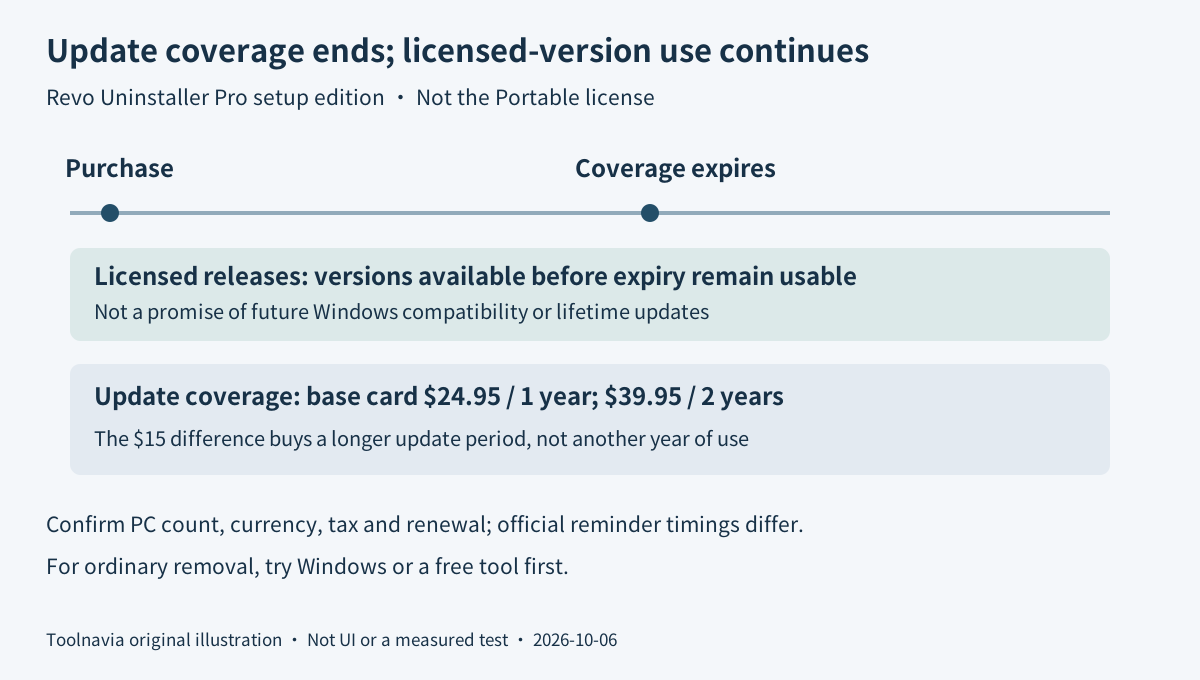
The base installed-Pro price card displays $24.95 for one year of updates or $39.95 for two years. The extra displayed outlay is $15 for the longer update period, not another year of basic use. Exact selected PC quantity, ISO currency, tax and final cart were not verified; confirm all of them before payment.
The installed license is per computer, with the quantity selected during purchase. Pro Portable is a different, per-user license intended to move with removable storage; it has no trial. The installed Pro application offers a 30-day trial without a card. Do not assume the portable download shares those trial terms.
After update coverage ends, versions released before expiry remain usable. New releases require renewing coverage, and the subscription clock starts at purchase rather than first activation. Keeping an older release is a licensing option, not proof that it will remain compatible with every future Windows change.
The current Support FAQ says an enabled renewal receives a reminder seven days before charging; the online manual says fourteen days and describes renewal as initially disabled. Those official instructions differ. Check the actual confirmation email and renewal setting instead of assuming either a default or a guaranteed reminder window. The download page advertises a 60-day refund guarantee; canceling renewal and requesting a refund are different actions.
Suggested rehearsal: one disposable application
Use a test environment with a harmless, reinstallable application and no unique personal data. Retain its installer and record the recovery settings. Close the application, let its original uninstaller finish, then inspect the leftover scan rather than selecting everything by habit.
Approve only understood removals on that disposable setup. Afterward, check the intended application is gone and an unrelated application still opens. Inspect the backup or Recycle Bin entry for a selected leftover before relying on recovery; do not deliberately damage another program to demonstrate restoration. These are proposed checks, not results Toolnavia has measured.
Choose the missing operation, then the license
Keep Windows or a free utility when it already solves the job. Consider Pro when tracing, prepared logs or its reviewed-removal workflow addresses a specific recurring need. Removing an application is different from keeping it and moving it elsewhere; our [AOMEI Partition Assistant guide](/software/aomei-partition-assistant) covers that separate decision.
Revo's cash affiliate application is open, but Toolnavia approval is unverified and tracking remains disabled. Test one representative removal before choosing update coverage; neither a larger leftover count nor a paid license proves a faster computer.