TOOLNAVIA / BUYING GUIDE
PDFelement Flatten PDF: Will Forms and Comments Survive the Handoff?
The short answer
Quick answer: PDFelement can turn filled fields, comments and other interactive objects into a static release copy, but “flatten” is not one universal operation. Wondershare describes a static layer that removes interactivity; competing tools distinguish field flattening from whole-page rasterization. Buy it for this job only if you repeatedly deliver final PDFs, keep an editable master, and can prove the release copy still displays, prints, searches and works with accessibility tools in recipients’ real viewers.
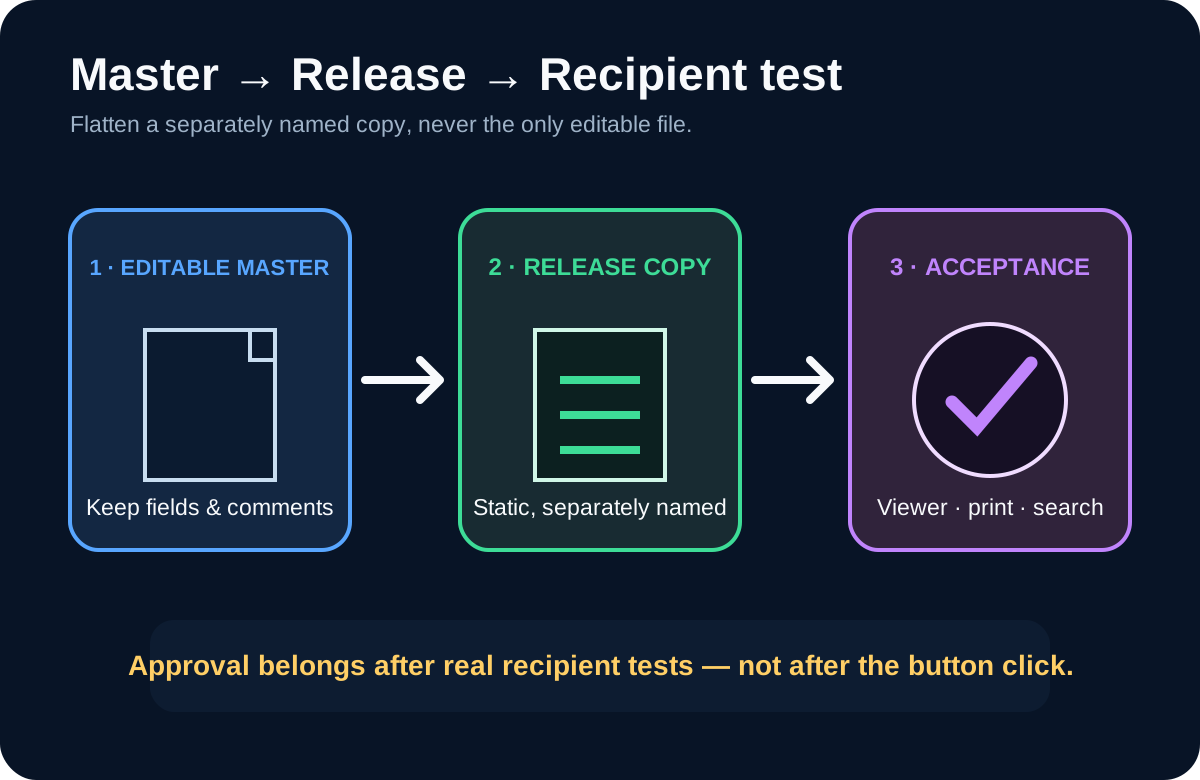
This is a handoff decision, not a form-building tutorial. If people still need to enter data or reply to comments, do not flatten. If review is finished and recipients only need fixed values, create a separately named release copy. Never flatten the only copy.
At a glance
- Best for
- Frequent local PDF handoffs that can preserve an editable master and validate the release copy across real recipient viewers.
- Price model
- Windows Individual choices shown; verify exact live checkout
- Check first
- Buyers who still need interactive fields, need permanent redaction or managed rights, or can meet the same acceptance gate with a free local route.
What the feature actually promises
The public Wondershare manual available for review is version 12, while the approved offer is PDFelement 13. It says Flatten converts multiple interactive layers into one static layer, removes interactivity and makes form fields or annotations permanent. That supports the capability, but it does not prove that every version-13 button or edge case behaves identically. Verify the current trial and exported result.
The store displays several Windows Individual choices and promotional variants. Price, tax, region, renewal and version rights can change, so this guide does not freeze one number. Confirm the exact SKU at live checkout.
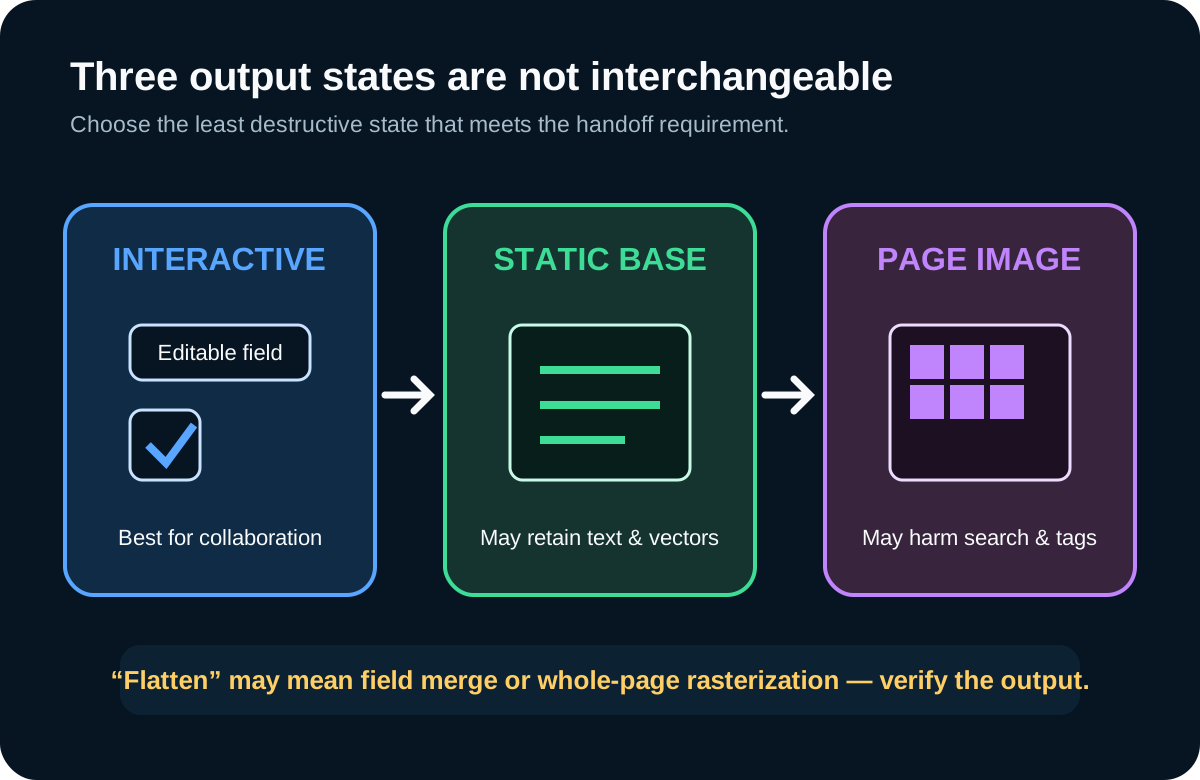
Static content is not the same as a page image
PDF-XChange documents granular choices: flatten, leave or remove form fields and non-printable annotations. Sejda separates making fields read-only from rasterizing the whole page. LibreOffice provides a free baseline that can export a fixed print representation while keeping tagged-PDF and PDF/UA settings separate.
A base-content operation may preserve selectable text and vector graphics. Whole-page rasterization may stop direct text editing but can damage search, copying, reflow, semantic tags and sharp scaling. Choose the least destructive output that meets the requirement and record exactly what changed.
Adobe also separates flattening form fields from removing comments, JavaScript, metadata or attachments. Flattening is not sanitization, permanent redaction, signature validation, malware removal or rights management.
Build a four-file test before buying
Use: (1) a completed form with text and checkboxes; (2) a review file with comments, stamps and a non-printable annotation; (3) a PDF with links, selectable text, bookmarks and accessibility tags; and (4) a signed or approval-sensitive file.
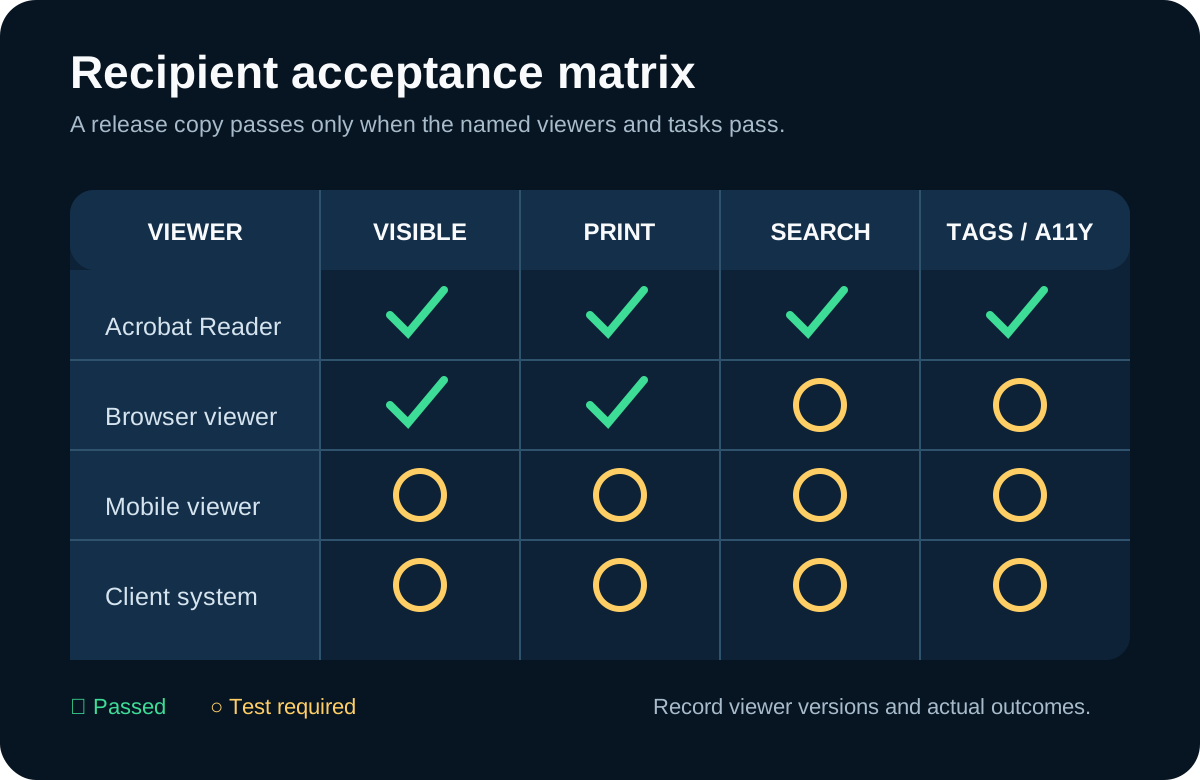
For every sample, preserve the original and create a new filename for the release copy. Open that copy in Acrobat Reader, a browser viewer and a mobile viewer. Confirm values and comments remain visible, fields are no longer editable, links behave correctly, printing loses nothing, and search or assistive technology still works where required. Record viewer versions, page count, file size, search, print, links, tags and signature state.
Foxit support describes a real failure class: annotation objects can be invisible in a viewer that does not support them, and merging them into page content can improve delivery. That is a reason to test the recipient’s viewer, not a reason to rasterize every file.
Adobe warns that flattening is a final step, recommends saving an original and notes possible loss of functionality, editability or quality. File size can decrease or increase, so do not promise compression.
Compare real alternatives
PDFelement makes most sense when the same Windows user already edits, combines, organizes and prepares many release PDFs. Its value is a repeatable desktop workflow, not merely the existence of a Flatten button.
Acrobat offers a same-intent paid workflow. PDF-XChange exposes more explicit controls over pages, fields and non-printable annotations. Sejda makes the field-only versus page-image choice visible; sensitive files should not be uploaded without an approved privacy basis. LibreOffice can be a useful free local baseline when a fixed representation is sufficient.
Run the same four files through each contender. Compare preparation time, mistakes, output fidelity, privacy, repeatability and the broader editing tools you actually need.
What flattening does not solve
It is not redaction: a black box does not prove underlying text was removed. It is not DRM: screenshots, retyping and later modification remain possible. It is not a digital signature: it does not prove authorship or preserve a certificate chain by itself. It is not metadata cleanup: Adobe lists metadata, attachments, comments, forms and JavaScript as separate removal decisions.
No paid PDFelement 13 build or production recipient fleet was tested here. The recommendation is evidence-led and trial-gated, not a hands-on performance claim.
Buy, delay or skip
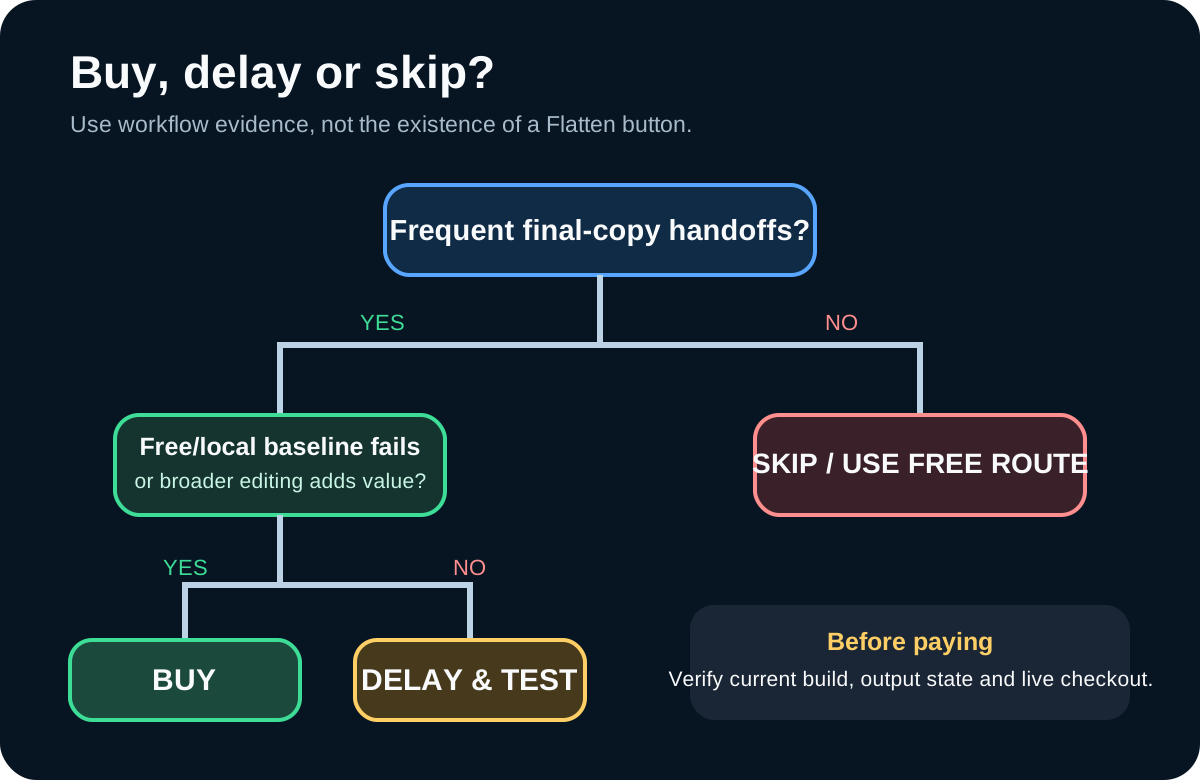
Buy when release PDFs are frequent, the current build passes your viewer/print/search/accessibility matrix, you need the broader editing tools, and the live license fits the workload.
Delay when version-13 behavior is untested, the file contains signatures or strict accessibility requirements, or you have not chosen between base-content flattening and page rasterization.
Skip when a local free route passes the same acceptance gate, recipients still need interactive fields, or the real requirement is redaction, managed rights, signature validation or secure exchange.
Verdict: PDFelement can be worth paying for as a repeatable final-copy workstation, not as a magic “make secure” button. Keep the editable master, flatten only a separately named copy, and approve it after real recipient tests.
Toolnavia may earn a commission if you buy through the approved PDFelement link, at no extra cost to you. Test the current build and verify live checkout before paying.