TOOLNAVIA / BUYING GUIDE
pCloud Rewind After Ransomware: Test Recovery Before You Trust Premium
The short answer
**Quick verdict:** pCloud Rewind can help you inspect the whole cloud account at a point before a ransomware or mass-sync incident, while Revisions is the narrower tool for one damaged file. Neither feature removes malware, guarantees that a historical copy is clean, or creates an offline backup. Buy pCloud Premium for this use case only after you confirm the recovery window shown inside your account and complete a harmless restore drill from an isolated clean profile.
There is an important current-source conflict. The English pCloud Help page and current pCloud Rewind article say free accounts have 15 days and paid personal plans have 30 days. The French localized Help page currently says 30 days for free and 60 days for paid plans. The pricing page says recovery from up to 30 days ago. Because these are simultaneous first-party pages, this guide does not silently choose the larger number: the signed-in Rewind and Revisions screens control your real eligibility.
*Affiliate disclosure: Toolnavia may earn a commission if you buy pCloud Premium 500 GB through the approved direct link, at no extra cost to you. The conflict above, the limitations below and the recommendation are unchanged by that relationship.*
At a glance
- Best for
- Premium buyers who will isolate, clean and test restore before relying on Rewind.
- Price model
- Live Premium checkout controls; no fixed price claim. Signed-in recovery eligibility controls.
- Check first
- Rewind does not remove ransomware, create an offline backup or guarantee a clean version; current localized retention pages conflict.
What Rewind can and cannot do after ransomware
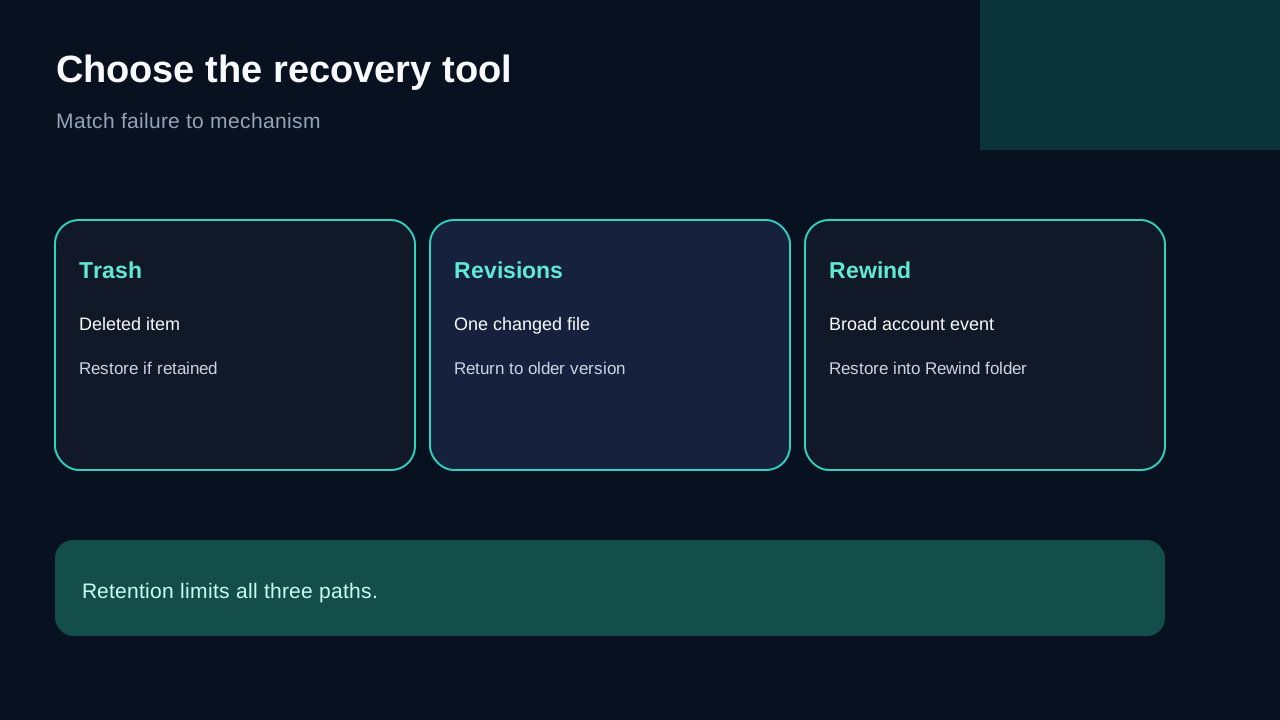
Rewind is useful when one event has changed many files or folders. You select a past date and time, inspect the account as it existed then, and choose data to restore or download. pCloud says recovered content appears in a Rewind folder at the root of the account rather than invisibly overwriting the current structure.
That makes Rewind a recovery mechanism, not a malware scanner. It does not identify the ransomware process, clean the endpoint, prove that the chosen restore point predates the attack, or protect a restored file from being encrypted again. If the infected computer is still connected and syncing, a successful cloud restore can be followed by another destructive upload.
For one damaged file, start with Revisions. Rewinding a large scope when only one document is wrong creates more review work and increases the chance of discarding legitimate changes. For deleted items, check Trash. The available history limits all three paths, and permanently expired server data cannot be recreated.
Use the right incident sequence
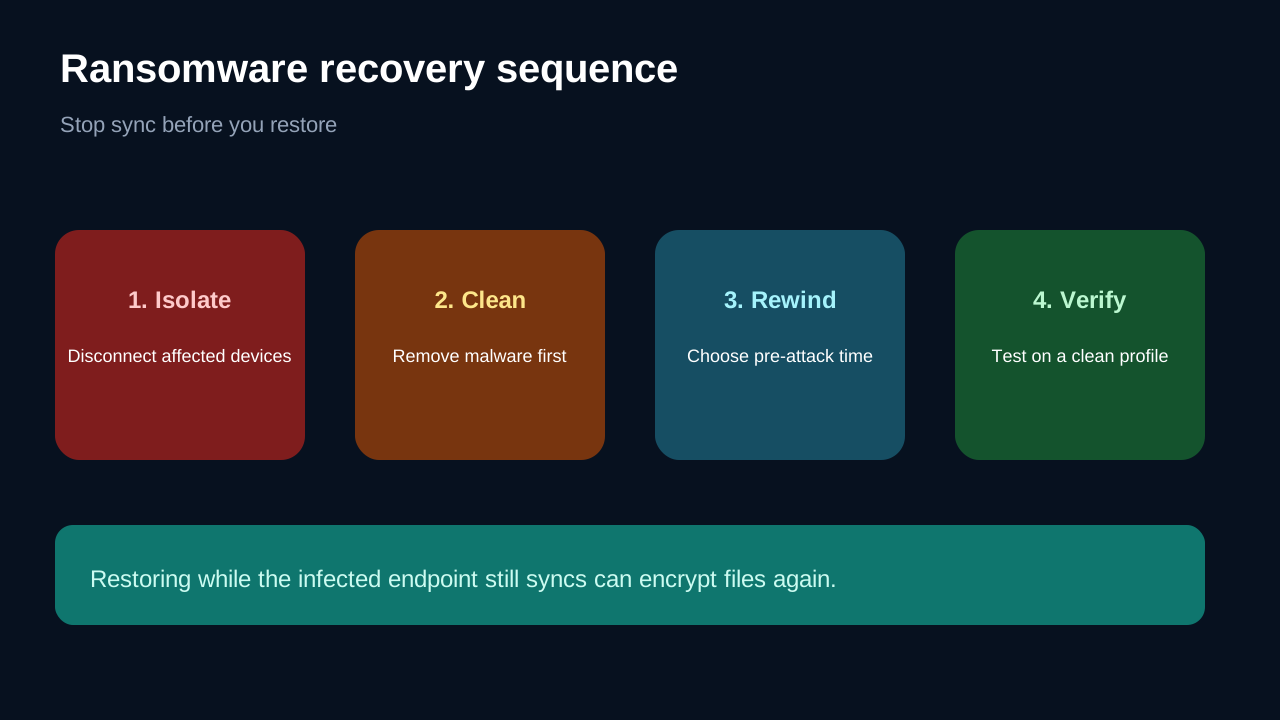
The safest sequence is **isolate, clean, restore, verify, reconnect**.
1. Pause pCloud sync and disconnect the suspected device. If you do not know which device is responsible, treat every connected endpoint as suspect. 2. Record the earliest suspicious timestamp, filenames, extensions and affected folders. Do not edit the cloud account from the infected machine. 3. Remove or reset the malware on every affected endpoint. Microsoft, Dropbox and Sync.com all put device cleanup before normal re-sync. 4. From a clean browser profile or clean device, inspect Rewind at a time before the first malicious change. Download a small sample before attempting a broad restore. 5. Verify the sample, then restore the required scope. Reconnect only after the local encrypted folder can no longer be uploaded again.
The cross-provider guidance is consistent on the operational risk: cleaning is not optional. OneDrive's recovery flow explicitly asks users to clean all devices before restoring. Dropbox tells users to log out infected devices and delete the encrypted local folder before signing back in. Sync.com similarly requires unlinking, malware removal and deleting the corrupted Sync folder before re-linking.
Run a harmless restore drill before you trust the plan
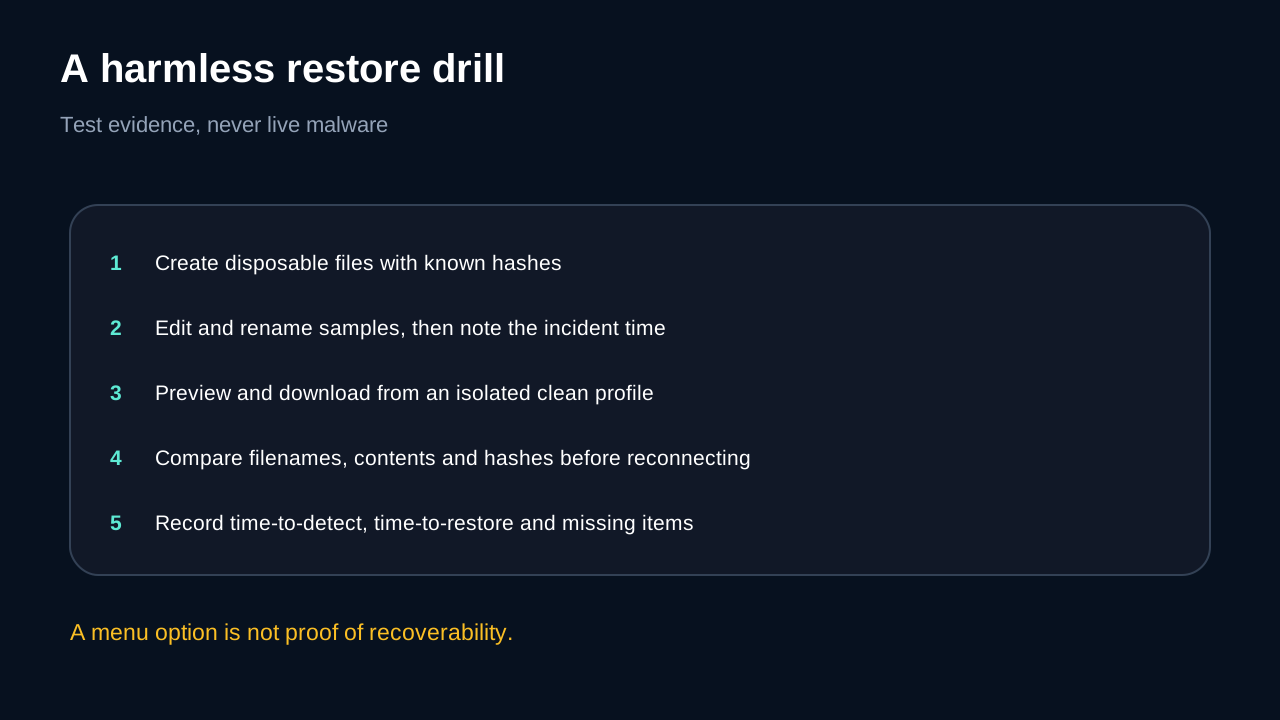
Do not test with live ransomware. Create a disposable folder with plain text, image and spreadsheet samples. Record their filenames, sizes and SHA-256 hashes. Change one file, rename another, move a folder and delete a fourth. Note the exact time of each action.
Then sign in from a clean, isolated profile. Use Revisions for the changed file and Rewind for the broad folder state. Preview or download a sample first. Compare filenames, contents, folder paths and hashes with your original record. Measure how long it takes to find the correct time, how clearly the interface shows the affected scope, and whether every expected item is available.
A useful test report has three outcomes: restored exactly, restored with a changed name or location, or missing. It also records the last confirmed clean time. Seeing a Rewind menu is not evidence that your important files are recoverable; a completed drill is much stronger evidence.
What the retention conflict means for buying
Retention is part of the purchase, but the public pages currently disagree. The conservative approach is to assume only the shortest window you can verify inside your account. If the signed-in Premium screen shows 30 days, do not design a 60-day detection process around the French page. If your account shows a different current entitlement, capture the date and screen for your recovery plan.
Extended File History may offer 365 days, but it is still version history within one provider. It is not retroactive, does not resurrect permanently deleted data and does not create a credential-independent copy. If your incident might remain unnoticed longer than the verified base window, compare the authenticated EFH terms with a separate backup rather than assuming a longer marketing number solves every risk.
How competitors frame the same problem
OneDrive offers whole-account restore for Microsoft 365 subscribers and includes a guided ransomware workflow. Its strongest differentiator is the explicit detect-clean-restore sequence, not proof that every file is recoverable.
Dropbox uses version history for individual files and Rewind for mass changes. Its documentation warns that Rewind cannot exceed version history, cannot restore permanently deleted items, and can fail operationally when encrypted files are allowed to sync again.
Sync.com instructs users to unlink affected devices, restore older versions, remove ransomware and delete the damaged local sync folder before reconnecting. These are not claims that one provider is universally better. They show a common buying test: a recovery feature is credible only when the endpoint-isolation and re-sync sequence is workable for you.
Buy, wait or skip
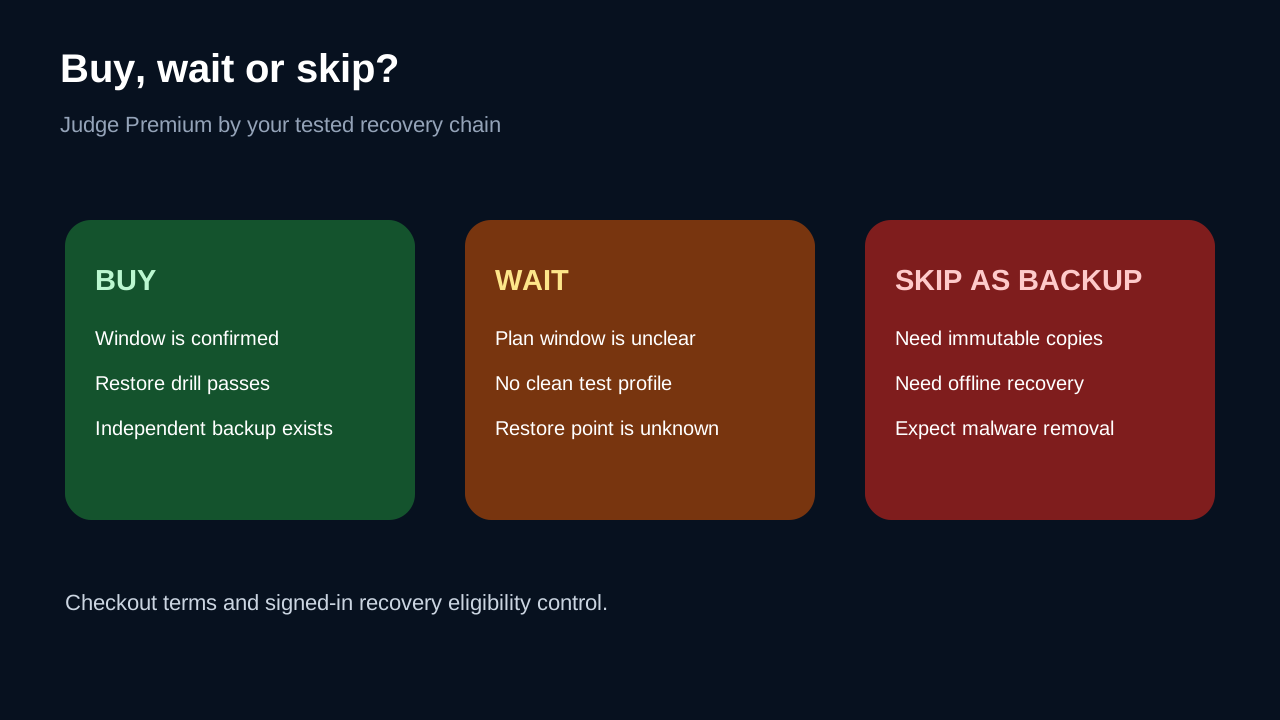
**Buy Premium for this role** if the signed-in account confirms a sufficient window, a harmless Rewind and Revision drill passes, and you also maintain an independent backup. The approved route is the [current pCloud Premium 500 GB offer](https://partner.pcloud.com/r/157872); checkout price, currency, tax and campaign terms control.
**Wait** if you cannot confirm the retention window, do not know the first malicious timestamp, or lack a clean device/profile for testing. Paying before resolving those gaps does not make the recovery chain safer.
**Skip pCloud as the recovery answer** if you need immutable snapshots, offline copies, guaranteed malware detection or administrator isolation from the same credentials. pCloud can still be useful storage, but those requirements need another control.
Final recommendation
Treat Rewind as a convenient account-wide rollback layer and Revisions as a file-level repair layer. Keep sync stopped until affected devices are clean, verify a small sample before a broad restore, and preserve an offline or independently administered backup. The decisive buying evidence is not the largest retention number on a public page; it is the window shown in your account plus a documented restore drill that succeeds without reintroducing encrypted data.