TOOLNAVIA / BUYING GUIDE
Parallels on Apple Silicon: Will Your x64 Windows App Actually Run?
The short answer
At a glance
- Best for
- Apple-silicon Mac buyers who can trial the exact Windows app, driver and device workflow.
- Price model
- No stable price quoted; verify checkout, tax, renewal, Windows license and entitlement.
- Check first
- x86/x64 user-mode emulation does not emulate Intel kernel drivers; every mandatory component needs testing.
The answer is not “x64 works” or “x64 does not work”
On an Apple-silicon Mac, Parallels Desktop runs an Arm version of Windows 11. Windows 11 on Arm can translate many x86 and x64 user-mode applications, but it does not translate an Intel kernel driver. That one distinction decides far more purchases than the app logo or the words “Windows compatible.”
So the safe buying question is not “Does Parallels run Windows apps?” It is: **does the exact version of my executable, plug-ins, licensing service, printer or scanner software, security filter, hardware dongle and every required driver complete my real job on Windows 11 Arm?**
Parallels’ own compatibility guidance warns that some programs reject an Arm CPU check and that compatibility options cannot guarantee every third-party app. Microsoft documents the hard boundary more directly: x86 and x64 user-mode code can be emulated, while kernel-mode drivers must be native Arm64. Marketing language about “most apps” and support documentation are therefore not truly contradictory; they answer different levels of the stack.
> **Affiliate disclosure:** Toolnavia may earn a commission if you buy through the approved Parallels link below. That does not change the test or verdict. No stable numeric price is quoted because checkout, tax, renewal, Windows licensing and version entitlement can change.
Start with a component inventory, not the product name
Write down the complete workflow before installing anything:
1. the exact Windows application name, version and installer architecture; 2. required plug-ins, codecs, database engines and browser extensions; 3. background services, license managers and update agents; 4. printer, scanner, VPN, security, file-system or network filter drivers; 5. USB devices, dongles, measurement hardware and proprietary peripherals; 6. the representative file, project or transaction that proves the job works.
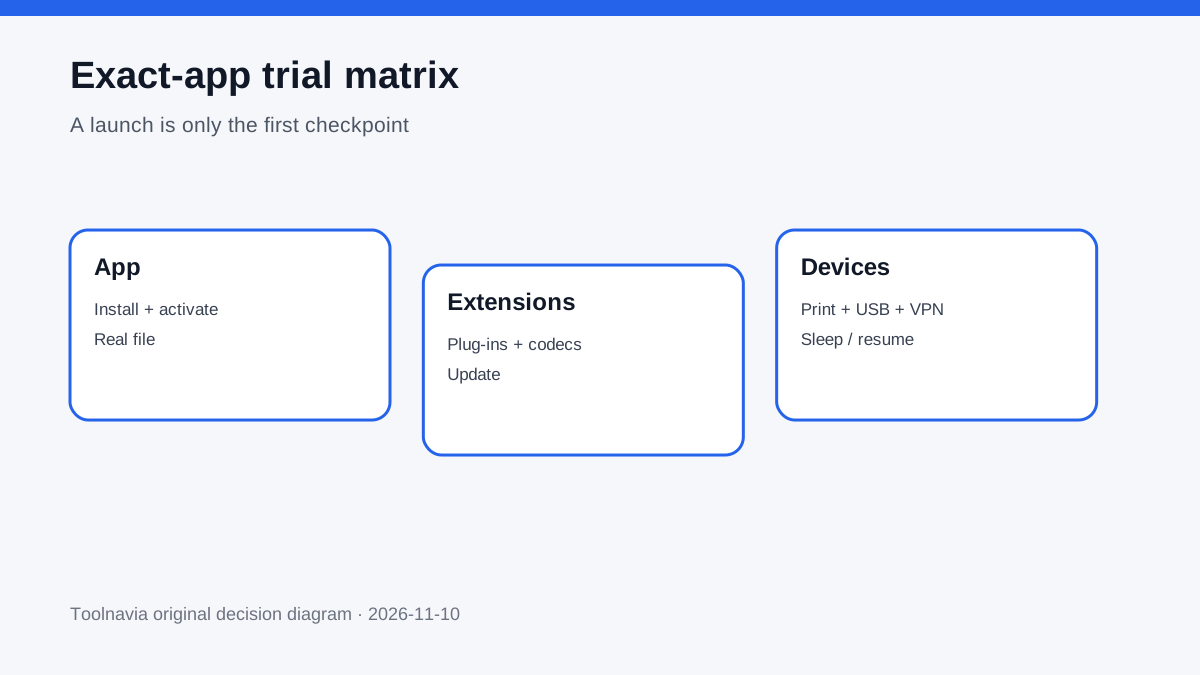
An x64 desktop executable may launch under emulation while its old print driver, VPN filter or USB-dongle driver fails. A creative application may open but lose a codec or hardware-accelerated export module. A line-of-business client may display its login screen yet fail when its license service or database connector starts. “It opened” is only the first checkpoint.
The three-layer compatibility stack
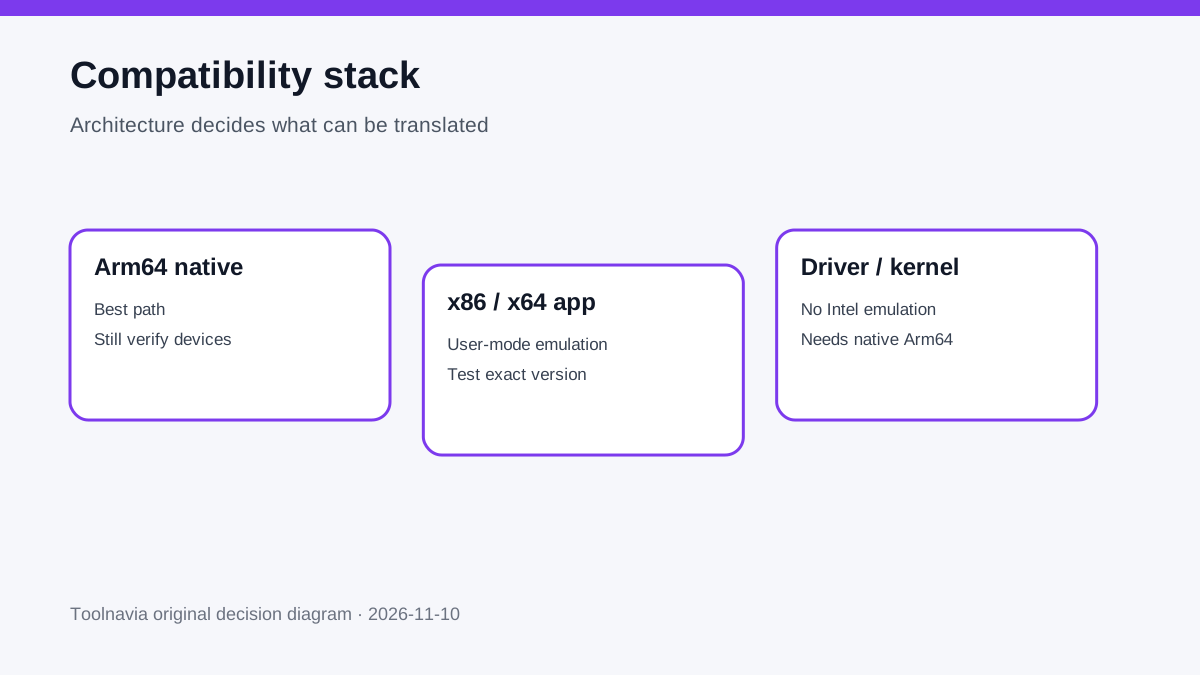
1. Arm64-native Windows software: the strongest path
If the vendor supplies an Arm64 build, choose it. Native code avoids the x86/x64 translation layer and is the most promising route for performance and future support. Native application code still does not excuse an incompatible peripheral driver, so verify the complete workflow.
2. x86/x64 user-mode software: possible, not promised
Windows 11 Arm includes emulation for many x86 and x64 user-mode apps. This can make ordinary productivity software usable, but Microsoft notes overhead and exceptions. Parallels also says third-party compatibility depends on the application. Treat emulation as a fallback to test, not as a warranty.
3. Kernel drivers and low-level components: the hard stop
Windows does not emulate Intel kernel drivers. Print drivers, security filters, VPN adapters, anti-cheat systems, file-system tools, hardware dongles and specialized device stacks may require a native Arm64 driver. If a mandatory component has no Arm64 driver, adding more VM memory or buying a higher Parallels edition will not repair the architecture mismatch.
Version scope matters in 2026
This guide covers an Apple-silicon Mac. Parallels’ current Desktop 27 requirements are Apple-silicon-only and support Arm guest operating systems. Parallels Desktop 26 remains the boundary for Intel Mac support. Do not reuse an old Intel-Mac assumption or expect an Intel virtual machine to move unchanged onto Apple silicon.
The Windows guest must be Windows 11 Arm. Parallels’ installation guide uses an Arm-based image, and Microsoft’s x86/x64 translation happens inside that Arm guest. This is different from virtualizing an x64 copy of Windows as though the Mac contained an Intel processor.
Use the 14-day trial as a purchase gate
Parallels offers a 14-day Pro trial. The trial is useful even when the intended purchase is Standard: it lets you test the architecture and the exact workflow before paying. But a successful test with Pro does not prove Standard has enough allocated resources. Record VM settings and retest within Standard’s limit.
Build a repeatable test
Use the Mac you will actually keep. Install Windows 11 Arm, finish Windows Update, create a restore point or VM snapshot, then install the exact production app and every dependency. Avoid substituting a newer demo edition if the organization requires an older build.
Run these gates:
- **Launch:** install, activate, sign in, quit and relaunch. - **Real file:** open, edit, convert, build, export or transact with a representative project. - **Plug-ins:** load every required extension, codec, template and connector. - **Driver/device:** print, scan, attach the dongle, connect the USB device or establish the VPN. - **Update:** apply one normal app update and confirm licensing still works. - **Sleep/resume:** suspend the Mac and VM, reconnect devices and reopen the project. - **Performance:** measure a real task, not an empty app window. - **Recovery:** revert the snapshot and prove that project data is stored or backed up safely.
Mark every mandatory gate pass/fail. A single failed optional convenience may be acceptable; a failed mandatory driver, license service or data path is a no-buy.
Standard’s resource ceiling is a separate decision
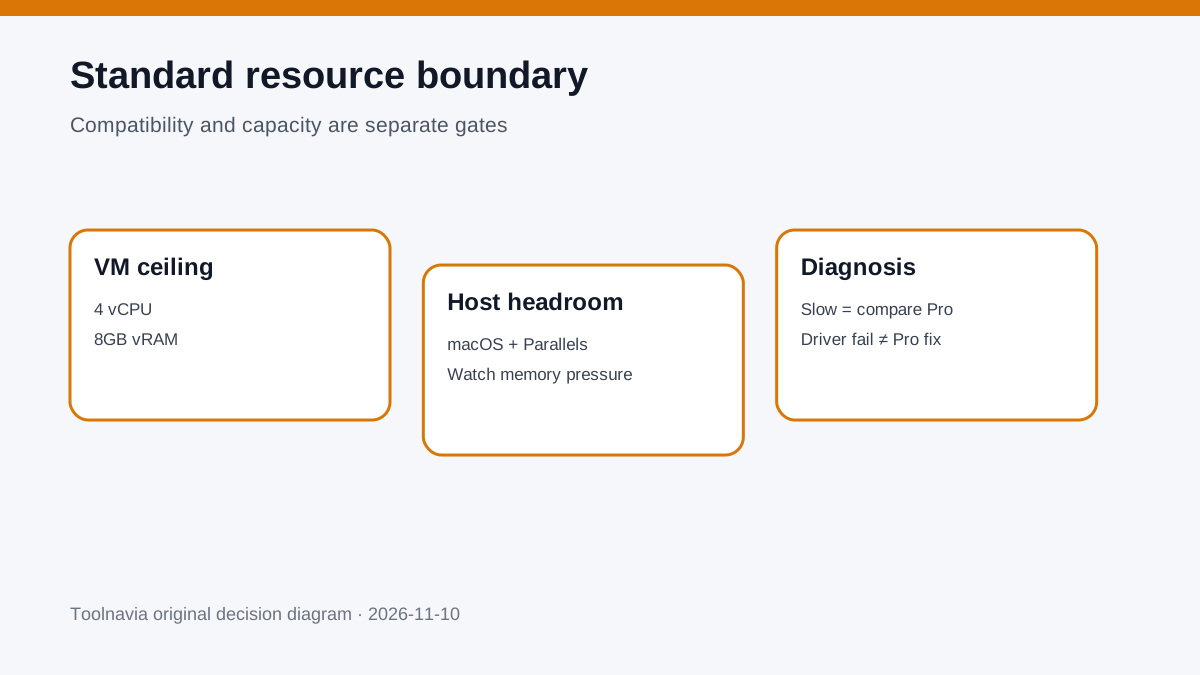
The approved offer here is Parallels Desktop Standard. The current edition boundary used for this guide is up to 4 virtual CPUs and 8GB of virtual RAM for the VM. That can be adequate for ordinary office or line-of-business work, but it is not a promise for compilation, large datasets, CAD, video, multiple development services or other heavy workloads.
Also protect the host. Parallels lists 8GB host RAM as a minimum and recommends 16GB or more. Assigning 8GB to Windows on a 16GB Mac leaves macOS, Parallels and other Mac apps sharing the remainder. Watch memory pressure and swap during the representative job. A launch that turns the Mac into constant swap is not a production pass.
If the exact app works but the job is slow only because the VM needs more than Standard’s 4 vCPU/8GB vRAM ceiling, compare the Pro edition. If the problem is a missing Arm64 driver, Pro will not help.
What the same-intent alternatives reveal
VMware Fusion on Apple silicon also runs Arm64 guests; its documentation likewise relies on Windows 11 Arm for some x86 user-mode applications. UTM’s guidance separates normal Arm64 virtualization from cross-architecture x86_64 emulation, which is slower and more constrained. These are useful controls: switching VM brands does not automatically create an Arm64 kernel driver.
When the required low-level component is unavailable, the practical alternatives are:
- a native macOS or Arm64 Windows application; - remote access to an existing x64 Windows PC; - a managed cloud PC with the required architecture and peripherals; - separate physical Windows hardware.
Remote or physical Windows is often the honest choice for a mandatory dongle, anti-cheat system, legacy security driver or regulated device stack.
Cost and license checklist
Do not compare only the Parallels checkout line. Verify:
- current Standard checkout, tax and renewal terms; - whether the entitlement covers the current major version; - the separate Windows license requirement; - any paid Arm64-compatible application upgrade; - plug-in, driver or peripheral replacement cost; - remote-PC or cloud-PC fees if a low-level component fails; - the time cost of maintaining both macOS and Windows environments.
This guide intentionally quotes no numeric price. Read the current official checkout and license terms on the day you buy.
Decision: buy, test longer, or use another Windows path
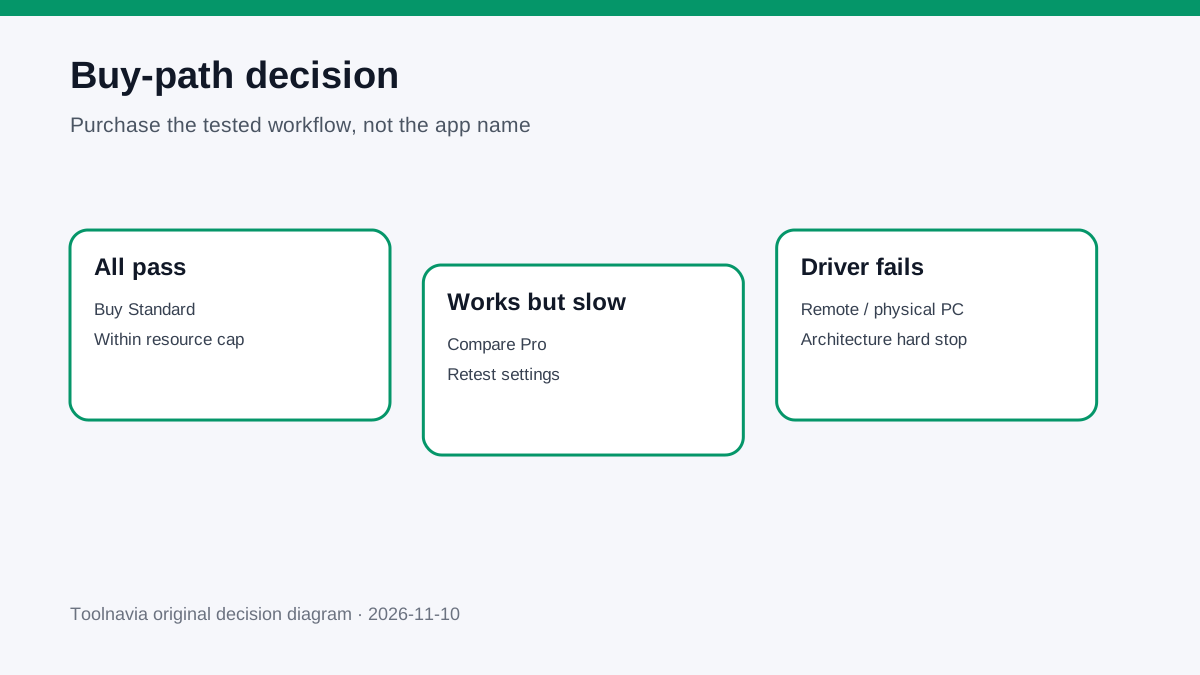
**Buy Parallels Desktop Standard** when the exact application version, every mandatory plug-in, license service, driver and device passes the real-job trial, and acceptable performance fits within 4 vCPU and 8GB vRAM.
**Test longer or compare Pro** when compatibility passes but the representative workload is constrained by Standard’s resource ceiling. Repeat the test with recorded settings; do not confuse a Pro-trial resource setting with a Standard result.
**Use remote or physical Windows** when any mandatory kernel driver, dongle, security/VPN filter, anti-cheat component or specialized peripheral lacks native Arm64 support. More VM resources cannot cross that boundary.
The buying rule is simple: purchase the tested workflow, not the app name.