TOOLNAVIA / BUYING GUIDE
Parallels Standard vs Pro: Is 8GB RAM and 4 vCPUs Enough?
The short answer
Parallels Desktop Standard is the sensible default if one Windows virtual machine stays within 4 vCPUs and 8 GB of guest RAM. Pay for Pro only when a representative workload repeatedly hits that ceiling, or when you need a Pro-only developer, networking or graphics capability. A larger number on the plan table does not make an undersized Mac faster.
*Official-documentation analysis checked November 1, 2026 UTC. Toolnavia did not install Parallels or benchmark a workload.*
At a glance
- Best for
- One Windows VM that can be tested under Standard's 4-vCPU/8GB cap, with Pro reserved for a measured capacity or feature need.
- Price model
- Observed annual display: Standard $54.99 promo/$99.99 regular; Pro $65.99 promo/$119.99 regular. Standard one-time $219.99. Verify current checkout.
- Check first
- The Mac still needs host memory; the 32-vCPU Pro ceiling is not a universal Apple-silicon guarantee. Prices and entitlements vary.
Start with the two resource ceilings
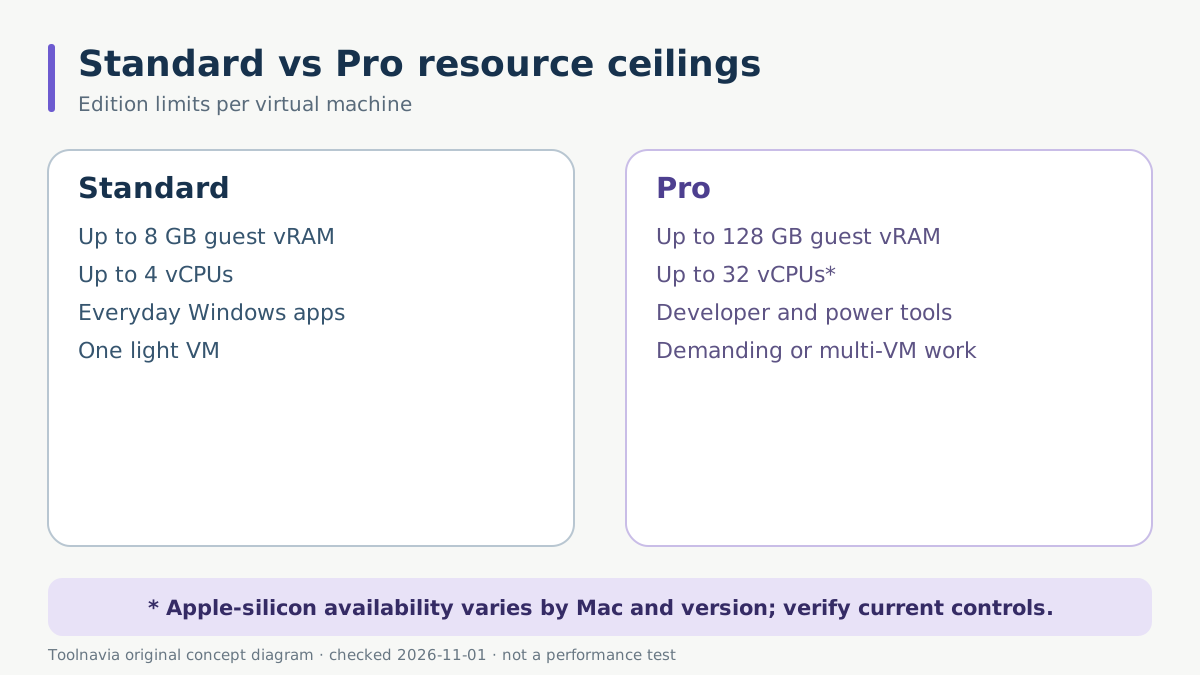
Parallels lists Standard at up to 8 GB of virtual RAM and 4 virtual CPUs per VM. Pro raises the product ceiling to 128 GB and 32 vCPUs and adds developer-oriented controls. Standard is positioned for Office, education, accounting and other everyday Windows applications; Pro is positioned for development, engineering, GIS, CAD, multiple VMs and other demanding work.
Those are edition ceilings, not promises that every Mac can use the maximum. The hardware-limit article says available processors depend on the physical Mac, recommends Automatic Resource Manager and warns that assigning too many processors may slow both macOS and the VM.
There is also an Apple-silicon qualification. The edition table advertises a 32-vCPU Pro ceiling, while the current hardware-limit article retains a version-specific note that Apple M-series Macs could assign up to 18 vCPUs in Parallels Desktop 18. Treat 32 as the edition limit, not a guaranteed allocation on every current Mac and build. Check the controls on the machine you will use.
Separate Mac memory from guest memory
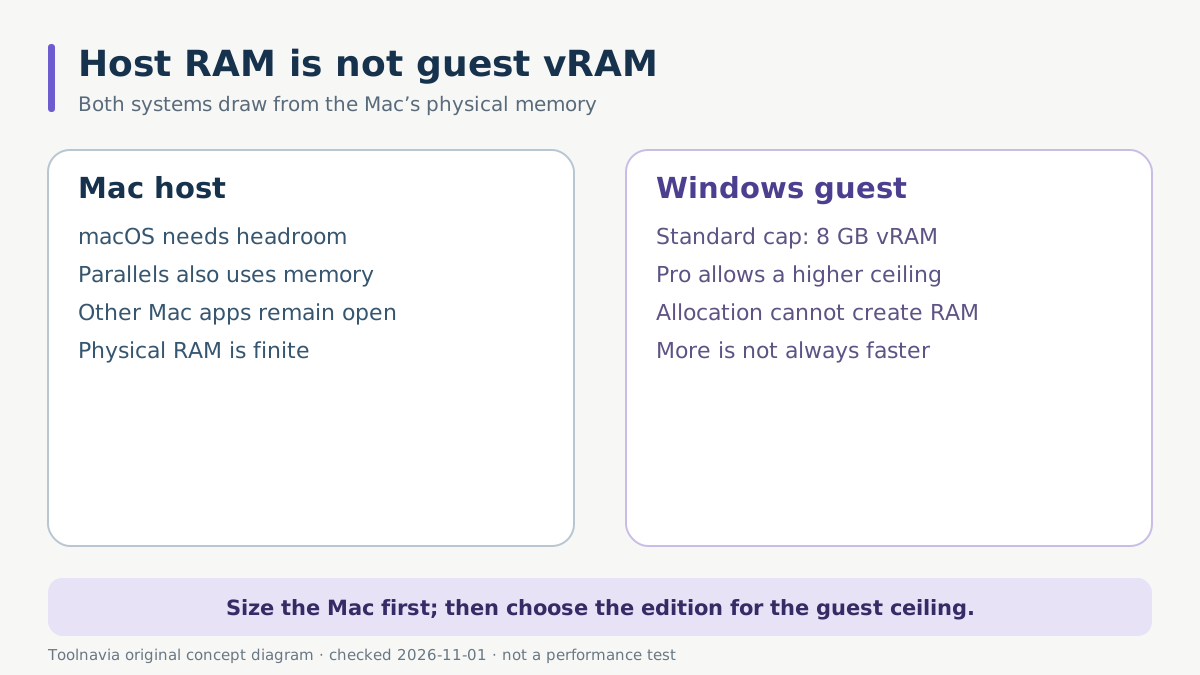
The 8 GB Standard limit is guest vRAM. It is not the amount of physical RAM in the Mac. macOS, Parallels itself and every other open application still need host memory.
On an 8 GB Mac, trying to give the Windows VM the full 8 GB cannot create extra memory; the host must contend for the same physical pool. Parallels lists 8 GB of host RAM as the minimum for most applications and 16 GB or more for graphics-intensive applications, software development, high loads and multiple VMs.
A 16 GB Mac does not automatically need Pro either. If Windows is comfortable at 4–6 GB and the Mac remains responsive, Standard may be the better purchase. Conversely, a 32 GB or 64 GB Mac does not benefit from its extra headroom inside a Standard VM once the guest reaches the 8 GB plan ceiling.
Choose Standard for a light, measurable workload
Standard is usually enough for one everyday Windows VM running Microsoft Office, Access, accounting software, a course application or another moderate line-of-business tool. The current product guidance explicitly places these jobs in Standard.
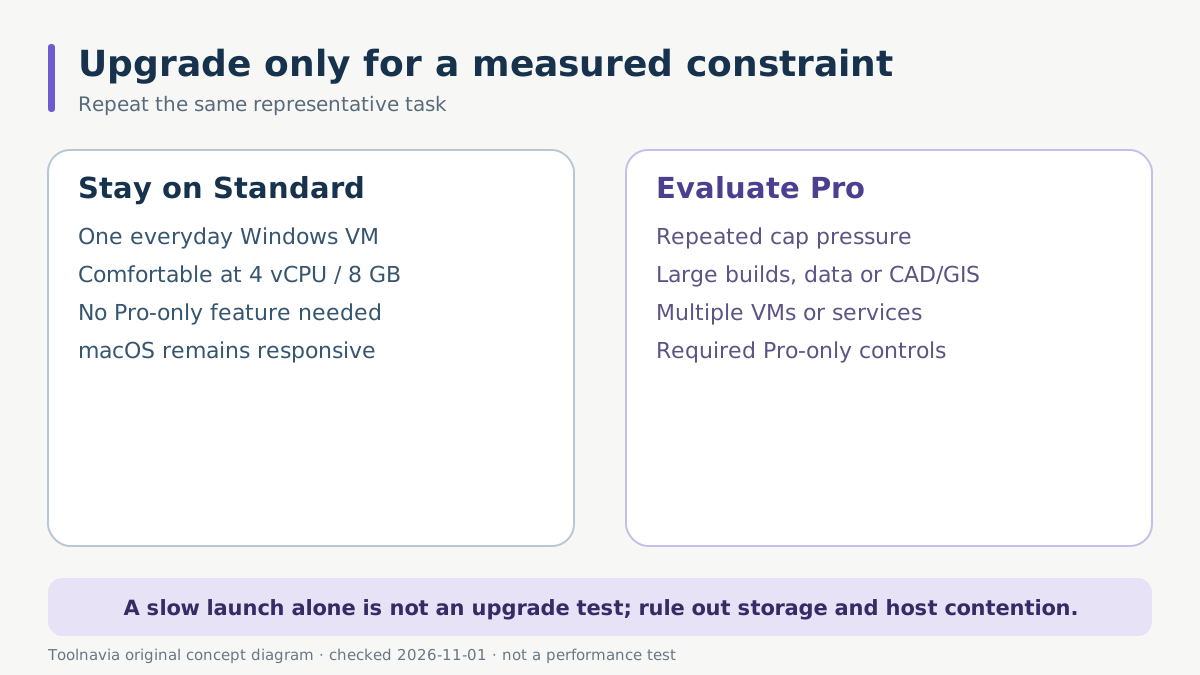
Before buying, use a representative file and complete the real task. Open the Windows application, keep the normal Mac applications running, save and reopen the result, and observe whether the guest stays responsive. The goal is not to fill every resource meter; it is to complete the work reliably without starving macOS.
Choose Standard when all of these are true:
- the application is compatible with the Windows-on-Arm environment you will use; - one VM is normally active; - the workload fits within 4 vCPUs and 8 GB vRAM; - you do not need Pro-only command-line, advanced networking, linked-clone or professional graphics features; - the Mac retains enough host memory for macOS and concurrent applications.
Upgrade to Pro for a demonstrated constraint
Pro becomes rational when the VM is itself the work environment, not merely a place to open one Windows application. Large IDE builds, local databases, multiple services, GIS/CAD projects, heavy datasets and multi-VM test labs can need more than Standard permits. Pro also adds advanced networking, command-line tools and other controls that may matter even before the resource cap is reached.
Do not upgrade from one slow launch. First use Automatic Resource Manager, close unrelated host applications, confirm storage is not the bottleneck and repeat the same workload. Then inspect sustained guest memory pressure, processor saturation and the effect on macOS. If the task repeatedly needs more than 8 GB or 4 vCPUs and the Mac has real capacity to supply it, Pro addresses an edition limit.
If the application needs a Pro-only feature, buy for that requirement explicitly. For example, current Pro graphics improvements and acceleration apply only to documented applications, workloads and supported Mac hardware; vendor benchmark figures are not a guarantee for your project.
Calculate the price delta, not just the sticker price
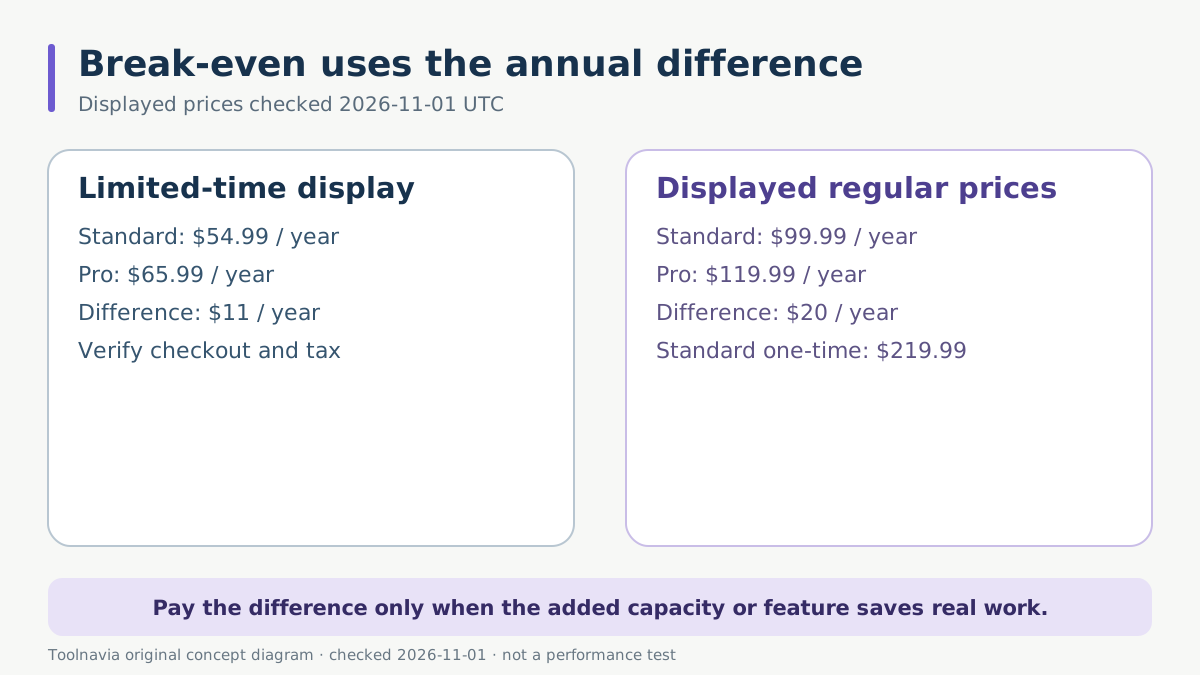
On November 1, 2026 UTC, Parallels displayed limited-time annual prices of $54.99 for Standard and $65.99 for Pro, against normal annual prices of $99.99 and $119.99. Standard also showed a $219.99 one-time purchase. These figures are volatile, market-dependent and may change before checkout. Windows activation, tax and future-version eligibility can be separate.
Under the displayed promotion, the annual difference is $11; at the displayed normal annual prices it is $20. That small difference can still be wasted if the workload fits Standard, while it can be trivial if a documented Pro capability saves paid work time. Divide the annual difference by your after-tax hourly value: even a few minutes saved may justify Pro for a professional workload, but only if the feature or capacity actually removes the bottleneck.
A one-time Standard license changes the comparison. It covers the purchased version rather than promising every future macOS or Windows compatibility update. Compare the useful life you expect with annual Pro, not one promotional year in isolation.
Run a controlled trial before deciding
Use the trial with a workload that resembles the next twelve months, then repeat it within Standard limits. Record the VM's assigned vCPU and vRAM, host memory pressure, completion time and whether the result survives a save/reopen cycle. Do not rely on a trial configuration that uses Pro-only resources and then assume Standard will behave the same.
The purchase decision is straightforward:
- buy Standard when the Windows job fits 4 vCPUs/8 GB and needs no Pro-only control; - buy Pro when a repeatable test proves the cap or required feature is the constraint and the Mac has headroom; - improve the Mac or choose another environment when physical host memory, architecture compatibility or unsupported software is the real limit.
For Apple-silicon development constraints, see the [WSL2 and Docker guide](/en/software/parallels-wsl2-docker-apple-silicon).
*Affiliate disclosure: Toolnavia may earn a commission through its approved Standard link. The Pro comparison is informational; verify the selected edition, current price, tax and renewal terms on the merchant page. No discount or performance result is promised.*