TOOLNAVIA / BUYING GUIDE
Parallels Standard on an 8GB Mac: Buy Software or More Headroom?
The short answer
Parallels Standard on an 8GB Mac can be a sensible purchase for a light Windows task, but minimum compatibility is not proof of comfortable daily use. The deciding test is whether Windows and your normal Mac apps remain usable together. Paying for a higher software tier cannot manufacture more physical memory.
This is a documentation-based buying guide, not a benchmark.
At a glance
- Best for
- Light Windows tasks that remain responsive alongside the Mac apps actually needed.
- Price model
- Official USD reference: Standard $99.99/year or $219.99 perpetual; live cart controls; Windows and tax separate.
- Check first
- Workloads exceeding available host resources or Standard's per-VM limits.
Separate the Mac's memory from the VM limit
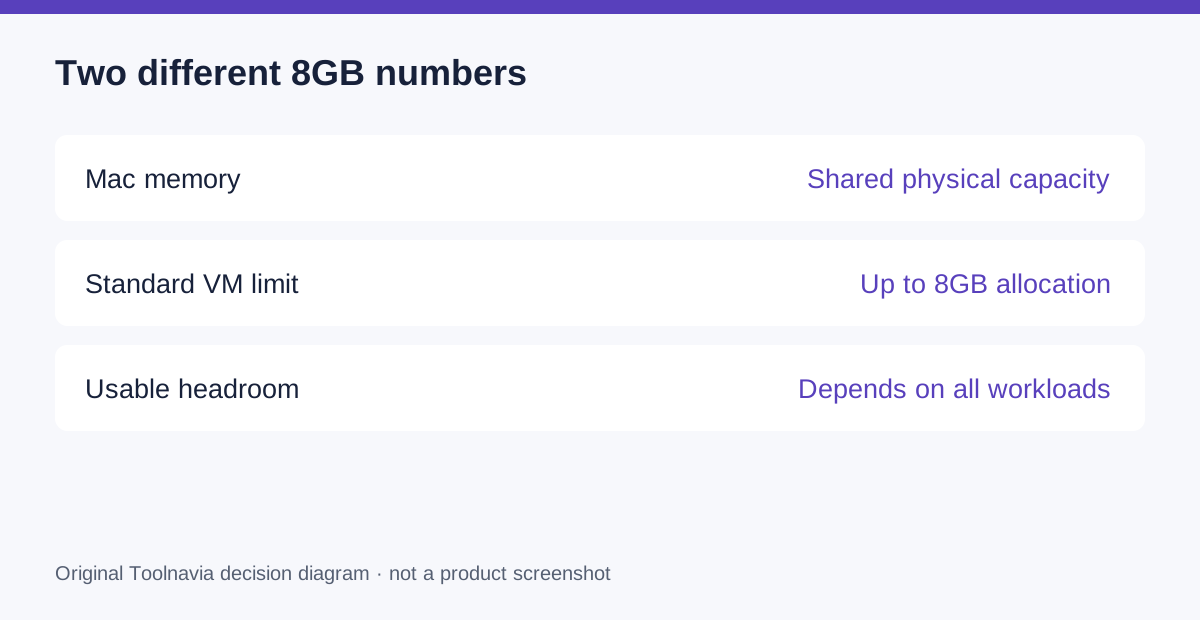
Desktop 27 lists 8GB host memory as a minimum and 16GB or more for its best-performance category. Standard separately allows up to 8GB virtual RAM and four virtual CPUs per VM. Those figures describe different things.
The host is your Mac; the guest is Windows running inside the virtual machine. Both need resources. An 8GB host does not provide an extra 8GB for Windows. Treat the VM ceiling as a permission limit, not a recommended allocation for every machine.
Know what Standard can improve
Automatic resource management offers a supported starting configuration. Adjustable allocation lets you test a defined budget. Running Windows beside macOS can avoid using a second computer, while Coherence lets individual Windows windows share the Mac desktop.
Those are useful conveniences for a recurring task. None is a memory upgrade. Coherence changes presentation, not the fact that Windows is running. Increasing an allocation simply because a slider permits it can make the whole machine less responsive.
Test the day you actually work
Prepare one representative project, its required application and the Mac tools normally open alongside it. Include the browser tabs, meeting software or reference documents you genuinely need. Testing an empty Windows desktop after closing every Mac application answers the wrong question.
Start with the recommended resource settings. Record whether you can open the project, edit it, switch applications and save the output without unacceptable delay. Repeat after the working session has accumulated its normal load. Note the exact project size and configuration so another trial is comparable.
Toolnavia has not performed this exercise. Define your own acceptable response time and completion criteria before running it; do not borrow a reviewer's results from a more powerful Mac.
Spend on the bottleneck you can identify
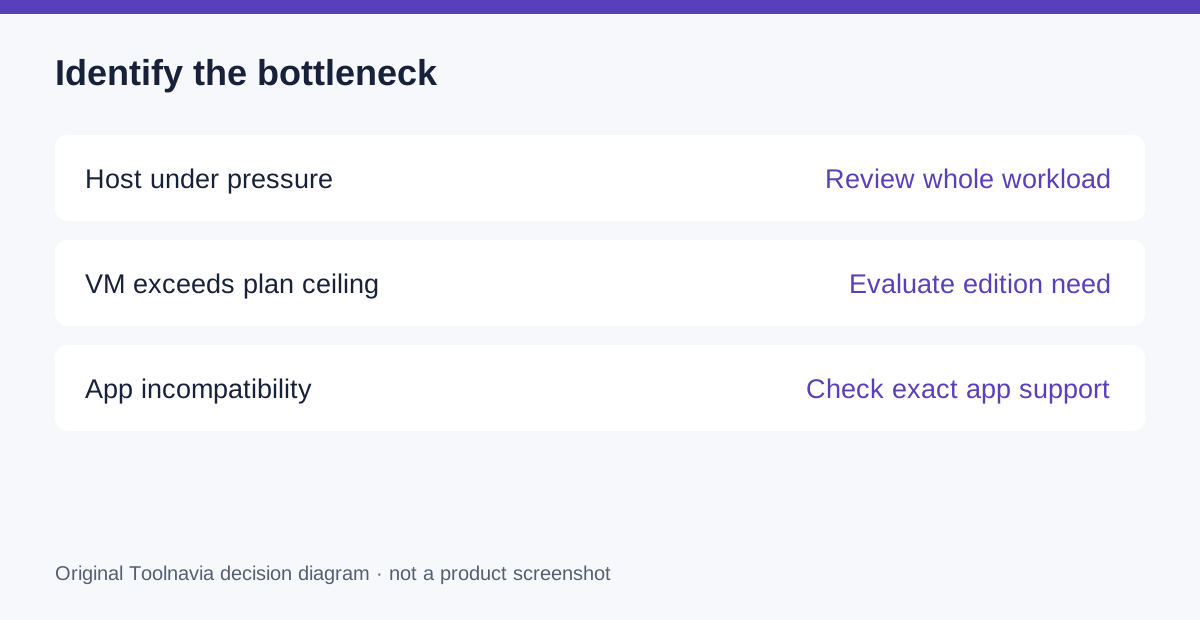
If the host is constrained, a higher Parallels edition alone does not add hardware capacity. If the host has ample resources but the workload genuinely exceeds Standard's VM ceiling, edition selection becomes relevant. If the application is incompatible, more memory may solve neither problem.
The official reference is $99.99 annually or $219.99 perpetual for Standard, with Windows separate. Verify current checkout, currency, tax and renewal terms; the reference is not a promised sale price. Compare software plus any hardware change with keeping an existing Windows machine available.
Check the exact release as well as the chip
The current requirements distinguish Desktop 27 on Apple silicon from continuing Intel support in Desktop 26. A general statement that Parallels works on Macs is not enough to establish that the newest release fits an older machine.
Record the Mac model, macOS release and intended guest operating system before buying. Use the version-specific requirements as the authority. Then check the exact Windows application and any required add-ins; minimum RAM does not resolve a software-architecture mismatch.
Buy after the mixed workload passes
Choose Standard when the real task fits its limits and the Mac remains comfortable for the rest of your work. If the test fails, identify the cause before upgrading anything.
Use the official Parallels purchase entry below to inspect the current Standard option after that check. Toolnavia may receive a commission from qualifying purchases. No special discount or performance result is guaranteed.