TOOLNAVIA / BUYING GUIDE
Parallels for Two Macs: Buy Two Licenses or Move One Installation?
The short answer
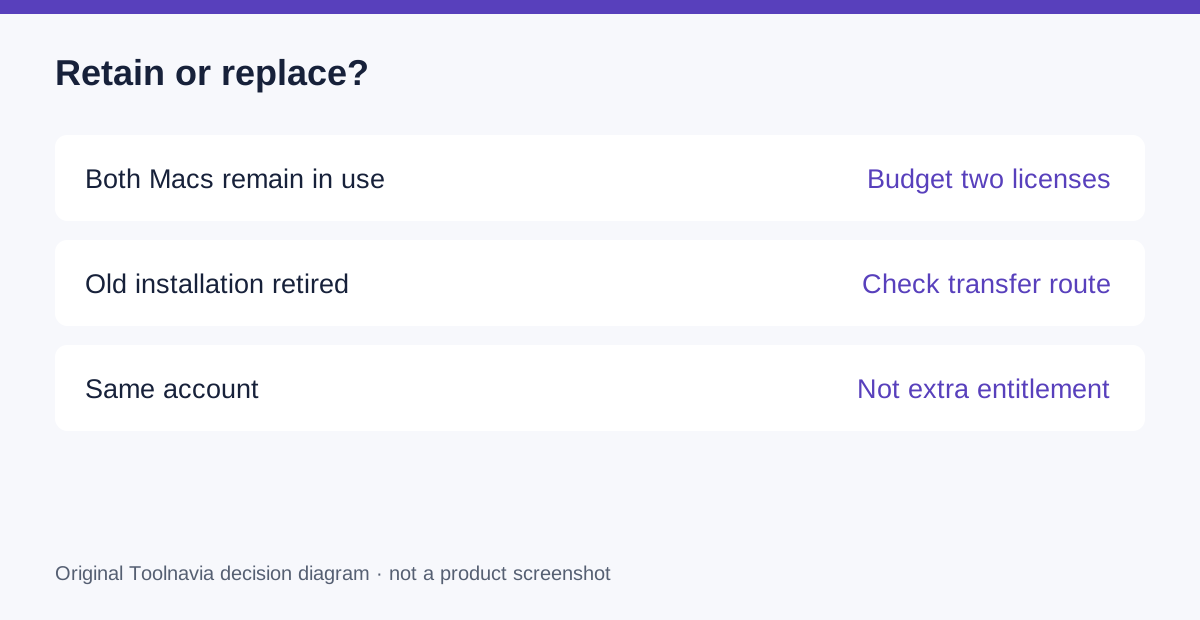
Parallels for two Macs makes sense when both machines need a ready Windows environment. Plan for two retail licenses if you will keep both installations in use. Moving to a replacement Mac is a different decision: the documented transfer route requires retiring the old installation first.
This guide analyzes official licensing information rather than a tested activation or a judgment about your particular keys.
At a glance
- Best for
- Users with a genuine recurring need for a ready Windows environment on both Macs.
- Price model
- Official USD reference: Standard $99.99/year or $219.99 perpetual; live cart controls; Windows and tax separate.
- Check first
- Buyers assuming one retail license is an unrestricted two-Mac allowance.
Decide whether you are adding or replacing
A MacBook for travel and a desktop Mac for the office create a recurring two-location workflow. Replacing an old Mac creates a one-time change. Write down which situation actually applies before choosing the quantity in the cart.
Do not make the budget depend on repeatedly moving an installation whenever you change desks. Even if you only sit at one machine at a time, a convenient permanent two-Mac setup should be planned around the corresponding number of licenses, not an assumed account-wide allowance.
Understand what the documented rights provide
The licensing policy makes one-Mac accounting explicit and provides a replacement-transfer route after uninstalling from the old Mac. Those are useful purchase controls: you can budget an additional workstation without confusing it with a replacement, and you need not assume a replacement always requires a new key.
An active subscription also includes future Parallels version upgrades. Coherence can keep supported Windows applications alongside Mac applications on each properly configured machine. These benefits support a consistent working style, but neither expands the number of Macs covered by a license.
Count the complete second environment
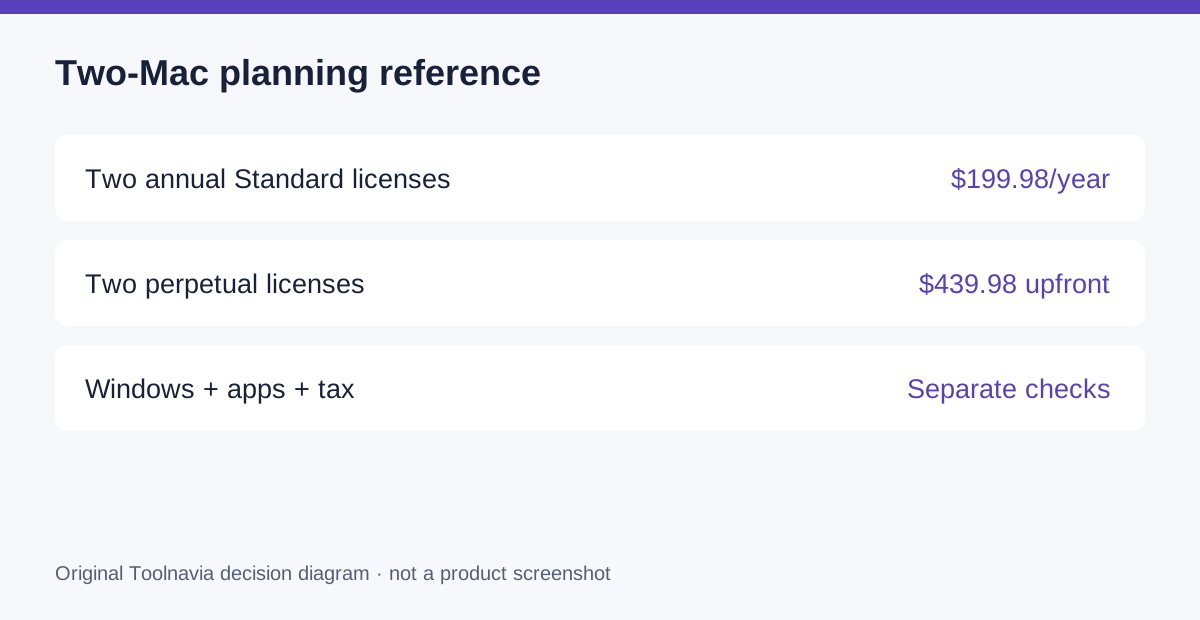
Using the official Standard references, two annual subscriptions total $199.98 per year; two perpetual purchases total $439.98 upfront. This is planning arithmetic, not a live checkout quote. Promotions, currency, tax and renewal terms may change the amount.
Windows and your business applications require their own entitlement checks. Copying a virtual machine does not itself prove that either license may be used on a second host. Keep those costs separate rather than calling the second setup “just another Parallels seat.”
For mixed Intel and Apple-silicon hardware, validate each environment independently. Do not assume the working guest system and application combination can simply be carried across processors.
Decide whether the second setup earns its cost
List the tasks that must happen away from the primary Mac. A weekly on-site Windows workflow has a different value from opening one legacy file twice a year. Count setup, updates, backups and the need to keep working documents straight on two machines.
If a second setup solves a real recurring problem, local access on each Mac can be convenient. If the need is rare and an existing authorized Windows environment is already accessible, evaluate that route before buying more software. This is a fit decision, not a claim that a second license always pays for itself.
Build an installation inventory before purchase
Create one row per Mac with its owner, chip, macOS release, intended Parallels version, Windows entitlement and required applications. Mark whether the old machine stays in service. Then choose the license quantity and purchase type that match those rows.
For a replacement, preserve an independent backup and follow the official uninstall-and-transfer sequence. Validate activation and a real project on the replacement before relying on it. This proposed checklist does not replace the terms for a particular reseller, upgrade key or organizational agreement.
Buy the number of working setups you need
Choose two licenses when two persistent environments are valuable and fully budgeted. Use the replacement route when the old installation is genuinely being retired. Check the current Standard options through the official purchase entry below.
Toolnavia may receive commission on qualifying purchases. The referral link does not grant extra Mac activations or additional Windows rights.