TOOLNAVIA / BUYING GUIDE
Moving Parallels from Intel to Apple Silicon: Rebuild or Emulate?
The short answer
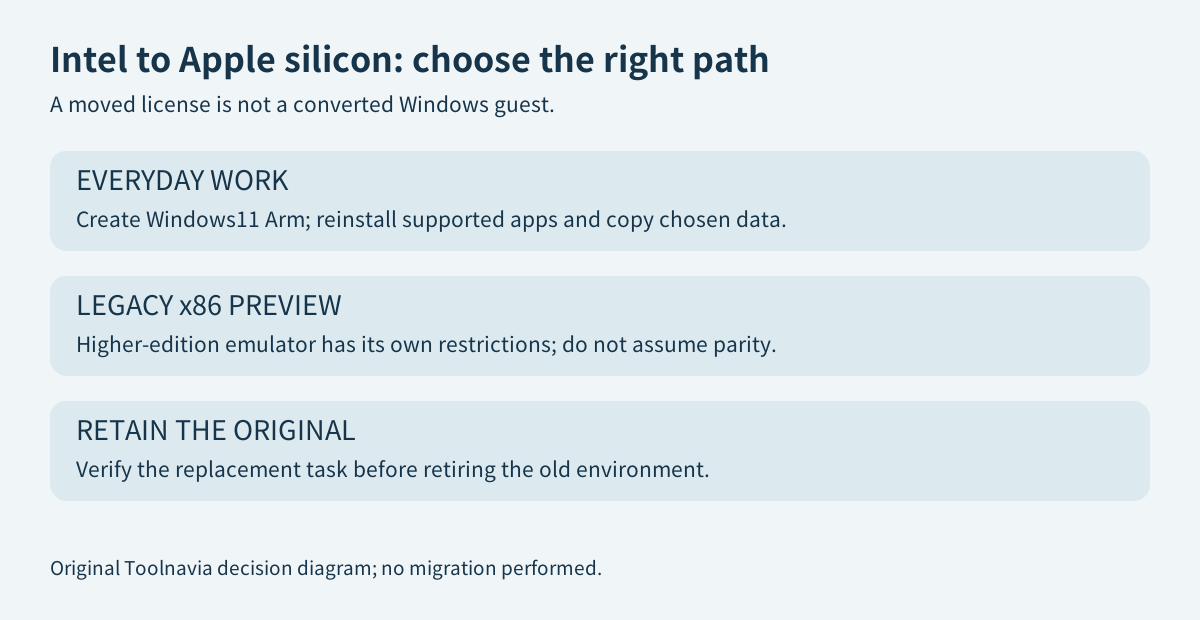
Moving from an Intel Mac to Apple silicon can be a good reason to keep Parallels, but not to assume your old Windows environment will transfer unchanged. For ordinary Windows work, plan around a new Windows 11 Arm guest and selected data. The separate x86 emulator is a restricted higher-edition preview, not the same migration path.
At a glance
- Best for
- A validated Windows workflow on a replacement Mac.
- Price model
- Check existing entitlement or current checkout; Windows and effort separate
- Check first
- License transfer is not guest-architecture conversion.
Move the work, not just the virtual-machine package
Treat the Parallels license, Windows installation and personal documents as three separate items. A successful license activation does not convert an x86 Windows guest into Arm Windows. The vendor's migration article distinguishes same-architecture transfers from the Intel-to-Apple-silicon transition.
First identify what makes the old setup valuable: a particular application, its settings, a project archive or a hardware-dependent process. Recovering documents is a different purchase problem from preserving a discontinued application with no supported installer. Keep the original guest and a verified backup until the replacement completes that actual work.
What the new Arm workflow gives you
Parallels documents an assisted Windows 11 Arm installation: its setup flow can download and install the guest from Microsoft. This reduces installation handling, but it does not promise that your particular application works or provide its license. Start with the required application rather than rebuilding every old utility out of habit.
For an old Windows x86 VM, Parallels also documents viewing its virtual-disk contents in Finder and copying needed files to a Mac folder or external storage. This can be a useful data-recovery bridge without booting the old guest normally on the new hardware. Encrypted or damaged data needs its own recovery arrangements; do not treat copied files as a working application installation.
Once the supported app is installed, running Windows alongside macOS and using Coherence can preserve the convenience of your previous daily workflow. Test the document you need to edit and the output you need to deliver. A familiar desktop appearance is less important than correct results.
Why the x86 emulator is not an automatic Pro upgrade
The emulator documentation, reviewed in March 2026, describes an early preview for Pro, Business and Enterprise. Its documented boundaries include one virtual CPU, at most 8GB of guest memory, no USB or sound, and no legacy-BIOS support. Some Windows versions and updates have additional restrictions.
These limitations describe the emulated x86 route, not every ordinary Arm VM. Conversely, the larger resource numbers advertised for Pro do not override the emulator's own restrictions. Someone needing a short, supported archival task may evaluate that preview; someone depending on daily production output should not purchase an upgrade on the assumption that the entire old workstation has been rescued.
Windows 11 Arm can run many applications through its own app-emulation layer, but compatible drivers remain a separate requirement. Our [USB buying guide](/en/software/parallels-usb-arm-devices) examines that specific gate. App emulation inside Arm Windows and emulating a complete x86 operating system are different technologies and should not be mixed in a purchasing comparison.
Other migration tools do not erase the architecture boundary
Apple's Windows Migration Assistant copies supported personal information into locations on the Mac; it does not replace macOS with the old Windows operating system. Use it for its documented data-transfer scope, not as evidence that a Windows VM has become bootable.
Changing virtualization products is not an architecture converter either. Broadcom's Fusion guidance requires a guest compatible with the host's machine architecture. Compare alternatives against the exact application and guest you will create, not the promise that any imported VM will retain its old behavior.
Budget for the transition you actually need
Before buying again, check whether your existing Parallels entitlement can be moved. The activation guide explains that activating the same Standard or Pro license on the new Mac deactivates it on the old one. That is not permission to run two licensed Macs simultaneously. Keep your original data recoverable, and plan legitimate access during the changeover.
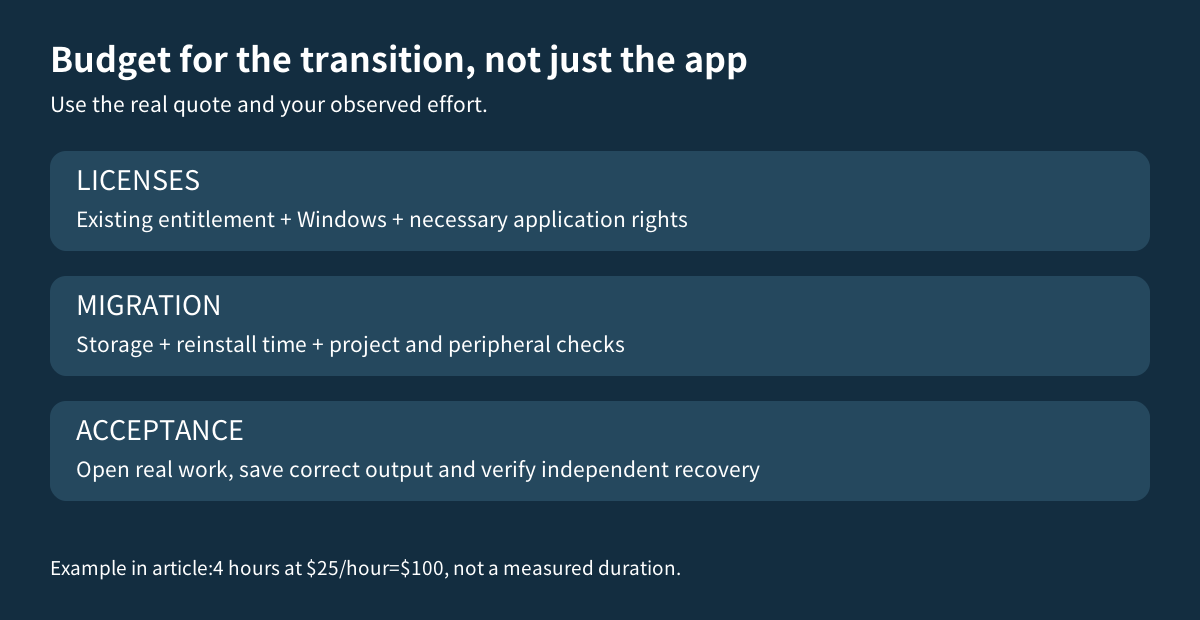
The current purchase page offers Standard annual or one-time licensing for one Mac, with Windows licensing separate. A dependable numeric transaction price was not exposed in this reading, so no promotional amount is promised. Compare the actual eligible upgrade or renewal, Windows activation, application reinstalls, storage and migration effort. Four hours valued at $25 per hour would add $100 of time cost; this is an illustration, not a measured migration duration.
Before retiring the old setup, reopen representative projects, verify required devices, save a new output and confirm it can be recovered independently. The [snapshot and backup guide](/en/software/parallels-snapshots-backups) separates rollback from independent recovery. Choose Standard when the new Arm workflow fits; evaluate a higher edition only for an evidenced requirement. Affiliate disclosure: Toolnavia may earn a commission through the issued Parallels referral buttons, which do not preselect an edition or guarantee a discount.