TOOLNAVIA / BUYING GUIDE
Buying Parallels for Gaming? Check the Exact Game Before Paying
The short answer
Parallels is worth considering when a Windows game works on your Mac and you prefer one computer. A working launcher is not enough: check graphics, Windows Arm drivers and publisher rules, then test actual play and saving before paying.
At a glance
- Best for
- One explicitly supported Windows game on the intended Mac.
- Price model
- Actual Standard checkout plus Windows and game rights
- Check first
- More VM resources cannot fix unsupported APIs or publisher exclusions.
Three checks before a gaming purchase
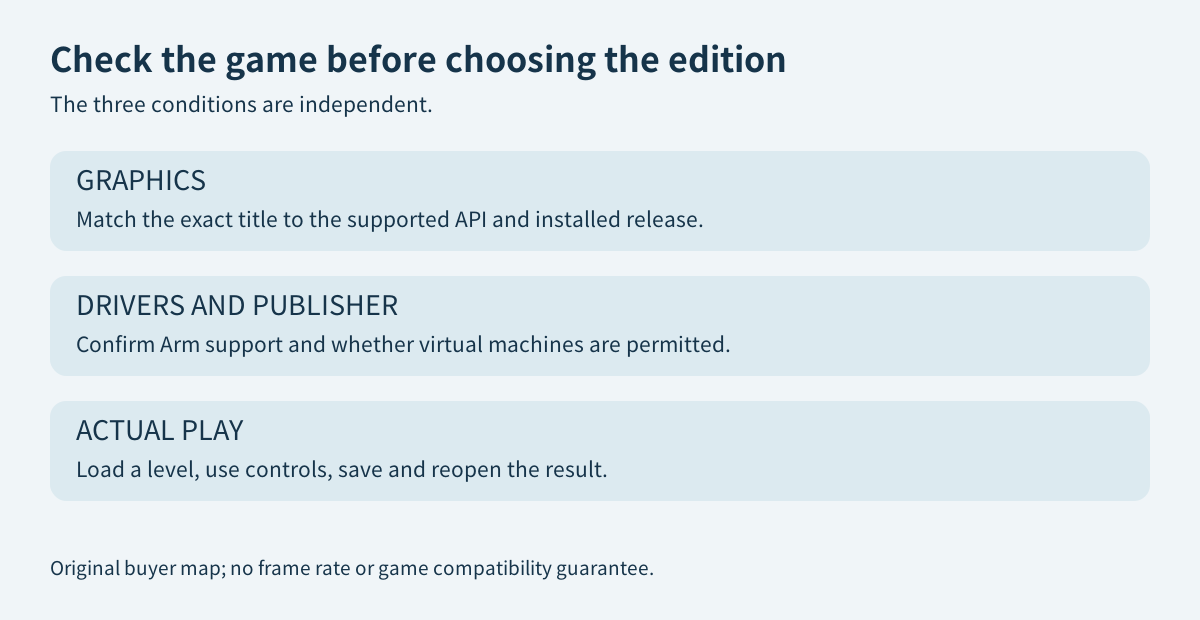
Write down the exact game edition, store version and mode you need. A remastered edition or an online mode is not automatically covered by a report about another release. Check whether the game offers a supported graphics mode, whether required drivers work on Windows Arm, and whether its publisher allows virtual machines. Parallels' gaming page itself makes compatibility title-specific.
These are separate checks. More memory cannot manufacture a missing graphics API or change a publisher's support policy. A locally installed, compatible game is an attractive use case because you can keep Windows alongside the Mac workflow instead of moving to another computer for each session. But the convenience only has value after the game you care about passes.
Resolve the graphics version before trusting a list
The general Parallels gaming FAQ still lists DirectX 11 and OpenGL 4.1. Its September 29, 2026 power-user guide instead describes DirectX 11.1 and OpenGL 4.3 for current supported Windows 11 Apple-silicon configurations. The dedicated graphics article confirms that Parallels Desktop 27 introduced OpenGL 4.3 for Windows 11 Arm.
This guide uses the newer, version-specific documentation for that configuration, not the older generic FAQ ceiling. It does not translate OpenGL 4.3 into DirectX 12 support: the current power-user guide explicitly says the virtualized stack does not support games requiring DirectX 12. Verify the installed release and Parallels Tools, then compare the game's own stated requirements.
Do not infer playability from an API number alone. It is an initial exclusion check, not a tested frame rate or proof of working saves, sound and multiplayer.
VALORANT shows why the publisher check matters
Microsoft explains that Windows Arm application emulation does not automatically provide compatible game or hardware drivers. It directs players to the publisher when anti-cheat support is uncertain.
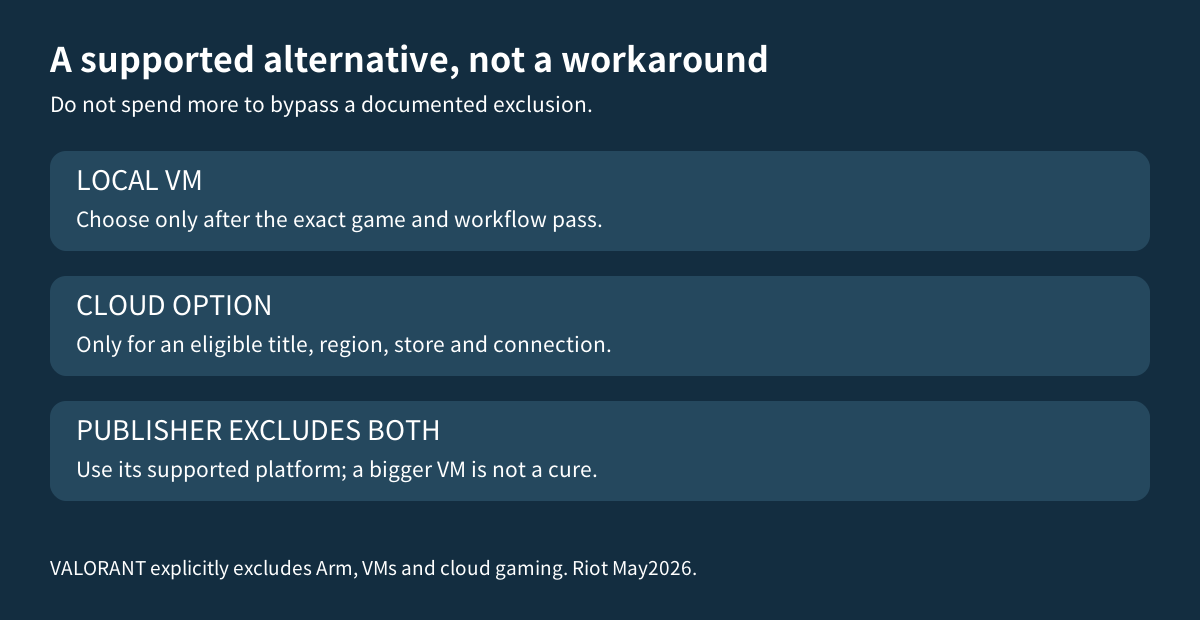
Riot's current VALORANT specifications give a clear counterexample to buying from graphics requirements alone: they require DirectX 11, but mark Arm unsupported and explicitly exclude both virtual machines and cloud gaming. Therefore neither a Parallels Pro upgrade nor a generic cloud-gaming suggestion is a supported answer for that particular title.
Do not disable or bypass anti-cheat to turn an unsupported setup into a purchase justification. Keep to the publisher's supported platforms. For other games, read their own current rules rather than extending VALORANT's result to every multiplayer title.
Test play, controls and saving in the same session
For a supported candidate, define a modest acceptance exercise before payment: load an actual level, use the intended mouse or controller, check sound, save progress and reopen the save. Test the online mode you actually need only where the publisher supports that environment. This is a suggested buyer exercise, not a Toolnavia gaming benchmark.
Parallels provides a manually selected Games Only profile and automatic resource settings as starting points. Its current guide says the profile changes input, display and integration settings; it is not an automatic boost triggered whenever a game launches. A VM also used for office work needs its sharing settings checked after that profile change.
Record the resolution and your acceptable responsiveness before adjusting settings. Change one thing at a time. The [USB compatibility guide](/en/software/parallels-usb-arm-devices) covers peripheral drivers, while the [snapshot and backup guide](/en/software/parallels-snapshots-backups) distinguishes a test rollback from independent protection of your work.
Compare an eligible cloud title, not an imaginary workaround
GeForce NOW can be an alternative for a different, explicitly supported game in your region and store library. NVIDIA says paid games still require the corresponding game ownership; membership does not buy the entire catalog. Its listed streaming network requirements and account terms must also fit your use.
Test the normal connection where you will play, not just a favorable speed-test number. Compare membership, game entitlement and practical access against the local Windows setup. This is not a recommendation to stream VALORANT, which Riot excludes from cloud support.
Pay for a proven use case
Standard has a documented per-VM ceiling of 8GB virtual memory and four virtual CPUs. Windows activation is separate from the one-Mac Parallels license. Compare the actual local checkout and necessary game/Windows rights; no dependable live numeric Parallels quote was exposed in this reading.
Choose the smallest edition that serves a verified workload, not a larger edition as a cure for unsupported games. Affiliate disclosure: Toolnavia may earn a commission through the issued Parallels Desktop referral buttons. They do not preselect an edition or guarantee a discount, game compatibility or a frame rate.