TOOLNAVIA / BUYING GUIDE
Movavi Audio Out of Sync: Test VFR and Export Before You Pay
The short answer
Pay for Movavi when it fits your editing work and preserves synchronization with your own recordings. Paying to remove an export restriction is not evidence that it will fix drifting dialogue. First identify whether the failure exists in the original file, the timeline preview or the exported result. Movavi's own troubleshooting treats those as different paths.
This guide is based on documentation, not an installed-software test. Its proposed checks are acceptance criteria for your footage, not measured compatibility results.
At a glance
- Best for
- Personal editors with a verified sync-preserving workflow
- Price model
- $54.95/year reference; verify local checkout
- Check first
- No tested long-export guarantee; conversion and trial limits matter
Find the first place the timing changes
Choose a recording with visible speech or a clearly visible action and sound. Preserve the original and use a new project for the investigation. Record the application build, source duration and export preset so a later comparison means something.
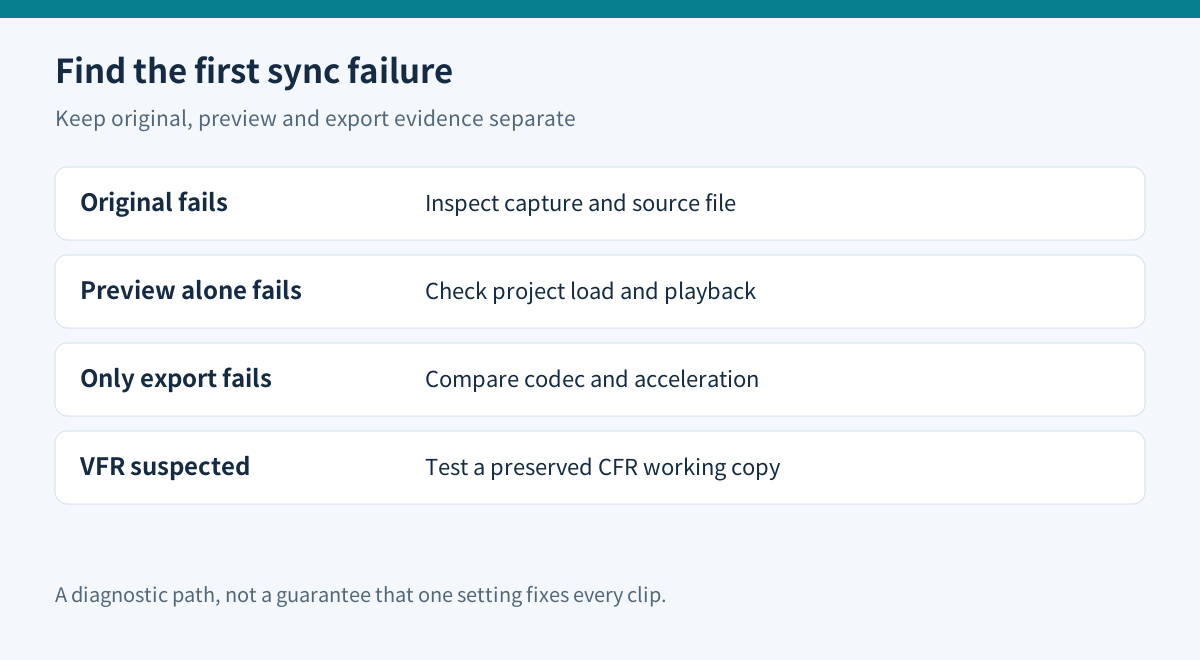
| First failing stage | What to investigate | What it does not establish | |---|---|---| | Original played outside Movavi | Capture or source-file problem | That an editor license can repair it | | Original plays correctly, preview fails | Project load and preview behavior | That the final export must fail | | Preview is correct, export fails | Export codec and acceleration path | That every imported file is incompatible |
Movavi advises checking the original in another player and reviewing the project. If the preview is correct but export is not, its support flow includes disabling hardware acceleration, restarting and testing another codec. It also identifies variable-frame-rate material as a possible source of trouble. Change one factor per attempt and preserve the previous result.
A fixed delay and a delay that grows over time deserve different notes. Neither observation by itself proves a VFR diagnosis. Avoid repeatedly dragging the entire audio track until the opening looks right while leaving the ending unexamined.
Inspect the file, then try a controlled CFR copy
MediaInfo exposes a frame-rate-mode field, alongside nominal, minimum and maximum frame-rate information. Use it to record whether the source reports variable or constant timing. A missing field is missing evidence, not proof of constant frame rate.
HandBrake distinguishes three choices: preserving variable timing, producing constant frame rate, and applying a peak frame-rate ceiling. Its documentation specifically identifies constant frame rate as useful for editing workflows. “Same as Source” alone does not mean CFR: the selected mode matters. “Same as Source” with CFR uses a detected nominal rate to normalize timing.
Create a working copy with an explicit, appropriate CFR choice; keep the original unchanged. Import that copy into a separate Movavi project using the same edit and export settings. Compare it with the original-file project. Re-encoding can change quality, file size and preparation time, so inspect detail and sound as well as synchronization.
Vimeo's HandBrake instructions provide a practical example of selecting a source, choosing a destination and checking the converted result. Its upload recommendations are a reference workflow, not universal Movavi settings. Do not blindly convert every source to an unrelated resolution or frame rate.
Make the test long enough to reveal your actual problem
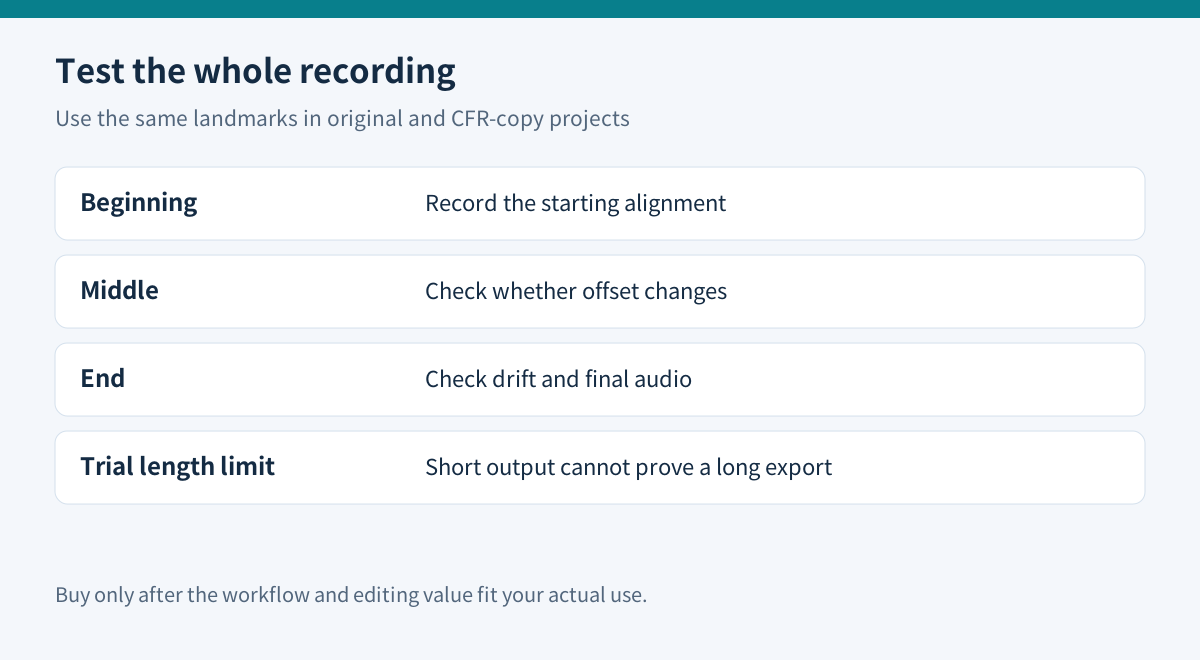
A ten-second clip cannot settle a failure that appears after twenty minutes. Use the beginning, middle and end of a representative recording as named checkpoints:
| Checkpoint | Record in both versions | |---|---| | Beginning | Whether the same visible action and sound align | | Middle | Whether the offset has changed | | End | Whether drift accumulates and the final sound remains intact |
Use the same landmarks in the source, preview and exported files. Keep separate notes for original-media and CFR-copy projects. This small record makes it easier to tell whether a conversion improved the entire recording or merely changed its starting offset.
Inspect the trial's actual export notice before designing this test. Movavi's help distinguishes editor activation from separately licensed Effects and Templates, and tells free-version users to check export restrictions. An installed build that restricts output duration cannot prove long-export reliability through a short permitted sample. Ask support how to evaluate the affected long-file workflow before paying, or defer the purchase.
For a clean diagnostic project, use your own media and avoid optional paid assets. A watermark or a request to license a template is a separate question from audio synchronization.
Decide whether the editing benefit justifies the annual cost
The official USD page checked November 10 displays **$54.95 for one year on one computer**, alongside **$119.95 lifetime**. It warns that prices vary by location; the displayed promotion runs to November 15. This guide does not guarantee a future renewal amount or treat lifetime as the same entitlement with a different payment schedule. Check the selected license, tax, term and optional subscriptions in the cart.
Movavi's practical value here is the editing workflow around the repaired source: arranging clips, refining cuts, adding titles and producing an appropriate delivery file. The documented codec and acceleration options provide troubleshooting routes, not a guarantee of faster or correct rendering.
If free conversion solves your only problem and your existing editor is sufficient, keep that workflow. If each recording requires conversion, include preparation time, duplicate storage and review effort in the ownership cost. Buy the annual editor only when those costs remain acceptable and the editing benefits are useful repeatedly.
Defer when the source is already damaged, the required long export remains untested, or every successful result depends on unexplained setting changes. A repeatable result on representative footage is more persuasive than either a discount or a generic “MP4 supported” claim.
[Check Movavi's current annual editor offer](https://www.jdoqocy.com/click-101895278-13233645).
Affiliate disclosure: Toolnavia may earn a commission through this approved direct link. No exclusive discount, tested speed or guaranteed synchronization fix is claimed.