TOOLNAVIA / BUYING GUIDE
Movavi Video Suite Plus: 60% Offer, Free Alternatives and Extra Bills
The short answer
Movavi Video Suite Plus suits recurring recording, editing and conversion. Buy fewer tools when you need only one job, and check separate Effects charges. This is a documentation review, not a hands-on test.
At a glance
- Best for
- Repeated personalrecording,editingandconversion
- Price model
- $94.95/year displayed; optionalEffects$44.95/month aftertrial
- Check first
- Separate Effects; no standalonePhotoEditor; licenseandOSmatter
Three applications do not mean every Movavi product
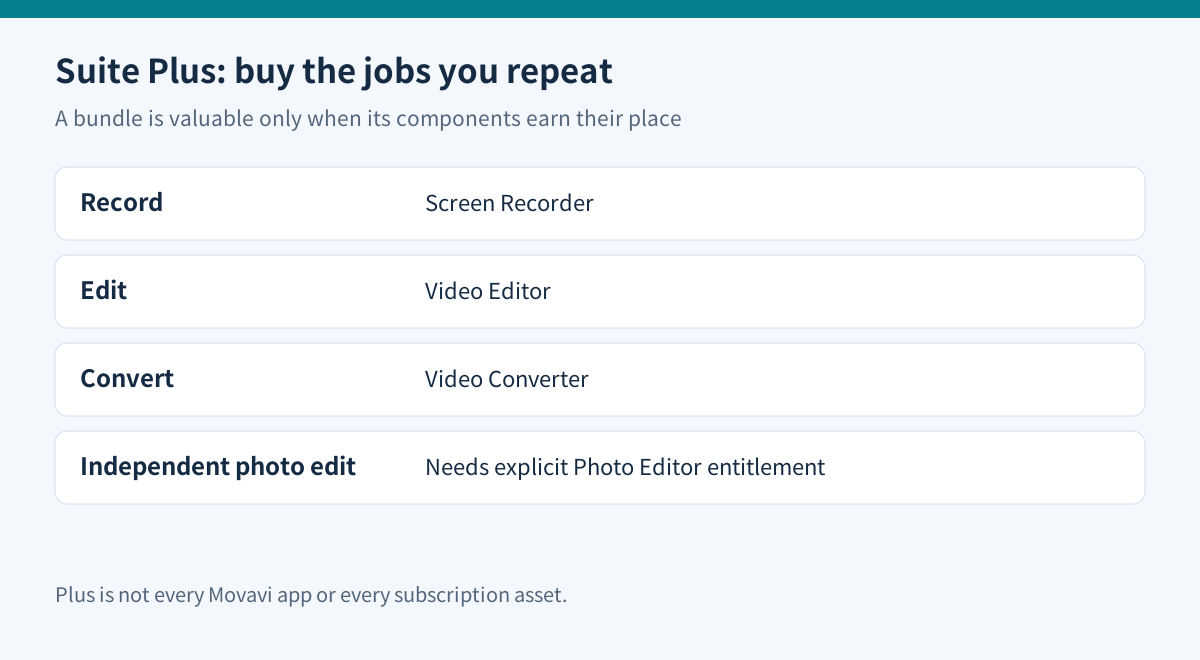
The core Suite combines Video Editor, Video Converter and Screen Recorder. The selection guide explicitly excludes standalone photo programs, Gecata and Slideshow Maker from the ordinary Suite. It can use photos inside a video, but that does not make it an independent still-photo editor. Unlimited is a different bundle.
Write down one real project. A personal tutorial might require recording a demonstration, cutting mistakes and converting a delivery file. That makes all three components relevant. If you already receive finished footage and only trim it, two bundled applications may remain unused.
The useful question is whether the bundle replaces tools you actually need, not how many application names appear on the product page.
Read the selected card literally
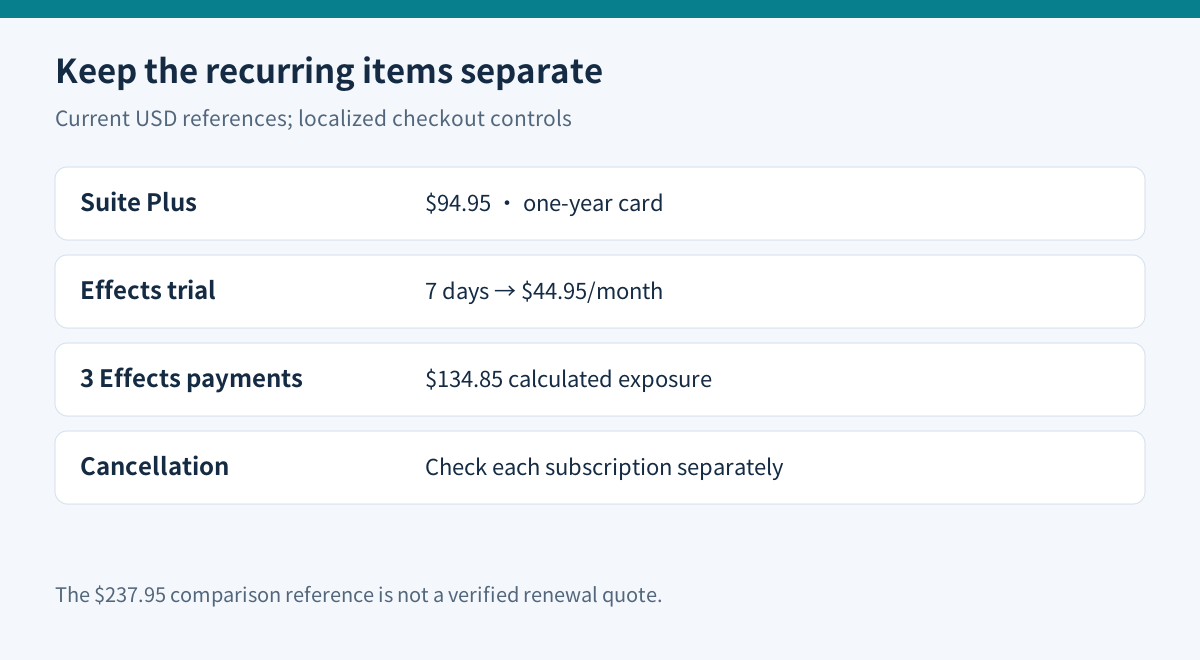
The retrieved USD purchase page shows basic Video Suite at $29.95 for one month and Video Suite Plus at $94.95 for one year, against a $237.95 reference with a 60% badge. Plus lists three starter effects packs. The separate Suite plus Photo Editor card is another package.
| Purchase question | What to verify | |---|---| | Need recording, editing and conversion? | Suite's three core applications | | Need independent photo output? | Explicit Photo Editor entitlement | | Need a particular creative asset? | Its included pack or separate subscription | | Need work or client use? | Appropriate Business license |
Do not treat the crossed-out $237.95 as a verified renewal amount. It is the page's comparison reference. Similarly, multiplying the basic monthly price by twelve is not a like-for-like comparison with the Plus annual package. Different components and billing terms make that shortcut misleading.
A short Effects trial can create a larger extra bill
The current Suite purchase surface also presents a seven-day Effects trial renewing at $44.95/month. Confirm whether it is selected in your actual cart. The generic “full access” wording does not establish a year of Effects access inside the Plus price.
Three unchanged monthly Effects charges would total $134.85. That is calculated exposure, not a forecast of your invoice, but it shows why the extra renewal deserves a separate decision. Included starter packs should not be confused with the entire subscription library.
Movavi says program, Effects and Templates subscriptions are managed separately; canceling one does not cancel the others. Cancellation stops future renewal while paid access normally continues through its term, and account status can take up to twenty-four hours to update. Save confirmation for each recurring item.
Check version and license, not just the product name
The purchase heading still says 2026, while the release page records major version 27 on September 29, 2026. Subscribers are told major upgrades are included while subscribed. Confirm the actual download and entitlement; a dated storefront heading alone is not proof that a particular new feature is available in your installation.
The standard Personal license is generally for one computer unless the order says otherwise. Business use has separate rights, and the narrow monetized-video exception has attribution conditions. A bundle of three applications is not three device licenses. Check the operating system and intended use before ordering.
Compare a free workflow before committing annually
| Job | Free alternative | Practical boundary | |---|---|---| | Record screen and audio | OBS Studio | Configure sources and recording settings | | Convert compatible video | HandBrake | Transcoding, rather than a full editing timeline | | Edit and assemble clips | Shotcut | Learn its own timeline and export workflow |
The projects describe these tools as free and open source. Shotcut documents multitrack editing and subtitle support. This is a capability comparison, not a claim that either workflow is faster, easier or identical.
Use your own short sample to compare the effort of recording, importing, editing and exporting. Check audio sync, legibility, target format and any asset restrictions. Preserve the originals. A successful demonstration with your files is more valuable than paying for unused bundle components.
Buy for a repeated workflow
Choose Suite Plus when its three core applications earn their place and the annual commitment fits. Keep a focused tool or free workflow when the other components add little value. Choose a photo-inclusive package only when its exact entitlement is needed.
The fourteen-day refund policy has qualifying conditions, including unresolved technical or activation issues; it is not a general change-of-mind promise. Validate the workflow before paying.
Movavi has a public cash affiliate program and Toolnavia participates through CJ. This Suite guide currently uses the official product destination because an exact Suite tracking creative has not been verified. No exclusive coupon, cashback or additional incentive is offered.