TOOLNAVIA / BUYING GUIDE
Movavi Silence Removal: Faster Cuts Without Rushing Every Sentence
The short answer
Buy Movavi for silence removal only when adjustable pause detection saves repetitive editing without damaging the way your video communicates. A free tool may already be enough: Clipchamp offers silence removal for pauses longer than three seconds. Movavi's useful distinction is control over pause duration and audio level inside a normal editing timeline—not a promise to understand which moments matter.
This is documentation-based buying advice. Toolnavia has not installed the editor or measured its cutting accuracy.
At a glance
- Best for
- Recurring personal spoken-video editing with a demonstrated need for adjustable pause detection.
- Price model
- November 2 display: $54.95 for one year/one PC, offer through November 8; local checkout and renewal vary.
- Check first
- No accuracy test or universal preset; current build, personal license and cart must be checked.
Start with the pauses you intend to keep
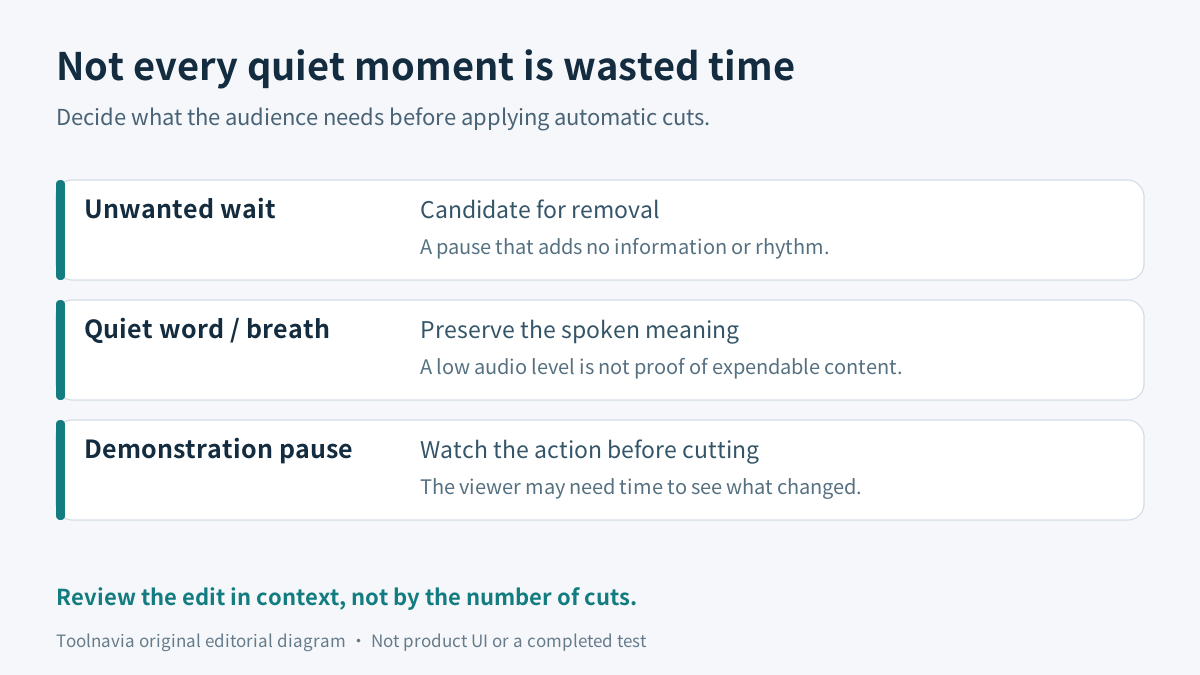
Imagine a personal cooking video. A long wait while the presenter finds a spoon contributes little. A quiet pause while the camera shows the mixture's texture may be the point of the shot. Automatically shortening both would make the video shorter, but not necessarily better.
Before processing a clip, classify a few representative moments yourself:
| Moment | Editorial intention | What to check after a cut | |---|---|---| | Unwanted waiting | Shorten or remove | The next sentence still begins cleanly | | A breath or deliberate beat | Retain enough natural rhythm | The speaker does not sound hurried | | A softly spoken word ending | Keep the complete word | A low level was not mistaken for disposable time | | A silent demonstration | Preserve the useful visual action | Viewers still have time to see the result |
These are editing judgments, not capabilities attributed to Movavi. They give you a standard against which to judge automation. A high number of detected gaps is not itself a good result.
What the two controls actually contribute
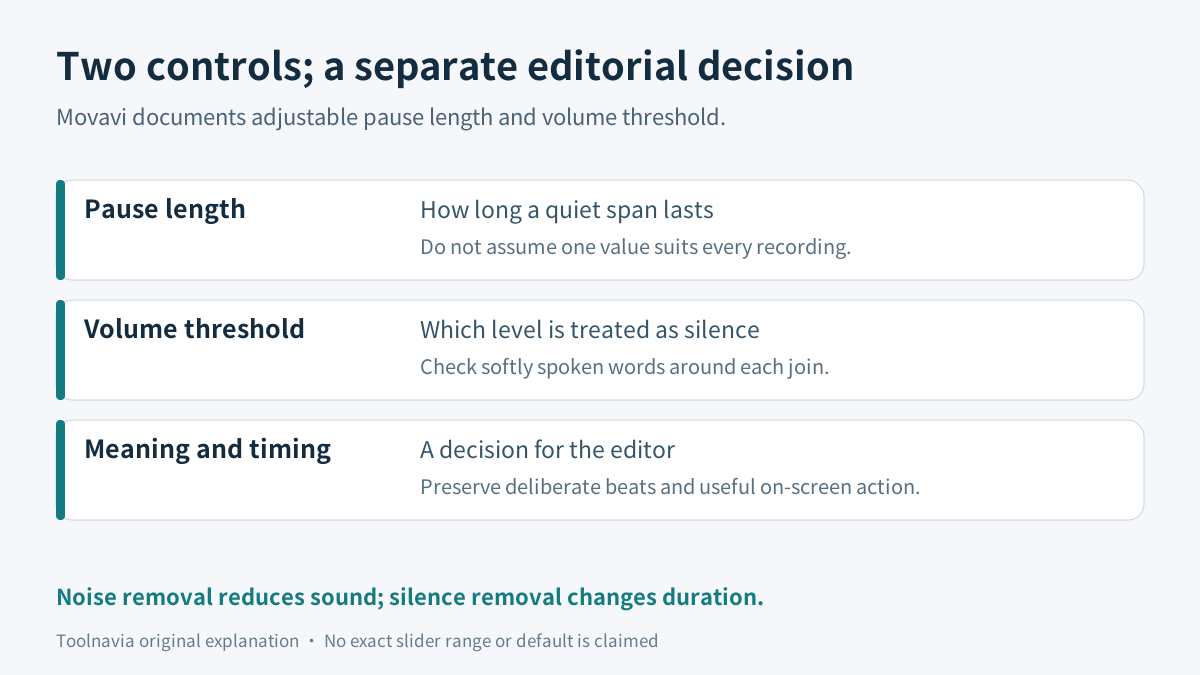
Movavi documents automatic pause cuts, an adjustable pause length and a volume threshold. Its workflow places Silence Removal above the timeline or in Tools. It also retains ordinary trimming, splitting and audio finishing.
The four practical benefits are distinct. Automatic detection can reduce repeated searching. A duration control helps distinguish long waits from short breaks. A level control addresses what is treated as quiet. Ordinary timeline editing lets you correct timing after the automatic pass. None proves that the software knows why a person stopped speaking.
A duration setting asks how long a quiet span must last; a threshold asks which audio level qualifies. Changing one does not answer the other question. The reviewed documentation did not establish a universal safe value, exact current slider range or default. Inspect the controls in the build you will actually use rather than copying an unsupported numerical preset.
Keep noise reduction separate. Lowering background noise changes the sound; deleting a quiet interval changes the running time. A noisy recording may need better recording conditions or careful audio cleanup, while a well-recorded sentence may still contain an unnecessary wait. Neither operation removes the need to listen.
Compare the free route before buying
Clipchamp is a concrete baseline, not merely an unnamed alternative. Microsoft says its silence-removal feature is free, targets gaps longer than three seconds and requires audio or voice. It offers review, ignore, individual removal, bulk removal and undo; it also leaves a small pause to avoid abrupt cuts.
Use that route first when your problem is a handful of obvious long waits. Manual trimming in an editor you already own may be even simpler. Movavi becomes more interesting when you repeatedly need adjustable detection and want to finish those edits in its timeline.
Descript offers a different working model: identify word gaps by duration, choose a new target length, and shorten individual or all results. Its current-plan help says this uses AI Credits. Adobe Premiere instead documents pause filtering and deletion within Text-Based Editing. These are workflow comparisons, not claims that either product is free or that Movavi has their transcript controls.
Review one real passage, including the picture
Keep the original recording and work on a disposable project copy. Choose a passage containing an unwanted wait, a breath, a quiet ending and a meaningful on-screen pause. Write down the moments that should survive before applying automation; otherwise it is easy to accept every suggestion just because it looks tidy.
Inspect the actual duration and level controls, make a conservative pass, and listen to the words on both sides of each changed join. Then watch the picture. A sentence can sound smooth while the useful hand movement or a screen result has been shortened too far. Restore those moments manually when necessary.
Finally, compare the effort with your usual edit. Count the time spent reviewing and repairing as well as the manual cuts avoided. The useful outcome is less total work for a video you would still publish, not the largest reduction in duration. This is a proposed evaluation, not a report of successful software testing.
What the annual purchase covers—and what remains uncertain
On November 2, 2026, Movavi's official Windows destination displayed **$54.95 for one year on one PC**, with the displayed offer valid until November 8 and a location-dependent-price warning. A separate lifetime card was $119.95; it is not the annual purchase discussed here. Final currency, tax, renewal settings and any optional extras need checking in the selected cart. A fixed future renewal amount was not established.
The public release history currently names version 27.2.0. The saved commercial offer uses an older year label, so this guide deliberately uses the product name without promising that every older perpetual license includes current features. Check Help > About, the installed tool and the version delivered by the order.
Also distinguish a free download from unrestricted final output. Movavi lists build-dependent trial restrictions including possible watermarks, output-length limits or advanced export restrictions. Inspect the actual trial notice. Do not assume that a successful preview proves an unrestricted finished export.
For this article's personal Windows use case, buy only after the selected annual license and tool availability fit. Do not assume this personal offer authorizes client or company production without checking the applicable license.
The purchase decision
Movavi is a reasonable candidate when you repeatedly edit spoken personal videos, its adjustable pause detection addresses work your existing editor does not, and reviewing the cuts still leaves a useful time saving. Keep a free or existing tool when long gaps are the only problem, there are only a few cuts, or meaningful silent action dominates the footage.
The best reason to pay is a repeatable editing benefit with intact speech and visual timing. Neither the current promotion nor an automation label supplies that evidence for you.
[Check the current Movavi Video Editor annual offer](https://www.jdoqocy.com/click-101895278-13233645).
Affiliate disclosure: Toolnavia may earn a commission through this link. It opens the merchant's product destination; verify the chosen term, version, price and license. No exclusive discount, cutting accuracy or measured time saving is promised.