TOOLNAVIA / BUYING GUIDE
MobileTrans Phone Transfer: Will It Move Your eSIM—or Only Your Data?
The short answer
At a glance
- Best for
- Buyers who secured the carrier route and still have a tested user-data gap.
- Price model
- Current Windows: US$29.99/year; US$25.99/month; US$39.99 perpetual.
- Check first
- Does not activate a carrier line; one PC/up to five devices; support varies.
Bottom line
**MobileTrans Phone Transfer can move supported user data; it does not activate your carrier line.** Moving contacts, photos, files or supported messages is a different job from moving a phone number and eSIM profile. Wondershare's own eSIM guide separates carrier-line migration from local files and cross-platform chat history, while its product guide describes phone-data workflows rather than carrier provisioning.
The current Windows Phone Transfer offer is **US$29.99/year**, **US$25.99/month** or **US$39.99 perpetual**, for one PC and up to five mobile devices. That license can be reasonable if built-in migration leaves a tested data gap. It is not a reason to buy MobileTrans merely to move an eSIM.
> **Affiliate disclosure:** Toolnavia may earn a commission if you buy through the approved MobileTrans link. This does not change the price you see or the activation gates below.

Two lanes: data and cellular service
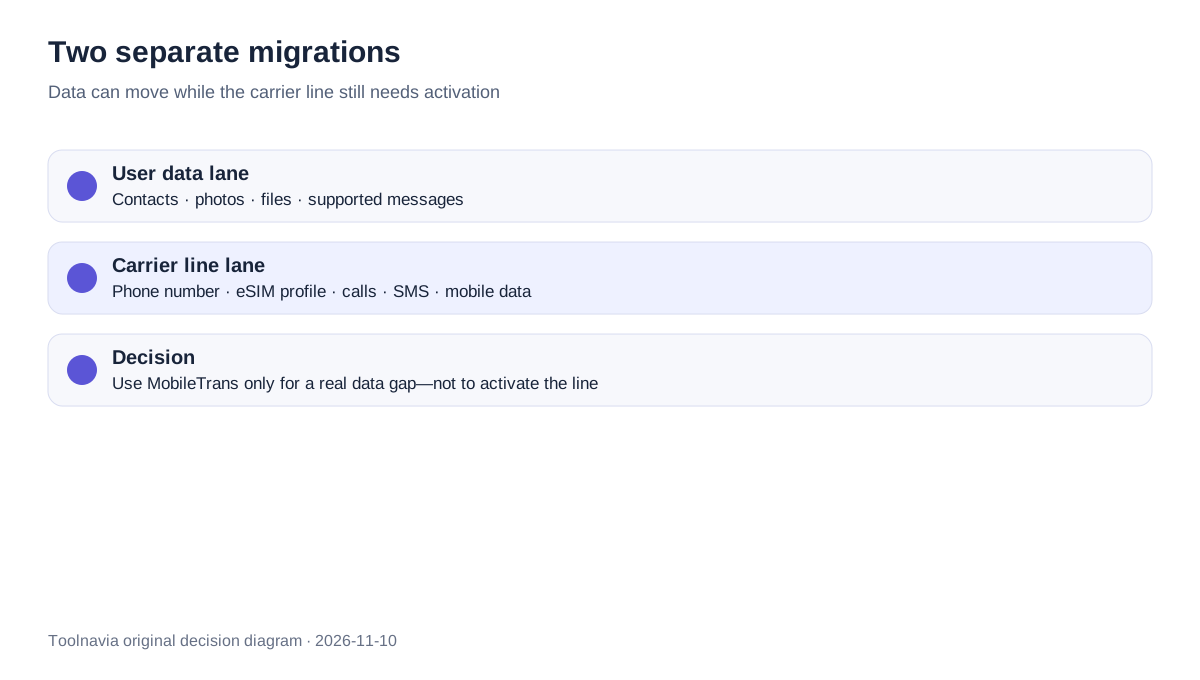
Think of a phone upgrade as two parallel lanes.
**The data lane** includes contacts, photos, files and other categories supported by the chosen migration tool. MobileTrans documents phone-to-phone transfer plus import/export workflows. Samsung Smart Switch likewise lists content categories for Galaxy migration.
**The carrier lane** includes the phone number, eSIM profile, calls, SMS and mobile data. Apple documents Quick Transfer, Carrier Activation, QR code, carrier app and other carrier-controlled routes. Google and Samsung also make carrier/device eligibility central to eSIM transfer.
A successful data copy therefore proves nothing about line activation. You can have every photo on the new phone and still see “No Service.” You can also activate the line first and discover that an app, message database or file category did not migrate.
Check eSIM eligibility before touching the old phone
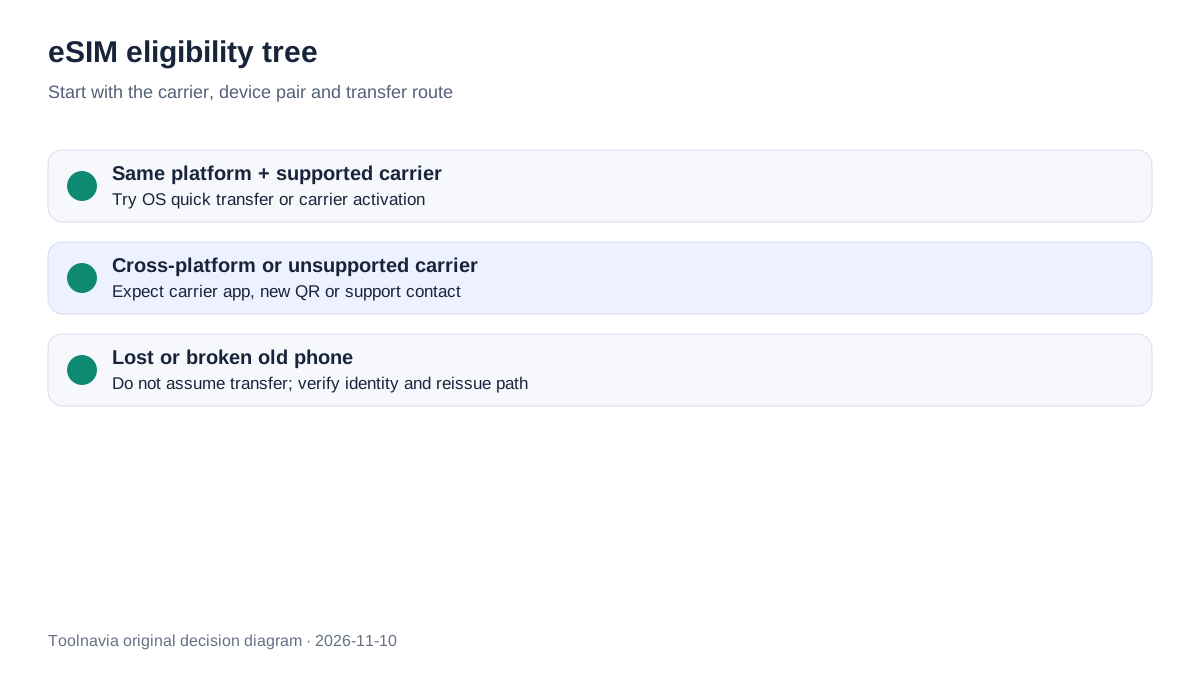
Start with five facts: old and new device models, operating-system versions, carrier, country, and whether the current line is physical SIM or eSIM. Then ask the carrier or device setup flow which route actually applies.
Apple says eSIM Quick Transfer requires carrier support and current device/account conditions; its current setup page lists nearby devices, Bluetooth, signed-in Apple Accounts and supported OS versions among the prerequisites. Cross-platform transfer can depend on participating carriers and device makers; otherwise Apple directs the user back to the carrier or a QR-based activation path.
Google's Pixel guidance likewise ties automatic transfer to carrier support, software state and device security. Samsung publishes carrier-specific eSIM guidance and says unsupported cases require carrier help. These are not universal promises: the available button can vary by country, carrier and phone pair.

| Situation | First route to check | Do not assume | |---|---|---| | Recent iPhone to iPhone | Apple Quick Transfer / Carrier Activation | Every carrier participates | | Supported Android pair | Device-maker transfer flow | Cross-brand support is identical | | iPhone ↔ Android | Participating cross-platform route or carrier | A data cable activates the line | | Carrier change | New activation or QR from the new carrier | Old QR codes remain reusable | | Old phone lost/broken | Carrier identity verification and reissue | The eSIM can be copied locally |
The safe sequence: activate, verify, then erase
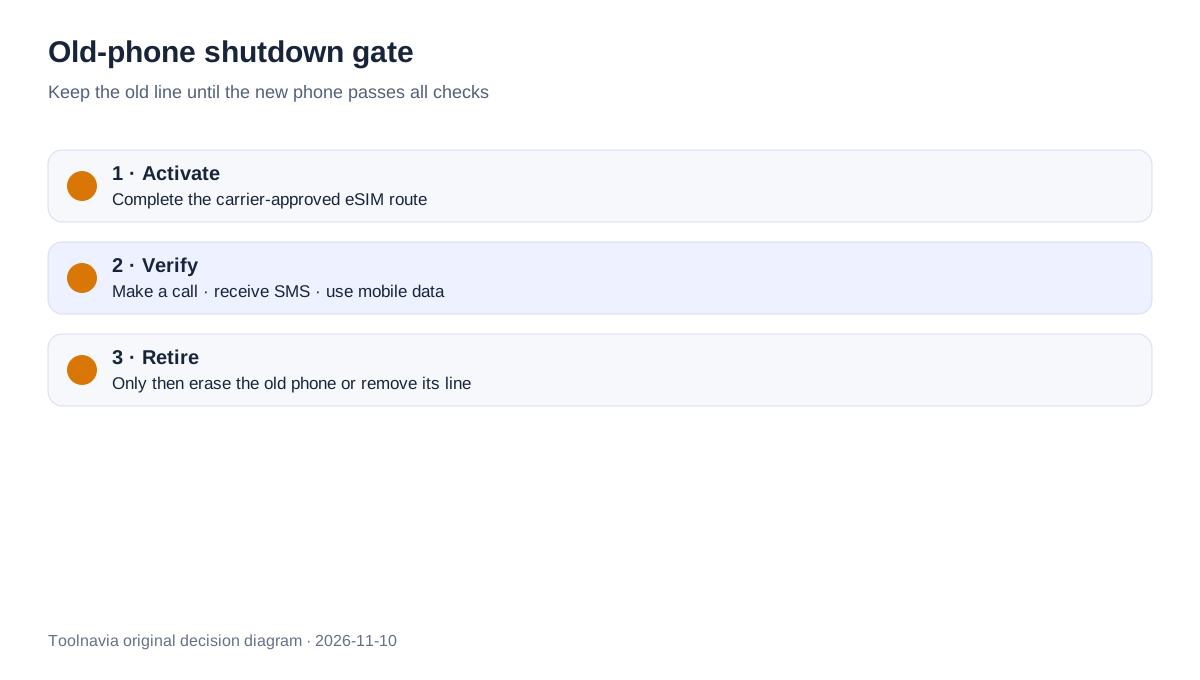
Do not erase the old phone just because the data progress bar reached 100%. Keep it powered, signed in and reachable until the new phone passes a cellular acceptance test.
1. Complete the carrier-approved eSIM route. 2. Wait until the new line reports active. 3. Place an outbound call. 4. Receive an inbound call and an SMS. 5. Turn off Wi-Fi and load a page over mobile data. 6. Confirm banking or other number-dependent sign-in recovery. 7. Only then remove the old eSIM or erase the old device.
Apple notes that when Quick Transfer completes, activation on the new iPhone deactivates the prior SIM. That is precisely why the carrier flow—not a third-party data transfer—is the authoritative transition point.

If activation loops or “No Service” persists, stop. Recheck carrier eligibility, account status and the exact setup method. Do not repeatedly scan an old QR code or delete profiles at random. Wondershare's editorial eSIM guide may suggest troubleshooting steps, but carrier and device-maker instructions should control a decision that can interrupt service.
When MobileTrans is worth paying for
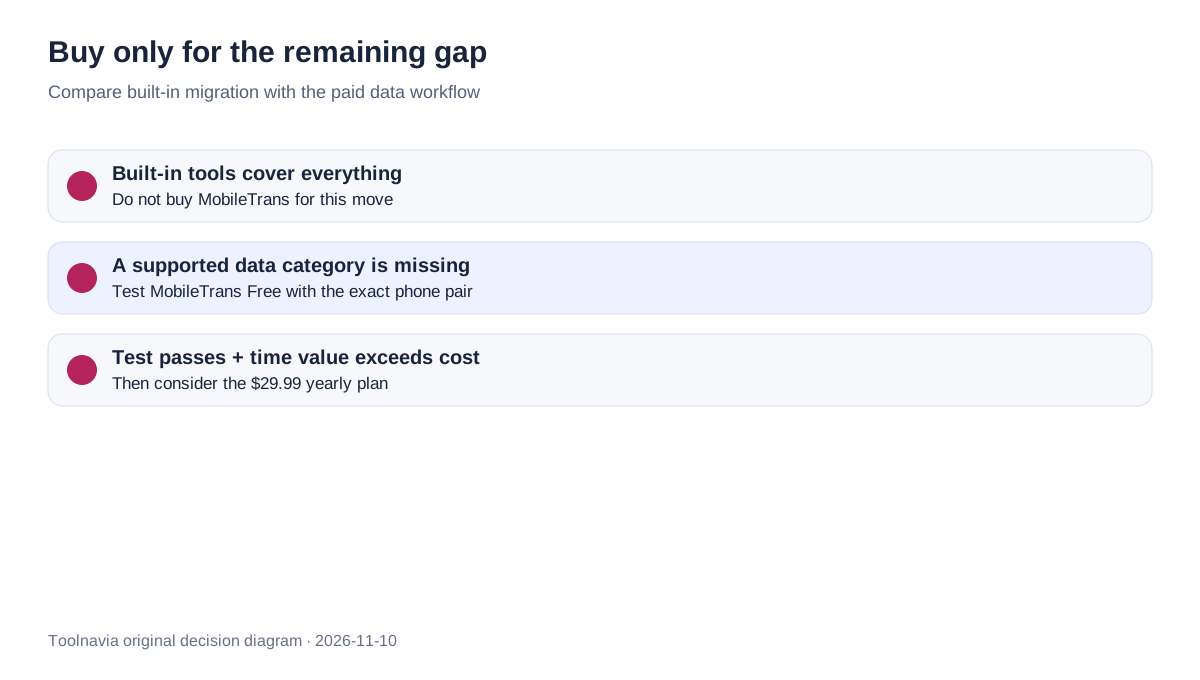
After the line plan is clear, inventory the data gap. Run the built-in migration first when practical, then verify contacts, photos, calendars, files, messages and app-specific data separately. A home-screen icon does not prove its account or local database moved.
Use MobileTrans Free with the exact phone pair and a disposable sample. Confirm both devices are recognized, the desired category appears, sample records arrive intact, timestamps and contact fields survive, and the destination does not duplicate or overwrite important data. The paid offer currently covers one PC and 1–5 mobile devices; a sixth device or second computer changes the license decision.

**Value test:** monthly value = minutes saved per migration × migrations per month × value of your hour ÷ 60.
Buy only when the tested time value exceeds the current checkout total and built-in tools leave a real gap. At the displayed price, the yearly plan can make sense for a household using one Windows PC across several phones. The perpetual option may suit a stable workflow, but future compatibility and major-version rights must be checked at checkout. Prices, tax, promotion and renewal terms can change.
Do not buy when the only unresolved job is eSIM activation, when built-in migration already covers the required data, or when the exact phone pair fails the free sample test.
Conflicts and limits
Wondershare's eSIM article discusses both eSIM movement and MobileTrans for separate data tasks. The product name “Phone Transfer” can blur that boundary. Apple, Google and Samsung make carrier/device support decisive for the line itself. This article resolves the conflict by treating MobileTrans as a **data-migration purchase**, never as proof of carrier activation.
We did not activate a carrier account, reuse a QR code, or benchmark transfer success. Device support, regional availability and carrier policy can change. The displayed US prices were reread on 2026-11-10 China time, but the final cart controls tax, promotion, renewal and eligibility.
**Recommendation:** secure the eSIM route first, keep the old line until calls/SMS/data pass, then test the remaining data gap. If that sample succeeds and the time saved is worth more than the checkout total, [check the approved MobileTrans Phone Transfer offer](https://www.anrdoezrs.net/click-101895278-13943579). Otherwise use the built-in migration and spend nothing on this move.