TOOLNAVIA / BUYING GUIDE
MobileTrans App Transfer: Will Your App Data Move Too?
The short answer
MobileTrans can help when a phone has already been set up, when the move crosses platforms, or when you want a Windows-based import/export workflow. But the buying decision turns on one phrase: **“Apps” does not automatically mean every app's private data**.
Wondershare's product pages say MobileTrans can detect apps and support batch installation, while its own support article says phone-to-phone **App data is not supported as a universal capability**. The safest interpretation is narrow: the tool may help recreate an app list or move supported categories, but it cannot promise every login, game save, private database, or local setting. The separate official app-transfer page is treated as app detection and installation evidence, not as a universal private-state guarantee.

At a glance
- Best for
- Supported contacts,media,messages,documents and selective after-setup transfers.
- Price model
- Nov2:US$29.99/year,US$25.99/month,US$39.99 perpetual;checkout controls.
- Check first
- App installation does not guarantee private app data,logins,game saves or protected settings.
Start with the four data layers
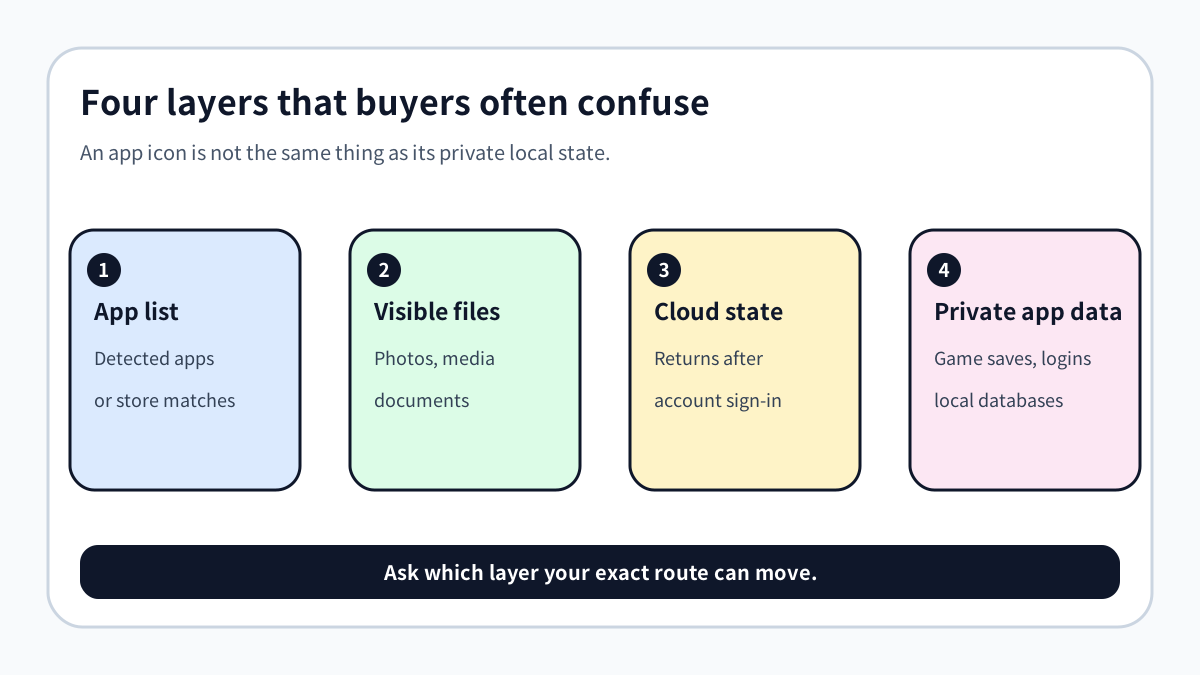
A phone change mixes four different things. First is the **app list or installable binary**. Second is user-visible content such as photos, videos, contacts, messages, music, and documents. Third is state that returns from a cloud account after sign-in. Fourth is **private on-device app data**—for example an offline game save, a local database, a token, or settings stored inside an app's protected area.
The first three layers may be recoverable by store matching, file transfer, or account sync. The fourth depends on platform rules and the individual app. Google says Android setup can copy apps and certain app data, but data from apps that do not participate in Android backup will not copy. Samsung similarly warns that private-storage data may be excluded, and its FAQ says game data is not transferred.
Direction matters more than the product slogan
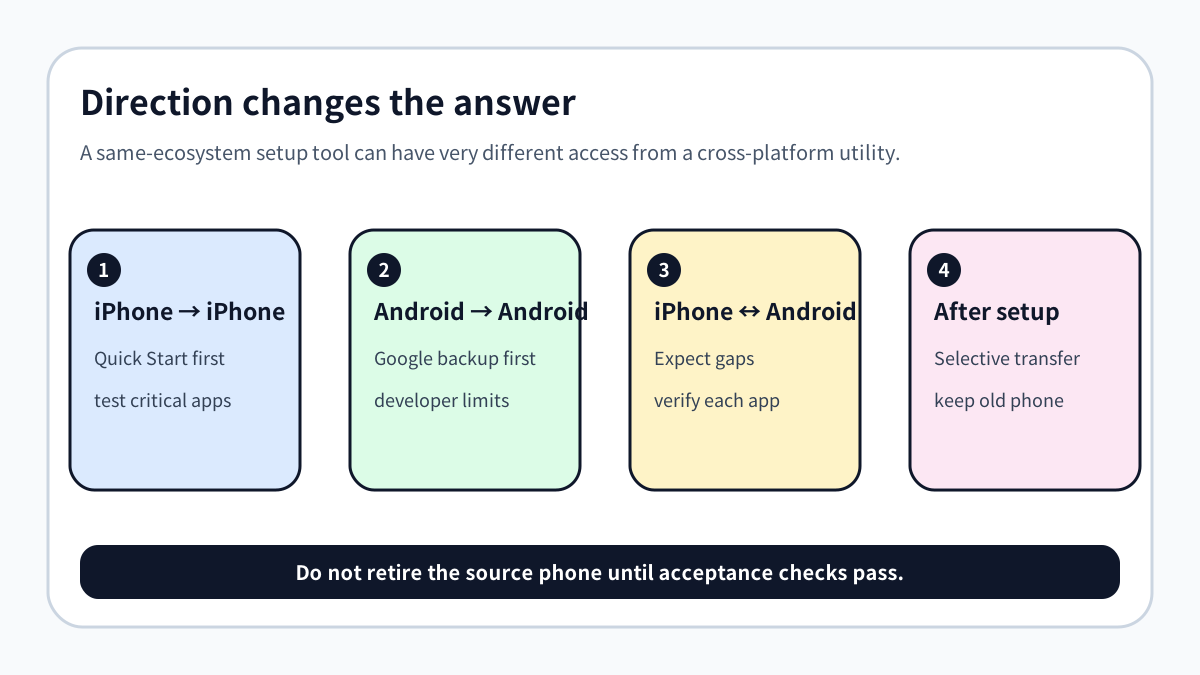
For **iPhone to iPhone**, try Apple Quick Start first. It is built into setup and can download or transfer apps and data, although the result still needs checking. For **Android to Android**, use the device's setup transfer and Google backup first. For **iPhone to Android or Android to iPhone**, expect more gaps because the destination platform cannot simply import every protected database from the other ecosystem.
MobileTrans becomes more relevant when the destination is already set up, when you need a selective Windows workflow, or when contacts, media, messages, and documents are the real goal. It does not remove the need to plan separately for authenticator apps, password managers, finance apps, games, and offline databases.

What the paid Phone Transfer plan actually buys
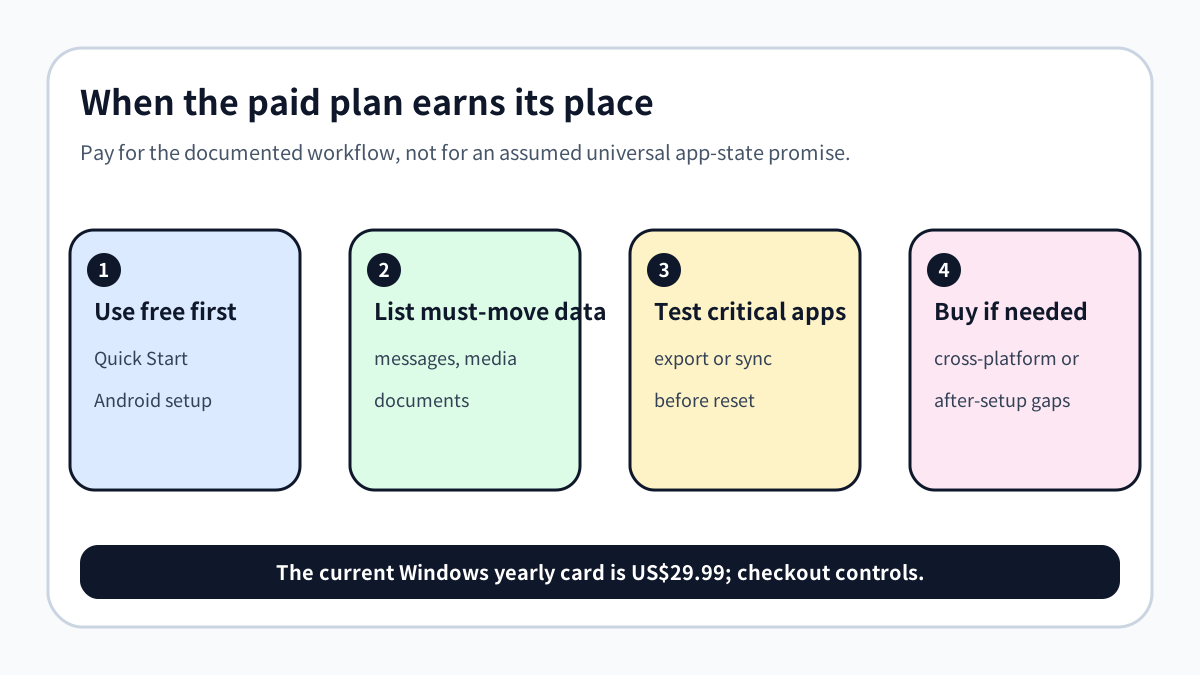
On November 2, the official Windows Phone Transfer page displayed **US$29.99 per year**, auto-renewing, for one PC and up to five mobile devices. It also displayed a US$25.99 monthly option and a US$39.99 perpetual option. The plan lists phone-to-phone transfer, import to phone, and export to computer. Current checkout, tax, currency, renewal, and selected platform control the real order.
The free-trial support page says phone-to-phone transfer requires a paid license. That makes a pre-purchase inventory especially important: write down the exact data you must keep, then check whether the documentation names those categories. Do not buy merely because an app icon appears in a supported-data table.
[Check the current MobileTrans Phone Transfer plan](https://www.anrdoezrs.net/click-101895278-13943579) — affiliate link. Toolnavia may earn a commission; the price is not increased by this disclosure.
How competitors clarify the boundary
AnyTrans and iMazing use more explicit language for some **iOS-to-iOS** workflows, including app data, game progress, documents, or chats. Those claims are narrower than a universal cross-platform promise and still need route-specific verification. EaseUS MobiMover separates general phone content from a Social App Manager that supports selected messaging apps.
This comparison does not prove one tool is universally better. It shows why buyers should compare **direction, app type, and data layer**, not just the word “transfer.” A tool that is strong for iOS backup may not solve Android-to-iPhone private state; a WhatsApp module does not imply support for every other app.
Run a buyer acceptance test before resetting anything
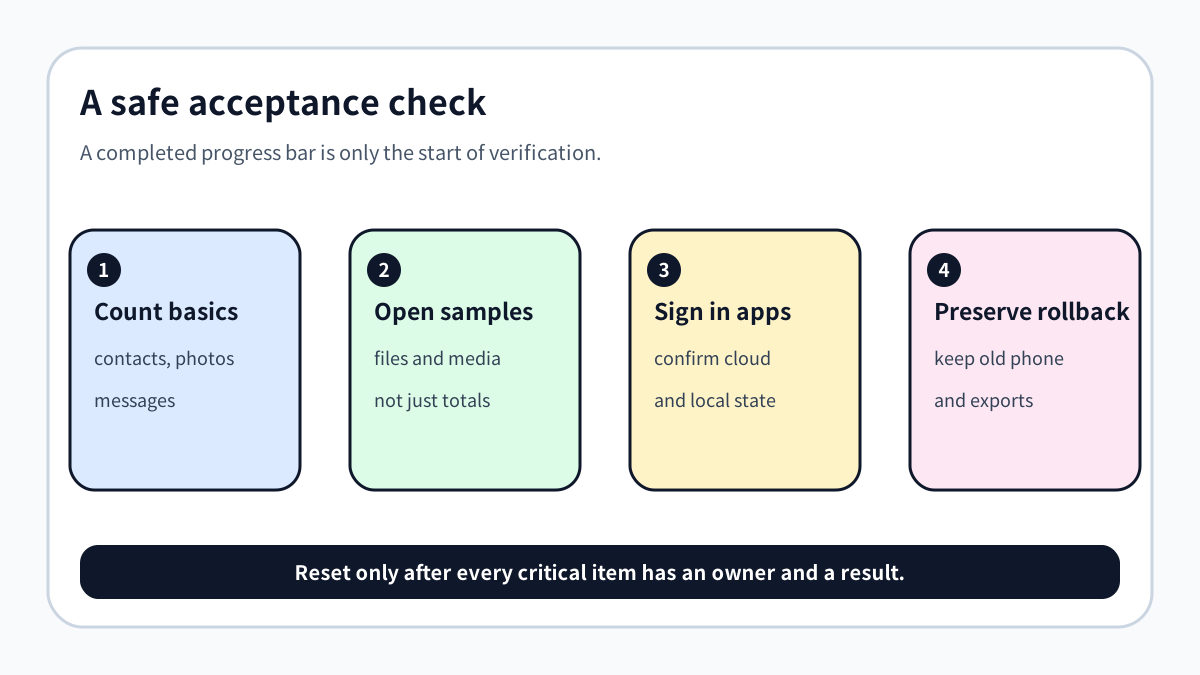
Keep the source phone charged and untouched. Transfer a small, representative set first. Count contacts and messages, open several photos and documents, play media, sign in to critical apps, and verify whether required local state is present. For apps with export or cloud-sync functions, create those backups separately before migration. Record any app that requires re-authentication or manual export.
A successful progress bar is not a complete acceptance result. The real test is whether the new phone can perform the tasks you care about without the old phone.


Who should buy—and who should not
**Buy or keep MobileTrans Phone Transfer** if your documented goal is supported contacts, messages, photos, videos, music, documents, or a selective after-setup Windows workflow, and free platform tools do not fit.
**Do not buy it for a blanket guarantee** that every app, login, game save, private database, authenticator secret, or protected local setting will move. If one critical app decides the purchase, verify that app's own export, backup, and cross-platform policy first.
The honest verdict: MobileTrans can close real migration gaps, but the value comes from supported content and workflow flexibility—not from an unlimited promise to clone every app's private state.