TOOLNAVIA / BUYING GUIDE
MobileTrans vs Move to iOS: Pay $29.99 After Trying USB-C?
The short answer
At a glance
- Best for
- Android users with a named repeat, desktop, bidirectional or post-setup transfer need after testing the free official path.
- Price model
- $29.99/year, $25.99/month or $39.99 perpetual for Windows Phone Transfer; Move to iOS is free
- Check first
- One PC/five-phone cap, Windows-only license, no guarantee for every app’s private data, and the common one-time setup move is often free.
Verdict
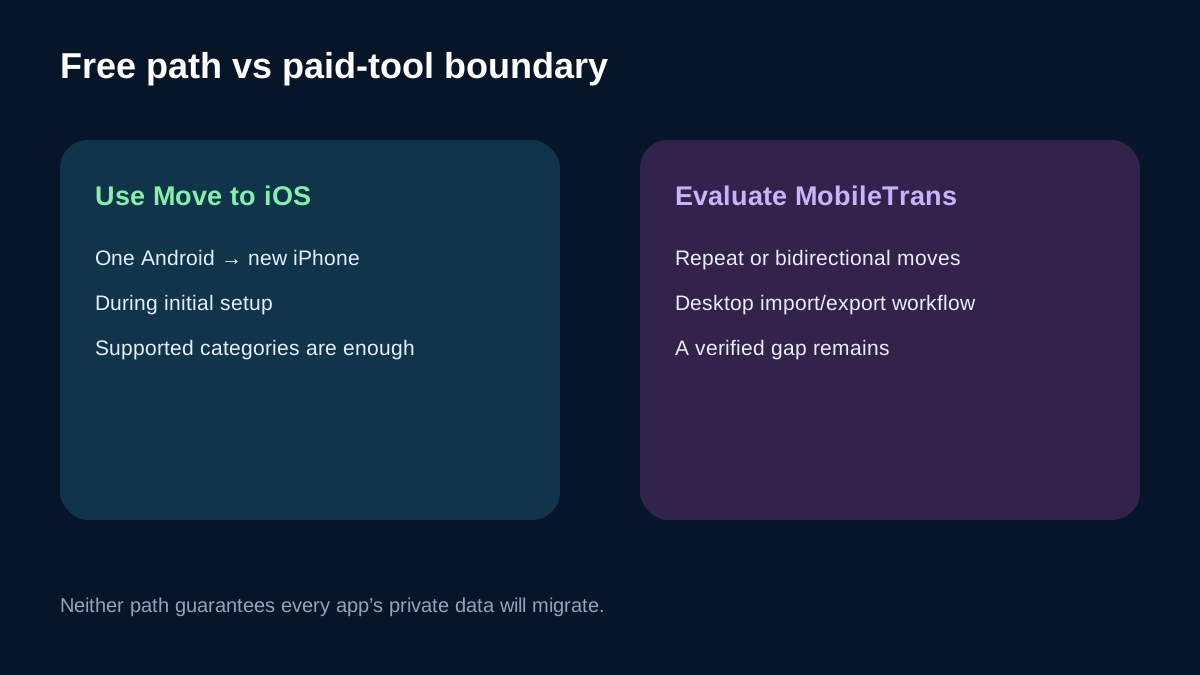
Use Apple’s free Move to iOS first for one Android-to-new-iPhone migration. Apple and Google now document USB-C, and Apple lists contacts, messages, camera media, files and folders, settings, bookmarks, mail accounts, WhatsApp, voice memos, call history and calendars. Paying merely because the old comparison was “wireless versus desktop” is no longer justified.
Consider MobileTrans Phone Transfer only when a named gap remains: repeat or bidirectional moves, a Windows desktop archive, phone-to-computer export, computer-to-phone import, or a post-setup workflow that does not justify erasing the iPhone. The current Windows page shows $29.99/year, $25.99/month or $39.99 perpetual for one PC and up to five phones.
Toolnavia may earn a commission from the approved direct link. This guide is based on documentation, not a speed, success-rate, compatibility, integrity or no-loss test.
What the free USB-C route can already move
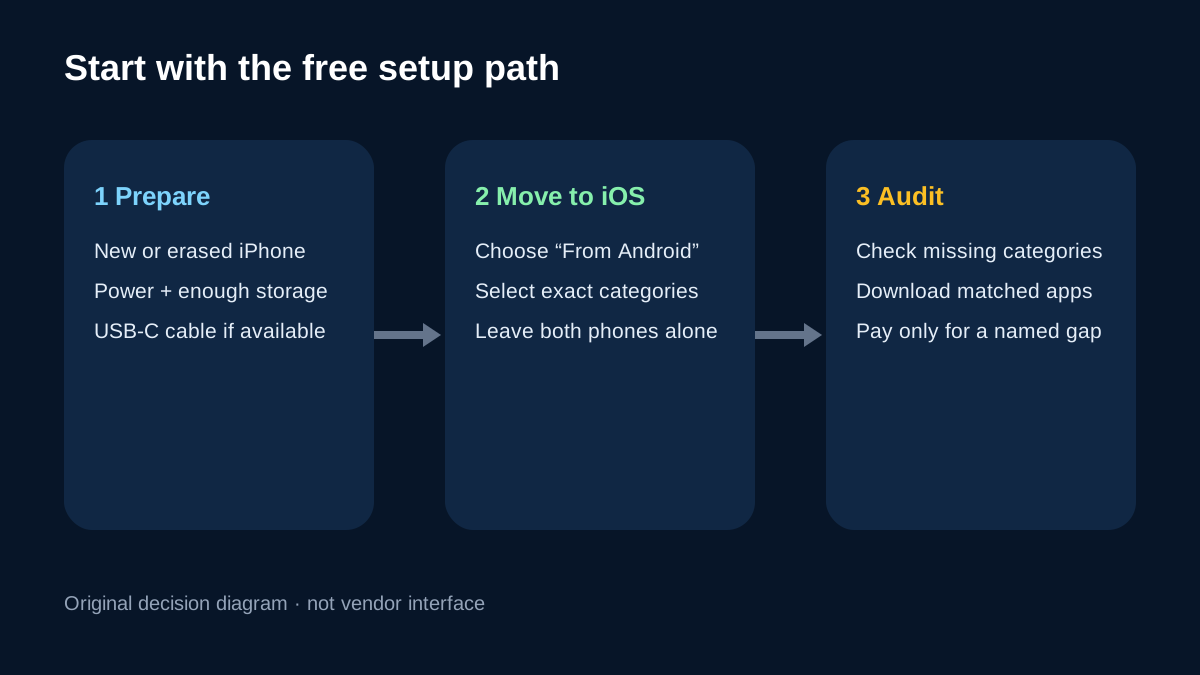
During iPhone setup, choose From Android, connect by USB-C when available or use Wi-Fi, select the content and leave both phones alone until the iPhone progress bar finishes. Google says the cable is more reliable. Keep both phones powered and verify that the iPhone has enough space.
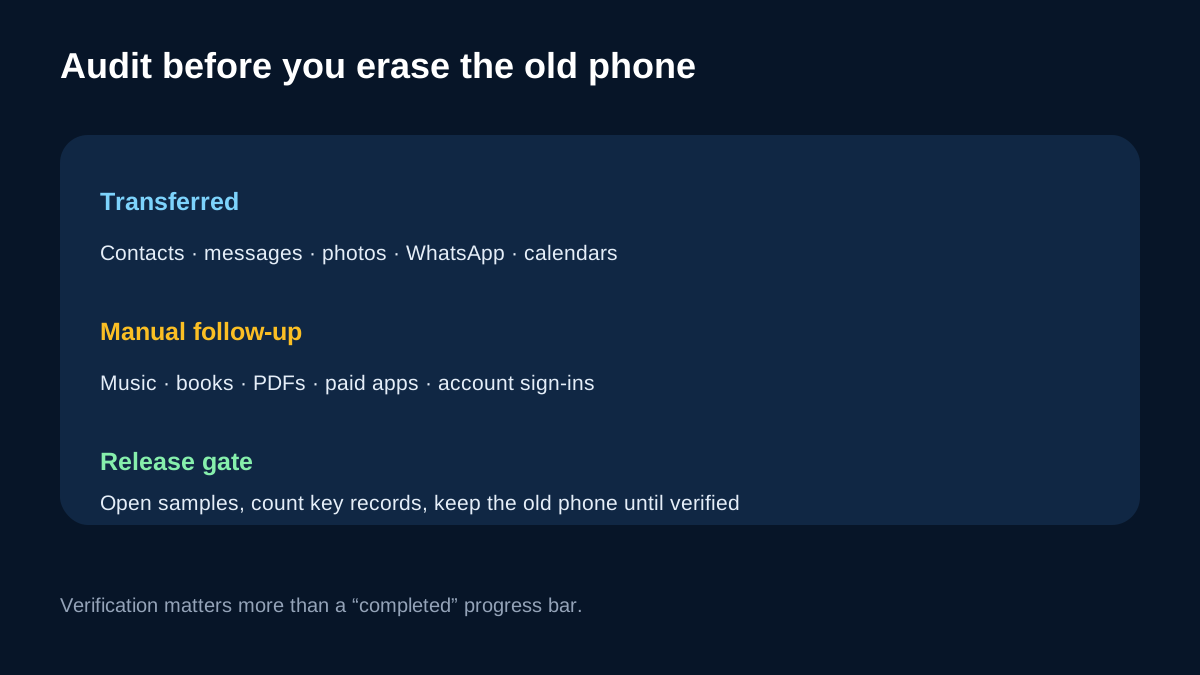
Apple’s current scope includes contacts, messages, photos, videos, albums, files, folders, accessibility and display settings, bookmarks, mail accounts, WhatsApp, voice memos, call history and calendars. Some matching free apps can be located in the App Store. Music, books, PDFs, paid apps and some private app data still need manual work.
USB-C is not a guarantee. Permissions, USB mode, storage, interruptions or an unsupported category can still break the plan. The free route is strong enough to test first, but the result still needs an audit.
When MobileTrans adds real value
MobileTrans’s distinction is workflow, not a promise of perfect migration. Phone Transfer combines phone-to-phone transfer, import to phone and export to computer. That can matter for a desktop archive, selected files staged through one PC, repeat moves or bidirectional reuse.
Move to iOS is tied to initial setup. After setup, Apple’s paths are erase-and-restart or manual transfer. MobileTrans may be worth evaluating when a reset creates more work than the remaining data. This article does not duplicate Toolnavia’s after-setup guide and does not claim every post-setup category or app database will transfer.
Do not buy from “faster,” “stable,” “18+ types” or “6000 devices” language alone. Those are vendor claims, not Toolnavia measurements. Test the exact phones, Windows build, cable and category.
Price, license and break-even
The public Windows page shows $29.99/year, $25.99/month and $39.99 perpetual. All list one Windows PC and up to five phones. Annual includes major upgrades during the subscription. Perpetual keeps the purchased major version and minor updates; a future major version may require another purchase. Promotion, tax and renewal can change.
Monthly is only $4 less than annual, so it is poor value beyond one urgent job. Perpetual is $10 above annual and can beat an unchanged annual term after about sixteen months only if the purchased major version remains compatible and no paid upgrade is needed. A second PC, Mac or sixth phone requires another entitlement.
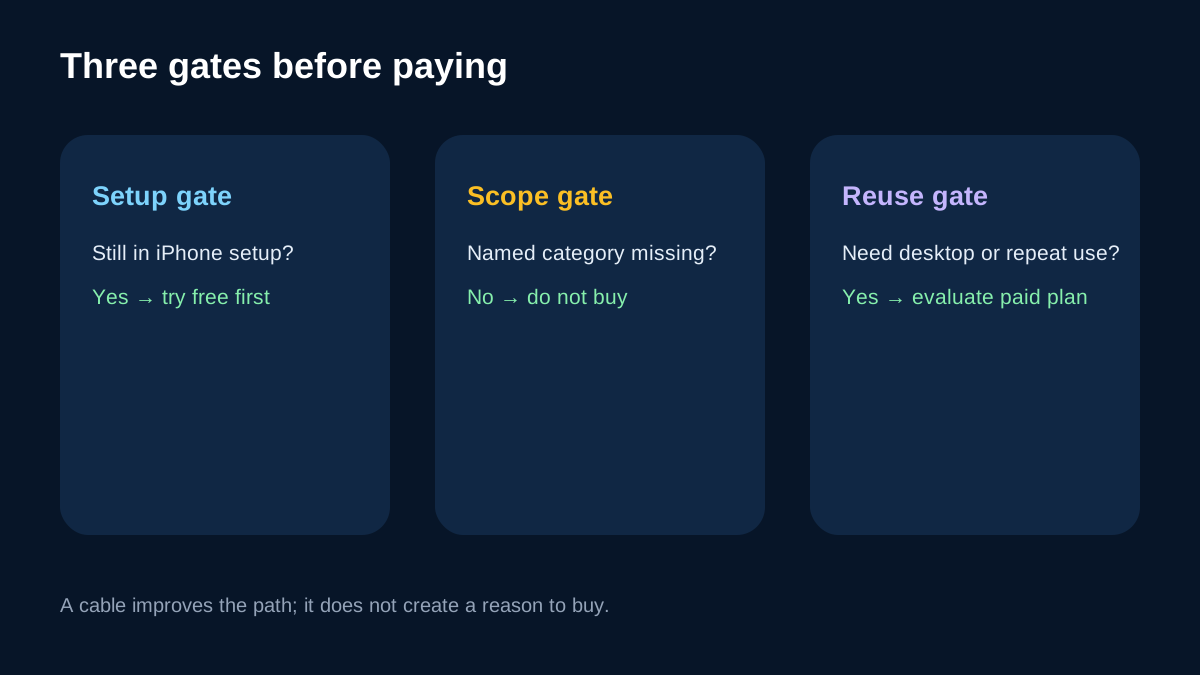
For one setup-time Android-to-iPhone migration, the free option has the clearest break-even: zero software cost.
A no-regret migration test
Update and charge both phones, confirm iPhone space and independently back up irreplaceable data. With a new or safely erased iPhone, connect by USB-C and first transfer a small critical set: contacts, messages, a representative album and WhatsApp if needed.
Audit instead of trusting a completed bar. Count key contacts, open old threads, sample original media, confirm calendar dates, sign in to important accounts and inspect WhatsApp media. Keep the old phone intact until the audit passes.
Then name the gap. “Some things are missing” does not justify $29.99. Write the exact category, direction and workflow. Test MobileTrans recognition and confirm the feature is in Phone Transfer, not a different Full Features or messaging product.
Risks, conflicts and limits
MobileTrans describes Move to iOS as Wi-Fi based, basic and prone to stalls. Current Apple and Google guidance supports USB-C and a broad data set. Toolnavia uses Apple and Google as the current baseline and treats speed or stability superiority as a vendor assertion.
Neither route guarantees every app’s private data, file format or device pair. Desktop software adds a PC, drivers, permissions and another place where sensitive data is handled. Use a trusted computer and remove temporary exports after verification.
The approved offer is Windows Phone Transfer yearly. It does not prove that the mobile app, WhatsApp tools, backup bundle or Mac edition is included. Confirm the cart says Phone Transfer, Windows, one PC and up to five phones.
Who should buy, wait or skip
Buy when the free path has been tested or ruled out and a repeat, desktop, bidirectional or post-setup workflow is worth at least $29.99/year. Wait when the exact phone pair, data category or live cart is uncertain. Skip when this is one setup-time migration and Apple’s supported categories cover the critical data. Use USB-C, audit the result and keep the old phone until verification.