TOOLNAVIA / BUYING GUIDE
MiniTool ShadowMaker Cancellation and Refund Guide: Deadlines, Renewal Steps and Evidence
The short answer
At a glance
- Best for
- ShadowMaker subscribers who need to stop renewal and classify a recent charge before the policy deadline.
- Price model
- Monthly $12.99 / 1 PC; Annual $36 / 2 PCs; live checkout controls.
- Check first
- Cancellation does not itself refund a charge; eligibility and exclusions depend on the detailed policy and transaction record.
Quick verdict
MiniTool ShadowMaker subscriptions do not end merely because the app is uninstalled. Monthly and annual plans renew automatically unless the buyer cancels before the next term, and MiniTool's sales FAQ says cancellation is handled through the link in the order confirmation email or by contacting support with the order ID or registered email address. Cancellation stops a future renewal; it is not, by itself, a refund request.
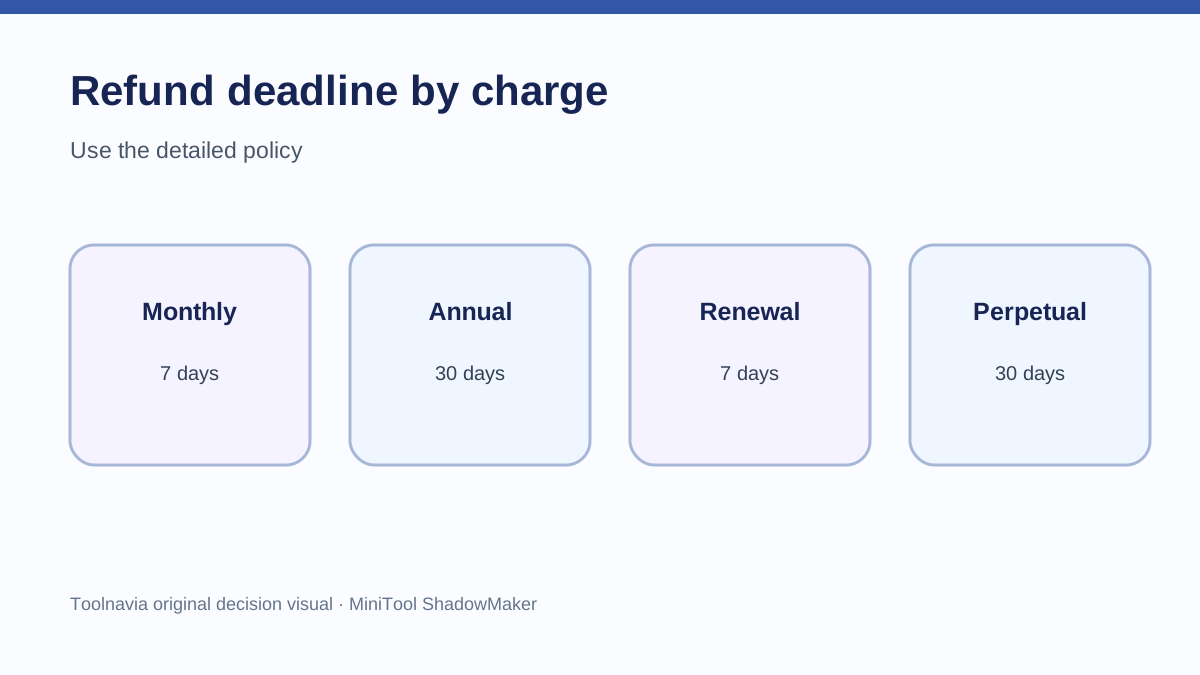
The refund clock depends on the charge. MiniTool's detailed refund policy gives a 7-day request window for a monthly purchase, 30 days for annual or perpetual purchases, and 7 days after an automatic renewal. The campaign page also displays “30 Days Money Back,” but that short banner is not a universal 30-day promise: the detailed policy is the controlling source for monthly and renewal charges.
The practical rule is simple: cancel renewal as soon as you decide not to continue, keep the confirmation, and send a separate refund request promptly if the charge fits the policy. Do not wait for the end of the displayed billing period to begin either step.
First identify the charge you are disputing
Before writing to support, label the transaction correctly:
- **New monthly order:** the detailed policy states a 7-day refund-request window. - **New annual order:** the detailed policy states a 30-day window. - **New perpetual order:** the detailed policy also states a 30-day window, even though it has no recurring renewal. - **Automatic renewal:** the detailed policy states that a renewal refund request must be made within 7 days after renewal. - **Cancellation without a refund:** the current subscription may remain usable until its paid term ends, but no new term should be charged after cancellation is completed. The buyer should retain written confirmation rather than infer success from an uninstall.
The order date, renewal date and request date matter more than the day you noticed the software was still installed. Save the receipt and a screenshot of the card or PayPal transaction before contacting support.
How to cancel before the next renewal
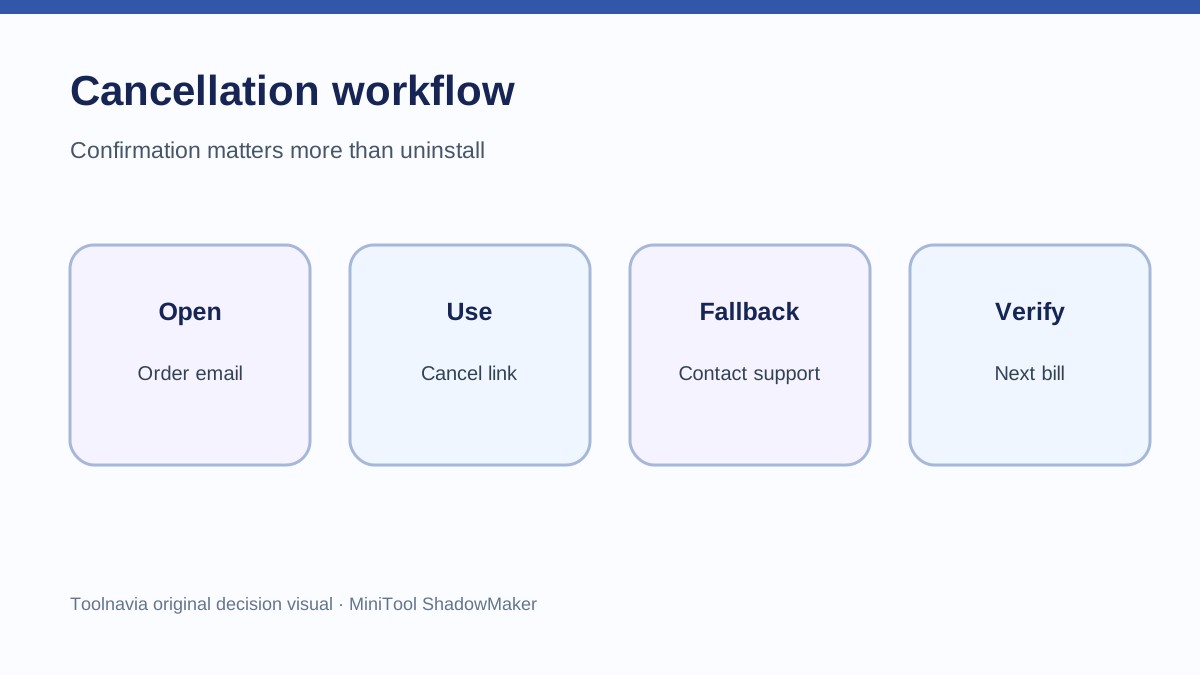
MiniTool's official sales FAQ gives two routes. The confirmation email may contain a FAQ or management link for canceling the subscription. If that route is unavailable, the buyer can email MiniTool support and provide the order ID or the email address used for the order.
Use this sequence:
1. Open the original order confirmation and look for the subscription-management or cancellation link. 2. Complete the cancellation and save the resulting page or email. 3. If the link is missing or fails, email support@minitool.com with the order ID, registered email address, product name and a direct request to cancel automatic renewal. 4. Ask support to state the effective cancellation date and whether another charge is scheduled. 5. Check the payment account after the next billing date rather than assuming that deleting the desktop app changed the billing record.
The reviewed checkout pages identify monthly and yearly ShadowMaker products but load price and order state dynamically. A zero or blank value in an automated page view is not a free offer. The current campaign page is the better public price source, and the actual checkout controls the transaction.
How to request a refund
A cancellation message should say “cancel future renewal.” A refund message should identify the specific charge and request money back under the applicable window. MiniTool directs refund requests to support and says approved refunds invalidate the license, after which the software should be uninstalled.
A useful request includes:
- order ID and registered email; - product and billing interval; - purchase or renewal date; - amount and payment method; - whether automatic renewal has already been canceled; - the applicable policy window; - a concise reason, plus any troubleshooting record if the reason is technical.
MiniTool lists circumstances in which a refund may be denied, including requests outside the stated window, failure to read product descriptions before purchase, or cases where the software successfully performed the intended task. A money-back window is therefore not the same as an unconditional right in every case. Describe the transaction accurately and avoid claiming that a banner overrides the detailed terms.
Resolve the 30-day banner conflict
The campaign page presents a broad “30 Days Money Back” message near the offer. The detailed refund policy is more specific: monthly purchases and automatic renewals have 7-day windows, while annual and perpetual purchases have 30-day windows.
This article treats the detailed policy as controlling because it distinguishes the billing events the banner does not distinguish. For a monthly or renewal charge, act within 7 days even if another page displays 30 days. For an annual or perpetual first purchase, act within 30 days. If checkout or the order email presents different terms, preserve them and ask support to reconcile the discrepancy in writing.
That source conflict is also why a buyer should never postpone a request until day 30. The safest deadline is the shortest applicable published window.
Cancellation and refund are separate outcomes
Four outcomes are possible:
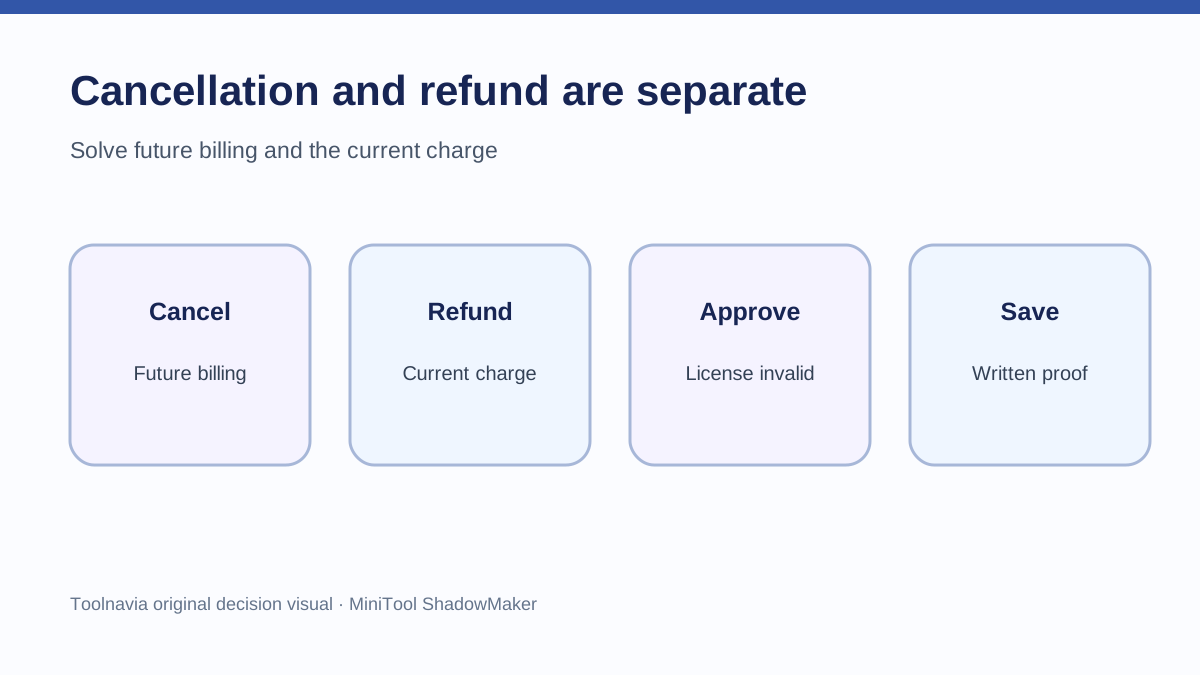
1. **Renewal canceled, no refund requested:** access may continue through the paid term, then stop. 2. **Refund requested, renewal not canceled:** a future renewal risk can remain unless support also cancels it. 3. **Refund approved:** the license becomes invalid under MiniTool's policy, and the software should be uninstalled. 4. **Request denied:** the subscription may still need separate cancellation to prevent the next charge.
Ask for both actions explicitly when both are intended. Store the confirmation with the receipt. If support replies only about a refund, follow up about renewal status; if it replies only about cancellation, follow up about the charged transaction.
Monthly versus annual decision economics
The current campaign page displays ShadowMaker Pro Monthly at $12.99 for one PC and Pro Annual at $36 for two PCs, both with automatic renewal unless canceled before the next term. These displayed prices can change, and live checkout and tax control.
Annual is cheaper than twelve months at the displayed monthly rate, but the lower nominal cost comes with a longer commitment. Monthly reduces initial commitment yet gives the shortest published refund window. Annual gives a 30-day initial-purchase window, but an automatic annual renewal still falls under the 7-day renewal rule in the detailed policy.
Choose monthly when you can set a cancellation reminder and value flexibility more than the annual discount. Choose annual when two-PC coverage and a full-year horizon fit, and record the renewal date immediately. A calendar reminder several days before renewal is more useful than relying on memory.
What competitor policies reveal
Competitor rules show why refund assumptions should not be transferred between vendors. EaseUS publishes a separate refund policy and license-policy cancellation flow. Macrium advertises a 30-day guarantee under its own terms. Backblaze says monthly plans are not refundable while eligible annual plans have a 30-day path. Carbonite generally separates cancellation from refunds and describes a 30-day request period for purchase or renewal.
These policies do not change MiniTool's terms. They show that “cancel,” “refund,” “monthly,” and “renewal” can produce different results by vendor. The controlling evidence for a ShadowMaker transaction is MiniTool's current policy, the checkout record and the order email.
Evidence checklist before contacting support
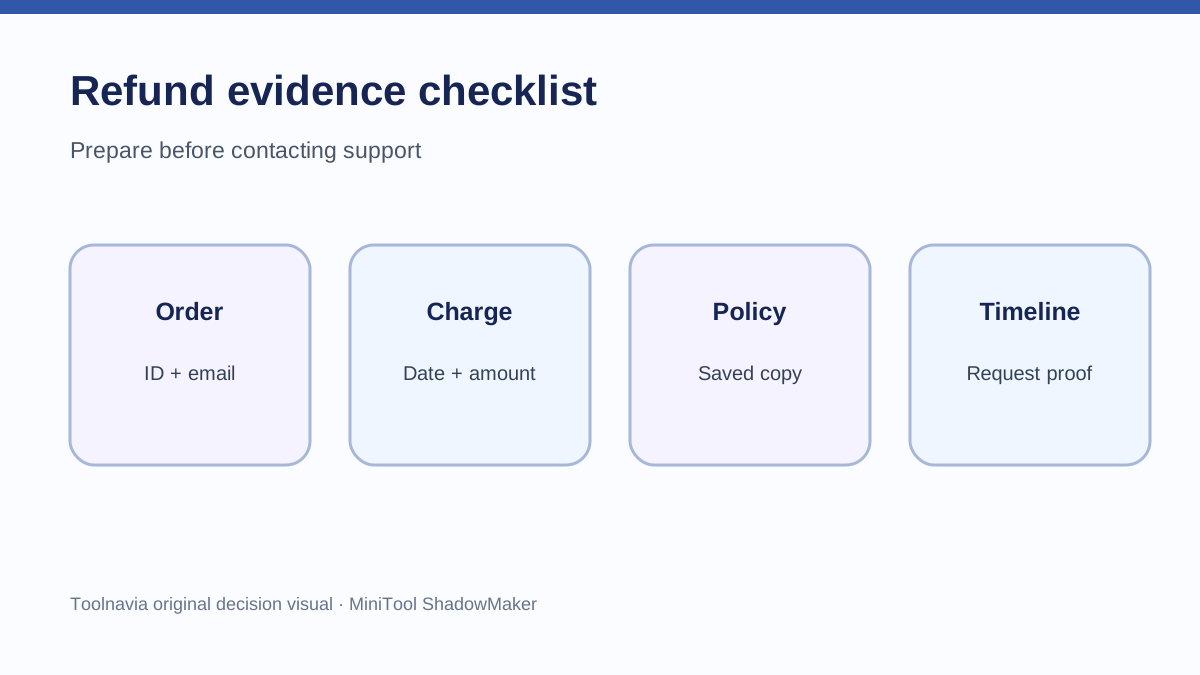
Collect these items before opening the request:
- order confirmation and order ID; - registered email address; - card, PayPal or other transaction date; - whether the charge is a first purchase or automatic renewal; - billing interval; - screenshot of the relevant MiniTool policy; - cancellation confirmation, if already completed; - concise timeline of purchase, cancellation and refund request.
MiniTool ShadowMaker is a reasonable fit for buyers who can track renewal dates and act quickly when plans change. It is a weaker fit for anyone expecting uninstalling to cancel billing, assuming every charge has a 30-day unconditional refund, or needing a guaranteed self-service refund.
Affiliate disclosure: Toolnavia may earn a commission if you buy through the MiniTool link. This does not change your price or the decision rule: the detailed refund policy, checkout and order record control.