TOOLNAVIA / BUYING GUIDE
ShadowMaker Backup Passwords: What to Check Before Paying for Pro
The short answer
Do not buy ShadowMaker Pro merely because a backup needs a password. MiniTool's current Free page already advertises encrypted backup images. The useful purchase question is whether your installed edition supplies the specific protection and recovery workflow you need—not whether the word encryption appears on a paid page.
For a removable drive holding private household documents, separate three questions: which files went into the archive, what protection mode the task used, and whether the intended owner can still recover it. This guide is documentation analysis, not a cryptographic audit or an installed-product test.
At a glance
- Best for
- Home Windows users protecting private backup contents with a verified mode and independent credential record.
- Price model
- November 2 public cards: $12.99 monthly/1PC, $36 annual/2PCs, $79 perpetual/3PCs; checkout applies.
- Check first
- Algorithm matrix and password-loss recovery are not fully established; no installed-product or security test.
Begin with the Free capability, not an assumed paywall
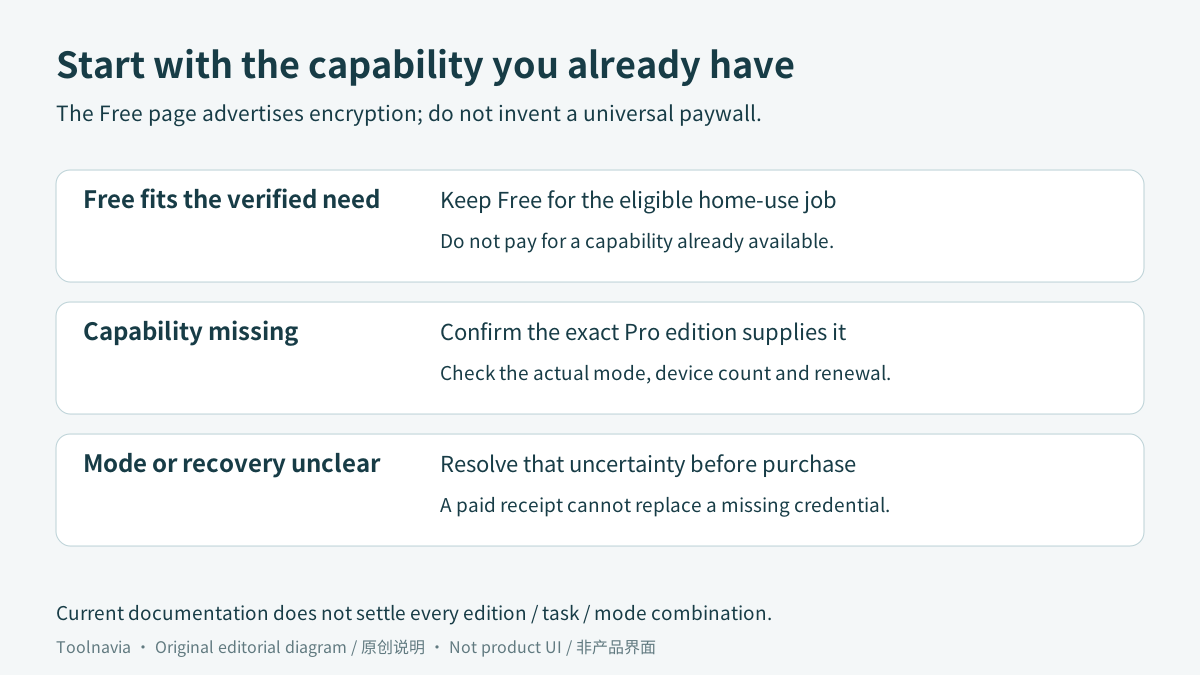
The Free product page lists file, folder, system, disk and partition backup, including external storage destinations, and expressly describes encrypted images. That supports evaluating Free first for an eligible home-use job. It does not establish every encryption option available in every task or build.
ShadowMaker has four relevant workflow capabilities: choose the material to back up, configure per-task password settings, check an image after creation, and restore selected files to another destination. They address scope, access, integrity and recovery respectively. They are not four proven reasons that every reader must buy Pro.
Write your requirement in practical terms: for example, private documents stored on a removable disk, recoverable by you on a working Windows computer. Add a required algorithm only when you actually have one. A vaguely reassuring paid label is not a substitute for that requirement.
What the encryption documentation does—and does not—settle
MiniTool's settings guide, dated November 10, 2022, lists a Password option with the labels None, Normal and AES128. Its July 15, 2026 backup-encryption article additionally describes AES256 for file backups and Normal/AES128 for disk or partition backups. The current Pro page mentions two encryption methods without naming them.
The date and task differences may explain part of this variation, but the reviewed material does not reconcile a current edition-by-task-by-algorithm matrix. Do not turn those pages into a universal promise that every Pro backup uses AES256, or that Free has no encryption. Treat the older menu labels as dated documentation, not a guaranteed screen in your installation.
Inspect a new task in the actual build and record the task type and mode shown. When a particular method is mandatory and the interface or edition comparison remains unclear, obtain written vendor confirmation before relying on it. Payment cannot resolve an unanswered technical specification.
This distinction is not unique to one product. Acronis's versioned True Image 2025 local/network-backup guide explicitly separates password protection from optional AES encryption and names a password-only None setting. That is evidence about that Acronis version, not proof of what a similarly named MiniTool option currently does.
Make the credential available without the failed computer
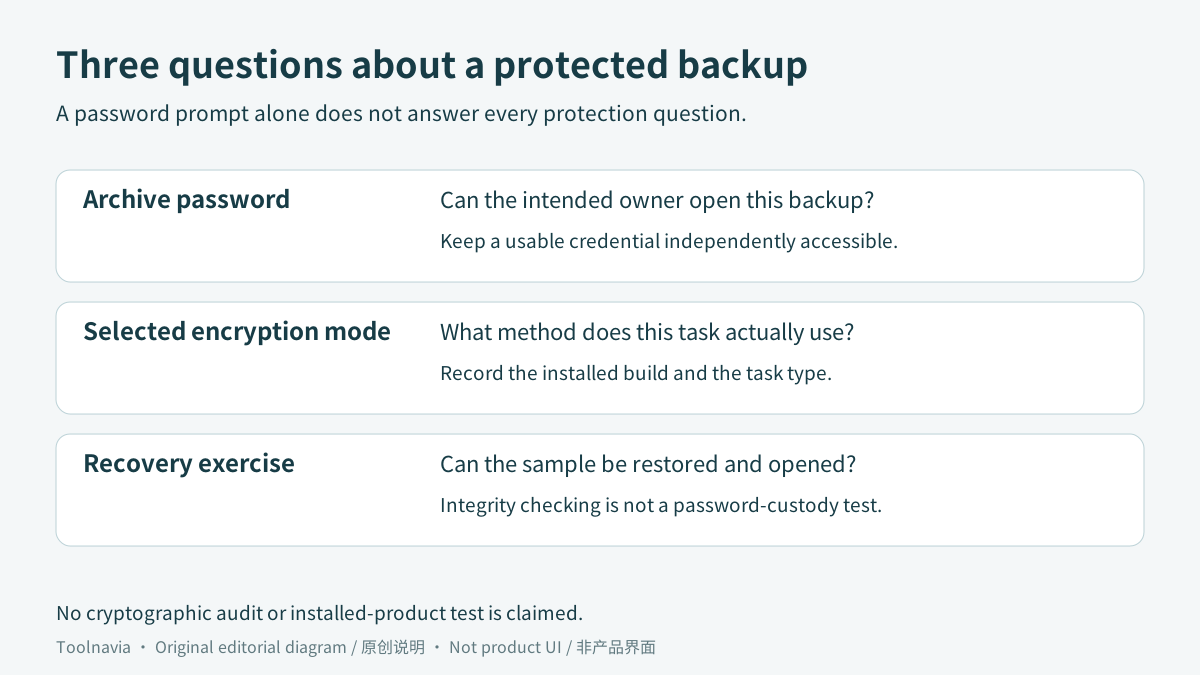
The backup password, Windows sign-in, activation key and a NAS login serve different purposes. Do not assume one can substitute for another. Keep a secure record of the backup credential somewhere you can access without first restoring the very archive it unlocks. Avoid leaving an unprotected password beside the removable backup.
The reviewed MiniTool pages did not establish a lost-password recovery guarantee. Ask support before depending on a reset, and do not deliberately discard the only credential as an experiment. Missing documentation also does not justify claiming that recovery is categorically impossible in every MiniTool situation.
Other vendors demonstrate why the exact policy matters. AOMEI's encryption help warns that a forgotten password prevents recovery. Veeam documents a different enterprise arrangement using Enterprise Manager keysets, with a paid license, the required server connection and password-loss protection enabled. Neither policy can be imported into ShadowMaker.
Use one harmless file to check the whole path
Keep the source intact and create a small, non-sensitive sample rather than experimenting with your only private archive. Note the installed edition and build, the backup task type, the selected mode and any upgrade prompt. Preserve the intended credential independently before creating the sample.
Run the documented post-creation integrity check where available. MiniTool says this checks the image and can add time. A pass is useful, but it does not prove that you retained the password, chose the required mode or included every intended document.
Then restore the sample into a separate folder. The file-restore guide documents choosing an image, version, files and output destination. Open the restored file and compare its contents with the retained original. Use the intended recovery credential rather than treating a remembered session as proof that your password record is sufficient.
Record what actually happened, including an unavailable option or a failed restore. This exercise can establish a usable sample workflow; it is not a test of resistance to every attacker. Encryption also does not prevent the archive being deleted, the drive failing or a later backup replacing useful contents. Those are separate protection problems.
Price and license are a second decision
On November 2, MiniTool's campaign showed Pro monthly at **US$12.99 for one PC**, Pro annual at **US$36 for two PCs**, and Pro Ultimate at **US$79 for three PCs with perpetual use**. Monthly and annual licenses renew unless canceled before the next term. These are public offer references, not a verified tax-inclusive order or a guaranteed future renewal price.
Choose the device count and term only after confirming the needed capability. The EULA limits Free to private, noncommercial home-computer use and says the three Pro options do not support Windows Server. Business and server requirements need their own license evaluation, not an assumption that a consumer upgrade covers them.
The referral destination presents multiple cards; it does not establish that Annual is already selected. Check the actual edition, number of PCs, currency, tax, renewal and upgrade rights before paying.
A defensible reason to buy Pro
Keep Free when its confirmed mode and recovery workflow satisfy your eligible home-use requirement. Consider Pro when a current comparison, matching trial or vendor confirmation identifies a specific missing capability, and the exact paid edition supplies it.
Defer purchase when the required algorithm remains unclear, the backup cannot be restored with your preserved credential, or you expect a license key to recover a forgotten archive password. A payment receipt is not a recovery credential.
[Check the current ShadowMaker personal Pro options](https://www.jdoqocy.com/click-101895278-15509062). Toolnavia may earn a commission through this link. No special discount, universal encryption entitlement or guaranteed recovery is promised.