TOOLNAVIA / BUYING GUIDE
Icedrive Pro 2TB Cloud Storage: Three Sync Devices, Two Recovery Limits
The short answer
Icedrive Pro 2TB is worth evaluating when you need a mounted cloud drive and controlled folder synchronization, but it is not an unlimited-device backup service. Plan around three sync devices, a bounded version history and a separate encryption decision. Confirm the actual subscription quote before paying.
This is an official-document analysis, not a Toolnavia application, recovery-speed or security test.
At a glance
- Best for
- A tested mounted-drive workflow within the pair/device limits, with a confirmed bill and independent copy.
- Price model
- Subscription quote unverified; confirm currency, full term and renewal
- Check first
- Encrypted recipient sharing, unlimited sync devices, permanent history, or buying upcoming Docs today.
Start with the workflow, not the storage headline
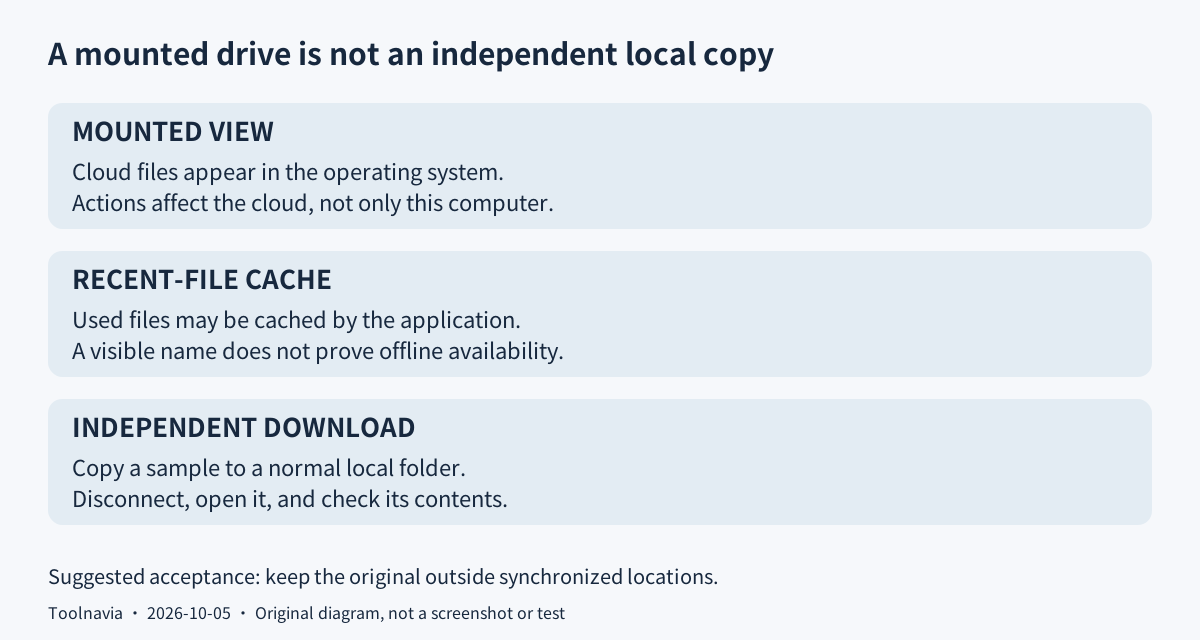
A mounted drive displays cloud files inside your operating system without first copying the entire account to your disk. Icedrive's desktop app uses a cache for recently accessed files; that convenience is not proof that everything is available offline. A folder pair instead connects selected local and cloud locations for synchronization. Keep these two jobs separate when planning your setup.
Free provides 10GB and basic virtual-drive access. The current comparison reserves desktop sync and client-side encryption for paid tiers. Stay with Free or existing storage when basic access is enough. Icedrive Docs is still marked Coming Soon, so its document and spreadsheet editors are not a reason to buy today.
Four capabilities worth testing on a small folder
**Browse through a familiar file interface.** The virtual drive lets you open and manage cloud material from the operating system. This can suit a collection too large to keep entirely on a laptop. Because operations affect the cloud, do not treat deleting from the mounted drive as merely clearing a local cache.
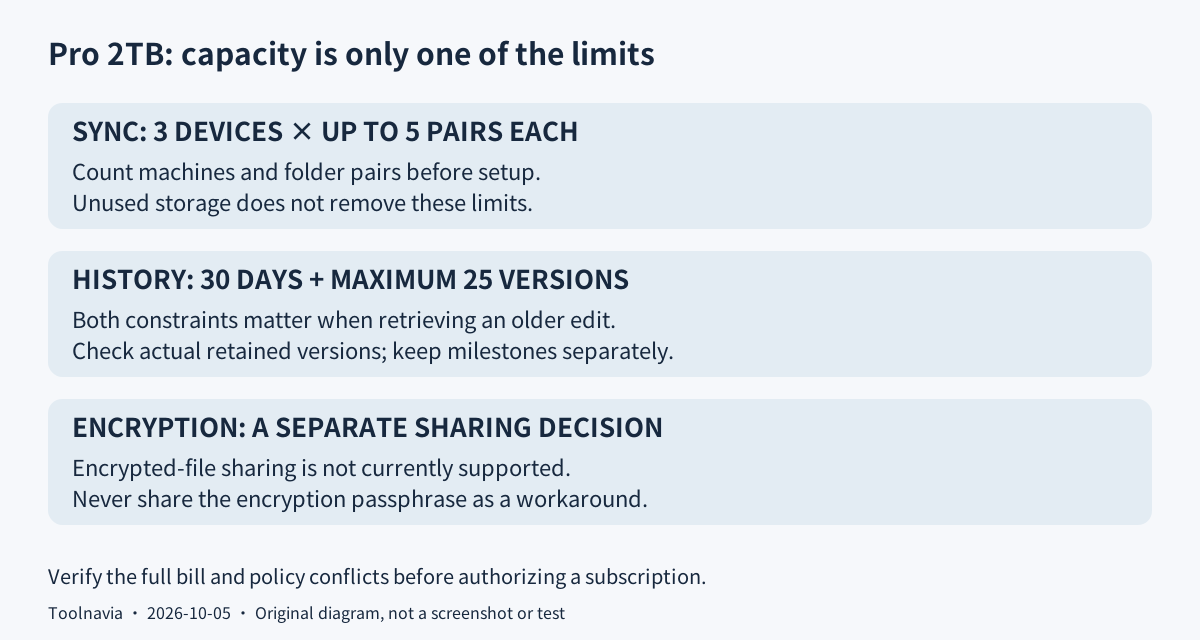
**Choose the folders that synchronize.** Pro permits three sync devices and five pairs per device. List your intended folders and machines first: spare storage does not remove either limit. Check direction and deletion settings on disposable files before automating anything important.
**Use client-side protection deliberately.** The encrypted workflow encrypts file contents and names on your device, with keys derived from your passphrase. The documented benefit is keeping that key out of the provider's hands; it is not an independently verified guarantee against every threat. Do not assume that an ordinary upload automatically uses the encrypted area.
There is a practical trade-off: the help page says encrypted-file sharing is unsupported. Do not give a recipient your encryption passphrase to work around that limit. Another help page says forgotten encryption passphrases make the encrypted data unusable, so keep secure recovery information and an independent copy.
**Recover a retained revision.** Pro lists both a 30-day window and a maximum of 25 versions. Those are two constraints, not a promise of every edit for a month. Check the versions actually available for a sample document; keep important milestones independently rather than relying on continuous history.
Verify the bill and the contradictory refund wording
The complete price cards were not readable during this review. The first charge, currency, billing period and renewal amount therefore remain unverified; search snippets and older reviews are not a substitute for your order summary. No discount, annual total or cheapest-provider claim is made here.
Subscriptions renew automatically unless canceled, and applicable taxes or fees can add to the charge. Before buying, record the full initial payment, normal renewal, next billing date and cancellation route. Compare the actual total with a storage allowance you already own, not just a monthly-equivalent headline.
The plans page promises 30 days for a money-back request. The refund help page instead states 14 days from the original purchase, while the terms additionally exclude subscription-payment refunds. This remains unresolved: obtain written confirmation for the intended transaction rather than assuming a risk-free month. Cancellation alone does not establish a refund.
Suggested Windows rehearsal: mount, copy, then disconnect
Prepare a small non-sensitive document and retain its original outside any synchronized location. Install the official desktop application appropriate to your system, sign in, and mount the cloud drive. Copy the sample into it rather than moving your only original. Wait for the transfer, then confirm the uploaded content in the web app.
Download a second copy into an ordinary local folder. Disconnect from the internet and open that copy; seeing a filename in the mounted drive is not the same acceptance test. With Pro enabled, separately evaluate one folder pair, inspect proposed deletion behavior, and retrieve a retained version into another location. These are suggested checks, not results Toolnavia has measured.
Export before the paid term ends
The cancellation help page gives this route: avatar, Settings, Subscription, Cancel Subscription. It says paid access continues until renewal, then the account returns to Free. The terms instead describe an inactive account with data retained for 20 days. The discrepancy is unresolved; do not rely on either as a migration grace period.
Download and verify independent copies before the paid term ends, including encrypted material you can still decrypt. Choose Pro only after the folder limits, recovery rehearsal and confirmed bill fit your needs. Its cash affiliate application is open, but Toolnavia approval is unverified and tracking remains disabled.