TOOLNAVIA / BUYING GUIDE
GoodSync Personal File Backup: $29.95 Software, Storage Extra
The short answer
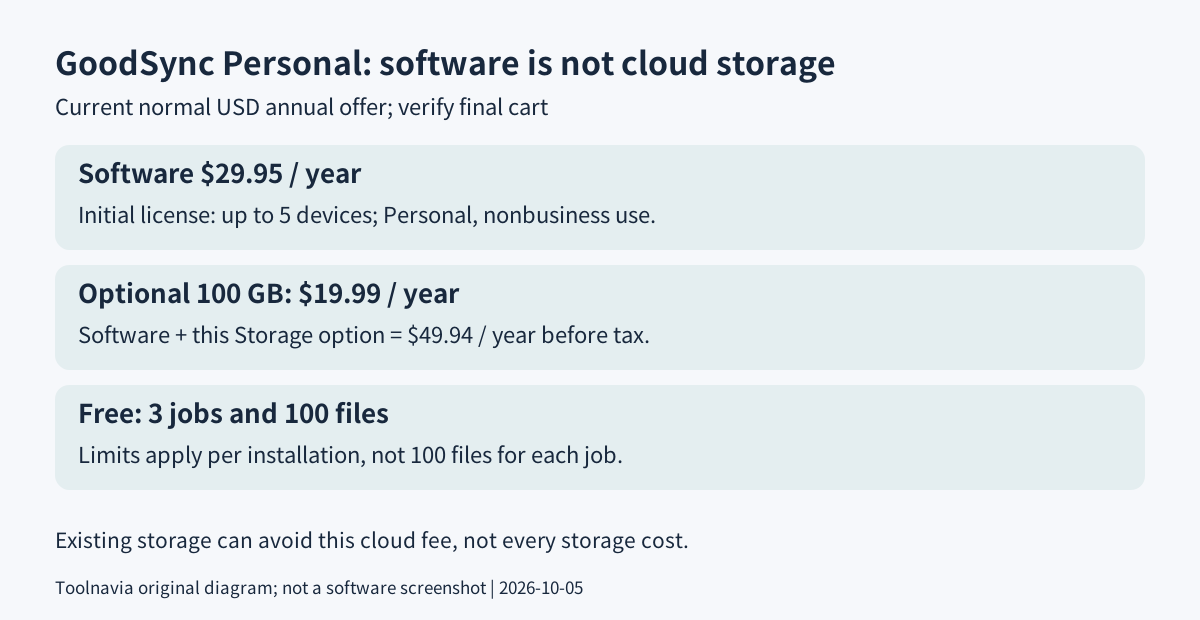
GoodSync Personal suits home users who want controlled file copies between their own disks, NAS and cloud accounts. The official shop lists $29.95 for one year on up to five devices; cloud storage is separate. Pay only after testing deletion and recovery behavior, because a job named Backup can still propagate deletions.
This is an official-document buying analysis, not a Toolnavia backup or performance test.
At a glance
- Best for
- Eligible home users needing controlled file jobs across their own storage beyond Free limits.
- Price model
- $29.95/year, up to 5 devices; cloud storage extra
- Check first
- Business/Server licensing, assumed bundled cloud storage, or an untested replacement for system-image recovery.
Free, paid software, or an existing backup tool?
The current Free comparison allows three jobs and 100 files per installation, not 100 files for every job. Paid removes those numerical limits. A job is a saved pair of locations plus rules for moving changes between them. This is file-level synchronization and copying, not a promise to rebuild a failed operating system.
For Windows users who only need recoverable versions of personal folders on an external drive or network location, File History is an existing alternative worth checking before purchasing another tool. GoodSync becomes more relevant when a specific two-location workflow, supported cloud endpoint or automation requirement remains unmet.
Four capabilities that justify a controlled workflow
**Use storage you already have.** GoodSync supports local and network locations plus services such as Google Drive, Dropbox and Amazon S3. You can organize transfers without moving everything into a new bundled cloud account. Provider credentials, available capacity and any storage or transfer charges remain separate responsibilities.
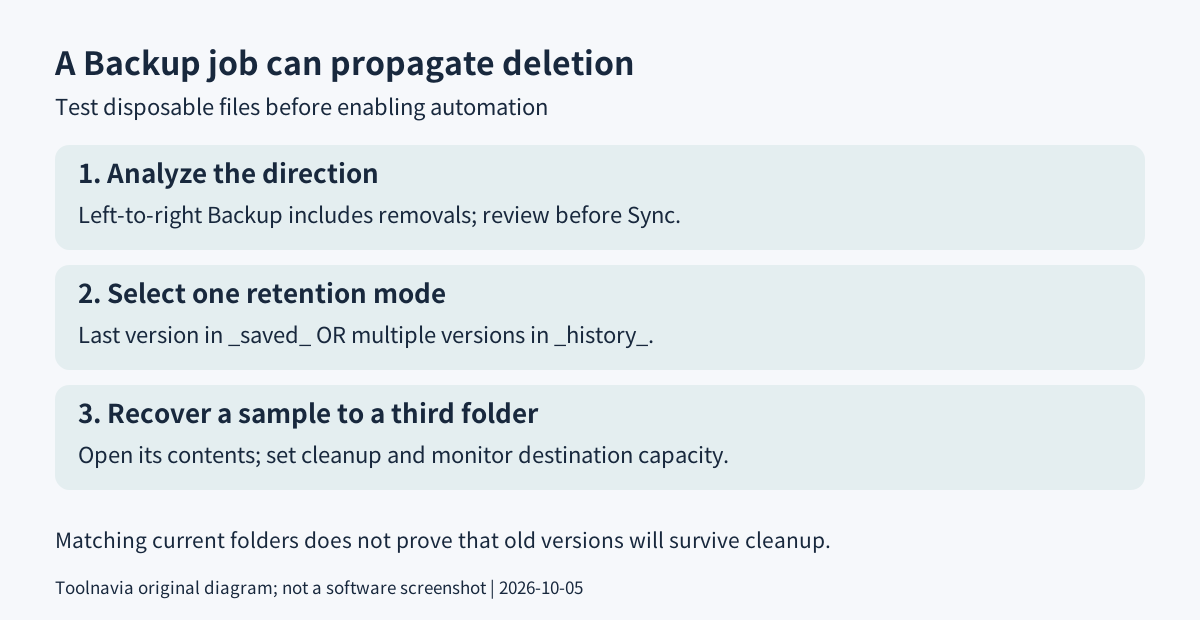
**Preview changes before writing.** Analyze compares the selected locations and displays proposed changes before Sync executes them. The Backup job sends changes and deletions from left to right; Synchronize works both ways. This makes direction visible, but does not make an incorrect source selection harmless. Review proposed removals as carefully as copies.
**Keep versions deliberately.** The documented default retains the most recent replaced or deleted file in a hidden `_gsdata_/_saved_` folder, with cleanup after 30 days. Multiple-version history is a different, initially disabled option using `_gsdata_/_history_`; the two retention modes cannot be enabled together. Pick the mode and cleanup period that match your recovery needs, then verify an old file can actually be retrieved.
**Automate a proven job.** GoodSync provides timers, schedules and file-change triggers. Unattended jobs run through its Runner Service rather than requiring the application window to remain open. File-change detection depends on the file system: some NAS devices do not report changes correctly. A scheduled run and a log review may be more appropriate than assuming every destination supports instant detection.
$29.95 software does not include cloud capacity
The normal Personal offer is $29.95 annually for up to five devices. Optional GoodSync Storage currently starts at $19.99 annually for 100 GB. Buying both would therefore be $49.94 per year before any applicable taxes or adjustments; using an existing destination avoids that particular storage subscription, not all possible storage costs. Recheck the final cart rather than importing an older review's 10 GB offer.
The license says the first Personal purchase covers five devices, additional device licenses add one each, and separate operating-system instances, including virtual machines, count separately. Renewal uses the then-current price and normally occurs 14 days before expiration. Record the renewal setting before that earlier charge. A 30-day refund request requires the original receipt and has exclusions, including negotiated discounts.
The Personal page lists Windows Server among generic compatible platforms, but the licensing agreement excludes Server computers from Personal. This guide does not treat the platform list as permission: keep this purchase to eligible nonbusiness use and confirm the correct license for any server workload.
Suggested rehearsal: prove a deleted file is recoverable
Create two disposable folders and a few sample files; keep your real data outside this exercise. Make a new Backup job with the sample source on the left and the empty destination on the right. Choose and record the retention mode, then Analyze and inspect the planned direction before Sync.
Edit one sample and delete another at the source. Analyze again: the deletion should not be surprising. After running the understood changes, inspect the retained copy or history at the destination and recover a sample into a third folder. Check its contents, not just its filename. These are proposed acceptance checks, not tests Toolnavia has performed.
Only then configure automation. Test the intended trigger once and inspect the outcome; a matching-folder indicator proves current agreement, not that an older version will remain after cleanup. Keep an independent copy outside the synchronized pair.
The purchase decision
Keep Free or an existing tool when it already meets the task. Buy Personal for a tested, eligible home workflow needing its larger scale or controls, and budget destination capacity separately. GoodSync has an open cash affiliate application, but Toolnavia approval is unverified and tracking remains disabled. Its program prohibits coupon traffic; this is a product guide, not a deal claim. Next, prove one deletion-and-recovery cycle before entrusting a real folder to automation.