TOOLNAVIA / BUYING GUIDE
Filmora Stabilization: Crop Less—or Fill the Edges?
The short answer
Filmora can reduce camera shake, but a full-looking frame does not prove that every visible pixel came from the original shot. Before buying it for tightly framed footage, decide how much real image area you can lose and whether filled borders are acceptable. This guide reviews documentation; Toolnavia has not stabilized or exported a test clip.
At a glance
- Best for
- Controlled stabilization that preserves required framing and acceptable edge detail.
- Price model
- Advanced displayed US$59.99/year, auto-renewing; tax and optional services separate.
- Check first
- Older edge modes require build verification; filled pixels do not recover original off-frame evidence.
Check the version before copying a tutorial
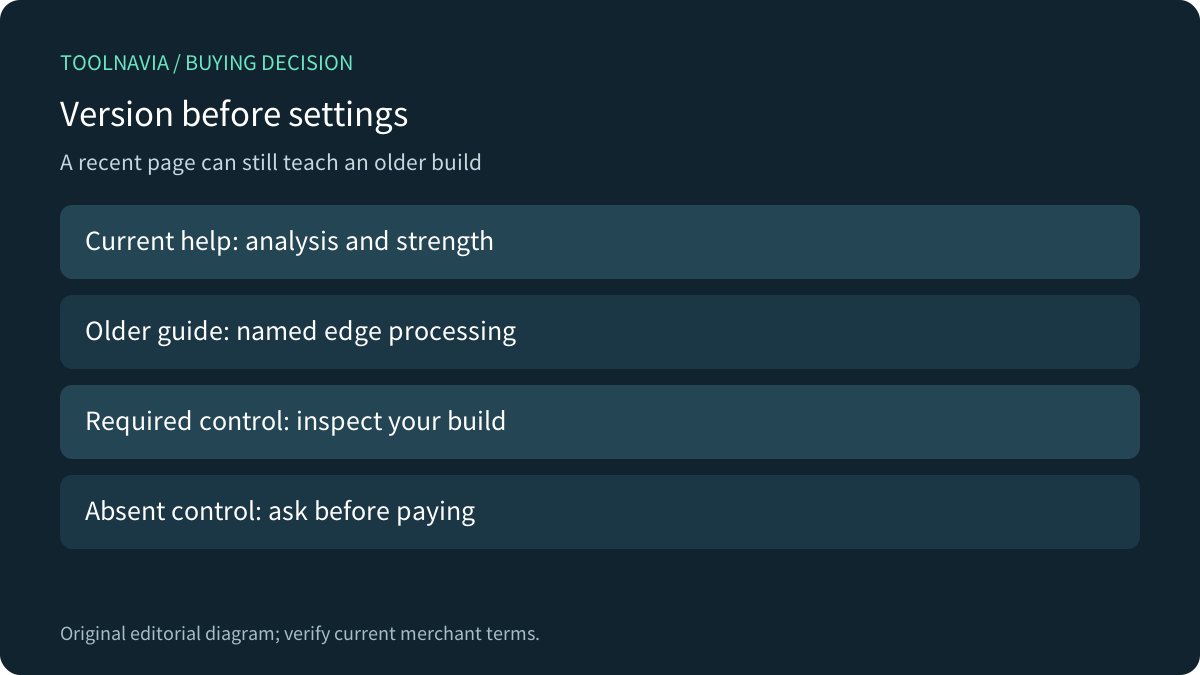
The current Windows guide places stabilization in the clip properties, starts automatic analysis and lets you adjust its strength. That supports a straightforward correction workflow. It does not promise that every older tutorial's controls remain available in the same place.
Filmora's longer tutorial still explicitly discusses Filmora 11. It links stronger smoothing to heavier cropping and describes Reflect, None, Tile and Extend edge treatments. The separate older guide also names edge processing. Treat those pages as explanations of the tradeoff, then inspect your installed build before relying on a particular mode or default. An updated page date is not proof that its screenshots describe the current release.
Record the version, operating system and controls actually present. If a specific border mode is essential but absent, get a version-specific answer before paying; do not buy a higher tier on the assumption that it restores the missing control.

Decide which pixels the result may change
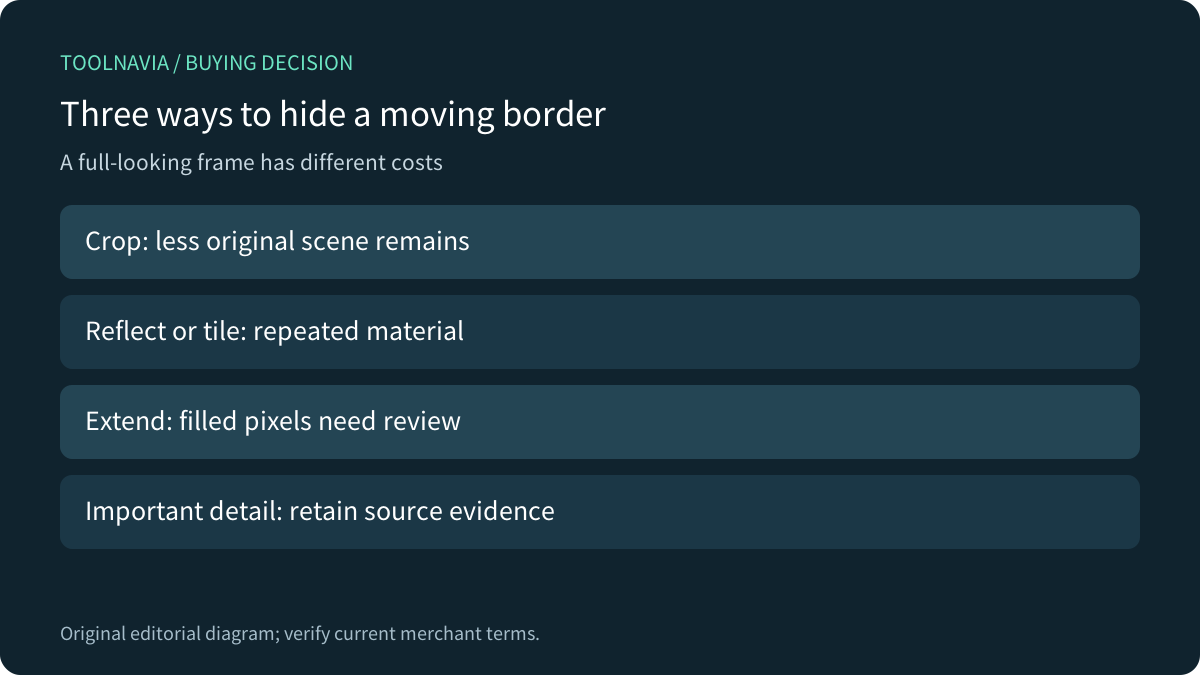
Stabilization shifts or transforms successive frames. Cropping can hide the moving boundaries, but it reduces the scene area left in the delivered composition. If a product label or person's hands already sit near the edge, that loss can matter more than the remaining shake.
Border filling makes a different compromise. A reflected or tiled area can repeat visible material; an AI extension is not evidence of what the camera originally saw outside the frame. This is an editorial acceptance rule, not a claim that every Filmora export uses generation. For a factual product demonstration, keep important labels within retained source detail and reject invented or repeated detail that changes the meaning.
Adobe documents the same category of choices—moving borders, crop, auto-scale and synthesized edges—and explicitly warns about artifacts near independently moving edges. Its controls describe Premiere, not additional Filmora entitlements.

Compare three exports from one source
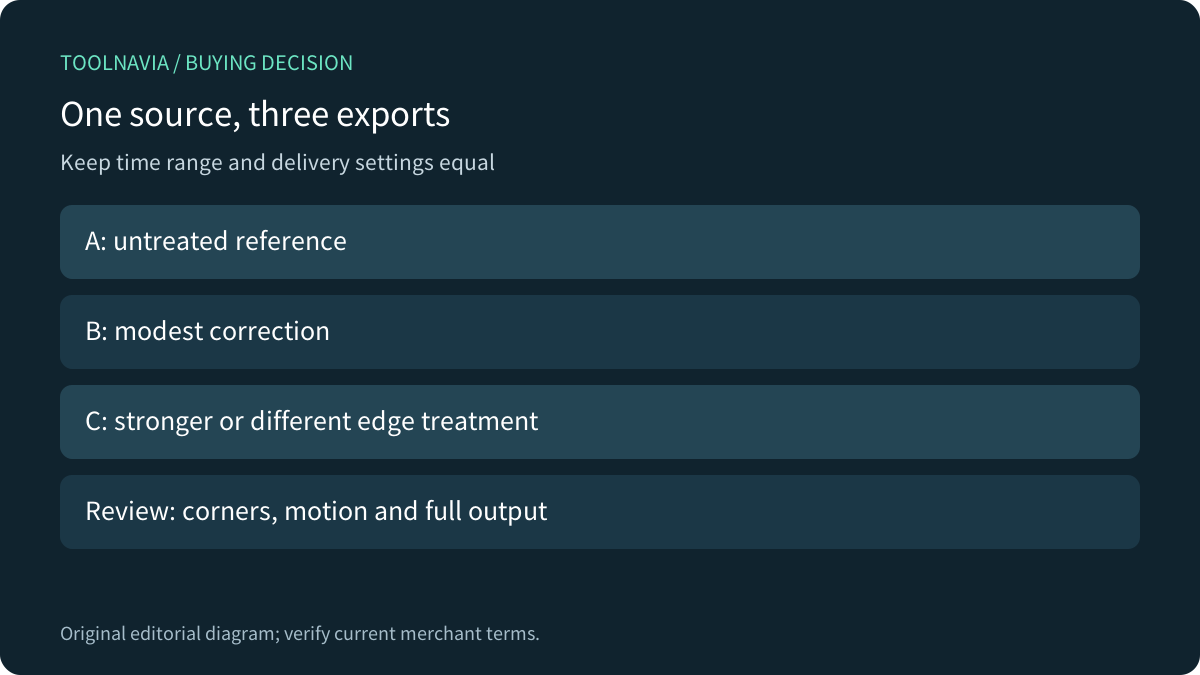
Choose one original clip with a visible border detail and a change in movement. Preserve it untouched. Use the same start, duration, aspect ratio, resolution and frame rate for each comparison. Avoid adding automatic reframing or another geometry effect while investigating stabilization.
First export the untreated reference. Next make a modest stabilization pass using the controls your build actually exposes. Finally try the strongest correction or alternative edge treatment you would realistically deliver. Change one variable at a time; otherwise you cannot tell which choice lost the label or introduced a repeating border.
Reopen the three files outside the editor. Compare matching moments at the center and all four edges. Look for missing hands, duplicated objects, stretching lines and distracting changes in scale. Play at normal speed as well as pausing: a convincing still can conceal a flickering border. Accept some residual camera movement if it preserves the information the viewer needs.
Record the selected mode, retained framing, visible artifacts and export time. A short successful preview is not a completed export test. Adobe's guide also recommends isolating the portion needing correction because stabilization can require substantial processing; that is a useful testing principle, not a Filmora speed benchmark.
Use the trial and alternatives for different questions
Filmora support says trial exports contain a watermark. Keep the editable project: after purchasing and registering the correct version, the documented route is to reopen it and export again. Payment does not retroactively clean an already exported file. A trial can expose composition problems even when it is unsuitable for final delivery.
Shotcut's official filter documentation requires analysis before the effect operates and preserves its analysis data in a .stab file or project folder. Kdenlive documents a Stabilize clip job with smoothing and zoom controls. These provide alternative workflows to compare if already available to you; this article establishes no winner or identical results. Reuse the same source and delivery requirements rather than comparing unrelated demonstrations.

Price the editor separately from optional services
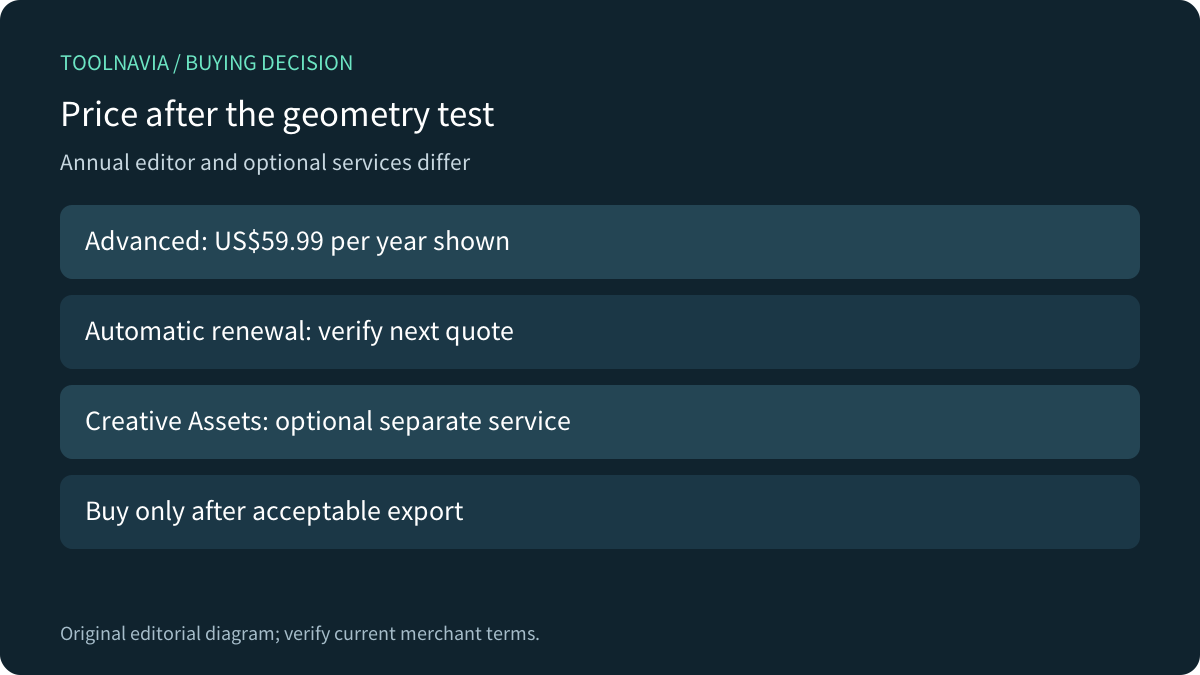
The current official Windows store displays Advanced at US$59.99 per year with automatic renewal, against a US$69.99 reference. This is annual billing, not a US$5 month-to-month subscription. Two payments at an unchanged US$59.99 would total US$119.98 before tax; the next renewal price still needs confirmation.
Creative Assets appears as a separate optional trial that can renew monthly. Check its own charge and cancellation setting; omit it if you do not need it. The editor's 1,000 monthly AI credits do not, by themselves, establish the availability or cost of a specific border operation. Confirm the actual feature and credit requirement in your version instead of buying from the word “AI.”

Buy for acceptable geometry, not maximum smoothing
Consider Filmora when the current build preserves essential framing, its border treatment fits the deliverable and the full export is acceptable. Use a different crop, an existing editor or a replacement shot when the result changes important scene detail. No subscription can recover an unseen camera view as original evidence.
After the comparison, [check the current Filmora desktop plans](https://www.jdoqocy.com/click-101895278-13985389), retaining the selected OS, annual renewal and optional-service terms. Toolnavia may earn a commission on eligible purchases through this link. Neither a discount nor a successful footage rescue is guaranteed.