TOOLNAVIA / BUYING GUIDE
Filmora Video Editor Pricing: $49.99 Annual vs $79.99 Perpetual
The short answer
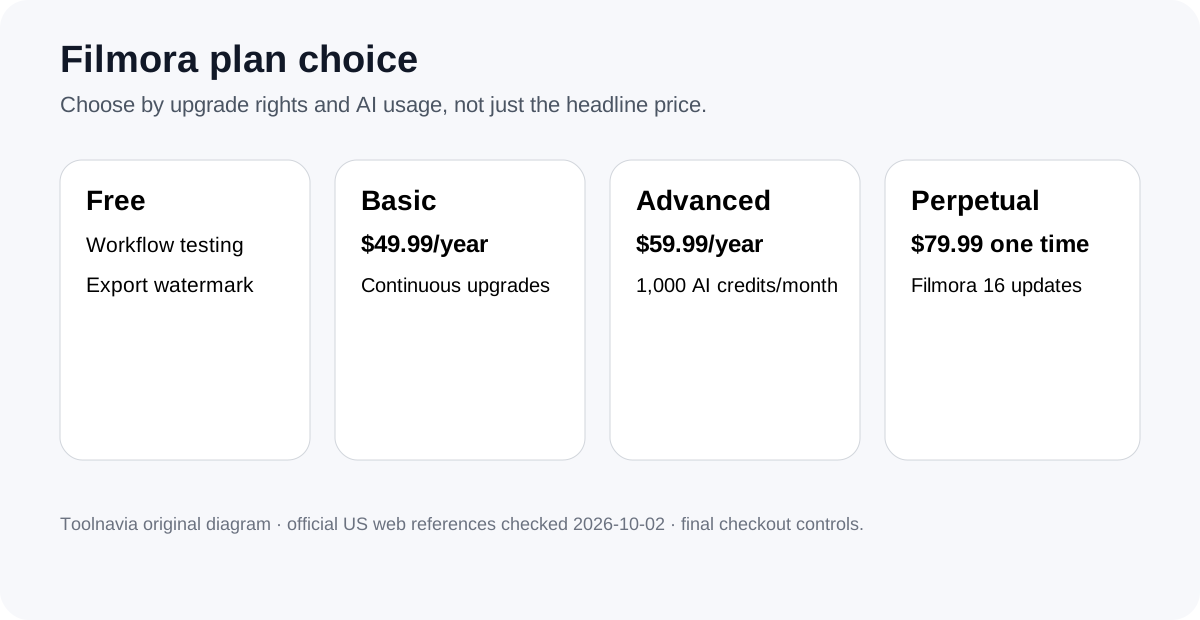
Filmora is easiest to justify as an annual subscription if you want the editor to keep moving with new major versions. The current US plan comparison shows Basic at $49.99 per year and Advanced at $59.99 per year, both with continuous version upgrades, while the $79.99 Perpetual option is a one-time purchase tied to Filmora 16 updates rather than future major versions. The free version is useful for testing your own footage, but exported videos carry a Filmora watermark. AI-heavy workflows also need a credit budget, so the cheapest headline price is not always the cheapest working setup. Wondershare also lists Filmora in its affiliate program with a public application route and cash commission, but Toolnavia has not applied or been approved, so affiliate tracking remains disabled.
At a glance
- Best for
- Creators comparing continuous major-version upgrades with a one-time Filmora 16 purchase.
- Price model
- Basic $49.99/year · Advanced $59.99/year · Perpetual $79.99 one time
- Check first
- Free exports carry a watermark; AI usage is metered; perpetual covers Filmora 16 updates rather than every future major version.
Start with the plan model, not the feature list
Basic is the cleanest choice when you mainly want watermark-free timeline editing, 4K export, the large asset library shown on the plan page, 1 GB of cloud storage and continuous version upgrades. Advanced adds 1,000 Filmora AI credits each month, 10 GB of cloud storage and access to AI tasks such as Smart Short Clips, speech tools and AI enhancement. Both annual plans auto-renew, so treat the first-year price and the renewal decision as part of the purchase rather than as separate problems.
Perpetual is different. The current comparison lists $79.99 as a one-time payment, includes 1,000 AI credits, and says “Enjoy Filmora 16 updates” rather than continuous future-version upgrades. Wondershare’s support guidance also describes perpetual licenses as version-specific: updates inside the purchased major version are included, but moving to a later major version can require another purchase. If your editing needs are stable and you do not care about every major upgrade, that can be a reasonable trade.
Four reasons Filmora can earn its price
First, the timeline combines ordinary editing with motion tracking, keyframes, color tools, multi-camera work and social-video features, so a creator can stay in one application instead of stitching together several lightweight tools. Second, Filmora 16 adds camera tracking, AI Media Analysis, 360-degree reframing, Smart Text Correction, Color Mask and multi-source recording, giving the subscription path a concrete upgrade benefit rather than a vague promise of “new features.”
Third, Advanced gives regular AI credits instead of forcing every AI-assisted task into a separate purchase. That matters for creators who repeatedly transcribe, generate speech, enhance footage or create AI media. Fourth, Perpetual offers a no-renewal path for people who prefer to keep one major version and pay again only if a later upgrade becomes worth it.
Budget for AI credits and optional add-ons
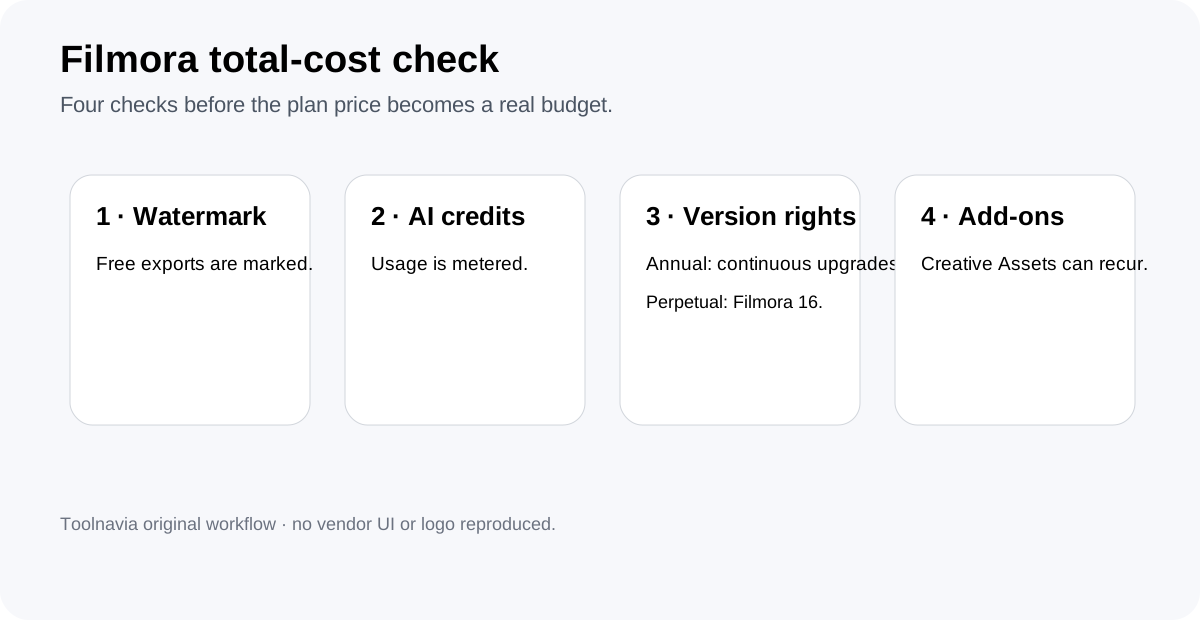
AI usage is metered. Wondershare’s current credit shop lists 1,500 one-time credits at $9.99 and a 2,000-credit monthly pack at $9.99 per month, with different AI actions consuming credits at different rates. The plan page also exposes optional Creative Assets offers that can renew separately if selected. Before buying, list the AI operations you actually expect to use each month and check every optional line item in the cart. A $49.99 Basic license can become a poor fit if your workflow constantly needs paid AI credits or an add-on subscription.
Free is for workflow testing, not clean delivery
Wondershare’s own watermark guide says the free version exports with a Filmora watermark and that upgrading to a paid annual or perpetual plan removes it. Use that free path to import the type of footage you really edit, test timeline responsiveness, try captions or tracking, and make a short export before committing money. Do not build a deadline-critical project around the assumption that the free export will be client-ready.
A practical buying decision
Choose Basic if your priority is conventional editing plus continuous major-version upgrades and you can buy AI credits only when needed. Choose Advanced if AI-assisted editing is routine enough that 1,000 monthly credits and the larger cloud allowance have real value. Choose Perpetual if you specifically want Filmora 16, prefer a one-time editor payment, and accept that a future major version can require another purchase. Before checkout, verify the final price, operating-system/storefront terms, renewal settings, any Creative Assets trial, and the exact AI-credit allowance shown for your route.
The next step is simple: edit one representative project in the free version, note which paid or AI features you actually touch, then compare that real workflow against Basic, Advanced and Perpetual. That makes the decision about your workload instead of the longest feature list.