TOOLNAVIA / BUYING GUIDE
CapCut Free vs Standard vs Pro: Test Export Before Paying
The short answer
CapCut is not a simple “free or paid” decision anymore. Before subscribing, duplicate one real project, remove anything marked Pro, and export it on the device you actually use. A manual edit built from your own clips and free assets may export without a watermark, while templates, premium media, AI tools or higher export settings can trigger a purchase prompt or restriction. The project path—not the preview alone—decides whether Free is enough.
At a glance
- Best for
- Creators who can test a real export and choose by repeated premium or cross-platform needs.
- Price model
- Varies by region, device, promotion and checkout; verify the signed-in order page.
- Check first
- No universal price, watermark, storage or performance claim; live account checkout and project export control.
Start with an export preflight
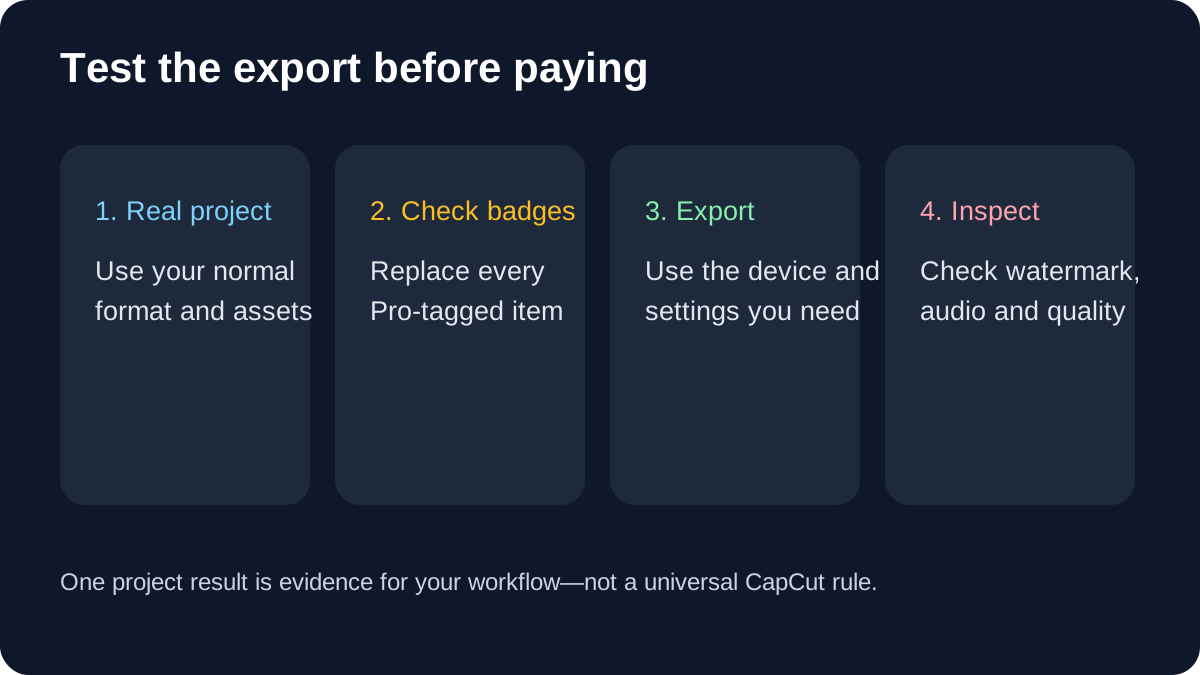
Make a 30-second test project that represents your normal work: the same aspect ratio, captions, music, transitions and export resolution. Tap every asset in the timeline and replace items carrying a Pro badge. Then export the finished file and inspect it outside CapCut. This reveals whether your workflow is blocked by a premium material, an AI feature or an export setting.
Watermark claims often conflict because reviewers test different modes. Manual editing with owned footage and free assets can export clean, but templates and premium elements may introduce restrictions. CapCut itself describes both paths, so no universal “CapCut always adds a watermark” or “CapCut is always watermark-free” claim is safe.
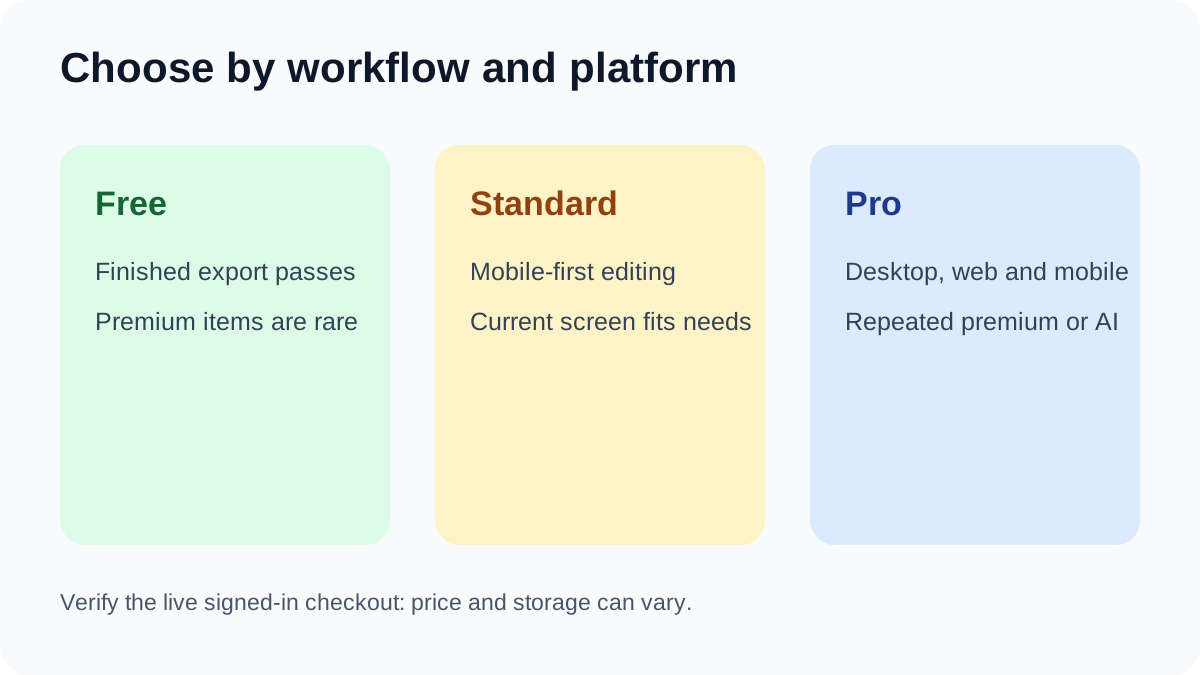
Free is enough when the finished file passes
Stay on Free if the actual exported file has the resolution, frame rate, audio and watermark result you need, and replacing premium assets does not slow you down. Free remains a capable choice for trimming, arranging clips, adding basic text and creating ordinary social videos. Independent reviews still find real value in the free editor, although the exact asset catalogue and restrictions can change.
The boundary is repeated friction. If every project requires hunting for substitutes, rebuilding a template or abandoning a Pro-tagged effect, the subscription may save time. One blocked export does not automatically justify a year of payment: first identify the exact paid element and ask whether it appears in most projects.
Standard is mainly a mobile decision
CapCut positions Standard for casual or enthusiast editing and says its benefits are primarily designed for mobile use. Premium PC access requires Pro. Standard can make sense when all meaningful editing happens on a phone and its current subscription screen includes the materials or tools you repeatedly use.
Do not buy Standard merely because it is cheaper than Pro. If you edit on desktop, web and mobile, or need the same premium access across devices, the platform boundary can make the lower plan a false economy. Check the device where the work is actually finished, not only the phone where the subscription was offered.
Pro is for repeated cross-platform and premium work
Pro is the clearer fit when desktop or web editing is central, premium templates or commercial-use assets recur, advanced AI tools are part of the workflow, or collaboration and larger cloud capacity solve a documented problem. CapCut’s current plan pages describe Pro as the broader cross-platform tier with more advanced tools and resources.
That is a feature entitlement, not a promise that Pro will render faster or improve every video. The purchase test is frequency: list the Pro-only items used in the last five projects. If none appears repeatedly, keep testing Free. If the same blocked feature appears in most projects, a monthly trial period may be more rational than an immediate annual commitment.
Pricing and storage require checkout confirmation
CapCut does not publish one universal price. It says the amount can vary by region, device, account promotion, platform fees and tax, and that the final order page is authoritative. This repair therefore does not repeat fixed third-party dollar figures. Compare the monthly and annual totals shown in your own subscription screen, note the renewal setting, and save the checkout terms before paying.
Official pages also conflict on cloud storage: some still describe 100GB while newer upgraded-Pro pages describe up to 1TB. Treat storage as plan-, version- and market-sensitive until the signed-in subscription screen confirms the allowance. This unresolved documentation conflict is a reason to avoid buying solely for a storage number.
Independent pricing guides are useful for discovering questions to ask, but their snapshots cannot override a live account checkout. Some reviewers show fixed 2026 prices, while CapCut explicitly says account and platform differences can change the final amount.
Bottom line
Use Free when a representative finished export passes without premium dependencies. Consider Standard only for a mobile-first workflow whose current screen includes the exact benefits you need. Choose Pro when repeated premium assets, advanced AI or cross-platform desktop/web work are demonstrably part of production. Verify the export first, then the platform scope, then the live checkout.
Commercial CTA remains hidden because the exact CapCut offer is not approved, market-confirmed or enabled.