TOOLNAVIA / BUYING GUIDE
Filmora Subtitles: Can You Deliver More Than an Auto-Caption Draft?
The short answer
Filmora can earn its place in a subtitle workflow when you need to correct speech, keep captions synchronized and deliver a readable video from one timeline. The useful buying test is a finished caption package, not whether automatic transcription produces text. This guide uses official documentation, not a Toolnavia accuracy benchmark.
At a glance
- Best for
- Creators choosing between continuous major-version upgrades, recurring AI credits and a one-time Filmora16 license.
- Price model
- Basic $49.99/year · Advanced $59.99/year · Perpetual $79.99 one time
- Check first
- Perpetual covers Filmora16 only; Creative Assets can renew separately; final checkout and future upgrades can change.
Decide what the recipient needs
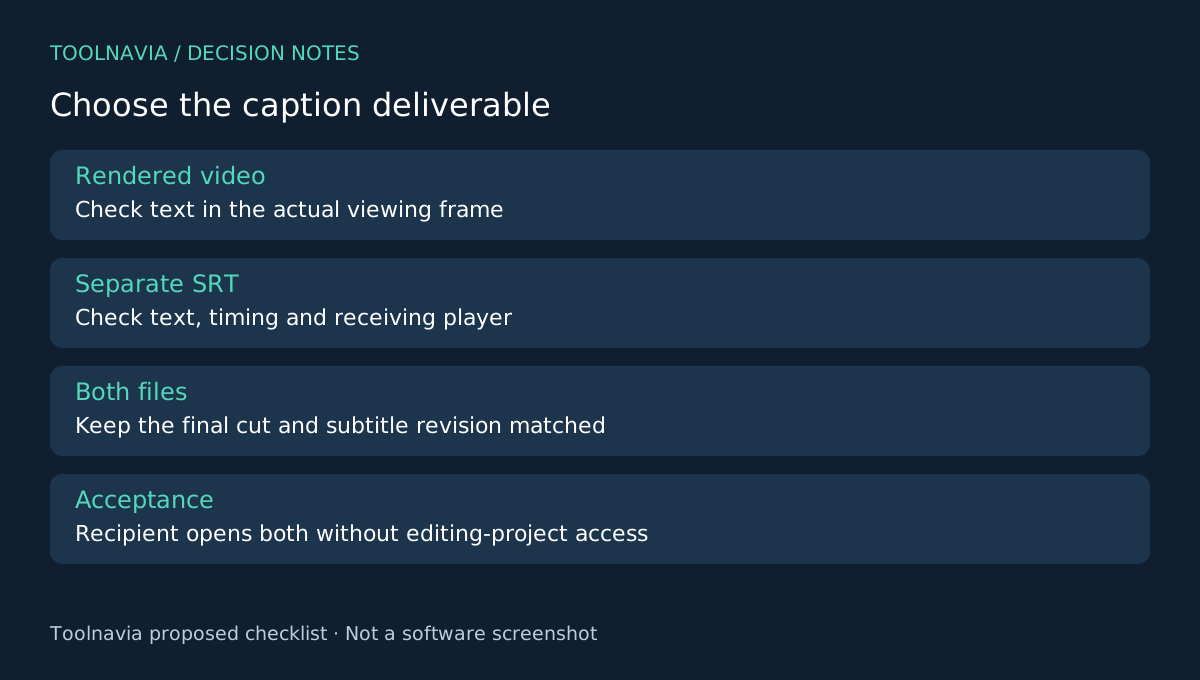
Ask whether the deliverable is a video with permanent on-screen captions, a separate subtitle file, or both. An SRT file stores text and timings; it is not a promise that another player will reproduce your chosen font and animation. Make this distinction before spending time on styling.
For a single social clip, a readable captioned export may be enough. A course owner may need a separately editable text file. Someone who only needs an occasional transcription should first check the tools they already have rather than buy an entire editor.
Four useful parts of the Filmora workflow
Speech-to-Text supplies a first draft from spoken dialogue. Editable captions let you correct names and technical terms. SRT output separates the text-and-timing deliverable from the rendered picture. Smart Text Correction flags potentially problematic wording for review. These features are documented together, but none removes the need to listen against the original audio.
That combination matters when one person owns both the edit and the captions: a revised sentence can be checked beside the exact cut it belongs to. The benefit disappears if the recipient requires a subtitle specification your test export cannot satisfy.
Try a difficult minute before committing
Prepare a one-minute sample containing a proper name, a number, a pause and the fastest speech in your project. Use footage you may process in the selected service. Import it, choose the correct spoken language, generate the captions and inspect the correction suggestions.
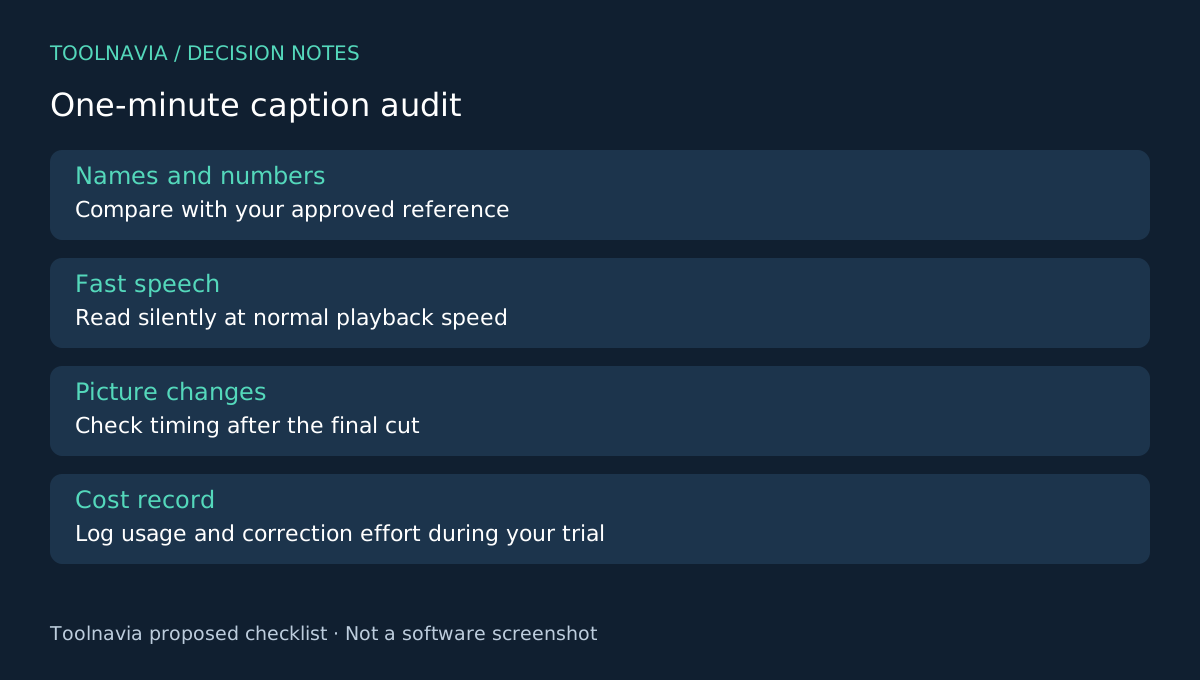
Now do a separate editorial pass. Check every name and number against your supplied reference. Read the captions silently at normal playback speed. Split awkward lines and check whether a sentence appears before the person starts speaking. These are proposed acceptance checks, not measured Filmora results.
Export the intended video and subtitle deliverables. Reopen them outside the editing project. The pass condition is that the recipient can use both files, timings match the final cut, and no essential text is cropped on the target screen. Keep a small change log so later picture edits do not leave an outdated subtitle file in the delivery folder.
Choose the plan after measuring the job
The US desktop references are Basic $49.99/year, Advanced $59.99/year and Perpetual $79.99. Advanced lists 1,000 monthly AI credits; confirm the selected tool's consumption before budgeting a backlog. Annual billing renews, and Perpetual is not every future major version. Optional assets and tax can increase the bill.
Record minutes processed, failed attempts and manual correction effort during your own trial. A cheaper license is not necessarily cheaper for heavy transcription, but a monthly credit allowance is also not a guarantee that your entire archive fits.
Compare the missing job, then buy
Shotcut documents speech-to-subtitle tools, while Premiere offers text-based editing and Resolve combines video and audio work. These are alternatives to evaluate, not proof of equivalent accuracy or a ranking.
Choose Filmora when the sample package meets your recipient's requirements and the ongoing caption budget is acceptable. Use the [Filmora plan guide](/en/software/filmora) for the broader license comparison. Toolnavia may earn a commission on eligible purchases through the official Filmora affiliate link; no special discount is implied.