TOOLNAVIA / BUYING GUIDE
Filmora Audio Ducking: Clearer Interviews Without Jumping Music
The short answer
Filmora's audio ducking is useful when spoken explanations repeatedly compete with background music. The buying question is whether you can keep the words intelligible without making the music surge awkwardly between sentences. Evaluate that balance on a real conversation before paying. This is an official-document analysis with a proposed listening exercise, not an audio-quality benchmark.
At a glance
- Best for
- Creators choosing between continuous major-version upgrades, recurring AI credits and a one-time Filmora16 license.
- Price model
- Basic $49.99/year · Advanced $59.99/year · Perpetual $79.99 one time
- Check first
- Perpetual covers Filmora16 only; Creative Assets can renew separately; final checkout and future upgrades can change.
Separate mixing from repairing a recording
Ducking changes the relationship between a main voice and background sound. It does not reconstruct a sentence that was never captured clearly. Start by listening to the voice alone: if it is clipped, distant or overwhelmed by room noise, lower music is only part of the problem.
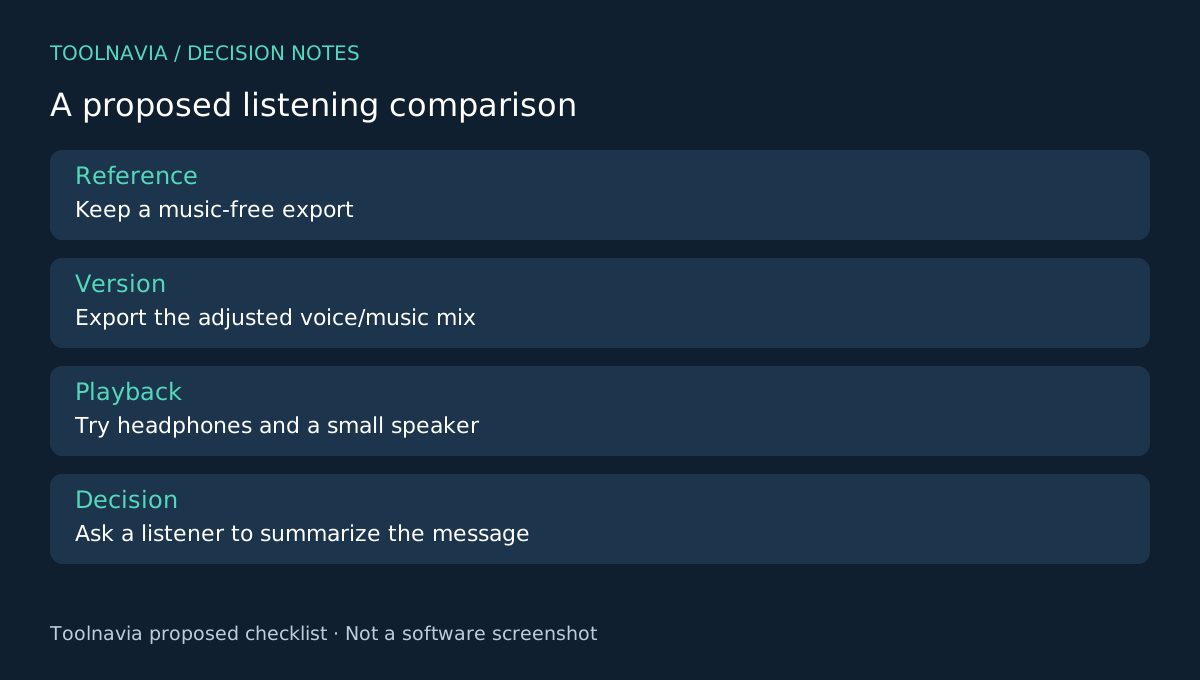
Keep the original recording and a music-free version. For a straightforward interview, no music may be the cleanest editorial choice. A paid editor becomes more compelling when the same project also needs picture editing, captions and controlled sound transitions.
Four controls that matter in practice
Filmora's Windows guide describes selecting the clip containing the primary voice, enabling Audio Ducking, adjusting reduction with a slider and controlling fade position and duration. The selection tells the workflow which audio matters; reduction decides how far the background drops; fade position sets the transition timing; duration determines whether the change feels abrupt or gradual.
These are useful because a quiet explanation, an energetic introduction and a long pause need not share the same musical treatment. They do not establish a universal correct setting. Your recording and intended playback device remain the judge.
Test a question, an answer and a pause
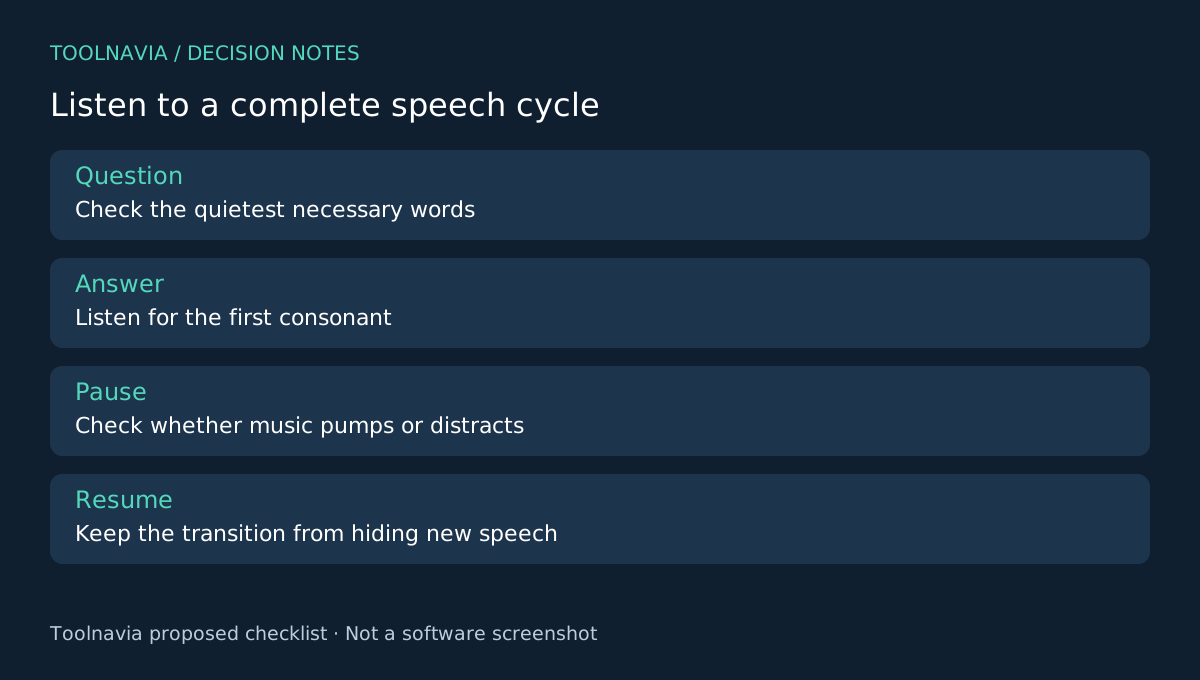
Prepare a short section with a quiet question, a louder answer and a natural pause. Add a music track you have permission to use. Select the voice-bearing clip and enable ducking as documented, then make a conservative initial adjustment.
Listen through headphones and a small speaker at a comfortable volume. Pay attention to the first consonant of each answer: if the music drops too late, adjust the transition. During the pause, listen for distracting pumping. Preserve the speaker's natural rhythm rather than filling every gap with louder music.
Write down three decisions: whether every necessary word is understandable, whether the transitions distract, and whether the whole segment feels consistent. Export and reopen the file outside Filmora. A timeline preview is not the deliverable your audience receives.
Finally compare with the music-free version at a similar listening level. Ask a second listener to summarize the answer, rather than asking which version sounds more impressive. That makes comprehension the acceptance criterion. This is a suggested review process, not evidence that Filmora has already passed it.
Budget for the editor you actually need
The current Basic desktop reference is $49.99 for a year; the subscription renews. Check the final regional checkout, tax, any optional asset trial and whether your intended AI tools need credits. A music license and software license are separate questions.
Do not buy Advanced solely because an ordinary mixing task sounds technical. Record which paid features your sample actually requires. If you mainly need audio-only work or your existing editor already handles the mix, switching software may add little value.
Choose a repeatable listening workflow
Shotcut documents automatic ducking and audio filters. Resolve emphasizes its integrated audio environment, and Premiere includes dialogue and mixing tools. Their existence makes it sensible to compare the same sample; it does not prove matching controls or equivalent results.
Choose Filmora when the voice/music balance and picture edit remain easy to revise together. Refer to the [Filmora plan guide](/en/software/filmora) for license details. Toolnavia may earn a commission on qualifying purchases through the official affiliate link. Neither the link nor this guide promises a particular sound quality or discount.