TOOLNAVIA / BUYING GUIDE
EdrawMax vs Lucidchart: Offline Desktop or Live Collaboration?
The short answer
Affiliate disclosure: Toolnavia may earn a commission if you buy EdrawMax through the approved link. That does not change the price you pay or this verdict. No purchase, payout, or hands-on use is claimed.
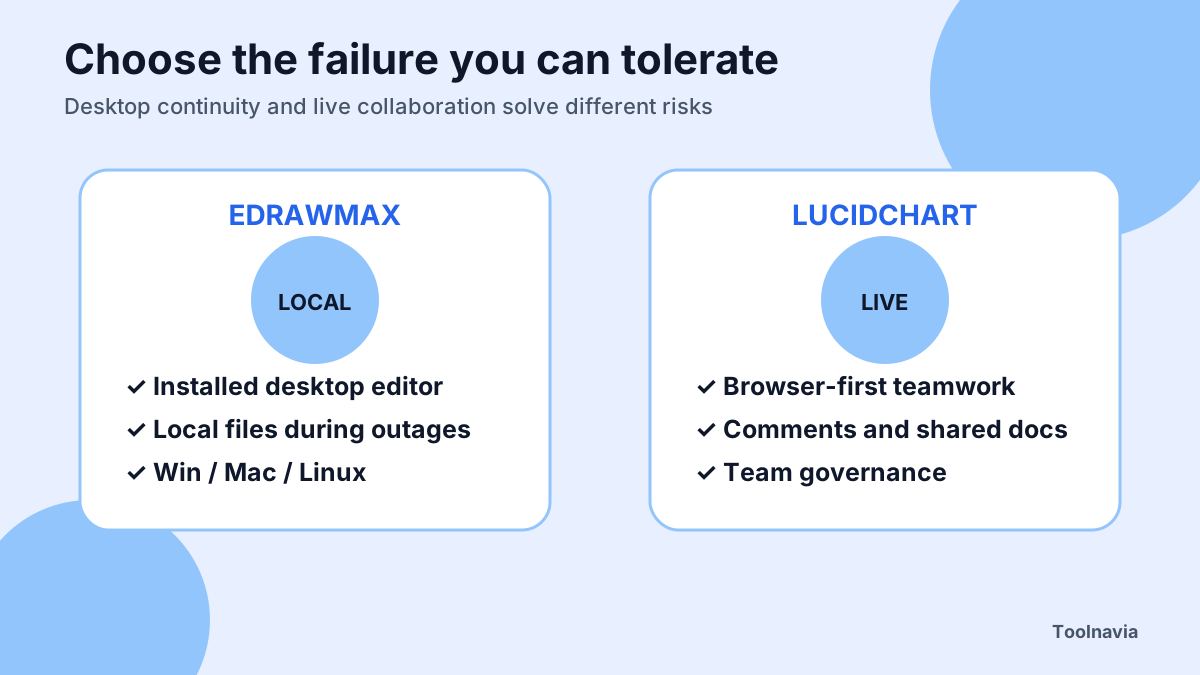
EdrawMax and Lucidchart can both create polished diagrams, but the buying decision is not “which has more shapes?” It is whether your work must survive a weak connection as a local desktop file, or whether several people need to comment, edit, and govern the same cloud document every day.
**Quick verdict:** choose EdrawMax when desktop editing, local files, Windows/macOS/Linux coverage, broad import/export, and a predictable fallback during an outage matter most. Choose Lucidchart when browser-first collaboration, document governance, integrations, and low-friction external participation matter more. If your only requirement is fully offline local diagramming, test the free draw.io desktop app before paying for either product.
At a glance
- Best for
- Installed desktop continuity, local files and cross-platform diagram authoring after a real outage/import pilot.
- Price model
- Use the live EdrawMax Individual checkout and compare the smallest Lucid plan that passes the pilot; include users, add-ons, migration and training.
- Check first
- Ordinary desktop use is not automatically a formal non-cloud deployment; Lucid offline mode is limited; live plan and checkout control.
Start with the failure you cannot accept
The cheapest way to choose is to imagine the network failing during an important review. EdrawMax offers installed desktop apps alongside its online editor. Lucidchart’s official offline mode can preserve edits to a document that was already open, but it cannot open the document list or create/open another document while disconnected. The browser must remain open until reconnection so cached changes can sync.
That difference matters for field engineers, regulated teams, travelers, and anyone who receives large local files. A browser cache can be a useful continuity feature, but it is not the same as a full local document library. Conversely, a desktop file is not automatically a collaboration system. If ten people need comments, permissions, version control, and simultaneous editing, local ownership can become a coordination burden.
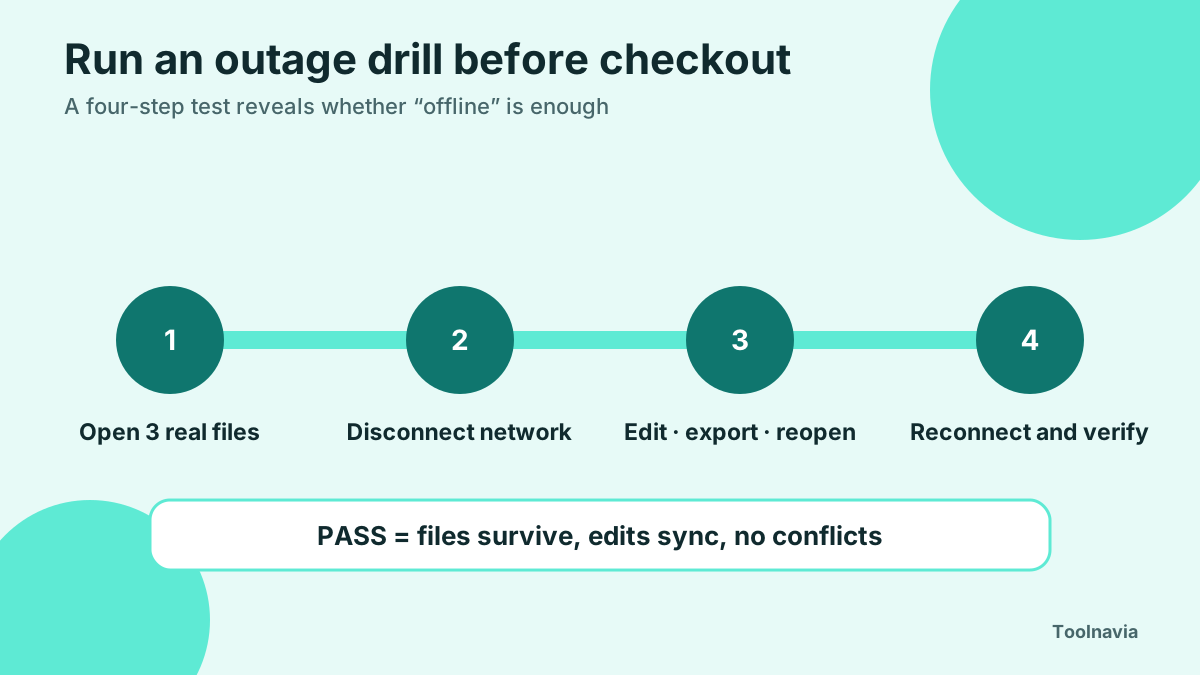
Run a deliberate outage test before buying: open three real diagrams, disconnect the network, edit, export, close and reopen where the product permits, then reconnect. Record what survives, what cannot be opened, and whether conflicts appear.
EdrawMax: stronger desktop continuity, with cloud choices
EdrawMax’s current individual matrix combines desktop and online access, multiple device coverage, cloud storage, templates, import/export, and paid-plan limits. Its download page lists Windows, macOS, and Linux desktop apps as well as EdrawMax Online. That makes it a better starting point when local authoring is a hard requirement.
The desktop advantage has boundaries. Edraw’s site separately describes a customized non-cloud/local business edition. Therefore, ordinary desktop installation should not be described as a guaranteed air-gapped enterprise deployment. A buyer who requires no account, no cloud dependency, restricted update paths, or formal data residency must obtain written confirmation for the exact edition.
Four EdrawMax advantages have explicit boundaries. **Installed desktop editor** lets authors open and edit local diagrams during a network outage, but the ordinary desktop plan is not automatically a formally air-gapped enterprise edition. **Managed share links** make it possible to distribute a diagram, set expiry, revoke access, and review basic engagement, but a link alone does not prove simultaneous co-editing or an approval audit. **Cross-platform desktop coverage** serves Windows, macOS, and Linux workflows, but exact version, account, update, and device entitlements still depend on the current plan. **Broad file import and export** can reduce migration friction for Visio, SVG, PDF, CAD, Office and image workflows, but every complex sample must be round-tripped before purchase.
Sharing also has levels. EdrawMax can generate share links and QR codes, set expiry, cancel links, and track views. Edraw’s FAQ says EdrawMax Online supports collaboration. But “a link exists” does not prove that every reviewer can concurrently edit, comment, recover versions, and follow an approval trail under your exact plan. Test those actions with two external accounts.
Lucidchart: collaboration first, offline continuity second
Lucidchart is designed around cloud documents. Its plan matrix covers sharing, storage, templates, document controls, diagrams, integrations, and administrative capabilities across Free, Individual, Team, and Enterprise tiers. That structure fits organizations where the diagram is a shared workspace rather than a file one person owns.
Its offline mode is more capable than “no offline support,” but narrower than a desktop editor. The official help page says offline editing works for documents already open in supported browsers. New or existing documents cannot be opened from the document list while disconnected; real-time collaboration is unavailable; and the browser should stay open until the cached changes sync after reconnection.
That is acceptable for a short interruption during an already-open session. It is weaker for opening an archive in a location with no network, switching among many files on a flight, or proving that sensitive data never touched browser storage or a cloud account. Treat “offline mode” as a continuity feature, not a deployment model.
Compare the workflow, not the feature checklist
Use four tests.
**Offline reopen test.** Can a user open the required diagram after the connection is already gone? EdrawMax desktop and draw.io desktop are the stronger baselines. draw.io’s official manual says its desktop app works without an internet connection, while its PWA loses cloud save, autosave, some export, templates, online fonts, and help until reconnection.
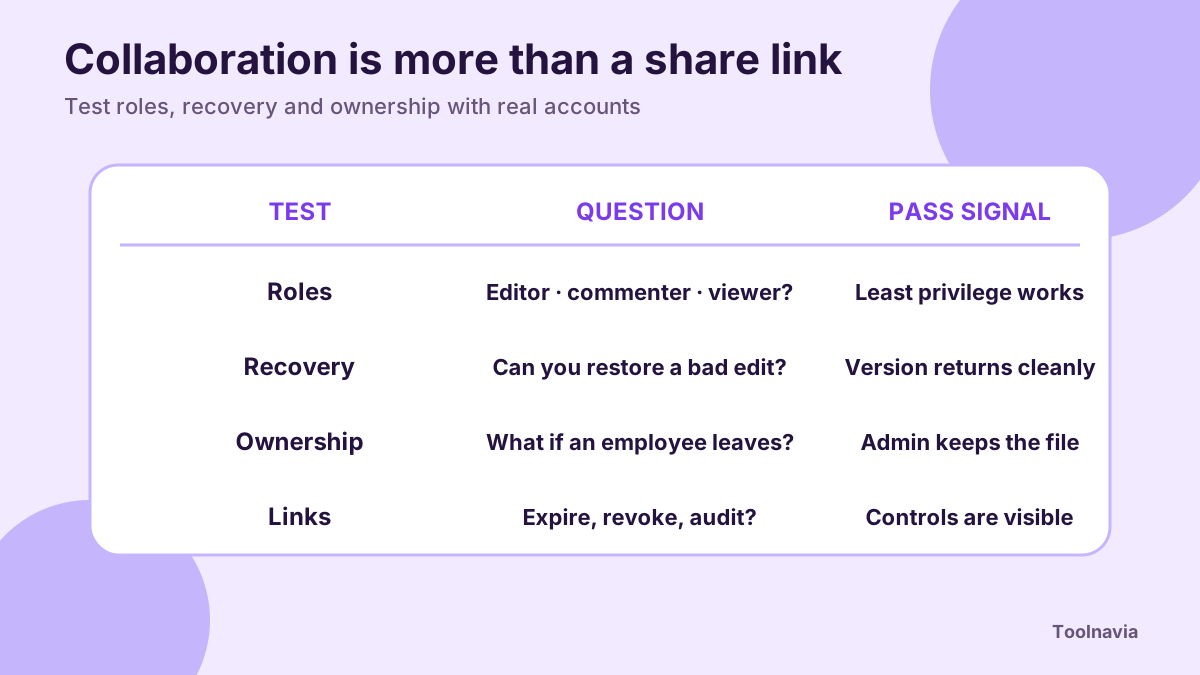
**Collaboration test.** Invite an editor, commenter, and view-only reviewer. Verify simultaneous edits, mentions, comments, version recovery, link expiry, external access, and ownership transfer. Lucidchart and Miro are collaboration-first references; Miro combines diagramming, imports, templates, AI, comments, video walkthroughs, and a broader workspace.
**File-exchange test.** Import your hardest Visio, SVG, PDF, CAD, and multi-page example, then export it and reopen it in the destination tool. EdrawMax’s pricing matrix lists import/export entitlements, while Lucidchart’s current trial page highlights Visio import/export on the Individual plan. Do not accept “supported” until fonts, connectors, layers, page size, data links, and editability survive.
**Governance test.** Ask who owns documents when a user leaves, how retention works, whether administrators can restrict public links, and how audit events are exported. Microsoft Visio provides a useful benchmark: Microsoft 365 includes lightweight web/Teams diagramming, while Plan 2 adds a desktop app with offline and local file support.
Price only the plan that passes the pilot
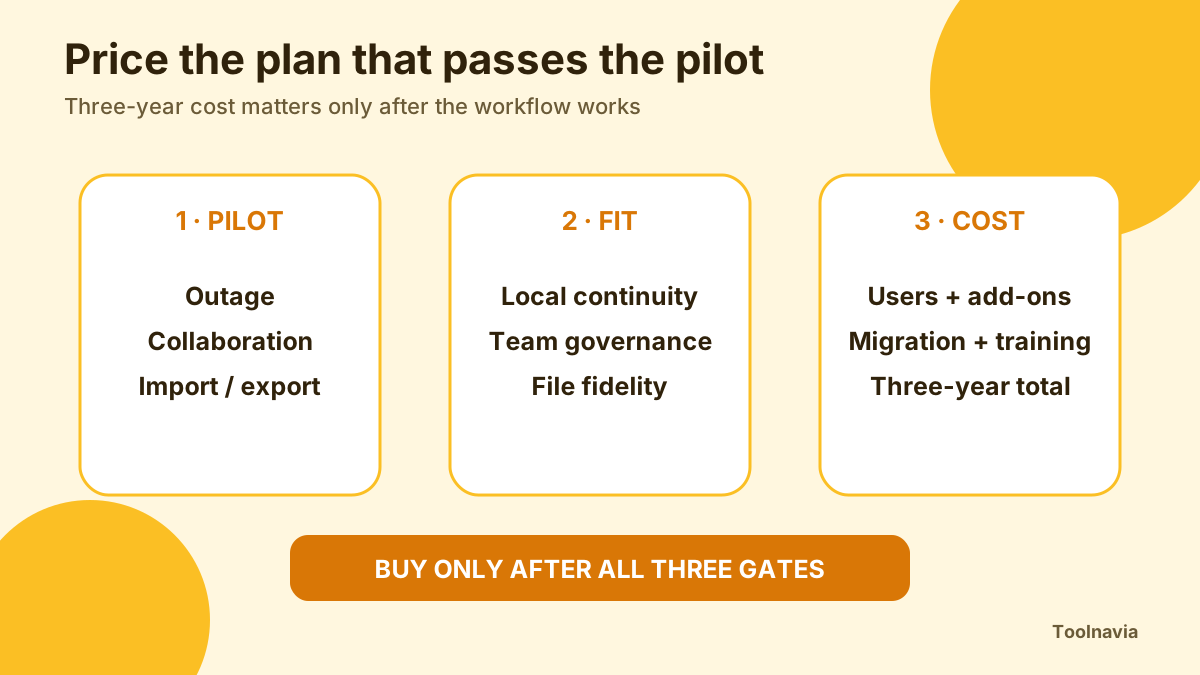
EdrawMax’s live pricing page currently presents subscription and perpetual choices with different durations for desktop, online, mobile, upgrades, cloud storage, and AI assets. It also displays add-on trial language that may auto-renew. Prices, promotions, taxes, renewal amounts, and AI asset terms can change, so the cart on purchase day controls.
Lucidchart’s official trial page currently advertises a seven-day trial and an Individual plan price, while its plan matrix distinguishes Individual, Team, and Enterprise controls. A single-user price is not a fair comparison if your real need is team administration, shared templates, retention, or enterprise security.
Calculate the three-year cost for the smallest plan that passes the pilot. Include additional users, migration, training, premium support, AI/add-ons, and the time spent converting files. A perpetual desktop license can be cheaper for a stable solo workflow; a cloud subscription can be cheaper when it eliminates review-email chaos.
Who should buy each product
Buy EdrawMax when one or a few authors create complex diagrams locally, must work across Windows/macOS/Linux, exchange many formats, and want an installed editor with optional online sharing. It is also the safer candidate when opening local files during an outage is non-negotiable. Confirm the exact device, update, cloud, mobile, and non-cloud terms before checkout.
Buy Lucidchart when the diagram is continuously co-authored, reviewed through links, integrated with other cloud systems, and governed by a team or enterprise account. Confirm offline behavior with the exact browsers and documents your team uses.
Consider draw.io desktop when fully offline local diagrams and cost control dominate. Consider Visio when Microsoft 365 integration, Windows desktop depth, or industry templates matter. Consider Miro when workshops and cross-functional collaboration matter more than deep diagram precision. SmartDraw is another cloud collaboration benchmark; its own FAQ says the desktop launcher opens a web app, so do not assume it is a full offline editor.
Final buying checklist
Before paying, complete one shared pilot and one outage pilot. Use a complex real diagram rather than a template. Test local reopen, browser recovery, simultaneous edits, comments, permissions, version restore, link expiry, import/export fidelity, and account-offboarding ownership.
Choose EdrawMax if the installed editor and local-file continuity solve your highest-cost failure while its online collaboration is sufficient. Choose Lucidchart if cloud collaboration and governance solve the larger problem and its pre-opened-document offline mode is enough. If neither passes, the correct answer is not to force the purchase: use draw.io, Visio, Miro, or another specialist that matches the workflow.