TOOLNAVIA / BUYING GUIDE
EdrawMax Individual vs Team: Check Commercial Use and Devices Before You Buy
The short answer
At a glance
- Best for
- One named user or an organization choosing the correct EdrawMax ownership and seat path before purchase.
- Price model
- Individual Annual official USD baseline; Team/Business pricing and tax depend on live checkout or quote.
- Check first
- Official device and commercial-template statements conflict; Team/Business has no separately approved affiliate offer.
Quick verdict
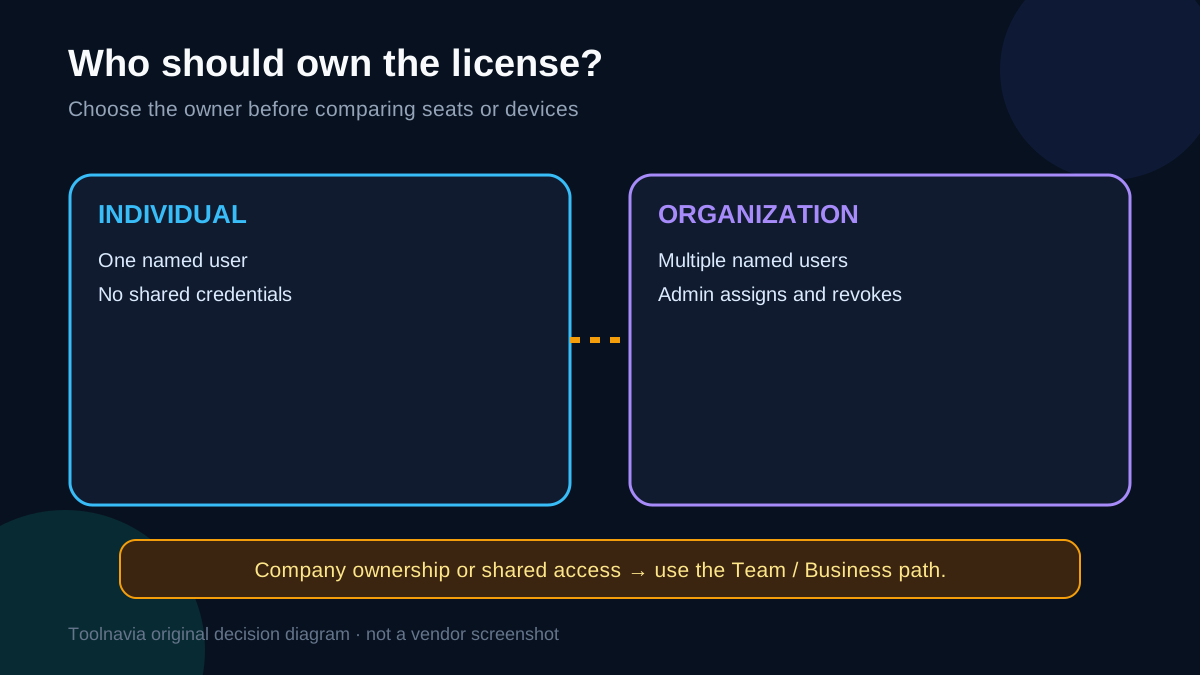
EdrawMax Individual is the safer fit when one person owns the account, creates diagrams personally, and does not need centralized seat control. A Team or Business plan is the safer path when a company buys the software, multiple people need named access, an administrator must assign or revoke users, or the organization needs deployment and support controls.
The difficult part is not the feature list. Edraw’s current official pages disagree about device coverage and contain conflicting language about commercial template use. That means a careful buyer should separate three questions before paying:
1. Who owns the license: one person or an organization? 2. How many people need to use the software? 3. Will the work rely on built-in or community templates for paid client or company output?
This guide does not turn those conflicts into a false promise. It shows what the official pages agree on, what remains unclear, and which questions deserve written confirmation.
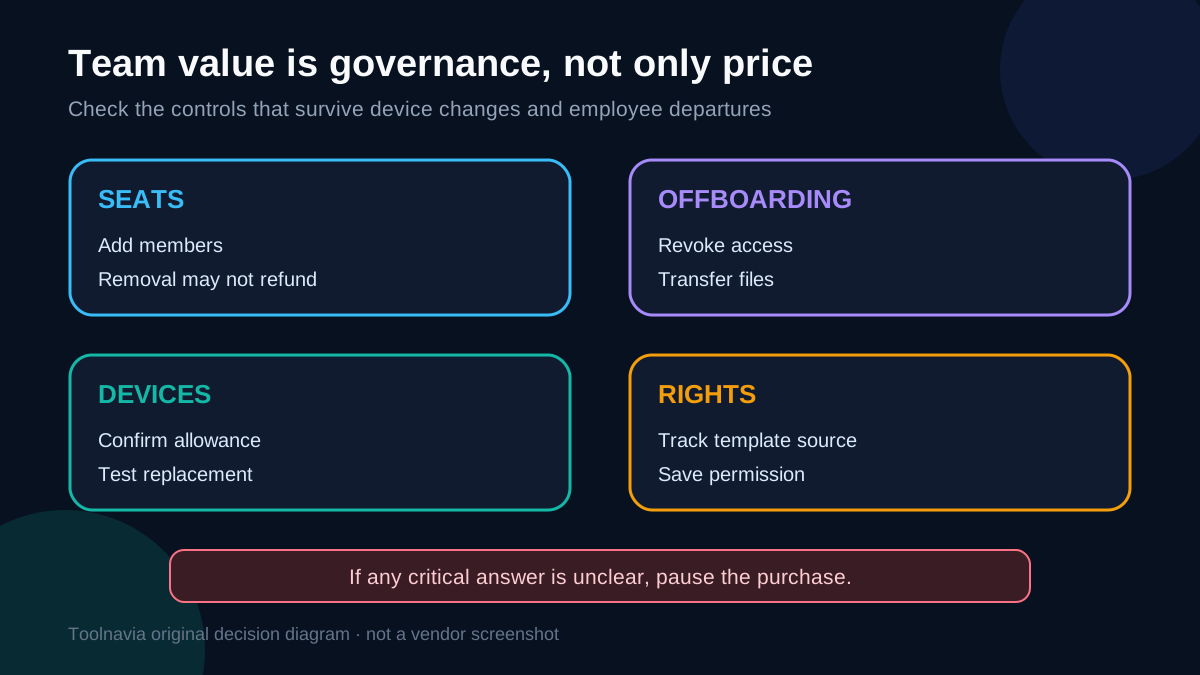
Four purchase benefits need their boundaries kept visible:\n\n- **Single named-user ownership:** keeps account responsibility clear for a solo buyer, but does not authorize shared credentials or organizational reassignment.\n- **Team seat administration:** lets an administrator assign, revoke and manage named users; removing a member does not automatically reduce the paid amount.\n- **Multi-device access:** can support office, home and mobile work, but the official allowance currently conflicts.\n- **Built-in templates:** can speed diagram creation, but current commercial-use clauses conflict and paid client work needs written confirmation.\n\n> Affiliate disclosure: Toolnavia may earn a commission if you purchase through the Individual-plan link in this article. The link does not represent an approved Team or Business affiliate offer, and it does not change our recommendation.
What the Individual plan is actually for
Edraw’s Business and Team store describes the Individual plan as a single-user option. Its specific terms also describe the individual license as personal, non-transferable, and for the individual’s own use. Those statements point in the same direction: an Individual purchase is tied to one person, not a pool of coworkers sharing credentials.
That does not automatically make the Individual plan unsuitable for every freelancer or solo professional. A one-person consultant can still be the sole user. The real warning sign is organizational ownership or shared access. If a company expects to reassign the seat when an employee leaves, centrally manage users, or let several people work under one purchase, the Team or Business route better matches the official licensing structure.
The approved EdrawMax Individual offer used by Toolnavia points to the official Individual purchase path. It is appropriate only when the single-user conditions genuinely fit. Current checkout price, tax, renewal and promotional terms should be verified at purchase because the store can localize or change them.
[Check the current EdrawMax Individual offer](https://www.anrdoezrs.net/click-101895278-14099230)
When Team or Business is the better buying decision
Edraw says team management is available in Team plans and lets an administrator assign, revoke and manage end users by registered email. The Business page also lists multi-user control and volume discounts as organizational features.
Choose the Team or Business path when any of these are true:
- the company, rather than one person, should own the license; - two or more people need their own access; - an administrator must add or remove members; - the organization needs a repeatable offboarding process; - deployment, role, permission or support requirements matter; - client work is produced by a shared department rather than a sole operator.
One official FAQ says team size can be increased during the subscription, but removing members does not reduce the amount already paid. That matters for seasonal teams: buying every possible future seat early may create waste. Ask sales how mid-term additions, removals, renewal quantities and ownership transfer work before committing.
Toolnavia does not currently have a separately approved exact Team affiliate link for this article. Team buyers should use the official Business page or request a quote; the Individual affiliate link must not be treated as a shortcut to team licensing.
The 2-device versus 3-PC conflict
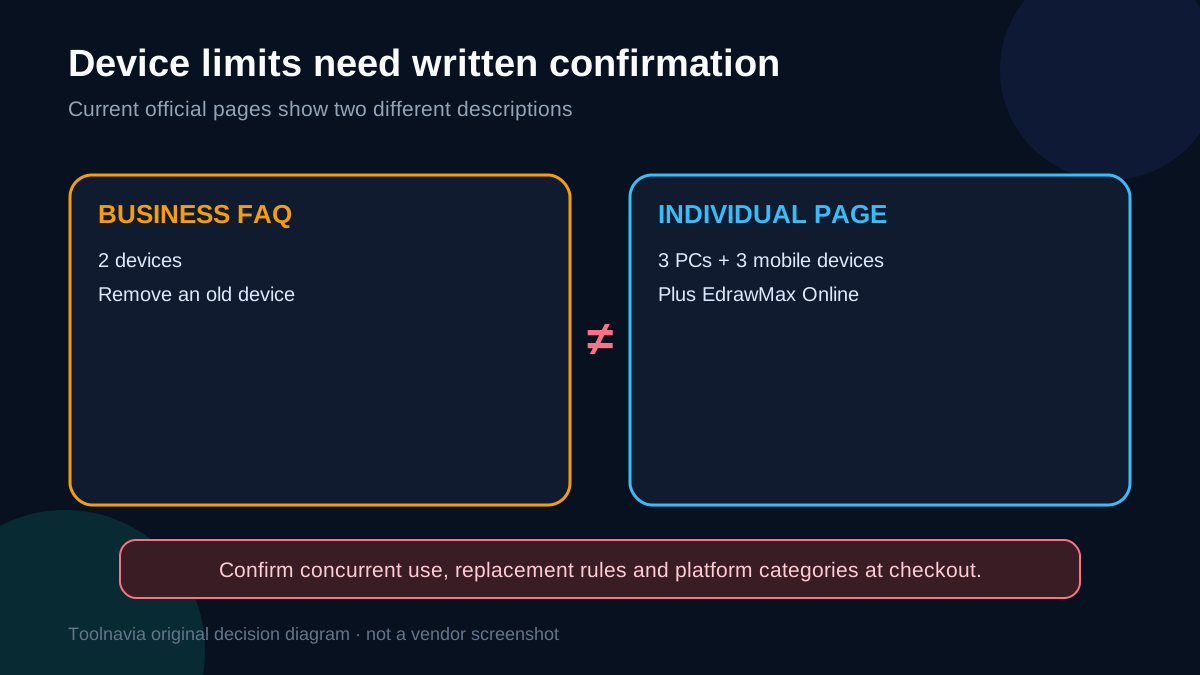
Official Edraw pages do not currently give one consistent device number.
The Business and Team store FAQ says one account can be used on two devices and that an old device can be removed through device management. The current Individual pricing page, however, advertises one-year access on three PCs, three mobile devices and EdrawMax Online. Edraw’s specific terms say an individual may install and activate the software on up to three devices.
These statements may reflect different plan generations, platform categories or account rules, but the pages do not reconcile them. Therefore:
- do not buy solely on the assumption that every desktop and mobile slot can be used simultaneously; - take a screenshot of the exact checkout description for your plan; - ask support whether “3 PCs + 3 mobiles” means concurrent activations, registered devices or platform entitlements; - confirm how often devices can be removed and replaced; - if device flexibility is essential, save the written answer with the invoice.
This is also why the headline should not promise a fixed device count. The honest buying advice is to verify the live order terms for the exact plan and region.
Commercial work and the template-rights conflict
The licensing terms create a second, more serious ambiguity.
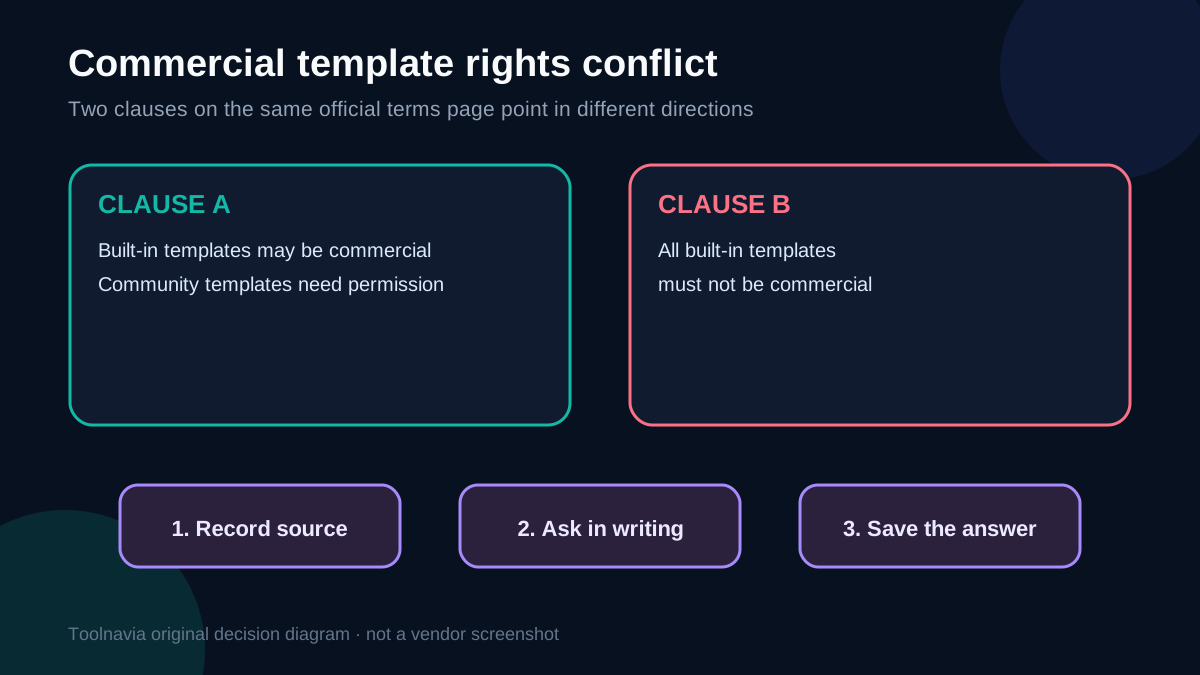
One Edraw clause says community-shared templates cannot be used commercially without the template owner’s permission, while built-in templates may be used commercially. A later clause on the same official terms page says all templates built into Edraw shall not be used for commercial purposes.
Those sentences cannot both be applied literally without clarification. The conflict matters if you plan to deliver diagrams to paying clients, publish marketing materials, resell finished visual work, or standardize company documents from templates.
A conservative workflow is:
1. Create original diagrams from your own shapes and content when possible. 2. Record whether a starting template came from Edraw’s built-in library or the user community. 3. Do not redistribute template assets as standalone files. 4. Get written permission from a community template owner before commercial use. 5. Ask Wondershare support to clarify commercial rights for the specific built-in template and output you plan to use. 6. Keep the written response and the version of the terms that applied when you purchased.
This article cannot resolve that contractual contradiction. For a high-value client project, legal or procurement review may be more important than the difference between subscription prices.
How competing team plans frame the same decision
Competitors make the individual-versus-team boundary easier to see.
Microsoft sells Visio subscriptions per user and states a device allowance per user. SmartDraw’s Team plan has a three-user minimum and adds administrative controls, a shared team folder and account consolidation. Lucid separates Individual, Team and Enterprise tiers, while Visual Paradigm distinguishes commercial-use rights from its non-commercial free tier and adds stronger collaboration at higher tiers.
The lesson is not that one competitor is automatically better. It is that organizational value comes from governance as much as drawing features. A cheaper single-user plan can become expensive if credentials are shared, work cannot be reassigned, or a departing employee owns the only account.
Compare the products on these questions:
| Buying question | Individual focus | Team/Business focus | |---|---|---| | License owner | One named person | Organization or managed group | | User count | One user | Multiple named users | | Seat changes | Usually limited or manual | Admin assignment and revocation | | Device policy | Must verify exact plan | Must verify per-user/device rules | | Shared assets | Personal workflow | Team folders, templates or governance | | Offboarding | User-managed | Admin-controlled | | Commercial template rights | Requires clarification | Still requires clarification |
A practical break-even test
Do not compare only the displayed annual price. Estimate the administrative cost of the wrong license.
For an Individual plan, add the time spent transferring devices, recovering access, locating files and resolving ownership when the account holder changes. For a Team plan, include the minimum seat commitment, unused seats, onboarding time and any price that must be quoted by sales.
A useful decision rule is:
- **Solo owner, solo use, no seat reassignment:** Individual can be reasonable after the device and template questions are confirmed. - **Company-owned work or more than one user:** Team or Business is the safer default. - **Unclear commercial template rights:** pause the purchase or obtain written confirmation, regardless of plan. - **Frequent staff changes:** prioritize centralized assignment, revocation and document ownership over the lowest sticker price.
Questions to send support before buying
Copy this checklist into a support request:
- Is this purchase owned by me personally or by my company? - How many named users does the selected plan allow? - How many Windows, macOS, Linux and mobile devices may be active at once? - Does the “3 PCs + 3 mobiles” wording apply to this exact checkout? - Can I remove an old device without waiting for support? - Can the company reassign a seat when an employee leaves? - May I use the specific built-in template in paid client work? - May I edit and commercially publish a community template with permission? - What happens to cloud files when a user is removed? - Will removing seats change the current invoice or only the next renewal?
The value of a written answer is not bureaucracy. It gives procurement, finance and the next administrator something concrete to rely on.
\nSource map for the comparison: Microsoft Visio Plan 2 frames access per user and device; SmartDraw emphasizes team administration; Lucid separates Individual, Team and Enterprise controls; Visual Paradigm separates commercial-use and team tiers.\n\n## Bottom line
Buy EdrawMax Individual only when the license is truly for one person and you have verified the live device and commercial-use terms that matter to your work. Choose Team or Business when the organization needs multiple users, seat administration, offboarding or company ownership.
The official sources currently leave two material issues unresolved: device counts and template commercial-use rights. Treat both as pre-purchase questions, not details to discover after deployment.