TOOLNAVIA / BUYING GUIDE
EdrawMax Regular vs Image-Based PDF: Test Search, Print and Accessibility Before Paying
The short answer
EdrawMax offers both **Regular PDF** and **Image-based PDF** export in its desktop documentation. That sounds like a format preference, but the buying decision is really about the receiver: do they need to search and copy labels, inspect a visually fixed review copy, print reliably, or use assistive technology?
This guide does not claim that either mode passed those tests. It turns the choice into a repeatable acceptance exercise you can run on the exact EdrawMax version, reader and printer your team uses.
*Official-documentation analysis checked October 30, 2026. No EdrawMax export, screen-reader or print test was performed.*
At a glance
- Best for
- Teams testing the real PDF before payment
- Price model
- Dated vendor display $69 semiannual/$99 annual/$99 perpetual; final checkout unverified
- Check first
- No tested PDF accessibility or checkout; version-sensitive UI
Decide by the receiver's job
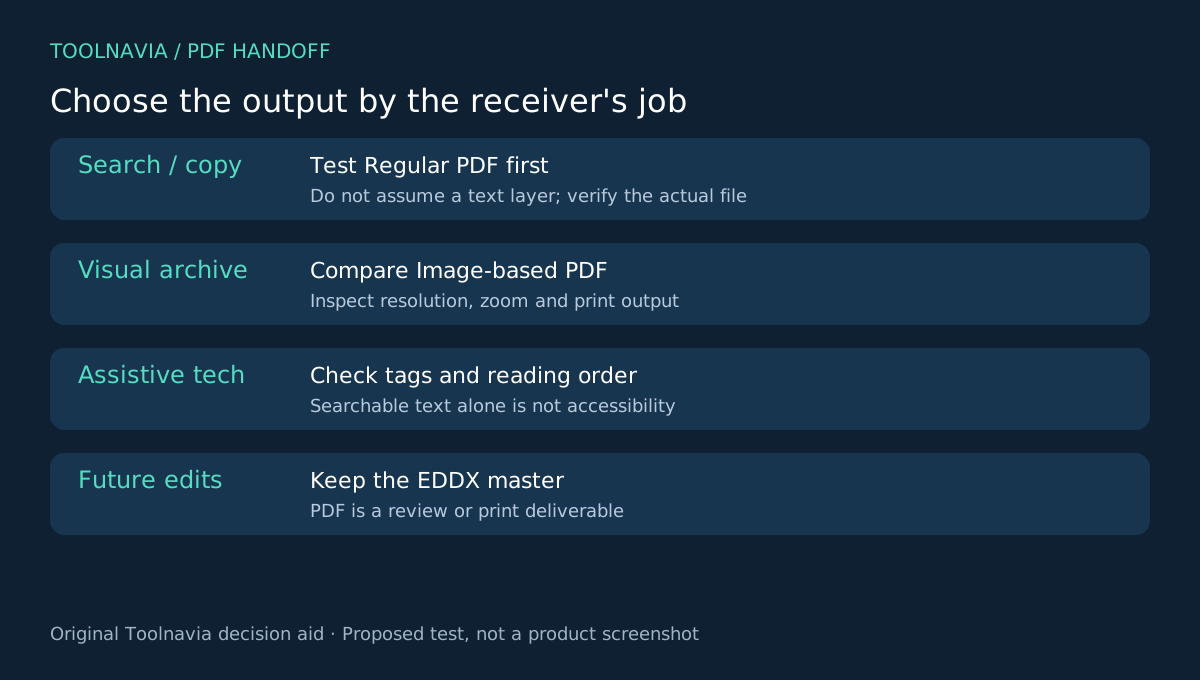
Choose the output after defining what the recipient must do.
- If they must **search, select or copy text**, test Regular PDF first. Edraw's older manuals distinguish Regular PDF from Image-based PDF, but they do not establish that every current Regular PDF contains an extractable text layer or correct tags. - If the priority is a **visually fixed archive or print reference**, compare Image-based PDF. Edraw describes image-format export as supporting WYSIWYG printing, but that does not guarantee resolution, font rendering or paper output in your workflow. - If the recipient uses a **screen reader**, neither label is enough. Adobe treats searchable text, tags, reading order and alternative text as separate accessibility requirements. - If the recipient must **continue editing**, retain EDDX or another verified editable format. A PDF review copy is not the editable master.
The safest rule is simple: select a candidate mode, inspect the resulting file, and record the evidence. Do not buy solely because the export menu contains the right label.
Build one two-page sample
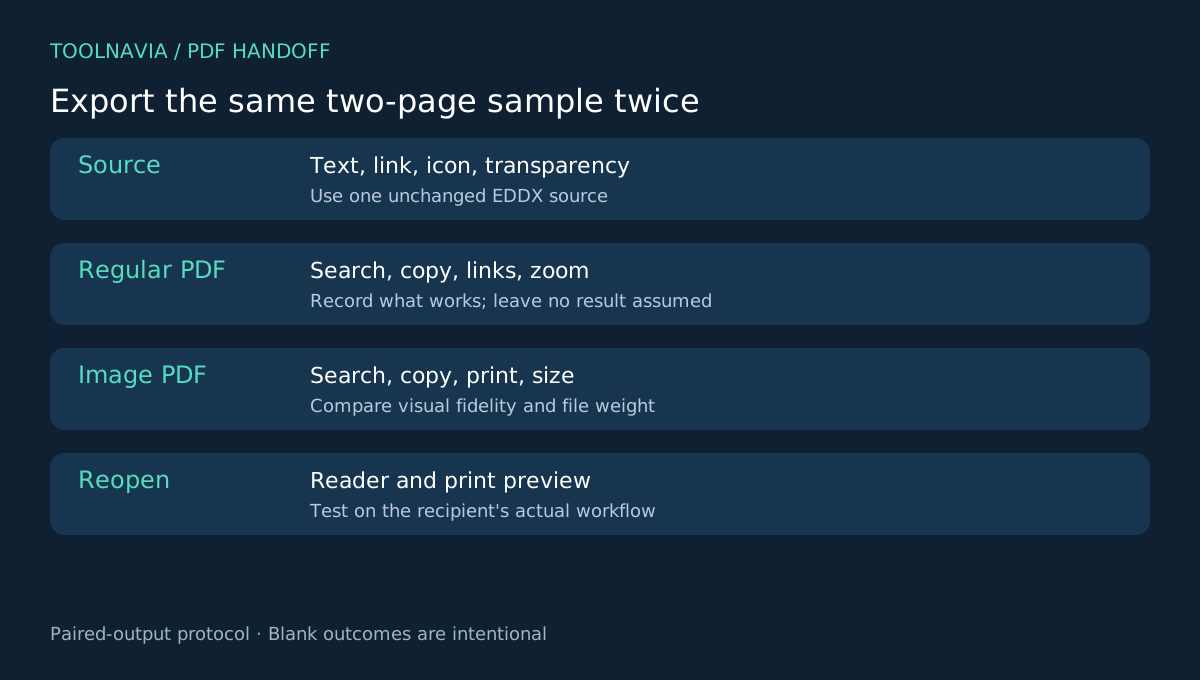
Use one unchanged EDDX file for both exports. Include:
1. a title and short paragraph with uncommon words that are easy to search; 2. a labeled shape and a small icon; 3. one working hyperlink; 4. a transparent or overlapping object; 5. a second page with a heading, short list and meaningful graphic.
Save a revision identifier before exporting. Then create one Regular PDF and one Image-based PDF without changing page size, content or object placement. The goal is to isolate the export mode rather than compare two different diagrams.
The older EdrawMax guide documents page selection and single-versus-separated PDF output. Treat exact menu names as version-sensitive and record the controls you actually see.
Compare six observable results
Open both PDFs in the reader the recipient will use.
1. Search and copy
Search for the uncommon words, select a sentence, and paste it into a plain-text editor. Check whether characters, spaces and line order survive. Adobe notes that image-only PDFs contain image data rather than searchable text until OCR creates a text layer.
A successful copy test proves only that text was extractable in that sample. It does not prove semantic structure or accessibility.
2. Links
Activate the test hyperlink. Record whether it opens the expected destination and whether visible link text is meaningful. A diagram can look correct while losing interactive behavior during export.
3. Zoom and visual fidelity
Inspect both files at normal view and 400% zoom. Look for blurred labels, missing symbols, shifted transparency, clipped lines and substituted fonts. A vector-looking result can still contain objects that behave differently; an image-based result can preserve appearance but lose selectable text.
4. Page and print behavior
Check page count, orientation, margins and print preview. Print one representative page if paper output matters. Record the printer, driver, paper size and scaling option. Do not reuse conclusions from a floor-plan printing workflow: this article's decision is the PDF mode and recipient acceptance, not physical scale.
5. File size and distribution
Compare file size and opening speed in the real delivery channel. A larger file is not automatically higher quality, and a smaller file is not automatically more accessible. Confirm the recipient can download and open it.
6. Accessibility structure
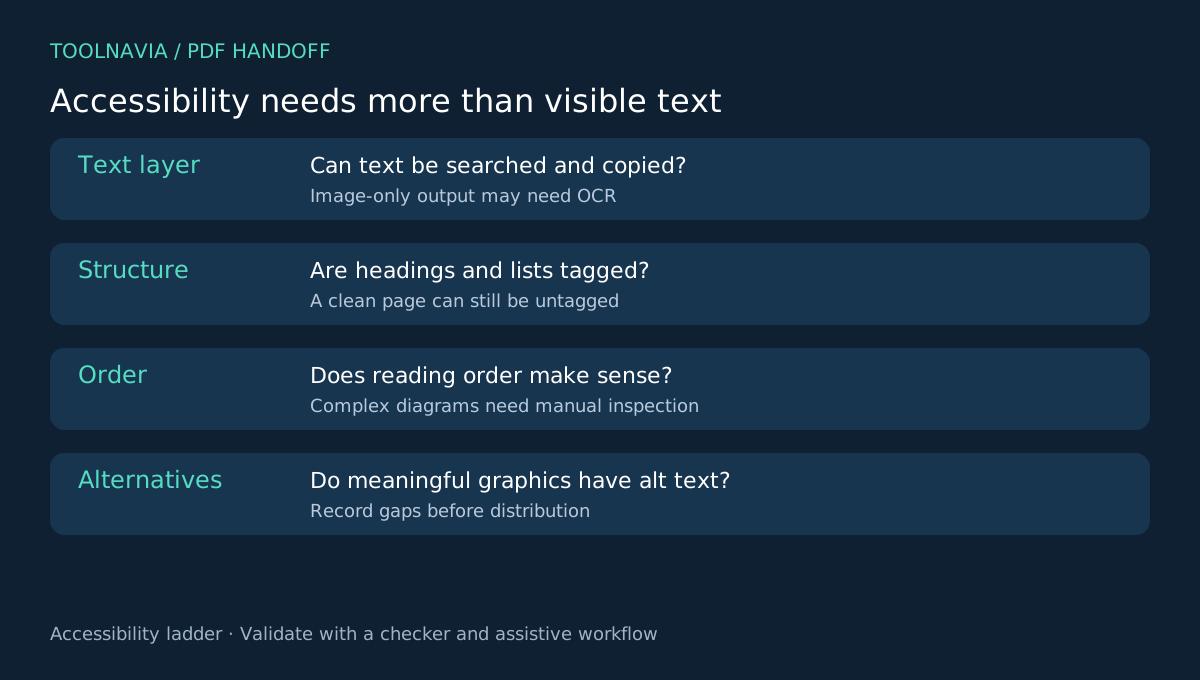
Run an accessibility checker. Inspect document tags, reading order, heading structure, link descriptions and alternative text. Adobe warns that automatic tagging can misinterpret complex layouts; Microsoft advises preserving document-structure tags when creating accessible PDFs from Visio.
If the PDF is image-only, OCR may create searchable text, but OCR does not automatically supply correct reading order or descriptions for meaningful graphics. Record every remaining gap.
Understand what competing workflows reveal
Competitor documentation helps define the test; it does not prove EdrawMax behavior.
- **Lucid** exposes page tiles and layer handling during PDF export, showing why multi-page and layered diagrams need explicit checks. - **SmartDraw** suggests SVG-to-PDF as a fallback when direct PDF output is unsatisfactory. That is a troubleshooting path, not an EdrawMax feature. - **Canva** states that flattening a PDF removes accessibility tags. The lesson is to inspect structure instead of treating visual flattening as harmless. - **Microsoft Visio** documents an accessibility checker and a PDF option for document-structure tags. Do not assume EdrawMax has the same control unless your current version exposes and verifies it.
These examples support a neutral requirement list: text behavior, visual fidelity, page handling, links, tags, reading order and alt text.
Check the free and paid boundary
Edraw's current comparison pages show free PDF output with a default watermark and standard-definition limits, while paid plans remove the watermark and add HD or Full HD output.
The official pages conflict on the free/trial page limit: the pricing table shows a two-page limit, while the product FAQ says trial users may create no more than three pages. Do not use either number as a universal promise. Check the installed version and selected order.
On October 30, 2026, the official pricing table displayed **US$69 semiannual, US$99 annual and US$99 perpetual**. The same site has shown other values and inconsistent perpetual references elsewhere, so treat these as a dated display snapshot, not a guaranteed checkout total. Confirm platform, entitlement, tax, renewal and optional assets in the final order.
Pay only when the selected plan changes a requirement you have verified—such as removing a watermark from an accepted final copy. A paid plan does not establish searchable text, correct tags or print fidelity by itself.
Keep a controlled handoff package
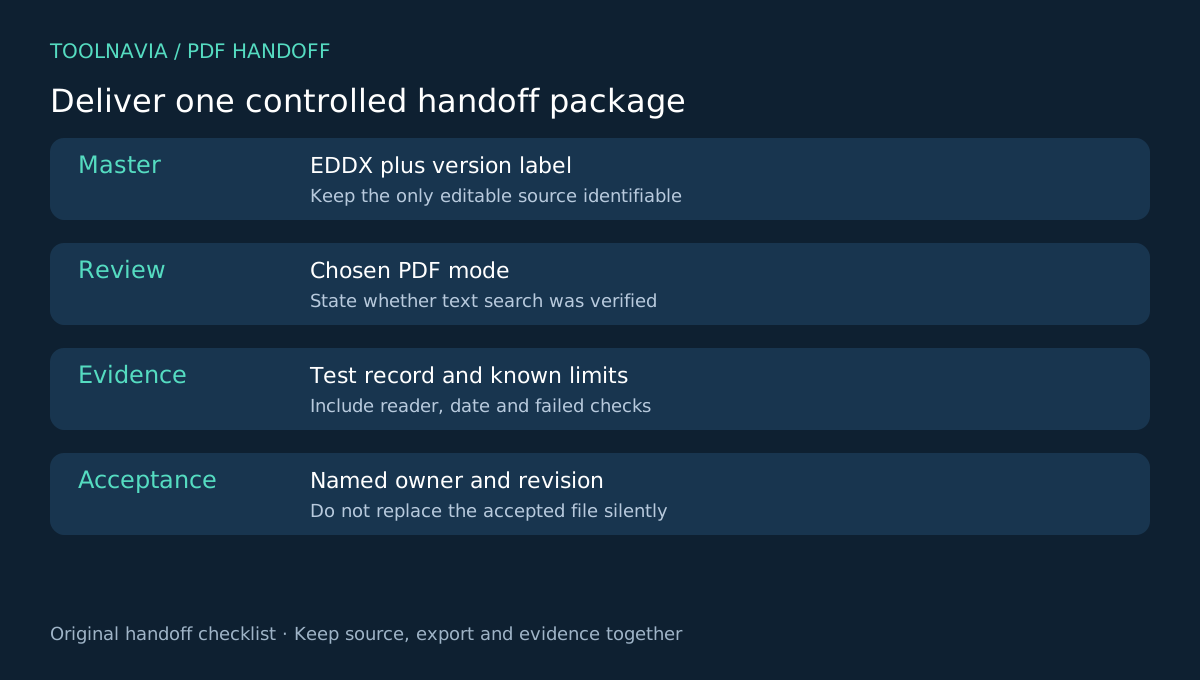
For an important delivery, keep four items together:
- the editable EDDX master with a revision label; - the chosen PDF and its export mode; - the test record with reader, printer, date and pass/fail results; - the named person who accepted that revision.
If one receiver needs search and another needs a fixed visual archive, you may distribute two clearly labeled PDFs. Avoid silent replacement: a later export should receive a new revision identifier and repeat the relevant checks.
Verdict
EdrawMax can be a reasonable choice when its paired-export test demonstrates the behavior your recipient needs and the paid entitlement removes a real delivery limitation. Choose Regular PDF for evaluation when text interaction matters; compare Image-based PDF when visual consistency is the priority. In both cases, validate the actual output.
Do not call a PDF accessible merely because text can be selected. Do not call it editable because the source diagram remains editable. Keep the EDDX master, inspect the distributed file, and document the acceptance result.
For ownership and renewal economics, see our [EdrawMax plan guide](/en/software/edrawmax).
*Affiliate disclosure: Toolnavia may earn a commission if you purchase EdrawMax through the approved Annual Individual link. No exclusive discount, successful export test or accessibility certification is promised.*