TOOLNAVIA / BUYING GUIDE
EaseUS Partition Master Pro: Free Limits and Two-PC Pricing
The short answer
EaseUS Partition Master Professional makes sense when a Windows disk job needs system migration or a bootable partition manager, not merely because C: is getting full. The Free edition already covers routine resizing and moving. Start by identifying the missing operation, then compare the standard two-PC licenses rather than paying for an unnecessary upgrade.
This is an official-document analysis, not a Toolnavia hardware test. Prices were checked on October 4, 2026.
At a glance
- Best for
- Windows PC users with a verified system-migration or WinPE need and an independent backup.
- Price model
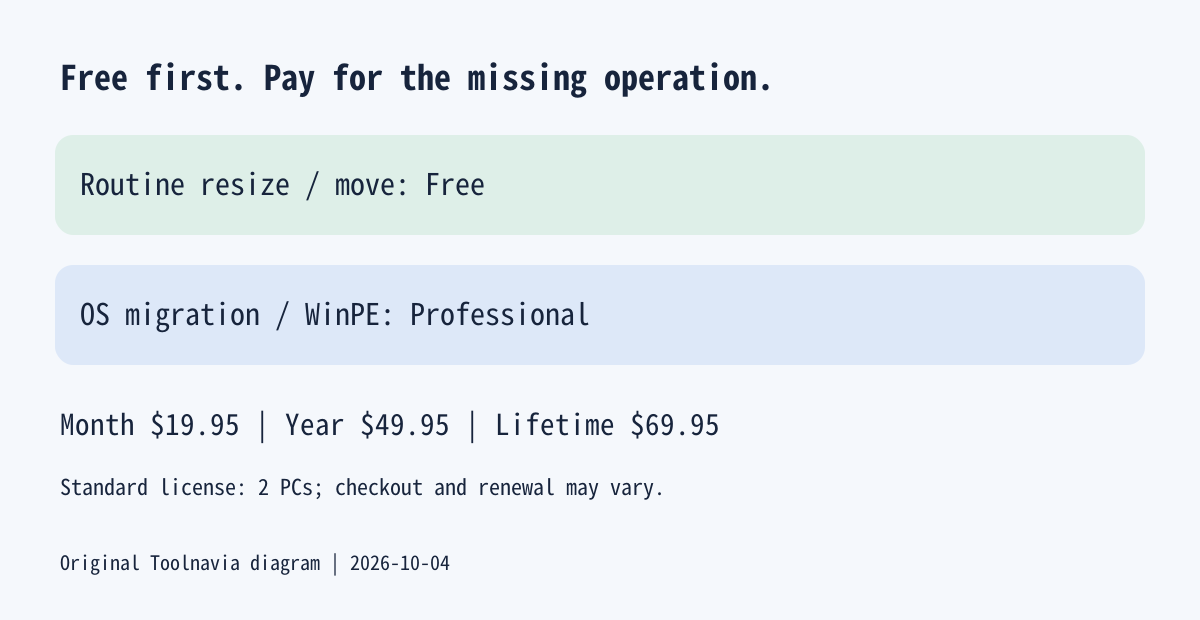
- Standard 2-PC display: $19.95/month, $49.95/year, $69.95 lifetime
- Check first
- Routine resizing may be free; renewal unconfirmed; conditional refunds; no Server/Mac or physical repair.
First decide whether Free already solves it
A partition is a separately managed area of a disk. Windows Disk Management can extend an NTFS or ReFS volume when unallocated space sits immediately after it on the same disk. If that is your layout, try the built-in route before buying anything. Free space inside another partition is not yet unallocated space.
Partition Master Free adds visual resize, move and merge controls, plus partition copying. Its current comparison separates those operations from paid system cloning, OS migration and WinPE creation. A visible button in a download is not proof that the installed edition will execute it. Confirm the exact operation before purchase.
Four useful capabilities, with different upgrade boundaries
**Rebalance existing space.** Resize/Move lets you change a partition boundary and inspect the proposed layout before applying it. This is helpful when a data volume has spare capacity but another volume needs room. It is already a Free capability: do not pay just to obtain it. Moving data still requires a verified backup and an uninterrupted operation.
**Move Windows to a replacement disk.** Professional provides OS migration without rebuilding the installation from scratch. Its FAQ says the transfer includes files in the system and boot partitions, not just Windows executables. Treat the destination as overwrite-risk storage; confirm both disk models, capacity and boot compatibility. Migration is not a substitute for retaining an independent backup.
**Inspect partitions outside installed Windows.** Paid WinPE media provides a small Windows-based environment that can start before the installed system. It is useful when Windows will not boot but the hardware remains readable. Create and test the media beforehand; verify it sees the intended storage controller and disks. It cannot guarantee repair of every boot failure or damaged drive.
**Check SSD partition alignment.** The documented 4K Alignment tool addresses partition-boundary alignment. It can be relevant after a migration that leaves a confirmed alignment problem. It does not create storage capacity, and an already aligned SSD needs no speculative tuning. Toolnavia has not measured a speed improvement; check the installed edition and disk state before running it.
Standard two-PC pricing: month, year or lifetime
The normal purchase options currently show $19.95 monthly, with $29.95 struck out; $49.95 yearly; and $69.95 lifetime, with $79.95 struck out. Each includes two PCs and standard support. Upgrade coverage is one month, one year or lifetime respectively. Remote-assistance packages and verified-student discounts are different offers and are excluded here.
The general Professional page still headlines $29.95. That does not establish the next monthly charge: this guide uses the purchase page's $19.95 promotional display, while leaving renewal pricing unconfirmed. Record the cart's billing period, next charge, cancellation route and applicable tax. Monthly and yearly options say they can be canceled; do not interpret that as a refund for a completed job.
Lifetime is $20 more than the displayed annual payment. Two unchanged annual payments would total $99.90, or $29.95 more than today's lifetime option. That is a conditional comparison at the second payment, not a promise of future pricing. A single short project may justify the lower monthly outlay; recurring maintenance may favor lifetime after the feature need is established.
The advertised 30-day refund window has conditions. EaseUS's policy generally excludes nontechnical buyer's remorse and software already used successfully, and requires cooperation with support for technical problems. Do not buy on the assumption that a successful migration can later be refunded.
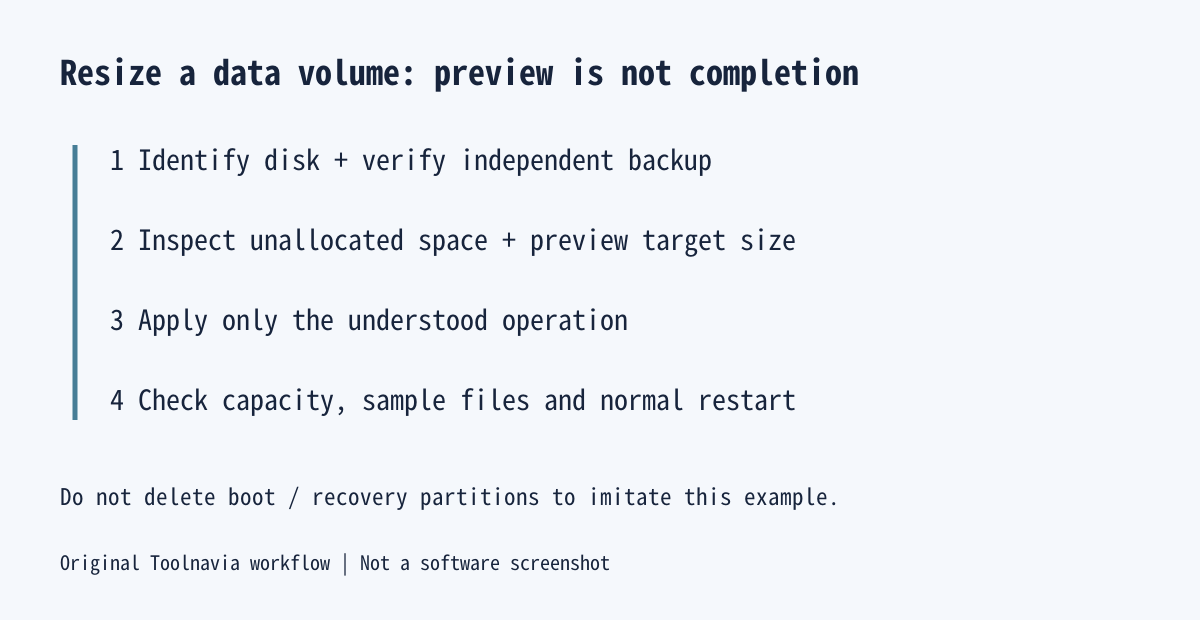
Suggested workflow: enlarge a backed-up data volume
Start with a healthy Windows disk, an independently verified backup, the current partition map and a specific target size. Keep encryption recovery information available. Use a data volume for this example; do not delete EFI or recovery partitions to imitate it.
If suitable unallocated space is adjacent, use Windows Disk Management. Otherwise, inspect Partition Master's Resize/Move preview for the selected volume, adjust the boundary into available unallocated space, and review the pending operation before Apply. Close unnecessary programs; a locked volume may require a reboot. These are documented steps with editorial safeguards, not an operation performed by Toolnavia.
Completion means the resulting capacity and partition map match the plan, representative files open, and Windows restarts normally—not merely that a progress bar finishes. Stop and seek support when the required layout cannot be obtained without unfamiliar boot or encryption changes.
Who should pay, and who should stop here?
Keep Windows tools or Free for routine space adjustment. Choose Professional only for an identified paid operation, with the shortest license that fits your expected work. This Windows PC edition is not the Server edition, a Mac utility or a physical-disk repair service.
For an independent backup plan, the existing Toolnavia EaseUS Todo Backup guide covers a different task: protection before a disk change. EaseUS's cash-paying affiliate application is open, but Toolnavia approval is not confirmed, so affiliate tracking remains disabled. Your next step is to write down the required operation and inspect the current disk layout before choosing a license.