TOOLNAVIA / BUYING GUIDE
EaseUS Data Recovery Wizard Pro: $69.95 Month vs $149.95 Lifetime
The short answer
EaseUS Data Recovery Wizard Pro is worth considering when missing files need a guided scan-and-preview workflow. Windows Pro currently costs $69.95 for one month or $149.95 with lifetime upgrades. Start by checking whether the files are recoverable: paying removes license limits, not damage, overwritten data or SSD TRIM.
At a glance
- Best for
- Windows users who can preview meaningful results and need a guided recovery workflow beyond the Free allowance.
- Price model
- Windows: $69.95 month / $99.95 year / $149.95 lifetime upgrades
- Check first
- Physically failing drives, already overwritten or discarded blocks, or buyers expecting a license to guarantee recovery.
Scan for the files you need before paying
The Windows application lets you select a location, scan, filter results and preview supported files. Scans can be paused and resumed. This is useful when you remember a folder or file type but do not know what remains on the device.
Make a short list of important filenames, approximate sizes and expected contents before reviewing results. A familiar name alone is weak evidence: examine a preview where available, and check representative recovered files in their normal applications. A preview is a useful decision clue, not a promise that every file will be intact.
This article is based on current documentation, not a Toolnavia recovery benchmark. We have not tested your drive or established a success percentage. The value of the interface is making the search manageable while you assess the specific files that matter.
Free and Trial are different downloads
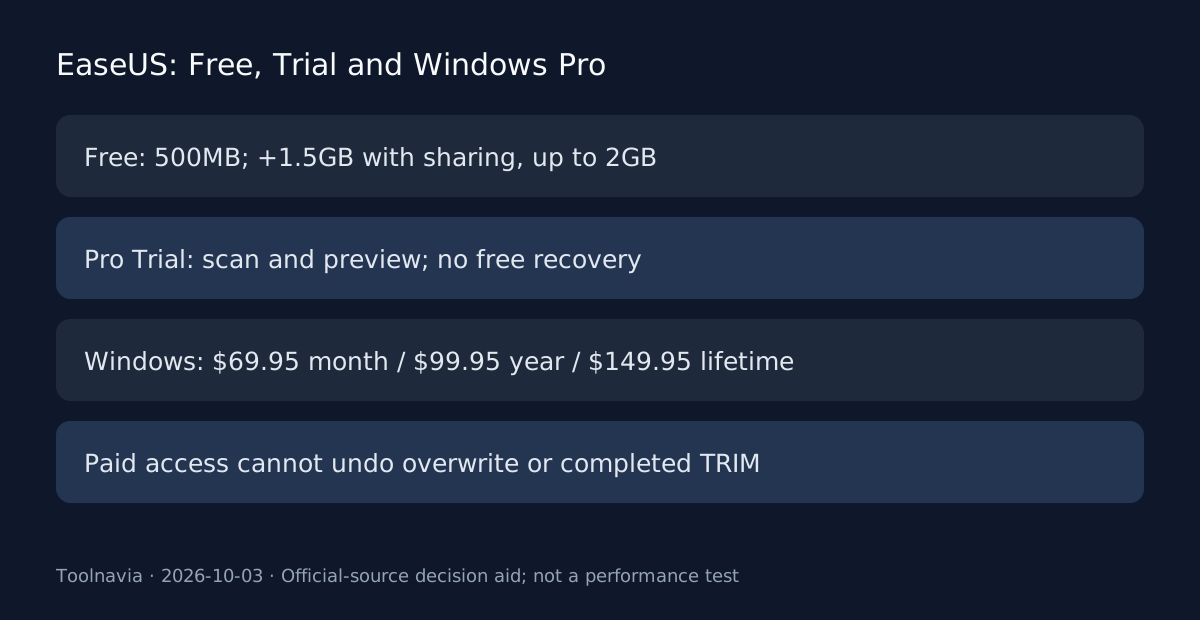
The Free edition advertises recovery of up to 2GB. EaseUS's knowledge base explains that the initial allowance is 500MB; sharing through the offered social option adds 1.5GB. The maximum is cumulative per computer, and reinstalling does not reset it.
The Pro Trial is different: it allows scanning and previews but does not include free file recovery. If your goal is to restore a small set without paying, verify that you installed the Free edition rather than assuming a Pro trial has the same allowance.
Estimate the total size of the files you actually need. Several documents may fit the initial allowance while a video collection will not. Do not translate “up to 2GB” into an unconditional free entitlement or assume every download labeled free has identical functionality.
Pick the Windows license duration you need
The current Windows purchase page lists $69.95 for one month, $99.95 for one year and $149.95 for Lifetime Upgrade, each for one computer. It states that the month and year licenses have no renewal fees and expire after their respective periods following activation. The lifetime option includes future upgrades.
A one-off incident may justify only the shortest duration. Compared with one month, the year adds $30 and lifetime adds $80; neither upgrade makes an unrecoverable file recoverable. Choose duration after examining the scan, not from fear of losing a discounted headline.
These are public USD Windows references before any checkout-specific tax or change. The page also contains Mac, bundle and student offers. Confirm the operating system and exact license in the order; a different row is not evidence that this Windows Pro offer includes those products.
Know when software cannot restore the content
EaseUS's own SSD guidance explains that TRIM identifies unused blocks for erasure and warns that deleted data may become unrecoverable. Turning a setting off afterward does not recreate content already discarded. Likewise, a license upgrade does not reverse overwrite.
Minimize further writes to the affected storage. Keep recovered output on a different device or suitable separate destination rather than writing over the source you are still examining. If the loss involves the system drive, avoid casually installing more software onto it.
Stop and seek specialist assessment for a drive that clicks, repeatedly disconnects or contains irreplaceable data with suspected physical damage. Those are reasons to reassess a do-it-yourself software workflow, not to keep running scans because a product page lists many supported loss scenarios.
Read refund conditions before checkout
The purchase page promotes a thirty-day refund period, but the linked policy has conditions. EaseUS distinguishes eligible technical problems from non-technical dissatisfaction and expects cooperation with support; successfully using the product and then requesting a refund is not a free rental model.
Save your selected license and the applicable terms. If a technical failure occurs, record the issue without modifying the source drive unnecessarily and follow the support process within the policy window. Do not budget on an unconditional refund simply because a scan preview looked promising.
For a small recoverable set, the Free allowance may be enough. For a one-time larger recovery, compare the month license first. Lifetime makes more sense when you expect continuing legitimate use on the licensed computer, rather than as insurance against one uncertain recovery.
Recover, verify and then build a backup routine
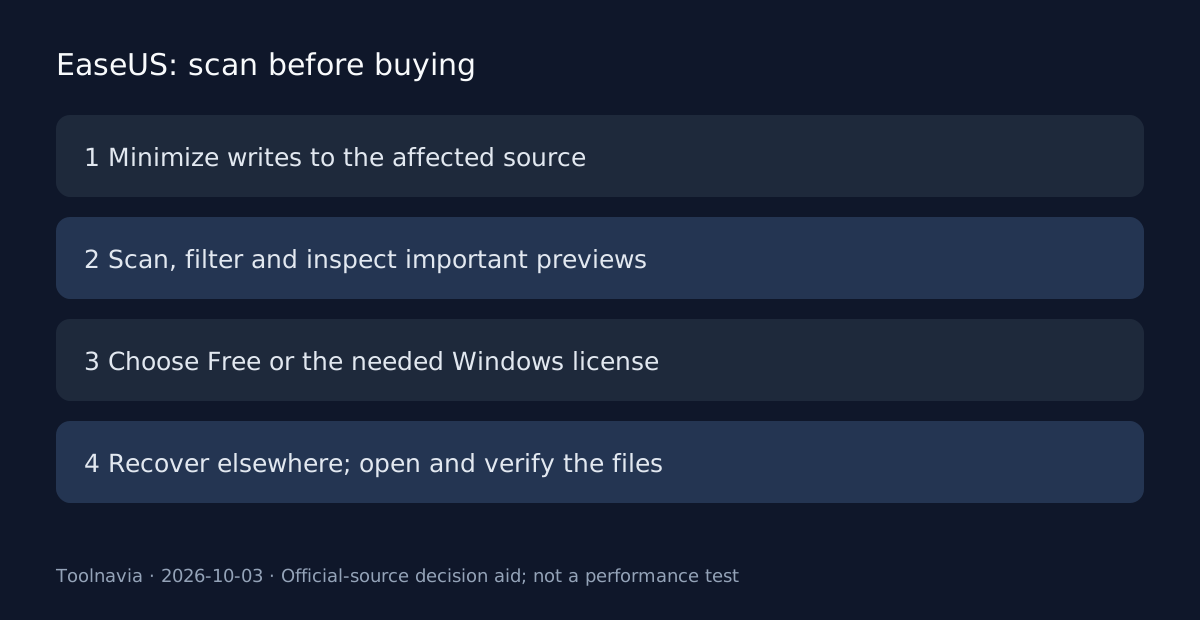
Use a deliberate sequence: preserve the source, inspect scan results, recover selected files elsewhere, then open and verify them. Check more than the number of files returned; confirm that important documents, images or videos contain the expected data.
After verification, create a separate backup process for the future. Recovery software is a response to missing data; it does not replace having a usable copy before the incident.
EaseUS has a public cash affiliate application, but Toolnavia has no account approval evidence and affiliate tracking is disabled. Our next-step recommendation is to inspect the official Free or Trial distinction and the scan results first, then buy the exact Windows license only if its scope and your recovery evidence justify the cost.