TOOLNAVIA / BUYING GUIDE
Dr.Fone Screen Unlock: Do Five Device Slots Fit Your Household?
The short answer
# Dr.Fone Screen Unlock: Do Five Device Slots Fit Your Household?
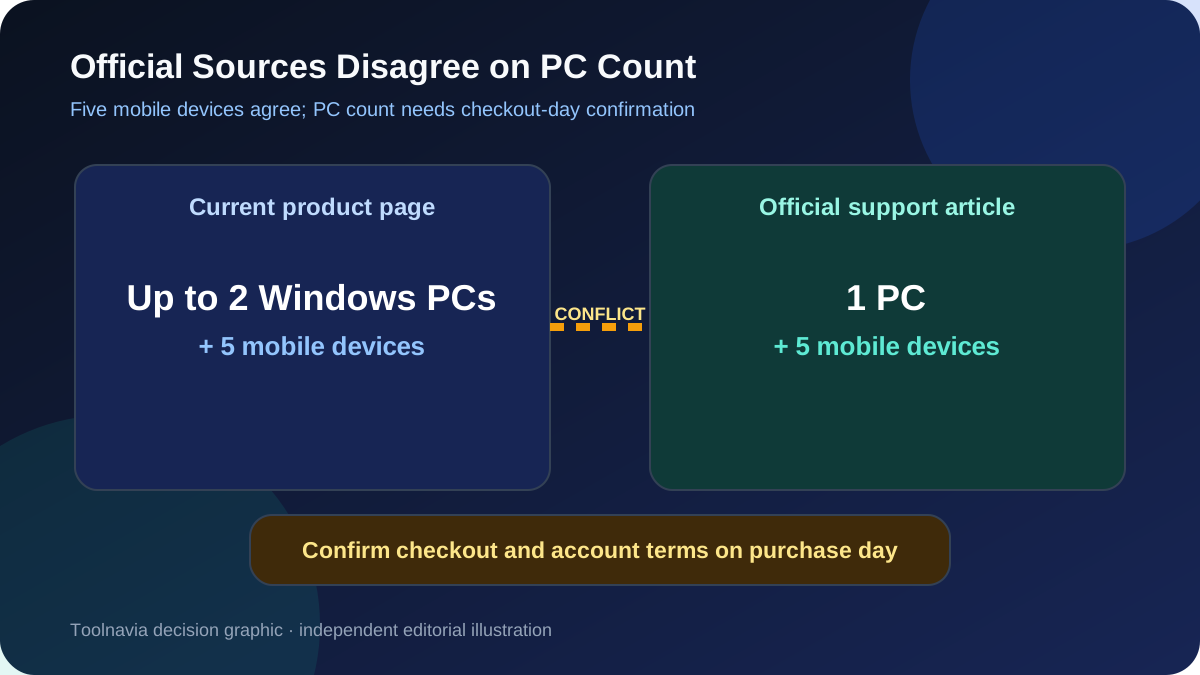
The short answer: the five-device allowance can be useful for a household with several authorized Android phones, but it should not be treated as five guaranteed unlocks. Dr.Fone’s current Windows purchase page lists the Annual Plan at $39.95 per year with automatic renewal, access for one to five mobile devices and activation on two Windows PCs. An older official support article still describes the allowance as one PC and five mobile devices. Because those two official pages disagree, confirm the exact computer allowance in the checkout and account terms before paying.
This article contains affiliate links. If you buy through them, Toolnavia may earn a commission at no extra cost to you. That does not change the price, the compatibility checks or the recommendation below.
At a glance
- Best for
- Windows households with multiple authorized, verified eligible Android phones.
- Price model
- $39.95/year observed 2026-11-08; auto-renewal, tax, device counting and future terms vary.
- Check first
- Five slots do not guarantee compatibility or success; current official pages disagree on one versus two PCs.
What the five-device allowance actually buys
A device slot is permission to use the licensed software with an eligible phone. It is not a promise that every connected phone, Android version, security patch or lock type will work.
The current product page says the Annual Plan includes one year of Screen Unlock (Android), current software updates during the subscription and support for one to five mobile devices. It also says the subscription renews automatically unless cancelled. The license is platform-specific: a Windows purchase does not activate the Mac version.
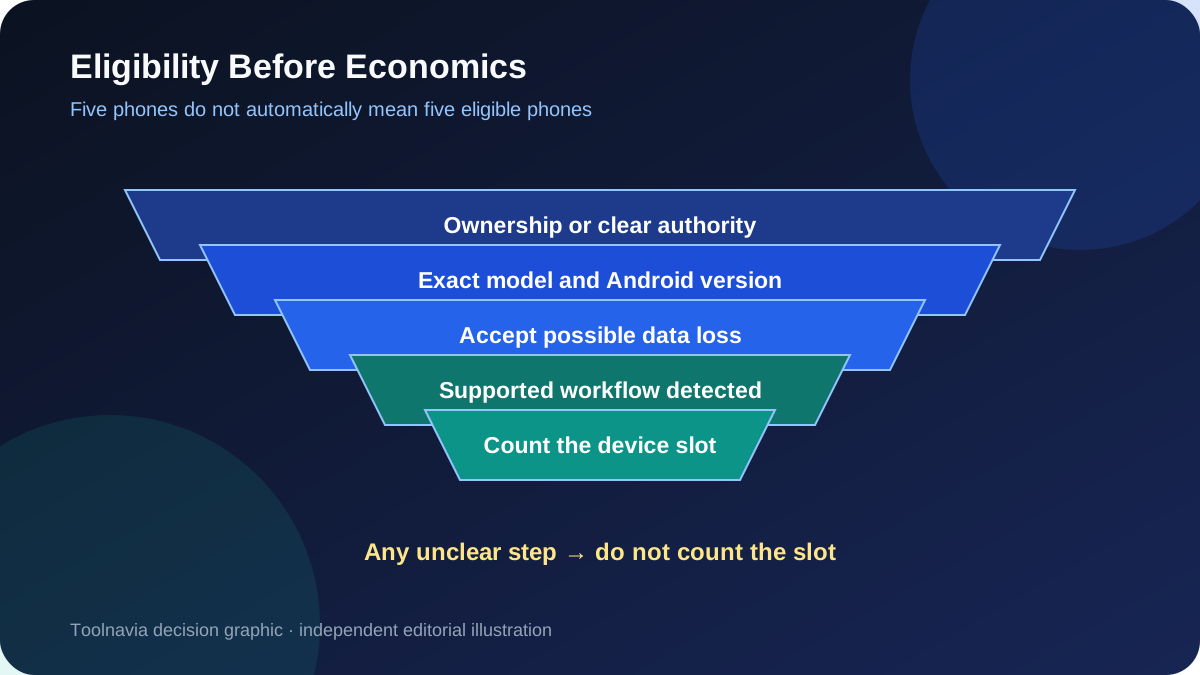
The five-phone ceiling matters only after four questions are answered:
1. Do you own the phone or have clear authority to service it? 2. Is the exact brand, model, Android version and lock type supported? 3. Does the selected path erase local data? 4. Will all work be done within the personal-license terms?
If any answer is unclear, do not count that phone as a usable slot.
Build an eligible-device roster before calculating value
Start with a simple household roster rather than the maximum printed on the sales page.
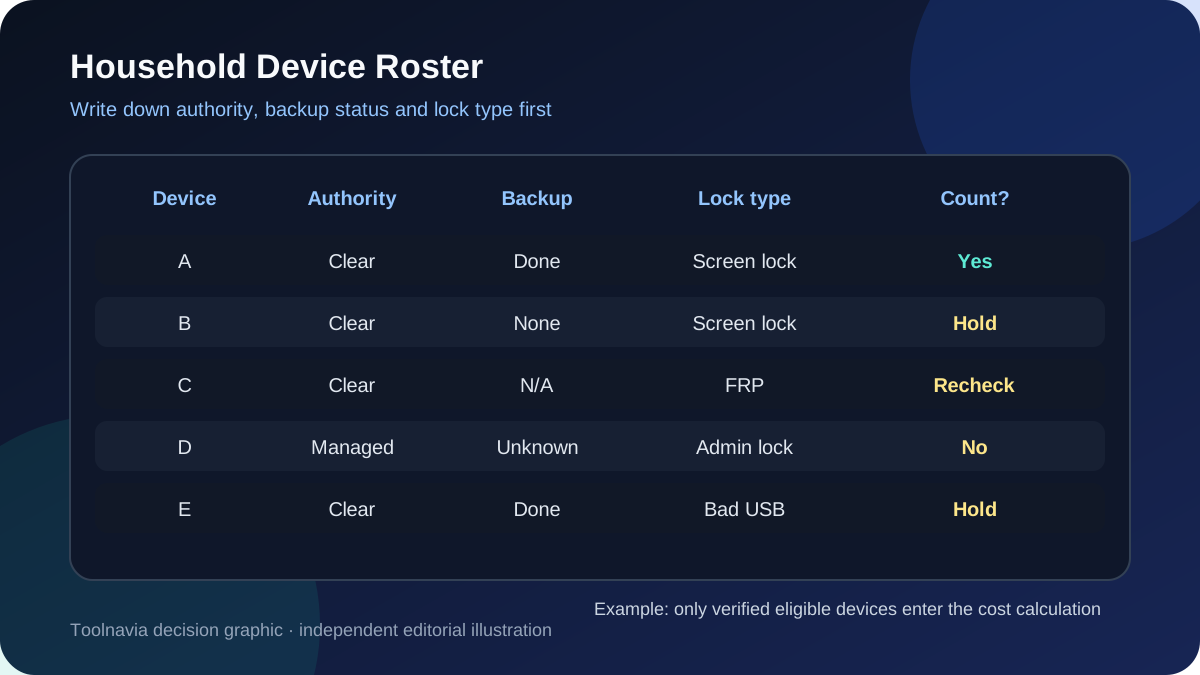
- Phone A: exact model known, ordinary screen lock, owner present, backup available. - Phone B: exact model known, but no recent backup. - Phone C: Google verification screen after a reset. - Phone D: employer-managed phone. - Phone E: cracked or unstable USB connection.
Only Phone A is immediately ready for a purchase decision. Phone B needs a data-loss decision first. Phone C may require a different FRP-specific route. Phone D belongs with the administrator, not a consumer unlock utility. Phone E needs a reliable connection before any paid workflow.
That is why a household with five phones can still have only one eligible device.
Calculate cost per eligible phone, not per advertised slot
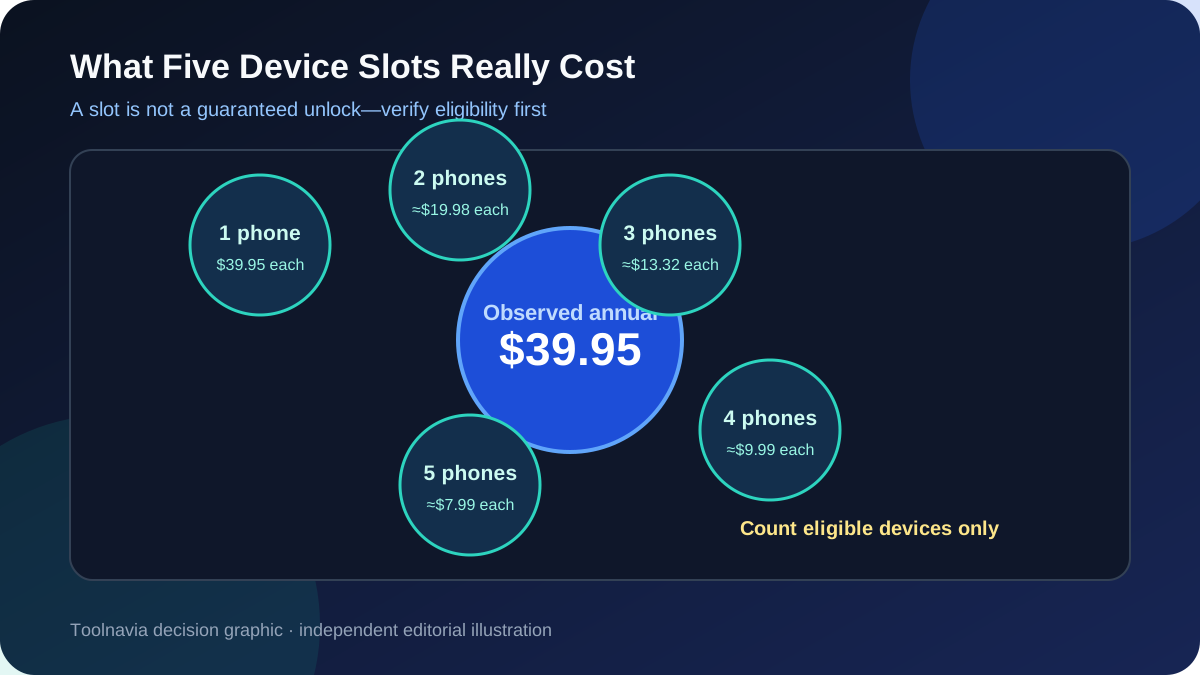
At the observed $39.95 annual price, the simple arithmetic is:
- one eligible phone: $39.95 per phone; - two eligible phones: about $19.98 each; - three eligible phones: about $13.32 each; - four eligible phones: about $9.99 each; - five eligible phones: about $7.99 each.
These are planning figures before tax, not guaranteed savings. A failed compatibility check or a phone that must be handled by its administrator changes the denominator. Do not divide by five merely because five slots are advertised.
Two independent same-intent reviews reinforce the same planning limit: multi-device value depends on exact compatibility, not the printed maximum.
The annual plan makes more sense when several legitimate, supported cases are likely within twelve months. For one phone, compare the monthly, annual and perpetual offers on the current checkout page. The lowest sticker price is not automatically the lowest-risk option if the device is unsupported.
Use the trial as a compatibility gate
Wondershare says Dr.Fone can be downloaded before purchase and that available free features can help check device support. Use that step before paying. Record the exact model number, Android version, security patch and lock state. If the software cannot identify a supported route, stop.
Also assume data loss unless the official workflow for the exact model explicitly says otherwise. Competitor documentation follows the same pattern: 4uKey says its no-data-loss route is limited to selected older Samsung models, while other Android unlock paths can erase the phone. “Supports Android” is too broad to make a buying decision.
Compare the exact competitor tier
Tenorshare’s current 4uKey for Android page lists a $39.95 annual plan with one PC and five mobile devices. iMyFone’s current LockWiper Android store separates its tiers differently: the standard monthly and annual plans show one Android device, while a lifetime tier advertises five Android devices.
The useful comparison is therefore not “which brand says five devices?” Compare:
- the exact phone and lock-mode support; - whether the route erases local data; - Windows or Mac activation; - device and computer limits for the exact plan; - renewal versus one-time access; - refund conditions after a compatibility failure.
A larger device allowance has no value if the first phone is unsupported.
Who should buy it—and who should not
The Annual Plan can fit a household that has two or more authorized Android phones, expects more than one legitimate unlock need during the year, uses Windows and has verified each likely device before checkout.
Skip or pause the purchase if you have only one uncertain phone, cannot verify ownership, need a Mac license, must preserve unbacked-up data, are dealing with an employer-managed device, or expect commercial repair volume. The official page points higher device counts toward business licensing; a personal five-device allowance should not be presented as repair-shop authorization.
A safer purchase checklist
Before paying:
1. List every phone you expect to use and mark ownership or authorization. 2. Verify the exact model, Android version, patch and lock type. 3. Back up anything still accessible. 4. Download the trial and confirm the supported workflow. 5. Read the current checkout terms for device, PC and platform limits. 6. Treat the S1/S3 PC-count conflict as unresolved until checkout confirms it. 7. Note the automatic-renewal date if choosing the annual plan. 8. Keep one slot in reserve only if the terms count devices permanently.
The five-device label can reduce the effective cost for a real household roster. The decision should still begin with one eligible phone, not with five empty boxes on a pricing page.