TOOLNAVIA / BUYING GUIDE
Dr.Fone Screen Unlock Android: Will It Erase Data? Check Your Model Before Buying
The short answer
A paid Android unlocker does not automatically protect the files on a locked phone. Dr.Fone Screen Unlock offers a special no-data-loss route for a limited set of devices, while its broader screen-lock workflow can erase local data. The buying question is therefore not simply “Does Dr.Fone support Android?” It is “Does the exact model and Android version qualify for the explicit data-preserving mode?”
At a glance
- Best for
- A buyer who can identify the exact phone and OS, verify the explicit no-data-loss mode, and accept checkout terms.
- Price model
- USD29.95 monthly, USD39.95 annual, USD49.95 perpetual observed; verify checkout.
- Check first
- Anyone seeking unauthorized bypass or expecting a paid license to guarantee compatibility, success, preservation or refund.
Start with the lock type
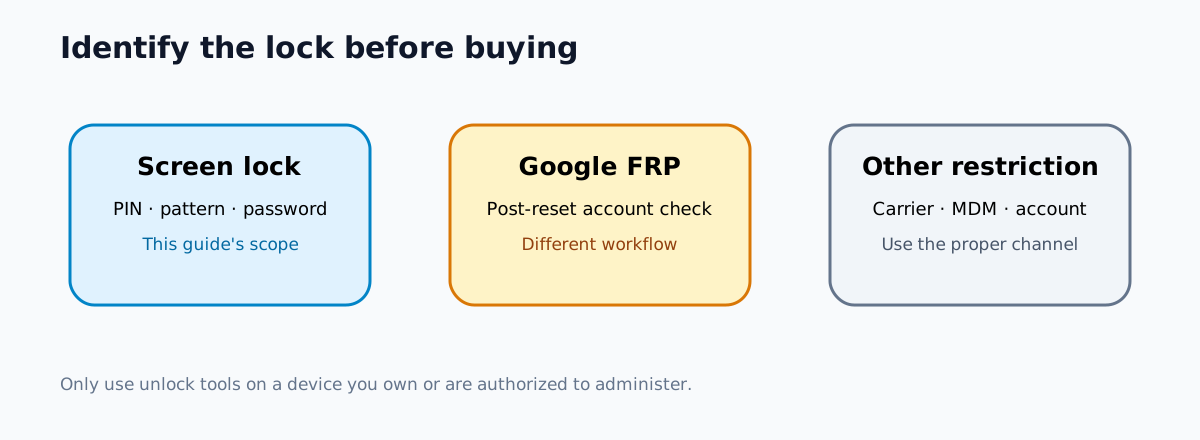
First identify what is blocking the phone. A forgotten PIN, pattern, password, fingerprint, or face lock is a screen-lock problem. Factory Reset Protection (FRP) is a separate Google account verification step that may appear after a reset. A carrier, Samsung account, enterprise management, or activation restriction is another category.
Do not buy Screen Unlock because a page mentions a different lock type. Dr.Fone presents screen-lock removal and FRP removal as distinct functions. Its product page says a data-preserving screen-lock route is available only for select supported Samsung models, while other device workflows erase data. The existing Toolnavia FRP comparison covers that separate decision; this guide is only about the data-loss boundary for screen-lock removal.
Use the software only on a device you own or are authorized to administer. It does not replace proof of ownership, account recovery, or an employer’s device-management process.
The official pages do not describe the boundary identically
Wondershare’s current technical-specification page separates two compatibility groups. Its “without losing data” table lists specific older Samsung and LG models. A broader “Unlock Android Screen” table covers many devices but warns that data may be lost.
The procedural guide is narrower. It calls the no-data-loss route suitable for selected older Samsung phones and directs other devices to a second process that removes the lock by erasing data. The product page likewise emphasizes select Samsung models. Yet the official store says older Samsung and LG devices can be unlocked without data loss.
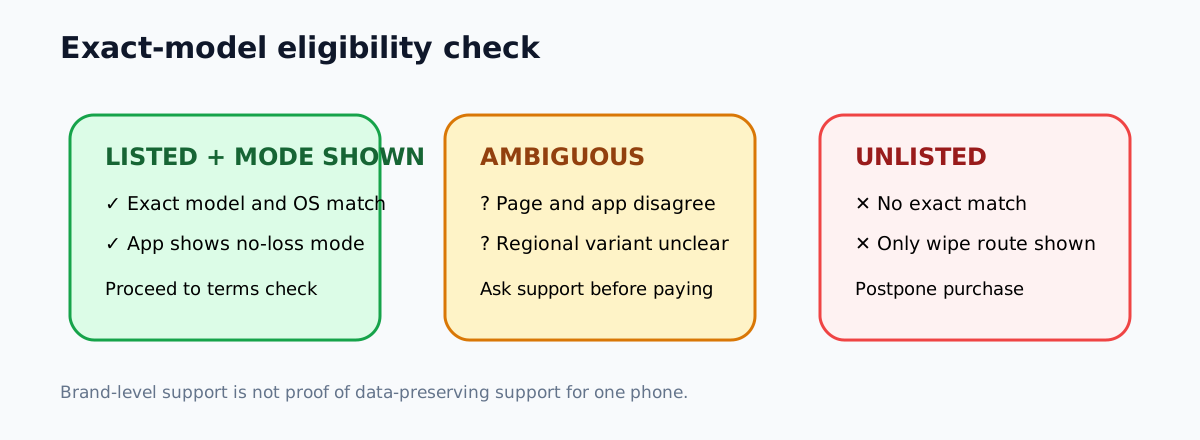
That is a real official-source conflict, not a detail to hide. Do not interpret “Samsung,” “LG,” or “Android supported” as a universal promise. A model can be supported for lock removal but not for data preservation. Even a listed family name is not enough when regional variants, Android builds, security patches, and the mode shown in the installed application can differ.
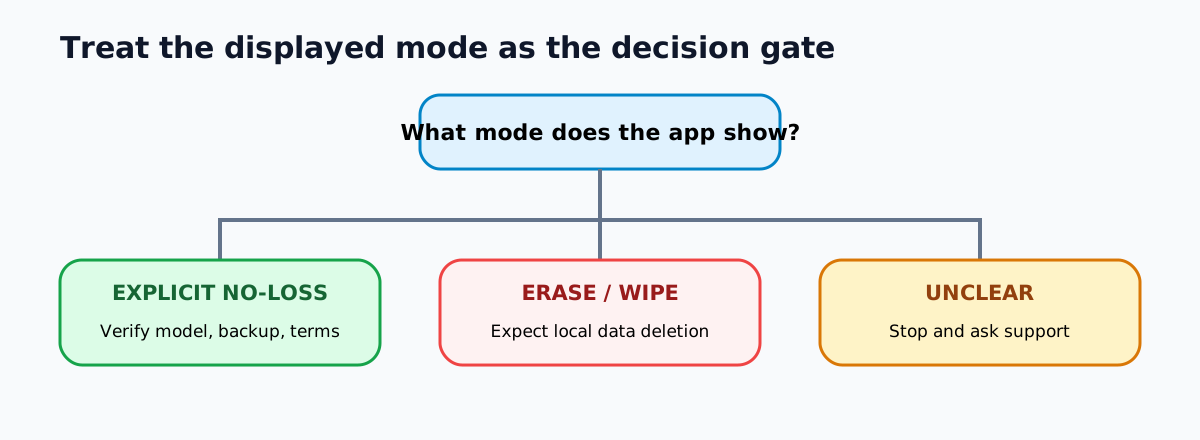
The safe purchase rule is: match the exact model number and Android version, then confirm that the application explicitly offers the no-data-loss mode for that device. If the only route says it will erase data, assume the local files will be deleted.
A five-minute eligibility check before payment
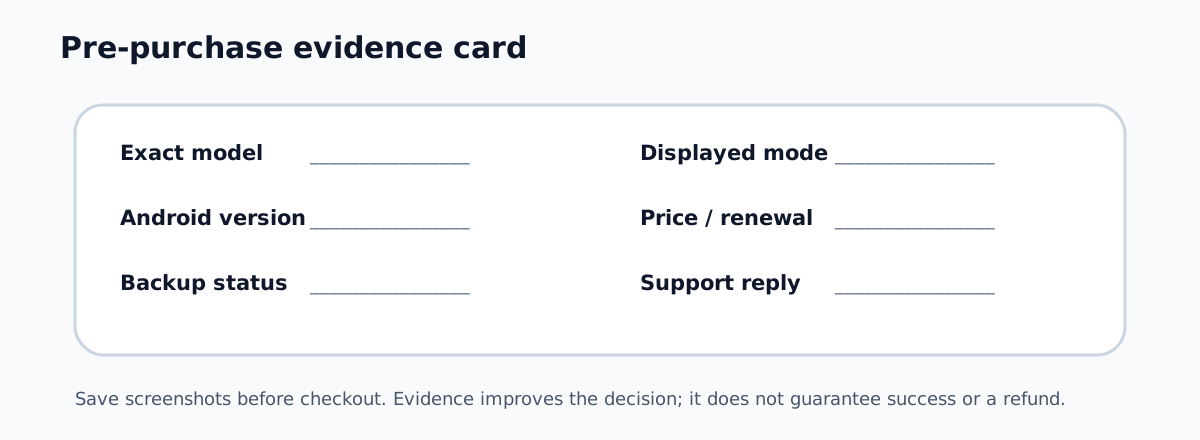
Write down the manufacturer, exact model number, Android version if known, computer platform, and lock type. The model may appear on the box, receipt, carrier account, device-management console, or the label associated with the device. Do not guess from the phone’s appearance.
Next, compare that identifier with Wondershare’s current compatibility table. Downloading the official application can help you see whether the exact model and the explicit no-data-loss path are offered, but stop before any destructive step. If the model is absent, the table and in-app message disagree, or the wording is ambiguous, send the exact model and Android version to Wondershare support before buying.
Also inventory recoverable copies. Check Google Photos, Google Drive, Samsung Cloud where applicable, messaging backups, computer imports, and any workplace backup. A synchronized copy can change the decision: the safest route may be an official reset and restoration rather than paying for an uncertain preservation claim.
Take screenshots of the compatibility result, warning screen, selected plan, renewal terms, and refund policy. These records do not guarantee a refund, but they preserve what the vendor showed when you decided.
What competitors reveal about this category
The boundary is not unique to Dr.Fone. Tenorshare says 4uKey for Android can preserve data on some early Samsung devices, while its broader screen-lock and FRP workflows erase data. iMyFone’s FAQ similarly limits its “Remove without Data Loss” mode to some Samsung models and separates it from the general Android mode. Mobitrix’s procedural guide explicitly warns that its screen-lock workflow erases data.
These sources do not prove which product will work better on your phone. Toolnavia did not run comparative unlock tests. They show a category-wide buying trap: “supports many Android devices” and “preserves data” are separate claims. A large compatibility count is not evidence that a specific phone qualifies for the non-destructive route.
Do not rely on vendor success-rate language, third-party videos, or another brand’s supported-device list as proof for Dr.Fone. Use each vendor’s current exact-model workflow.
Price is secondary to the data decision
On November 11, 2026, the official Dr.Fone Screen Unlock Android store displayed US$29.95 for one month, US$39.95 per year, and US$49.95 for a perpetual plan. The monthly and annual plans were marked auto-renewing; the store described a personal scope of up to five mobile devices and two PCs. Taxes, regional offers, plan contents, renewal terms, and checkout totals can change, so verify the final order page.
Do not choose annual merely because it appears cheaper than paying monthly twice. If this is a one-time lockout, first establish that the exact device qualifies for the desired mode. A perpetual license also does not guarantee that a future phone, Android update, or security patch will remain compatible.
The purchase should be postponed when the model is unlisted, support will not confirm the mode, the phone contains the only copy of irreplaceable data, or the application presents only an erase-data workflow. Paying more does not turn a destructive path into a data-preserving one.
Decision checklist
Buy only when all of these are true:
1. You own or are authorized to administer the device. 2. The problem is a supported screen lock, not an unrelated account or carrier restriction. 3. The exact model and Android version match the current compatibility evidence. 4. The application explicitly offers the no-data-loss route you intend to use. 5. Any available cloud or computer copies have been checked. 6. You accept the displayed price, device scope, renewal and refund terms.
If item 4 fails, treat data loss as expected. If the data is uniquely valuable, stop and seek the device maker, an authorized service channel, or a qualified recovery specialist before resetting or running an erasing workflow.
Buying verdict
Dr.Fone Screen Unlock can be a reasonable purchase when the exact phone is confirmed for the intended mode and the consequences are acceptable. It is not a general promise to unlock every supported Android device without erasing data. The most important step happens before checkout: verify the exact model, Android version, lock type, in-app mode, backup status, and official support response.
[Check the current Dr.Fone Screen Unlock Android offer](https://www.tkqlhce.com/click-101895278-12698426). Toolnavia may earn a commission from eligible purchases. Toolnavia did not install the software, unlock a phone, erase a device, test a refund, or verify a specific model for this draft.