TOOLNAVIA / BUYING GUIDE
DemoCreator Teleprompter vs Screen Notes: Will It Actually Cut Tutorial Retakes?
The short answer
A teleprompter can save a tutorial—or create a new reason to record it again. DemoCreator's current Windows and Mac guides document an integrated scrolling script, but the buying question is not whether the button exists. It is whether the prompt stays readable, matches your delivery pace, leaves keyboard focus in the app you are demonstrating, and stays out of the final capture.
At a glance
- Best for
- Tutorial creators who want prompting, recording and editing in one app.
- Price model
- Official store currently shows US$59.99/year; verify renewal, tax, AI entitlement and add-ons.
- Check first
- Prompt exclusion, focus safety and platform parity require a current-build test.
Short verdict
DemoCreator Cross-Platform Yearly is a sensible one-app choice when you already want its recorder and editor and a real tutorial test shows fewer restarts than your existing screen-notes workflow. The directly opened official store currently displays US$59.99 per year and automatic renewal. Do not pay for the teleprompter alone until you have exported a sample and inspected the entire frame.
The official DemoCreator guides describe script text, alignment, scroll speed and—on Windows—color, opacity and polish controls. They do not explicitly promise that the prompt is excluded from every recording mode, that its controls never steal focus, or that Windows and macOS expose identical settings. Those are acceptance tests, not safe assumptions.

Why ordinary screen notes remain the right baseline
Put the same script in a plain document on a second screen or beside the recorder. Record a representative five-minute lesson that includes typing, menus, a browser switch and one mistake recovery. Count full restarts, long pauses, eye movement, accidental note-window exposure and minutes of editing.
Then repeat with DemoCreator's integrated prompt using the same script and recording region. If both workflows need the same number of restarts, the prompt has not yet created measurable value. If the integrated prompt removes two ten-minute retakes every week, the saved time may justify the yearly plan even before considering the editor.
Screen notes are not glamorous, but they are flexible, searchable and easy to keep outside a custom capture region. Their weakness is attention switching. The useful comparison is therefore not “AI versus no AI”; it is reduced cognitive switching versus the risk of a prompt window, pace mismatch or focus change.
What the current product evidence proves
The Windows guide says Screen & Camera mode can capture screen, system audio, microphone and camera together. Its teleprompter section documents script color, alignment, play speed, opacity and script polishing. The Mac guide documents script text, font size, alignment and play speed.
The release page places Smart Teleprompter in DemoCreator v7.2.0 context and mentions script rewriting, font size and scroll speed. That supports feature existence, but a current installed build may differ from an older release note. Record the build number in your test.
The store currently labels Cross-Platform Yearly at US$59.99 per year, with automatic renewal and access to future versions while subscribed. The same page is commercially inconsistent about AI Teleprompter: one comparison rendering says it is paid by AI credits, while another says “Limited Time Free Access.” Treat entitlement as unresolved. Verify the signed-in account and checkout; do not interpret either label as a permanent promise.

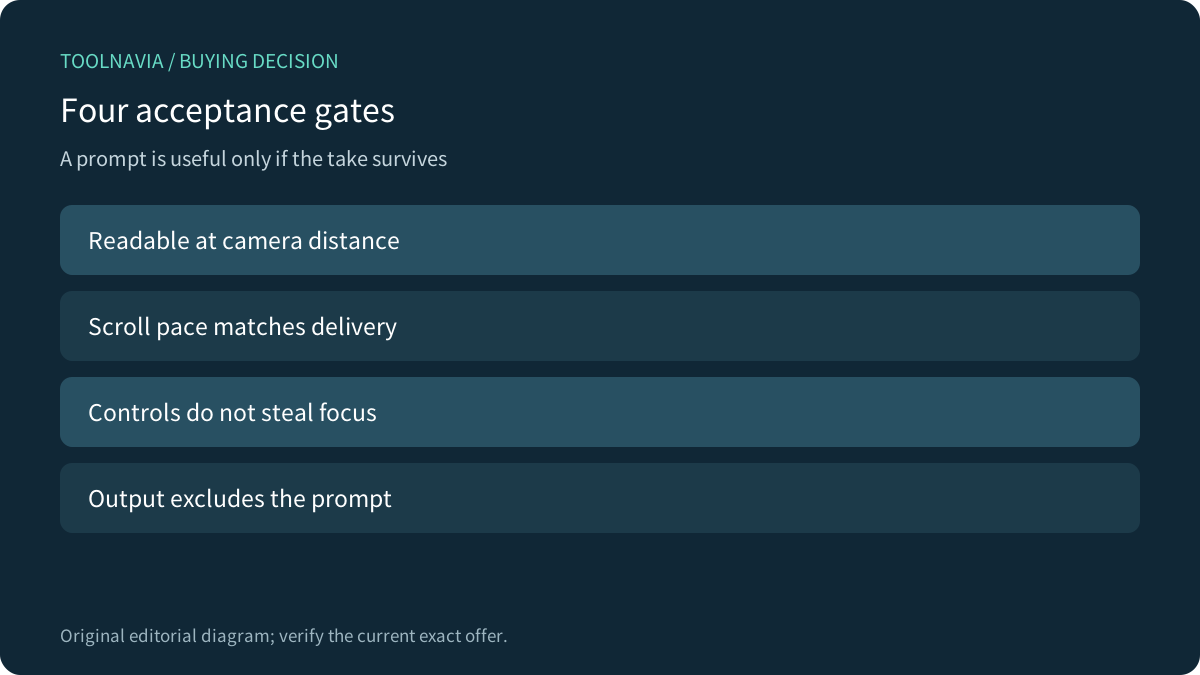
Four gates the sample must pass
First, readability: set the script at camera distance, not while leaning toward the screen. Use short paragraphs, visible pauses and stage cues. If your eyes visibly track long lines, narrow the text or move the prompt nearer the camera.
Second, pace: use a script you can deliver naturally. Fixed scrolling that outruns a product demonstration creates more edits than it removes. Mark menu waits and loading time. Restart the prompt at a known paragraph and see whether recovery is faster than finding the line in ordinary notes.
Third, focus: keep the demonstrated app active while scrolling or controlling the prompt. Screenify documents global keys specifically so its notes window does not steal focus; that is a competitor claim and a useful benchmark, not proof of DemoCreator behavior. Test clicks, shortcuts and text entry in the real target app.
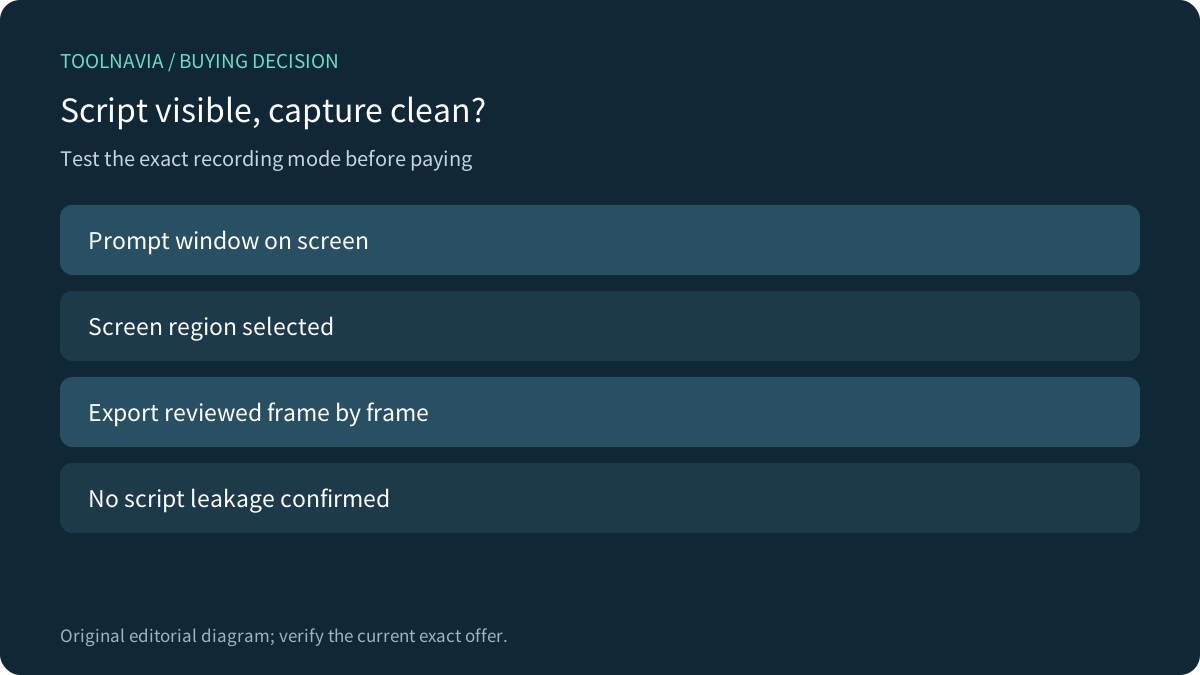
Fourth, capture cleanliness: record full screen, one window and a custom region if those modes matter. Toggle the prompt during a take. Export, then inspect the start, every toggle and the end. Screenify explicitly says its own notes window is excluded from capture. DemoCreator's reviewed guides do not make that exact guarantee, so only your exported sample can pass this gate.

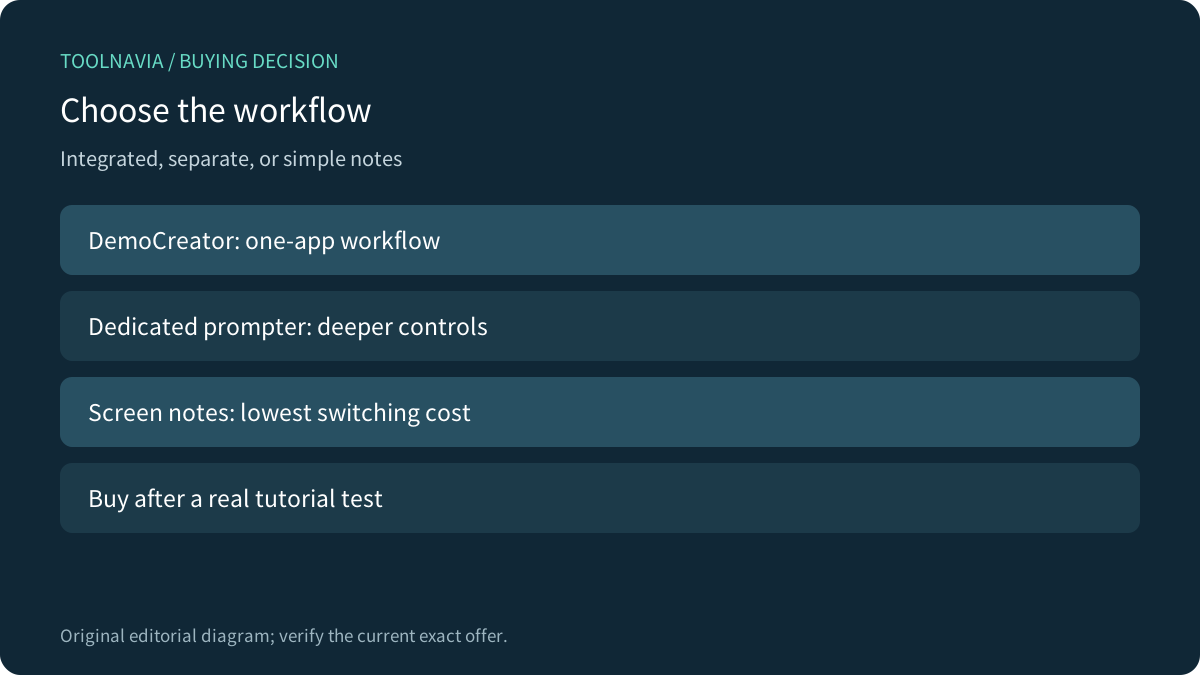
Integrated prompt versus dedicated teleprompter
ScreenPal also puts a scrolling script inside its online and desktop recorders and documents text size, speed, start, restart and full-screen controls. Teleprompter.com goes further into dedicated prompting, with formatting and multiple pacing modes. These alternatives show two legitimate architectures.
Choose an integrated recorder when one-app capture and editing reduce handoffs. Choose a dedicated prompt when long scripts, remote control, mirrored hardware, advanced pacing or multi-device use matter more. Choose ordinary notes when your script is short, your capture region is easy to control, and you do not want another entitlement or automation layer.
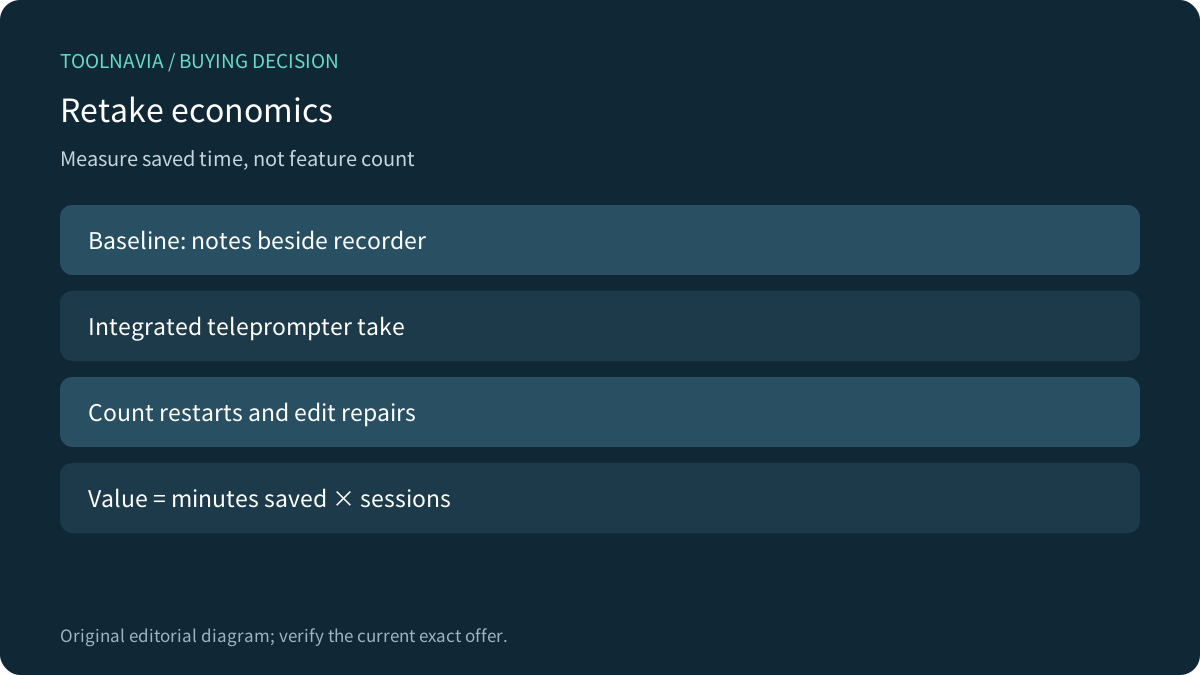
Do not compare only feature lists. Compare one finished tutorial: setup minutes, restarts, edit repairs and final delivery time. A deeper prompter can be worse if moving footage into another editor erases the gain.
A purchase worksheet
Use three representative scripts: a short announcement, a five-minute software walkthrough and a fifteen-minute lesson. Run notes and integrated-prompt versions. For each, record preparation time, full restarts, recovery pauses, visible eye drift, focus mistakes, prompt leakage and editing minutes.
Value the difference at your real production rate. Saving fifteen minutes across four monthly videos saves one hour. If the plan is otherwise unnecessary, that hour must justify the full annual price and renewal risk. If you already need DemoCreator for 4K recording, separate tracks and editing, the prompt only needs to improve the marginal workflow.
At checkout confirm the exact plan name, annual amount, renewal, tax, device/platform scope, AI entitlement and optional Visual Assets trial. The official store currently advertises a separate seven-day Visual Assets trial that can renew monthly, so deselect or calendar it if you do not need it.
Buy, compare or wait
Buy the approved yearly offer when the current cart still matches your intended plan, the prompt passes all four gates on the exact platform, and the measured time saved exceeds your current notes workflow.
Compare a dedicated prompter when delivery is script-heavy, hardware prompting matters or you need pacing controls beyond the integrated recorder. Wait when the account does not clarify the AI entitlement, the prompt appears in the output, controls steal focus, or platform behavior differs from the guide.
After the sample passes, review the [approved DemoCreator yearly offer](https://www.anrdoezrs.net/click-101895278-15901180). Keep the exported test and checkout terms with your project notes.

*Affiliate disclosure: Toolnavia may earn a commission on eligible purchases. This documentation-based review did not run DemoCreator, complete a checkout or certify prompt exclusion.*