TOOLNAVIA / BUYING GUIDE
CorelDRAW for Cricut: Test Your SVG Before Paying for the Suite
The short answer
CorelDRAW is worth considering for recurring vector-cleanup and design work, not merely because it can save an SVG. For a Cricut project, the buying test is whether your exported file becomes the intended cut layers at the correct physical size. Start with the trial and a representative design; keep your existing editor if it already passes that test.
At a glance
- Best for
- Recurring vector-cleanup and revision work that produces verified cut files more efficiently than the existing workflow.
- Price model
- Annual, monthly and 2026 one-time routes; no dependable numeric quote retrieved. Verify the live US/Canada cart.
- Check first
- A one-off simple SVG, a buyer needing only raster Print Then Cut, or anyone expecting a graphics license to override Cricut upload restrictions.
A valid SVG is not necessarily a usable cut file
Corel promotes an SVG workflow for Cricut, while its technical help also describes SVG features intended for broader graphics uses. Those claims need the downstream qualification: Design Space must accept the particular content you export. Corel's marketing guide is not a compatibility warranty for every effect or object.
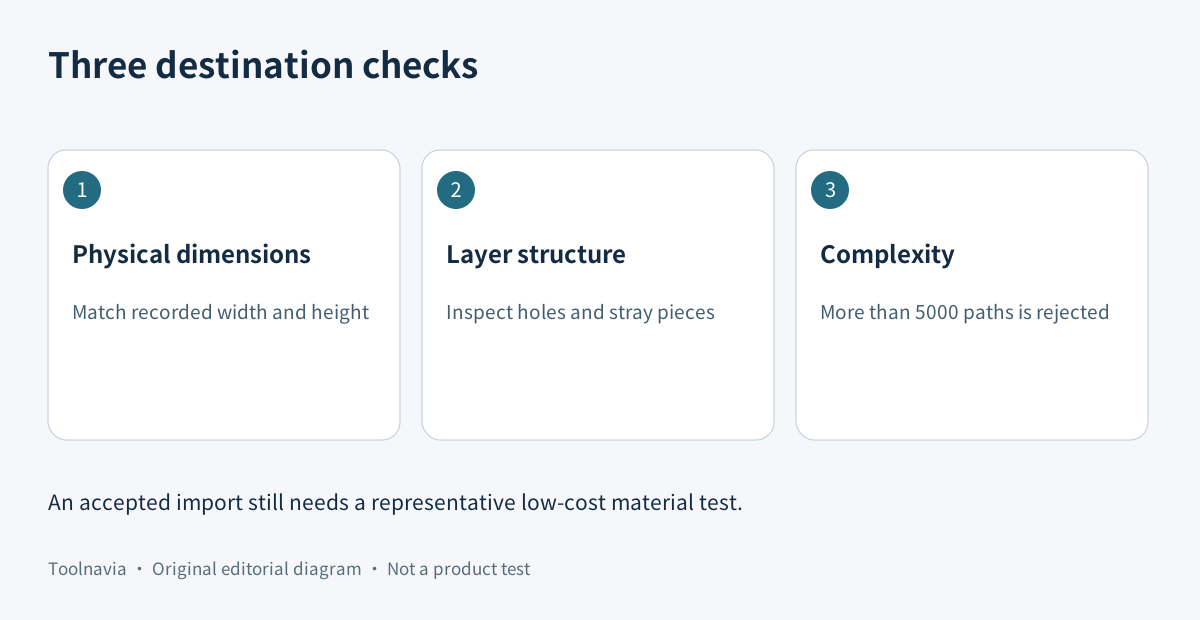
Cricut's upload guide accepts SVG vectors and says designed layers arrive grouped, with layers available separately after ungrouping. It also sets a 5,000-path limit: more than that causes an upload error. Do not substitute the file's megabyte size or node count for that documented limit.
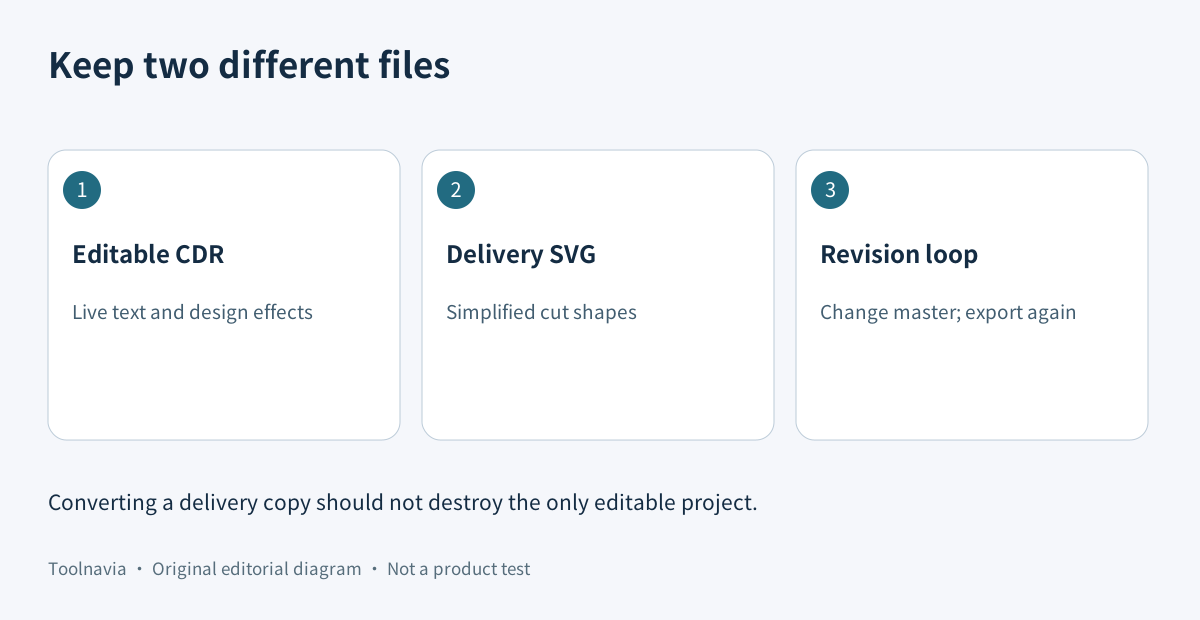
Prepare a cut copy without damaging the editable master
Keep the original CDR project for revisions. Make a separately named delivery copy and decide which shapes should be cut from each material. Corel's SVG help documents exporting text as text or curves, reusable export presets, layers as groups and export of only the active page. Check the intended page rather than assuming a multi-page job exports together.
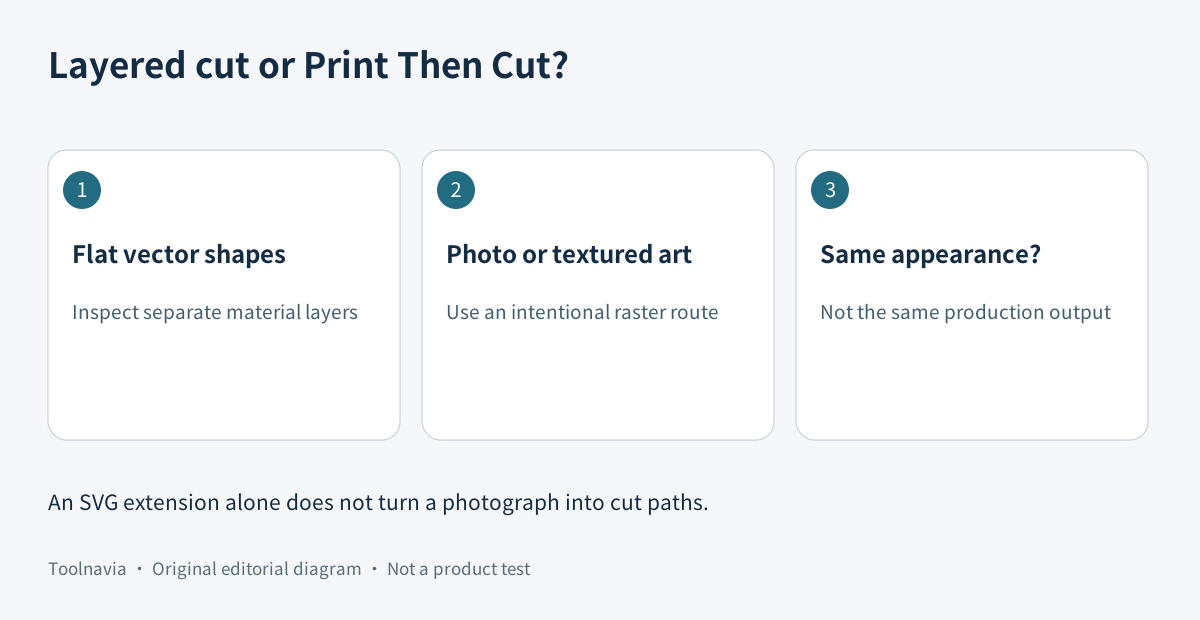
Cricut rejects editable text, pattern fills, clipping paths, linked assets and unsupported embedded non-vector content in this cut-file route. Its guidance specifically names CorelDRAW's Convert to Curves for text. For flat vector artwork, resolve the actual shapes before export; a bitmap hidden inside a clipping effect is not automatically a set of cut paths.
This is why flattening to a raster image is a different decision. Cricut describes that fallback as a single-layer Print Then Cut route, not a way to preserve separate color-cut layers. Choose it for an intentionally printed design, not as an unnoticed substitute for layered vinyl.
Check dimensions and layers in the destination
Write down a known width and height before exporting—for example, the intended width of a label. After importing the SVG, compare the displayed dimensions in the same units, inspect the individual layers and check that holes remain holes. A browser preview can look right while the production setup is wrong.
Use a test design with two material colors, one small interior opening, a curved text label and a narrow detail. Inspect whether the export has introduced unwanted pieces, repeated outlines or tiny scraps. These are proposed buyer checks, not results from a Toolnavia machine test.
When a complex trace fails, simplify a copy and retry the actual import. Keep a version trail so a successful simplified file can be reproduced. Staying below the path limit is only one condition; it does not prove that the narrowest detail will cut or weed cleanly. Use inexpensive scrap material before committing a full sheet.
Compare an existing or free editor first
For occasional simple artwork, try the tools already available in your workflow before paying for a graphics suite. Inkscape's project documentation distinguishes its working SVG format from Plain SVG and other exchange choices. That makes it a useful free-editor baseline to evaluate, but choosing Plain SVG alone does not remove every incompatible object or certify a Cricut import.
Illustrator is another paid comparison, not an automatic cure. Adobe documents SVG options for font outlines, embedded or linked images, coordinate precision and responsive sizing. These are export choices, not a guarantee that a cutting application's parser accepts the result. Test the same artwork in both workflows rather than comparing feature counts.
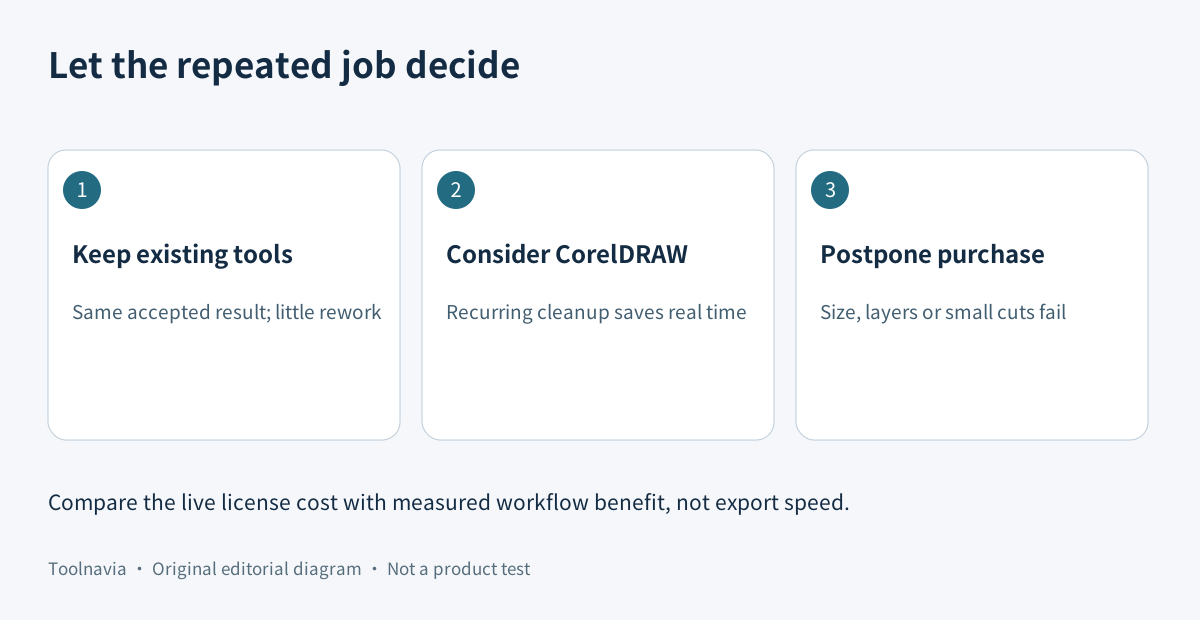
CorelDRAW's appeal is therefore the broader job: repeated shape cleanup, layout revisions and a maintained design master. Compare the time needed to reach the same accepted cut file, not the time needed to press Export.
Match the purchase route to the work you repeat
On November 10, 2026, Corel's official product page offered annual and monthly subscriptions, a 2026 one-time purchase and a 15-day trial. It also described differences between subscription, maintenance and perpetual use. The retrieved page did not expose a dependable numeric checkout total, so this guide does not reuse an older promotional price.
The linked offer is the approved US/Canada route. Before paying, confirm the selected platform, edition, billing period, currency, tax, renewal and update entitlements in that order. The exact trial build should complete the export you need; do not assume every subscription benefit belongs to the one-time edition.
A practical cost comparison is the live license total plus training and verification time, offset by repeated cleanup time saved and actual material waste avoided. Those savings are estimates until measured. One successful hobby file rarely justifies charging the whole suite to SVG export alone.
A trial result that can justify buying
Save the editable project, its delivery SVG, recorded dimensions and the import settings together. Reopen the export in Design Space, inspect the grouped and individual layers, then make one representative low-cost cut. Repeat after an ordinary design revision; otherwise you have tested a lucky file rather than a reusable process.
Buy when the repeated end-to-end work is easier and the accepted output justifies the license. Keep a free or existing editor when it produces the same result with little extra effort. Postpone purchase when layers, size or delicate details remain unresolved. Paying for CorelDRAW does not override Cricut's upload rules.
[Review the current CorelDRAW offer](https://www.anrdoezrs.net/click-101895278-17254962). Toolnavia may earn a commission from an eligible purchase. This is a documentation-based buying guide: no CorelDRAW installation, Design Space import, physical cut or checkout purchase was performed.