TOOLNAVIA / BUYING GUIDE
CorelDRAW Variable Fonts: Keep Axes Editable or Convert to Curves?
The short answer
CorelDRAW can edit variable-font axes such as weight, width and slant, but buying the suite does not guarantee that every font exposes every axis—or that another app will preserve your custom position. The safe workflow is to keep an editable master with live text, document the axis values, test the recipient’s software, and freeze only the delivery copy as PDF or curves when fidelity matters. Pay for CorelDRAW’s variable-font workflow only if you repeat this work often enough to value continuous axis control and a controlled handoff.
At a glance
- Best for
- Designers and print teams that need editable variable-font masters plus reliable fixed-output handoff.
- Price model
- Official localized page displayed US$439/365 days including VAT; verify live US/Canada checkout.
- Check first
- Recipient compatibility and font rights must be tested; curve conversion removes text editability.
What you are paying for
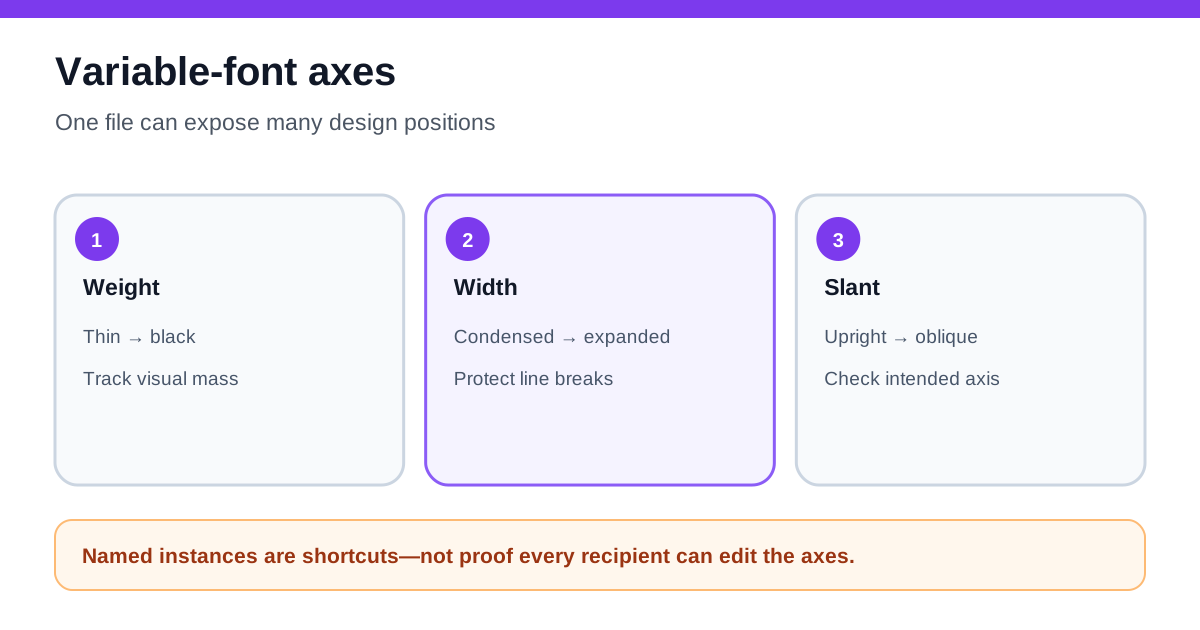
A variable OpenType font stores multiple styles in one file and exposes one or more design axes. CorelDRAW 2026 identifies variable fonts, lets you adjust available axes, offers named instances, and can save a chosen variation in a text or paragraph style. The font designer—not CorelDRAW—decides which axes exist and their allowed ranges.
CorelDRAW’s official product page offers subscription, one-time purchase and license-plus-maintenance routes. Its current special-offers page displayed the 365-day Graphics Suite subscription at US$439/year including VAT when checked on 10 November 2026. That display can vary by country, tax, promotion and tracking destination. Verify the live US/Canada checkout before paying; do not assume the one-time price or renewal from a search result.
The suite is worth considering when variable typography is part of a broader vector, layout and print workflow. If the only need is changing Weight or Width in one file, test a current alternative first: Adobe Illustrator also exposes variable-font filtering and axis controls, while standards and font tools can inspect axes without providing CorelDRAW’s full design environment.
Inspect the font before designing
“Variable font” is a container, not a promise of a universal control panel. One family may offer Weight and Width; another may add Slant, Optical Size or custom axes; a third may expose only one. Named instances are presets chosen by the font designer, not the full set of possible positions.
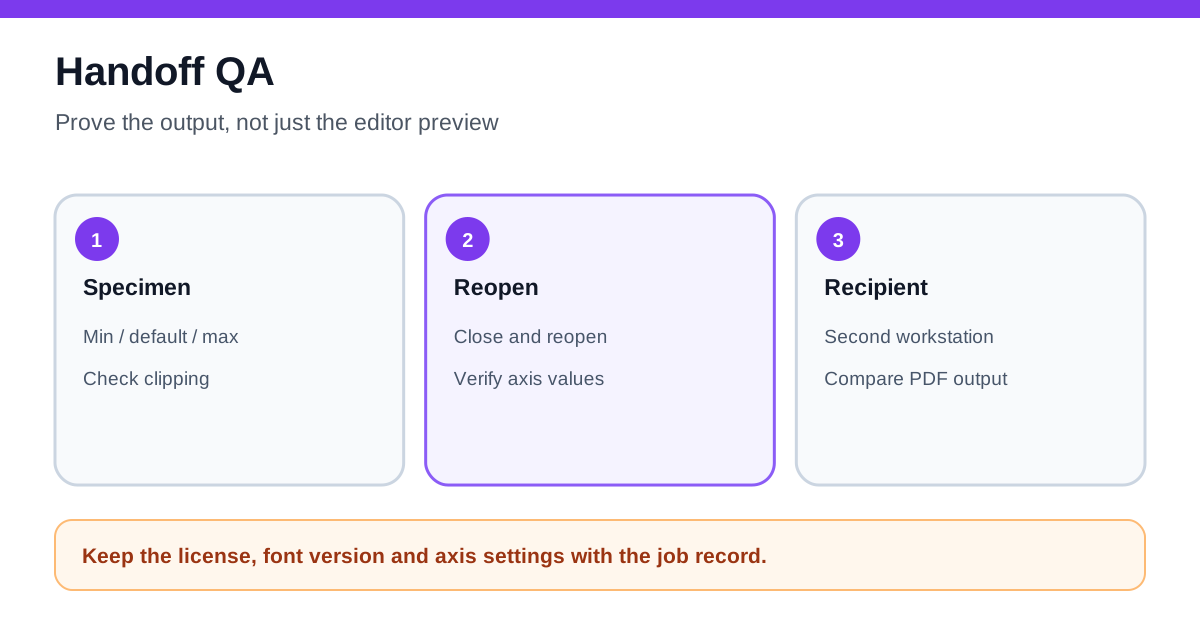
Before building a client layout, record the font file name and version, the axis tags and values, and the named instance used as a starting point. Create a small specimen that includes headline, paragraph, numerals, punctuation and any required language. Test minimum and maximum values, because extreme Width or Weight settings may change line breaks, spacing and legibility.
Save intentional settings into a CorelDRAW text or paragraph style. That makes the editable master easier to audit and reduces the chance that one text object drifts to an undocumented value.
Keep an editable master and a separate delivery copy
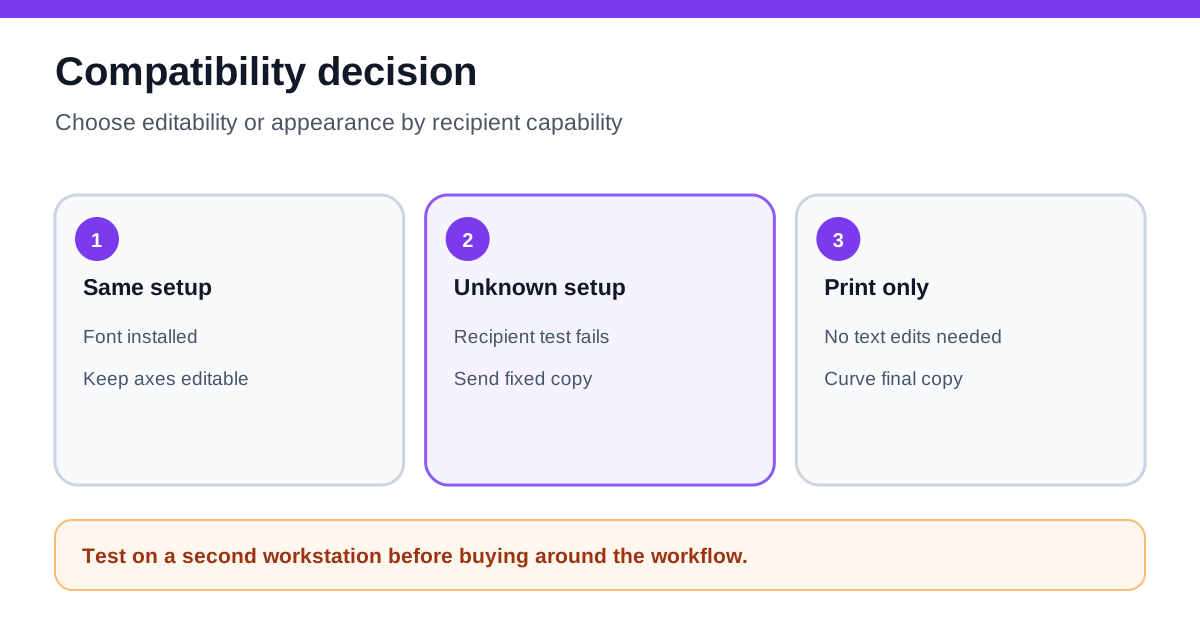
There are three different handoff goals.
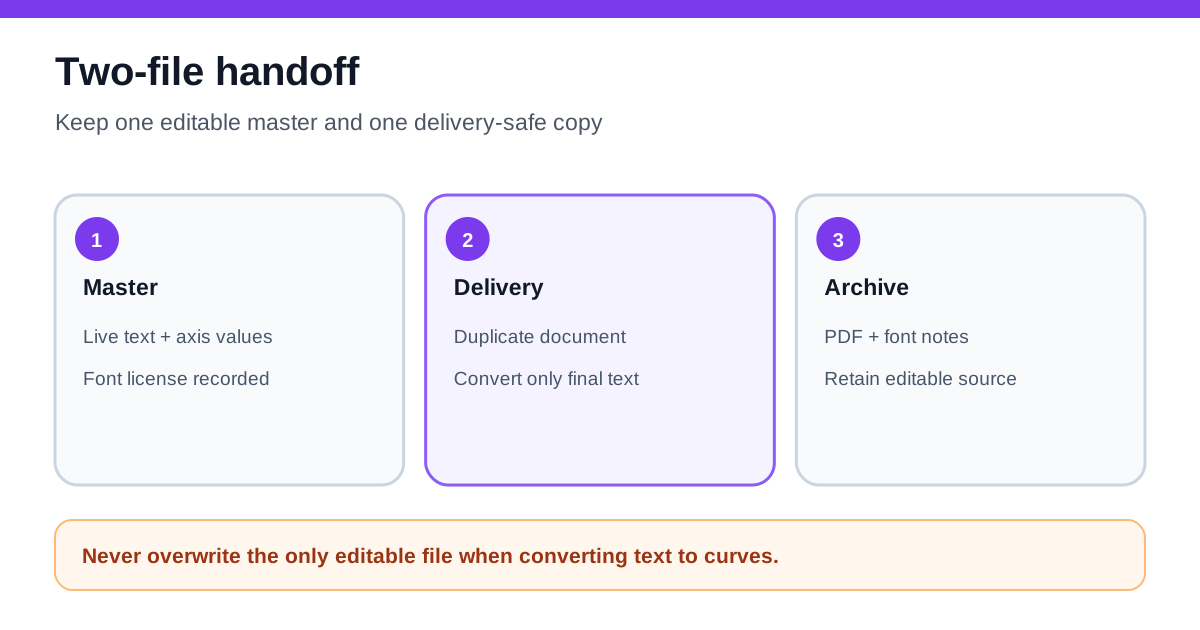
**Editable CorelDRAW master:** keep live text, the original font and recorded axis values. This is the only copy that preserves the easiest path to later text changes.
**Editable cross-app file:** test the exact recipient application and version. Adobe documents its own Weight, Width and Slant controls, but shared support for variable fonts does not prove identical handling of every custom axis, named instance or text effect. Open the exported file on the recipient’s machine and compare line breaks, glyphs and axis positions.
**Fixed visual delivery:** export a suitable PDF or convert a duplicate to curves when the recipient needs appearance rather than editable text. CorelDRAW explicitly recommends curves as a way to preserve appearance on other devices. Curves remove font dependence, but they also remove text editing, searching, accessibility semantics and easy spell-checking. Never destroy the only editable copy.
This distinction is separate from general font embedding. Embedding or packaging may preserve a licensed font for an authorized workflow; converting to curves freezes shapes. A variable-axis project needs both a licensing decision and an editability decision.
Test the handoff instead of trusting a preview
Create a QA copy with four checkpoints:
1. Open the editable master and confirm the recorded axis values. 2. Export using the actual PDF preset or interchange format. 3. Open the result in the recipient’s app, a second PDF viewer and—if relevant—the print provider’s preflight. 4. Compare line breaks, page count, glyph substitution, overprint and the visual position of the variable style.
For print, request a proof when the typography is brand-critical. For web or responsive work, remember that a variable font file can reduce separate static files, but the site’s CSS, browser support, licensing and performance remain separate from CorelDRAW’s canvas controls.
Do not convert an entire document to curves by reflex. Keep body copy live where search, accessibility or revisions matter; freeze only approved display text when the delivery system cannot preserve the variable state.
Subscription, one-time purchase, or no purchase
Choose the **subscription or maintenance route** when you need ongoing version compatibility, subscriber features and repeated variable-font production. Corel says subscription includes current updates and ends in viewer mode when the subscription expires; maintenance attaches ongoing benefits to a perpetual license while letting you keep the latest received version if maintenance stops.
Choose the **one-time 2026 purchase** when the current version and operating-system horizon fit a stable workflow and you accept that future features and compatibility are not included. Confirm that the exact variable-font workflow you need is present during the 15-day trial.
Choose **no CorelDRAW purchase yet** when axis editing is occasional, the recipient cannot preserve live variable fonts, or a current tool already handles the required axes and exports. Test one real project through the full handoff before comparing license cost.
The buying test is not “Can I move a slider?” It is “Can I reproduce, revise and deliver this typography without undocumented substitutions?” If the answer is yes across several projects, CorelDRAW’s integrated styles, vector tools and handoff controls can justify the price.
*Affiliate disclosure: Toolnavia may earn a commission if you buy through its approved CorelDRAW referral link. That does not change the recommendation to verify the live checkout, font license, axis support and recipient workflow before purchasing.*
Platform-level compatibility check
Microsoft’s DirectWrite documentation shows that variable-font rendering depends on recognized axes and variation values at the platform layer. Treat that as another reason to reopen the file on the recipient’s actual workstation before promising editable compatibility.